
1. הקדמה
א דאנק פארן קויפןasing the Dyurwa ZY02 Portable Bluetooth Speaker. This manual provides essential information for setting up, operating, and maintaining your speaker. Please read it thoroughly before use to ensure optimal performance and longevity of your device.
2. זיכערקייַט אינפֿאָרמאַציע
- שטעלט נישט אויס דעם רעדנער צו עקסטרעמע טעמפּעראַטורן אדער דירעקטער זון פֿאַר לענגערע פּעריאָדן.
- ויסמיידן דראַפּינג אָדער ונטערטעניק די רעדנער צו שטאַרק ימפּאַקץ.
- האַלט דעם רעדנער אַוועק פון מעדיצינישע דעוויסעס, ווײַל עס קען שטערן זייער אָפּעראַציע.
- פּרוּווט נישט צו צענעמען, פאַרריכטן אָדער מאָדיפֿיצירן דעם רעדנער אַליין. קאָנטאַקט קוואַליפֿיצירטע סערוויס פּערסאָנעל אויב נייטיק.
- זיכערט זיך אז דער דעקל פון דער טשאַרדזשינג פּאָרט איז זיכער פארמאכט ווען איר ניצט דעם רעדנער לעבן וואַסער כדי צו האַלטן זיין IPX7 וואַסערפּרוף שאַץ.
3. פּעקל אינהאַלט
- 1 x Dyurwa ZY02 Portable Bluetooth Speaker
- 1 X Type-C טשאַרדזשינג קאַבלע
- 1 x Quick Start Guide (this document)
4. פּראָדוקט איבערview
קאָנטראָלס און פּאָרץ
Familiarize yourself with the buttons and ports on your Dyurwa ZY02 speaker:

Figure 1: Top-mounted control buttons and side profile of the Dyurwa ZY02 speaker.
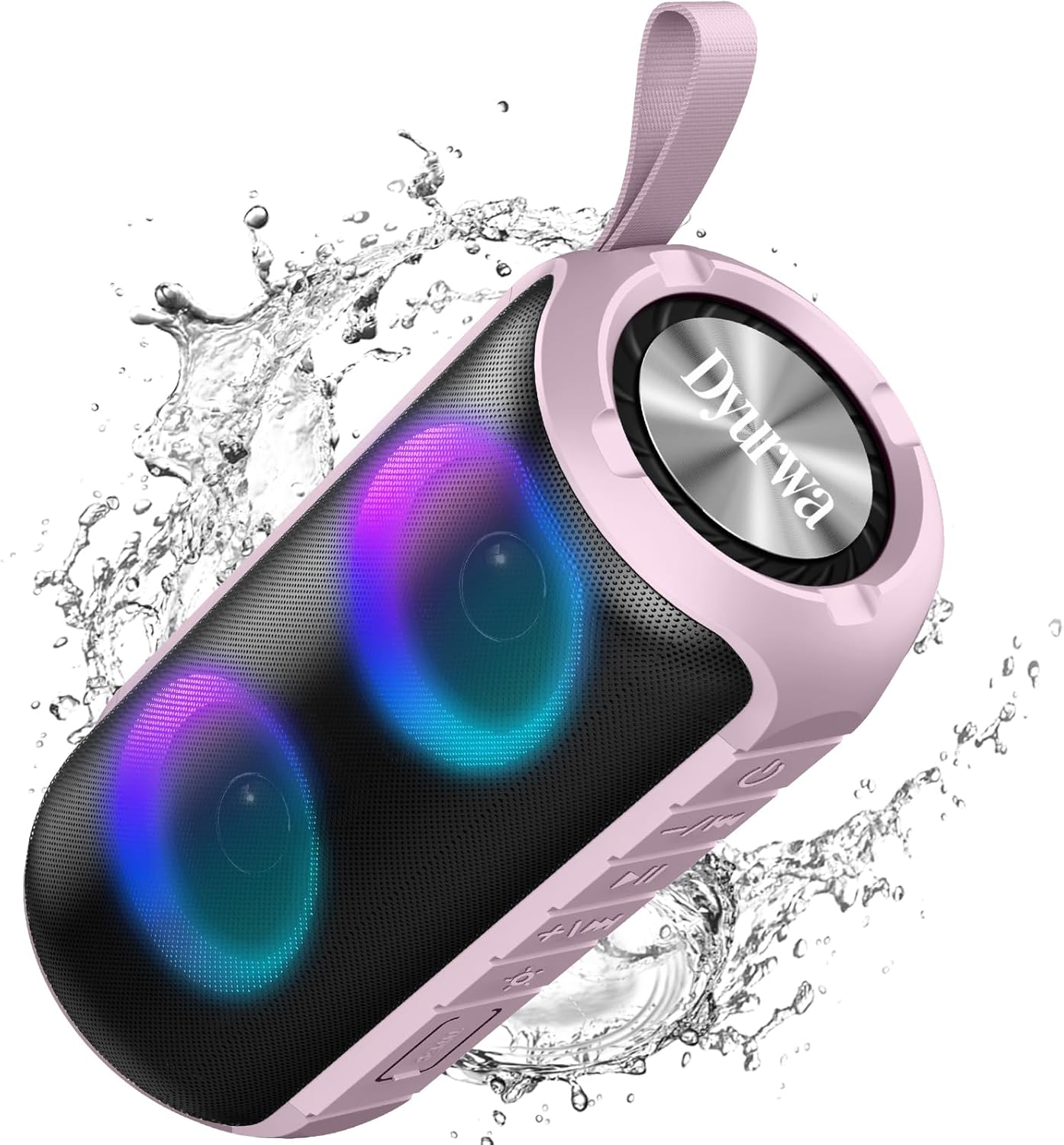
Figure 2: The sealed port area on the Dyurwa ZY02 speaker, revealing the Type-C charging port and a memory card slot.
ווידעא 1: א קורצע איבערבליקview of the Dyurwa ZY02 speaker's physical features, including its buttons, ports, and dynamic LED lighting effects.
5. סעטאַפּ
5.1 אויפלאָדן דעם רעדנער
Before first use, fully charge your speaker. Use the provided Type-C charging cable to connect the speaker to a compatible USB power source. The charging time is approximately 2-3 hours.

Figure 3: The Dyurwa ZY02 speaker highlighting its 12-hour battery life, with a note that continuous playtime varies by volume and light settings.
5.2 בלועטאָאָטה פּערינג
- Power on the speaker by pressing and holding the power button. The LED indicator will flash, indicating it's in pairing mode.
- אויף אייער דעווייס (סמאַרטפאָן, טאַבלעט, קאָמפּיוטער), אַקטיווירט בלועטוט און זוכט פֿאַר פֿאַראַן דעווייסעס.
- Select "ZY02" from the list of devices.
- Once connected, the speaker will emit an audible confirmation, and the LED indicator will remain solid.

Figure 4: The Dyurwa ZY02 speaker connected to a laptop, illustrating its Bluetooth 5.3 multi-device compatibility.
5.3 אמתע ווירעלעס סטערעאָ (TWS) פּאָרינג
To pair two ZY02 speakers for a stereo sound experience:
- Ensure both speakers are powered off and not connected to any device.
- מאַכט אויף ביידע ספּיקערז.
- On one speaker (this will be the primary speaker), double-press the power button. It will search for the secondary speaker.
- Once connected, both speakers will emit a confirmation tone, and their LED indicators will synchronize.
- פֿאַרבינדט אייער דעווייס צום הויפּט רעדנער דורך בלועטוט ווי באַשריבן אין סעקציע 5.2.
6. אַפּערייטינג ינסטרוקטיאָנס
6.1 יקערדיק פאַנגקשאַנז
- מאַכט אויף / אַוועק: דריקן און האַלטן די מאַכט קנעפּל פֿאַר 3 סעקונדעס.
- שפּיל / פּויזע: קורץ דריקן די שפּיל / פּויזע קנעפּל.
- באַנד אַרויף: דריק קורץ דעם '+' קנעפל.
- באַנד אַראָפּ: דריק קורץ דעם '-' קנעפל.
- ווייַטער שפּור: לאַנג דריקן די '+' קנעפּל.
- פֿריִערדיקע שפּור: לאַנג דריקן דעם '-' קנעפּל.
6.2 RGB לייטינג מאָדעס
The speaker features dynamic RGB lights that can be customized:

Figure 5: The Dyurwa ZY02 speaker displaying its dynamic RGB lighting, with an icon indicating the button to browse different vibrant modes.
- טוישן ליכט מאָדע: Short press the light button (often indicated by a sun or lightbulb icon) to cycle through available RGB lighting effects.
- אויסלעשן די ליכט: Continue pressing the light button until the lights turn off.
- The lights can also pulse with the rhythm of the music.
Video 2: Demonstration of the Dyurwa ZY02 speaker's RGB lighting features, showing how the lights change and react to sound.
6.3 הענט-פריי רופן
With its built-in microphone, the speaker supports hands-free calling when connected to your smartphone:

Figure 6: The Dyurwa ZY02 speaker facilitating a hands-free call in an office environment, showcasing its built-in microphone functionality.
- ענטפֿערן / סוף רופן: קורץ דריקן די שפּיל / פּויזע קנעפּל.
- אָפּוואַרפן רופן: לאנג דריקן די שפּיל / פּויזע קנעפּל.
7. וישאַלט
7.1 וואַסערפּרוף פּלאַן (IPX7)
The Dyurwa ZY02 speaker features an IPX7 waterproof rating, meaning it can be submerged in up to 1 meter of water for 30 minutes. This makes it suitable for use in showers, by the pool, or at the beach.

Figure 7: The Dyurwa ZY02 speaker demonstrating its IPX7 waterproof capability by being partially submerged in water.

Figure 8: The Dyurwa ZY02 speaker on a beach, showcasing its durable and IPX7 waterproof design, suitable for outdoor use.
- Always ensure the charging port cover is tightly sealed before exposing the speaker to water.
- נאָך דעם ווי עס קומט אין וואַסער, ווישט דעם רעדנער טרוקן מיט אַ ווייכן שטאָף.
- Do not charge the speaker if the charging port is wet.
7.2 רייניקונג
ניצן אַ ווייך, דamp cloth to clean the exterior of the speaker. Do not use harsh chemicals or abrasive cleaners.
8. טראָובלעשאָאָטינג
| פּראָבלעם | מעגלעך סיבה | לייזונג |
|---|---|---|
| רעדנער גייט נישט אן | נידעריק באַטאַרייע | לאָדט דעם רעדנער גאָר אויף. |
| קען נישט צוזאמענשטעלן מיטן אפאראט | Bluetooth not enabled on device; speaker not in pairing mode; too far from device | Ensure Bluetooth is on, speaker is in pairing mode, and within 10 meters. Restart both devices. |
| ניט געזונט אָדער נידעריק באַנד | Volume too low on speaker or device; incorrect audio source | Increase volume on both speaker and device. Check device's audio output settings. |
| TWS פּערינג ניט אַנדערש | Speakers not reset or too far apart | Ensure both speakers are disconnected from other devices. Place them close together and retry TWS pairing. |
9. ספּעסאַפאַקיישאַנז
| שטריך | דעטאַל |
|---|---|
| סאָרט | Dyurwa |
| מאָדעל נומער | ZY02 |
| קאַנעקטיוויטי טעכנאָלאָגיע | בלועטאָאָטה, AUX |
| ווירעלעסס טעכנאָלאָגיע | בלועטאָאָטה 5.3 |
| אַודיאָ רעזולטאַט מאָדע | סטערעאָ |
| רעדנער מאַקסימום רעזולטאַט מאַכט | 180 וואטס |
| באַטאַרייע קאַפּאַציטעט | 1800 מאַה |
| באַטערי דורכשניטלעך לעבן | 12 Hours (varies by volume/light settings) |
| באַטאַרייע אָפּצאָל צייט | 2-3 שעה |
| וואָטערפּרוף רייטינג | IPX7 |
| קאַנעקשאַן ראַנגע | >10 ם |
| נומער דימענשאַנז (ד רענטגענ וו רענטגענ ה) | 2.54"ד רענטגענ 5"וו רענטגענ 4"ה |
| וואָג | 216ג |
| געבויט-אין מידיאַ | מאַכט קאַבלע |
| נומער פון אַודיאָ טשאַנאַלז | 2.0 |
| אַודיאָ דרייווער טיפּ | דינאַמיש דרייווער |
10. וואָראַנטי און שטיצן
The Dyurwa ZY02 Portable Bluetooth Speaker comes with a limited warranty. For specific warranty details and support inquiries, please refer to the warranty card included in your package or contact Dyurwa customer service.
For technical support or further assistance, please visit the official Dyurwa webפּלאַץ אָדער קאָנטאַקט זייער קונה דינסט מאַנשאַפֿט.