
וויכטיק סאַפעטי אינפֿאָרמאַציע
Please read all instructions carefully before assembling and using the Wenoker Magnetic Exercise Bike. Retain this manual for future reference.
- באַראַטנ זיך אַ דאָקטער איידער איר אָנהייבן קיין געניטונג פּראָגראַם.
- זיכער מאַכן אַז אַלע באָלץ און ניסלעך זענען זיכער צוגעצויגן איידער יעדן באַנוץ.
- האַלט קינדער און חיות אַוועק פון די געניטונג בייק בעת אָפּעראַציע.
- Place the bike on a flat, stable surface. Use a mat to protect flooring.
- טראָגט פּאַסיקע ספּאָרט קליידער און שיך.
- נישט איבערשטייגן דעם מאקסימום באַניצער וואָג פון 350 פונט (158 ק"ג).
- אויב איר דערפאַרט ווייטיק, שווינדל, אָדער קורץ אָטעם, הערט אויף צו טאָן געניטונגען גלייך.
פּראָדוקט איבערview
The Wenoker Magnetic Exercise Bike is designed for effective indoor cardio and weight loss. It features a robust design with advanced connectivity options.
שליסל פֿעיִקייטן
- אַפּ קאַנעקטיוויטי: Connects with popular fitness apps like Zwift and Kinomap to track time, speed, distance, and calories.
- Quiet Magnetic Resistance: Smooth magnetic resistance system and belt drive ensure near-silent operation.
- Stable & Durable Frame: Reinforced steel frame and wide stabilizers provide excellent stability.
- LCD Display & Adjustable Seat: Built-in monitor displays workout metrics, and the seat adjusts for various user heights.
- Fast & Easy Assembly: Mostly pre-assembled for quick setup, typically 20-30 minutes.
קאַמפּאָונאַנץ
Familiarize yourself with the main components of your exercise bike.

Image: The Wenoker Magnetic Exercise Bike, showcasinג זײַן אַלגעמײַנעם פּלאַן און סטרוקטור.
סעטאַפּ און אַסעמבלי
The Wenoker Magnetic Exercise Bike comes mostly pre-assembled. Follow these steps for quick and easy setup.
שריט 1: צוטשעפּען סטאַביליזאַטאָר באַרס
Attach the front and rear stabilizer bars to the main frame using the provided bolts and washers. Ensure they are securely tightened for stability.

בילד: אן עקספלאדירטע view of the Wenoker Exercise Bike components, illustrating the parts involved in assembly.
שריט 2: ינסטאַלירן פּעדאַלז
Identify the left (L) and right (R) pedals. Apply a small amount of lubricant to the pedal threads. Screw the pedals into their respective crank arms. The left pedal tightens counter-clockwise, and the right pedal tightens clockwise. Use the provided wrench to secure them firmly.

Image: A close-up of the exercise bike pedals, showing the foot straps and attachment point.
Step 3: Adjust Seat and Handlebars
Adjust the seat height and fore-aft position, and the handlebar height to your comfort. Ensure the adjustment knobs are fully tightened after setting your preferred positions.

Image: Demonstrates the adjustable seat and handlebar features of the exercise bike.
פֿאַרזאַמלונג ווידעא גייד
Video: A step-by-step guide on how to assemble the Wenoker Exercise Bike, demonstrating the process from unboxing to final adjustments.
אַפּערייטינג ינסטראַקשאַנז
מאַכט אויף
The LCD monitor is battery-powered and will activate automatically when you begin pedaling or press any button.
ניצן די לקד מאָניטאָר
The built-in LCD monitor displays essential workout metrics. Use the 'MODE' button to cycle through different display functions:
- יבערקוקן: גייט אויטאָמאַטיש דורך אַלע מעטריקס.
- צייט: ווײַזט די געדויער פון אײַער טרענירונג.
- SPEED: ווײַזט אײַער איצטיקע סייקלינג גיכקייט.
- AFSTAND: טראַקט די דיסטאַנץ באדעקט בעשאַס דיין סעסיע.
- קאַלאָריעס: שאַצט קאַלאָריעס פארברענט.
- אָדאָמעטער: Records total accumulated distance.
Press 'RESET' to clear current workout data. Press 'SET' to confirm settings or enter specific modes.

Image: A close-up of the LCD monitor, showing various workout data points and control buttons.
אַדזשאַסטינג קעגנשטעל
The resistance level is controlled by the red knob located on the main frame. Turn the knob clockwise to increase resistance and counter-clockwise to decrease it. Push down on the knob to engage the emergency brake and stop the flywheel immediately.
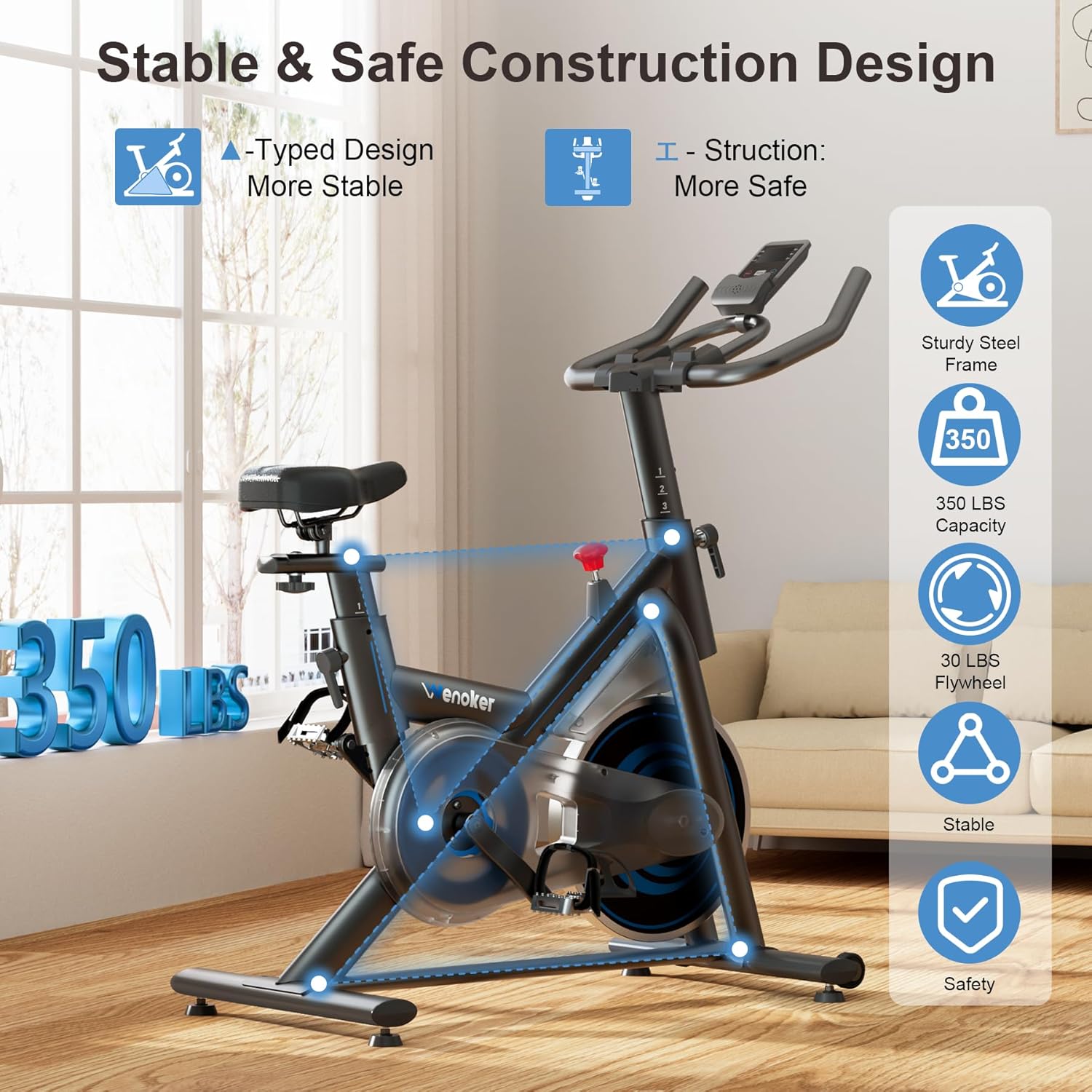
Image: The red resistance knob, indicating clockwise for increased resistance and counter-clockwise for decreased resistance, with a 'PUSH TO STOP' function.
אַפּ קאַנעקטיוויטי
The bike supports connectivity with popular fitness applications like Zwift and Kinomap. Download the desired app on your smartphone or tablet and follow the app's instructions to pair with your exercise bike via Bluetooth. This allows for real-time data tracking and interactive workout experiences.

Image: A user exercising on the bike with a tablet displaying a fitness app, illustrating the app connectivity feature.
וישאַלט
Regular maintenance ensures the longevity and safe operation of your Wenoker Magnetic Exercise Bike.
רייניקונג
- ווישן אַראָפּ די בייק מיט אַדamp שטאָף נאָך יעדער נוצן צו באַזייַטיקן שווייס און שטויב.
- פֿאַרמײַדן די נוצן פֿון אַברייסיוו רייניגער אָדער סאָלווענטן וואָס קענען שאַטן די ענדיקונג.
רעגולער טשעקס
- Periodically check all nuts and bolts to ensure they are tight.
- Inspect pedals and straps for wear and tear. Replace if necessary.
- Ensure the seat and handlebar adjustment mechanisms function smoothly.
- Check the stability of the bike on its leveling feet.
טראָובלעשאָאָטינג
זעט דעם אָפּטייל פֿאַר לייזונגען צו געוויינטלעכע פּראָבלעמען.
| פּראָבלעם | מעגלעך סיבה | לייזונג |
|---|---|---|
| Bike is noisy during operation. | Loose bolts or components; worn belt. | Check and tighten all visible bolts. If noise persists, contact customer support. |
| LCD monitor not displaying. | Dead batteries; loose connection. | Replace batteries in the monitor. Check the connection cable from the sensor to the monitor. |
| Resistance adjustment not working. | Resistance knob not properly engaged; internal mechanism issue. | Ensure the resistance knob is fully engaged. If the issue continues, contact customer support. |
| Bike feels unstable or wobbles. | Uneven floor; loose stabilizer bars. | Adjust the leveling feet on the stabilizer bars. Ensure stabilizer bar bolts are tight. |
ספּעסאַפאַקיישאַנז
Detailed technical specifications for the Wenoker Magnetic Exercise Bike.
| שטריך | דעטאַל |
|---|---|
| סאָרט | ווענאָקער |
| מאָדעל נומער | 51-VIP3-KFF6 |
| ספּעציעלע פֿעיִקייטן | Adjustable Footstrap, Adjustable Pedal, Adjustable Seat, App Connectivity, Console Display |
| קאָליר | בלוי |
| מאַכט מקור | באַטאַרייע פּאַוערד |
| רעקאָממענדעד ניצט | דרינענדיק |
| מאַטעריאַל | אַללוי סטיל |
| קעגנשטעל מעקאַניזאַם | מאַגנעטיק |
| פּראָדוקט דימענשאַנז | 37.4"ד רענטגענ 7.48"וו רענטגענ 29.92"ה |
| מאַקסימום וואָג רעקאָממענדאַטיאָן | 350 פונט |
| דרייוו סיסטעם | גאַרטל |
וואָראַנטי און קונה שטיצן
For specific warranty details, please refer to the warranty card included with your product or visit the official Wenoker website. If you encounter any issues or have questions not covered in this manual, please contact Wenoker customer support.
קונה שטיצן: Refer to your purchase documentation or the Wenoker brand store on Amazon for contact information.
Visit the Wenoker Store on Amazon