
פּראָדוקט איבערview
The pTron Studio Pro are wireless over-ear headphones designed for extended listening and clear communication. They feature an ergonomic design with soft earpads and an adjustable headband for comfortable wear. Key features include long battery life, advanced audio drivers, and versatile connectivity options.
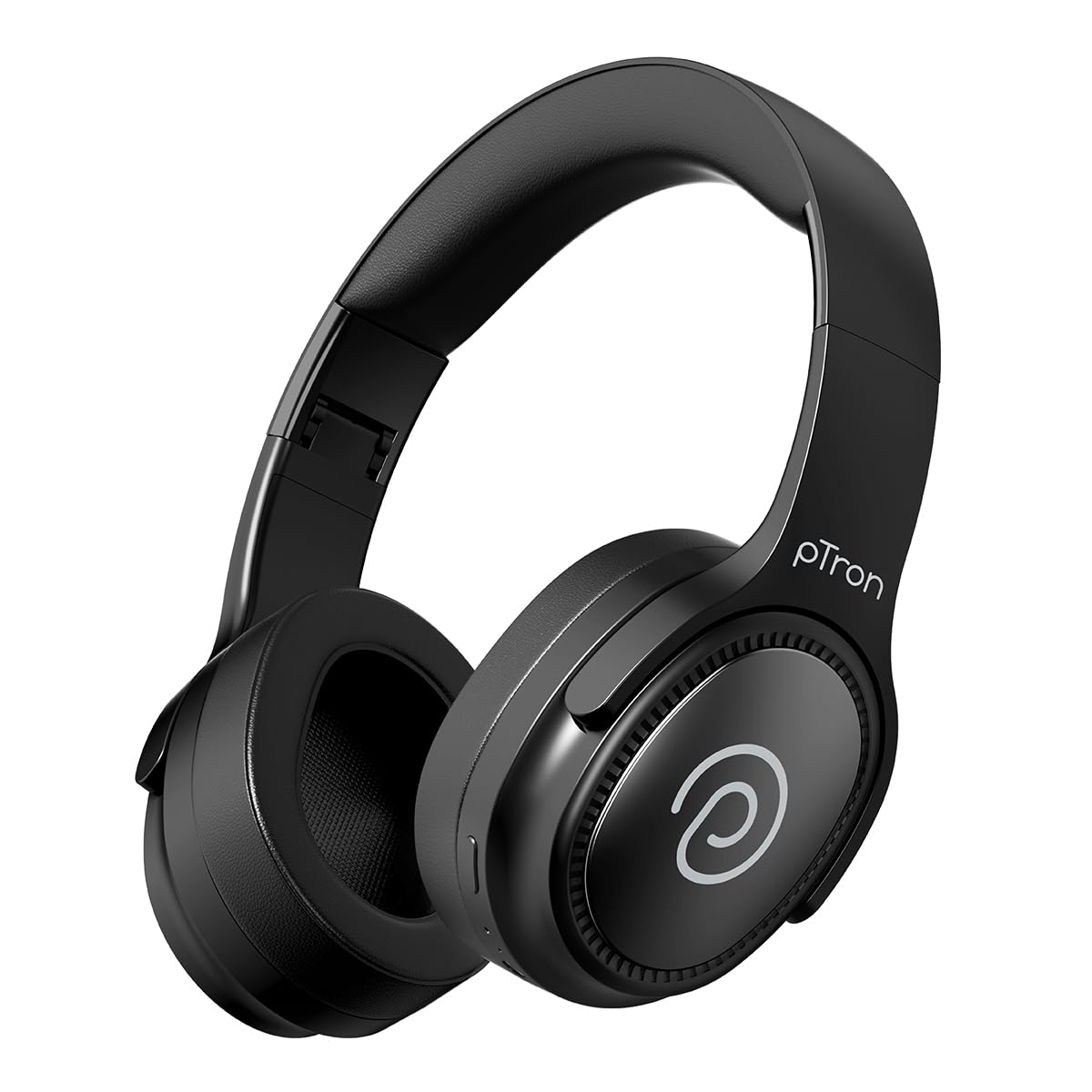
Image: pTron Studio Pro Wireless Over-Ear Headphones in Jet Black, showcasinג דעם גלאַטן דיזיין.
שליסל פֿעיִקייטן
- עקסטענדעד שפּיל צייט: Up to 65 hours of music playback on a single full charge.
- שנעל טשאַרדזשינג: 2.5 hours for a full charge via Type-C. A 10-minute charge provides approximately 4 hours of playtime.
- הויך-קוואַליטעט אַודיאָ: Equipped with 40mm Neody Drivers for pristine stereo sound.
- קלאָר קאַללס: Built-in HD Microphone with TruTalk AI-ENC (Environmental Noise Cancellation) for crystal-clear calls.
- אַוואַנסירטע קאַנעקטיוויטי: Fast Bluetooth v5.4 for instant pairing and stable connection.
- צווייענדיקע דעווייס פּערינג: Seamlessly connect and switch between two devices simultaneously.
- ווערסאַטאַל מאָדעס: Dedicated Low-Latency Gaming Mode and Music Mode.
- וואַסער קעגנשטעל: IPX4 rating, making them resistant to water splashes and sweat.
- Comfort & Portability: Ergonomic, lightweight, and foldable design with soft earpads and an adjustable headband for a perfect fit and easy storage.
- פּשוט קאָנטראָלס: Multi-functional buttons for managing music, calls, and activating voice assistant.

Image: Infographic detailing the main features of the pTron Studio Pro headphones, including battery life, drivers, and connectivity.
וואָס איז אין די קעסטל
Upon unboxing your pTron Studio Pro headphones, you will find the following items:
- pTron Studio Pro Wireless Over-Ear Headphones
- טשאַרדזשינג קאַבלע (טיפּ-C)
- באַניצער מאַנואַל
Video: An official product video demonstrating the unboxing and key features of the pTron Studio Pro headphones.
Product Layout and Controls
Familiarize yourself with the physical components and control buttons of your pTron Studio Pro headphones.

בילד: דעטאַלירט view of the multi-function control buttons located on the ear cup, including power, volume, and track controls.
Control Button Functions:
| קנעפּל / קאַמף | פֿונקציע |
|---|---|
| מאַכט קנעפּל (לאַנג דרוק) | מאַכט אויף/אויס, אַרייַן פּערינג מאָדע |
| שפּיל/פּויזע קנעפּל (איין דריק) | שפּילן/פּויזירן מוזיק, ענטפֿערן/ענדיגן רוף |
| Play/Pause Button (Long Press) | אָפּוואַרפן רוף, אַקטיווירן שטימע אַסיסטאַנט |
| באַנד אַרויף (+) (איין דריק) | פאַרגרעסערן באַנד |
| באַנד אַראָפּ (-) (איין דריק) | פאַרמינערן די באַנד |
| באַנד אַרויף (+) (לאַנג דריקן) | ווייַטער שפּור |
| באַנד אַראָפּ (-) (לאַנג דריקן) | פֿריִערדיקע שפּירט |
| Mode Button (Single Press) | Switch between Game Mode and Music Mode |
סעטאַפּ
1. טשאַרדזשינג די כעדפאָונז
- פֿאַרבינדט דעם צוגעשטעלטן טיפּ-C טשאַרדזשינג קאַבל צום טשאַרדזשינג פּאָרט אויף די כעדפאָונז.
- Connect the other end of the cable to a USB power source (DC5V-1A max.).
- דער LED אינדיקאַטאָר וועט ווײַזן דעם טשאַרדזשינג סטאַטוס. א פולע טשאַרדזשינג נעמט אַרום 2.5 שעה.
- A 10-minute charge can provide up to 4 hours of playtime.

Image: The pTron Studio Pro headphones highlighting the Type-C charging port and emphasizing the 65-hour playtime.
2. בלועטאָאָטה פּערינג
- זיכער מאַכן אַז די כעדפאָונז זענען גאָר אויפגעלאָדן.
- Press and hold the Power button until the LED indicator flashes red and blue alternately, indicating pairing mode.
- אויף אייער דעווייס (סמאַרטפאָן, טאַבלעט, לאַפּטאָפּ), אַקטיווירט בלועטוט און זוכט פֿאַר פֿאַראַן דעווייסעס.
- Select "pTron Studio Pro" from the list of devices.
- Once connected, the LED indicator will turn solid blue or stop flashing.
3. Dual Device Pairing
- פֿאַרבינדט די כעדפאָונז מיטן ערשטן מיטל ווי אויבן באַשריבן.
- דיאַקטיווירן בלוטוט אויף דער ערשטער דעווייס. די כעדפאָונז וועלן ווידער אַרייַן אין פּערינג מאָדע.
- פּאָר די כעדפאָונז מיט די רגע מיטל.
- ווידער אַקטיווירן בלוטוט אויף דער ערשטער דעווייס. די כעדפאָונז זאָלן זיך אויטאָמאַטיש פֿאַרבינדן צו ביידע דעווייסעס.
- You can now switch audio playback between the two connected devices.

Image: The headphones connected to both a laptop and a smartphone, demonstrating the dual device pairing feature.
4. Wired Connection (3.5mm Aux-in)
- Insert one end of a 3.5mm audio cable (not included) into the Aux-in port on the headphones.
- Connect the other end of the cable to your audio source's 3.5mm jack.
- די כעדפאָונז וועלן אויטאָמאַטיש איבערגיין צו ווייערד מאָדע.

Image: The headphones connected to a smartphone using a 3.5mm Aux-in cable, illustrating wired music playback.
אַפּערייטינג ינסטראַקשאַנז
מאַכט אויף / אַוועק
- מאַכט אויף: דריק און האלט דעם פּאַוער קנעפּל פֿאַר אַרום 3 סעקונדעס ביז דער LED אינדיקאַטאָר צינדט זיך אָן.
- מאַכט אַוועק: דריק און האלט דעם פּאַוער קנעפּל פֿאַר אַרום 5 סעקונדעס ביז דער LED אינדיקאַטאָר גייט אויס.
מוזיק קאָנטראָלס
- שפּיל / פּויזע: דריק איין מאל דעם שפיל/פאוזע קנעפל.
- ווייַטער שפּור: לאַנג דריקן די באַנד אַרויף (+) קנעפּל.
- פֿריִערדיקע שפּור: לאַנג דריקן די באַנד אַראָפּ (-) קנעפּל.
- באַנד אַרויף: דריק איין מאל דעם וואליום ארויף (+) קנעפל.
- באַנד אַראָפּ: דריק איין מאל דעם וואליום אראפ (-) קנעפל.
רוף קאָנטראָלס
- ענטפֿערן / סוף רופן: דריק איין מאל דעם שפיל/פאוזע קנעפל.
- אָפּוואַרפן רופן: לאנג דריקן די שפּיל / פּויזע קנעפּל.
קול אַססיסטאַנט
- אַקטאַווייט קול אַססיסטאַנט: Long press the Play/Pause button (after rejecting a call, if applicable, or when not on a call).
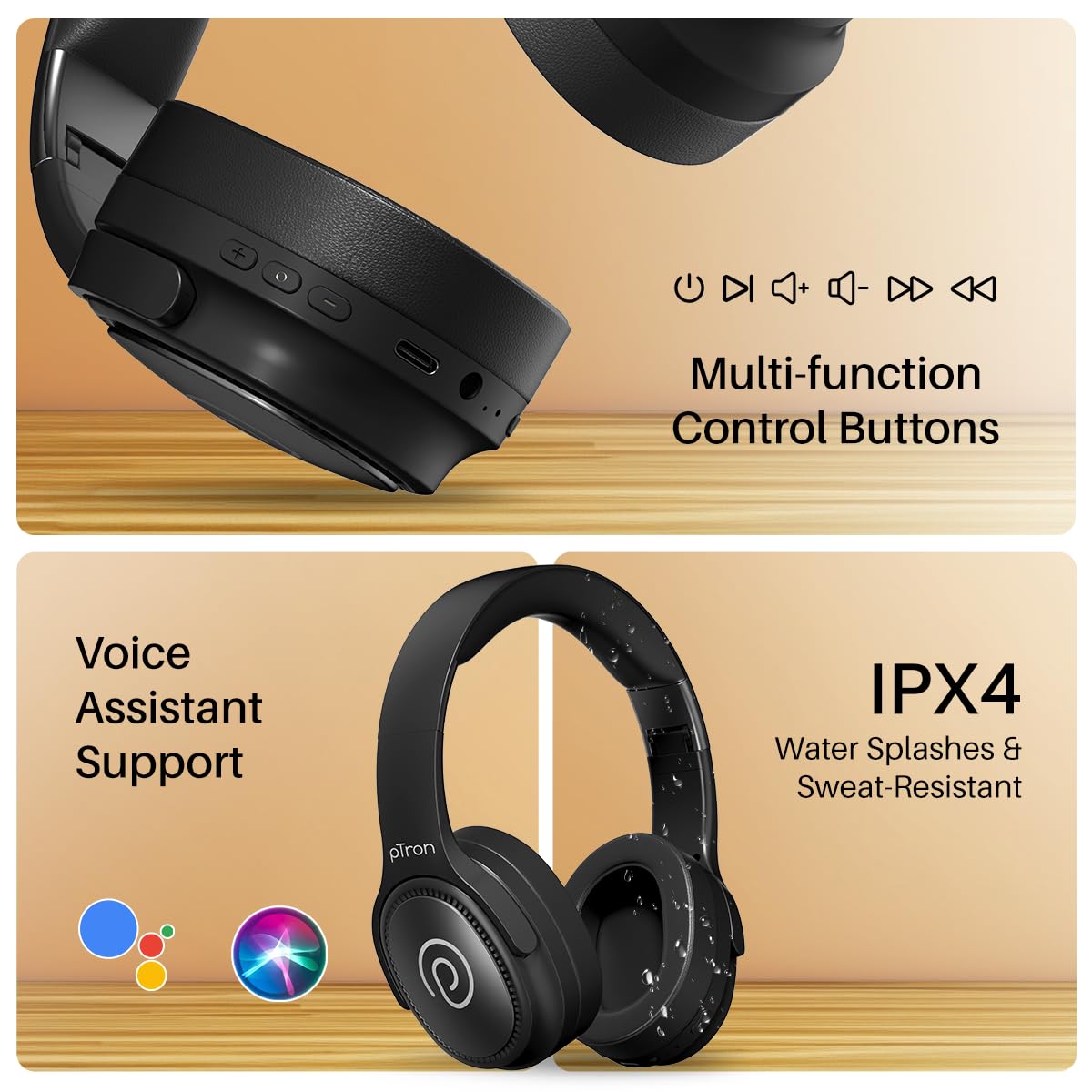
Image: The headphones illustrating support for voice assistants like Google Assistant and Siri, along with their IPX4 water-resistant rating.
Game & Music Modes
- באַשטימען מאָדעס: Single press the Mode button to toggle between Low-Latency Gaming Mode and standard Music Mode.
וישאַלט
To ensure the longevity and optimal performance of your pTron Studio Pro headphones, follow these maintenance guidelines:
- רייניקונג: ניצט אַ ווייכע, טרוקענע שטאָף צו רייניקן די כעדפאָונז. ניצט נישט קיין שרײַבנדיקע רייניגערס אדער סאָלווענטן.
- סטאָרידזש: ווען נישט אין באַנוץ, האַלט די כעדפאָונז אין אַ קיל, טרוקן אָרט. דער צוזאַמענפאַלטבאַרער פּלאַן ערמעגליכט קאָמפּאַקט סטאָרידזש.
- וואַסער ויסשטעלן: While rated IPX4 for water splashes and sweat resistance, avoid submerging the headphones in water or exposing them to heavy rain. Dry them thoroughly if they get wet.
- טשאַרדזשינג: Use only the provided Type-C cable and a compatible power adapter (DC5V-1A max.) for charging.
- ויסמיידן עקסטרעם טעמפּעראַטורעס: דו זאלסט נישט ויסשטעלן די כעדפאָונז צו גאָר הויך אָדער נידעריק טעמפּעראַטורעס.
טראָובלעשאָאָטינג
If you encounter any issues with your pTron Studio Pro headphones, refer to the following common troubleshooting steps:
| פּראָבלעם | לייזונג |
|---|---|
| די קאָפּהערער ווערן נישט אנגעצינדן. | זיכער מאַכן אַז די קאָפּהערער זענען גאָר אויפגעלאָדן. פאַרבינדן צו אַ מאַכט מקור און קאָנטראָלירן די טשאַרדזשינג אינדיקאַטאָר. |
| קען נישט פאַרבינדן זיך מיט אַ דעווייס. | Make sure Bluetooth is enabled on your device and the headphones are in pairing mode (LED flashing red/blue). Move closer to the device. Forget previous pairings on your device and try again. |
| קיין קלאַנג אָדער נידעריקע וואָלומען. | Check the volume levels on both the headphones and your connected device. Ensure the headphones are correctly paired. If using Aux-in, ensure the cable is fully inserted. |
| די קוואַליטעט פון די רופן איז שלעכט. | Ensure the microphone is not obstructed. Move to an area with less environmental noise. Check your device's network signal. |
| כעדפאָונז דיסקאַנעקט אָפט. | Ensure there are no obstacles between the headphones and your device. Keep within the Bluetooth range (10 meters). Avoid strong electromagnetic interference. |
ספּעסאַפאַקיישאַנז
| שטריך | דעטאַל |
|---|---|
| סאָרט | פּטראָן |
| מאָדעל נאָמען | סטודיאָ |
| אויער פּלייסמאַנט | איבער אויער |
| בלועטאָאָטה ווערסיע | 5.4 |
| בלועטאָאָטה קייט | 10 מעטער |
| אַודיאָ דרייווער גרייס | 40 מילאַמיטערז |
| ימפּידאַנס | 32 אָהמס |
| באַטערי דורכשניטלעך לעבן | 65 שעה |
| באַטאַרייע אָפּצאָל צייט | 2.5 שעה |
| טשאַרדזשינג פּאָרט | טיפּ-C |
| וואַסער קעגנשטעל מדרגה | IPX4 (וואַסער קעגנשטעליק) |
| מיקראָפאָן | Built-in HD Mic with AI-ENC |
| כעדפאָון דזשאַק | 3.5 מם דזשאַק |
| קאָנטראָל טיפּ | רוף קאָנטראָל, דרוק קנעפּל |
| פּראָדוקט פֿעיִקייטן | Fast Charging, Foldable, Microphone Included, Noise Isolation, Surround Sound |
| פּונקט וואָג | 200 גראַמז |
| מאַטעריאַל | אַקרילאָניטרילע בוטאַדיענע סטירענע (אַבס) |
| קאַמפּאַטאַבאַל דעוויסעס | סעלפאָונז, דעסקטאָפּס, לאַפּטאָפּס, טאַבלעטן |
וואָראַנטי און שטיצן
Your pTron Studio Pro headphones come with a manufacturer's warranty and dedicated customer support.
- וואָראַנטי: 6 Months Manufacturer Warranty from the Date of Purchase on Manufacturing Defects Only.
- קאָנטאַקט פאַבריקאַנט: Building A1, Red Box Creative Park, No. 3 Huancheng South Road, Bantian Street, Longgang District, Shenzhen City, China 518116.
- Customer Care Contact Details: 40-67138888 / שטיצע@פּטראָן.אין
- אימפארטירער קאנטאקט: פּאַלרעד עלעקטראָניקס פּריוואַט לימיטעד, SY.NO. 56, 1טער שטאָק, גונדלאַפּאָטשAMPALLY VILLAGE, TECH PARK MTP, TSIIC-IALA NACHARAM, HYDERABAD - 500076, TELANGANA, INDIA.