
1. הקדמה און איבערview
The DATOUBOSS 6200W 48V Hybrid Solar Inverter is a pure sine wave inverter designed to convert 48V DC power to 220/230V AC power. It integrates a 120A MPPT solar charge controller and supports a maximum PV array power of 8500W. This inverter is engineered for reliable performance in various applications, including RVs, camping boats, and home emergency power systems. It features advanced protection mechanisms and flexible operating modes to optimize solar energy utilization.
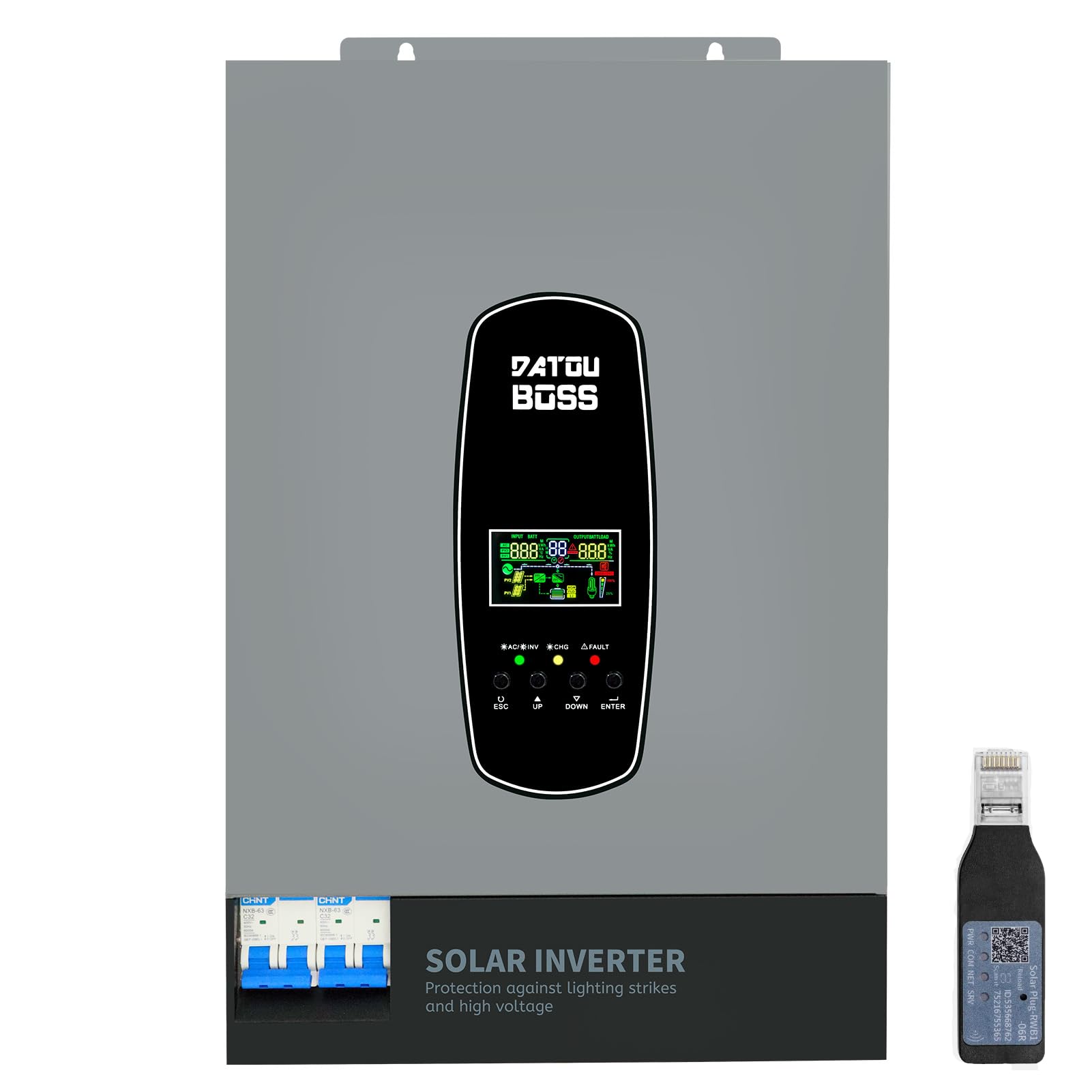
Image 1.1: The DATOUBOSS 6200W Hybrid Solar Inverter, highlighting its 6200W battery inverter output, 6500W PV inverter output, 120A MPPT charging, 8500W maximum PV input, and 60-500Vdc MPPT input voltage קייט.
2. זיכערקייַט אינפֿאָרמאַציע
Please read all safety instructions carefully before installation and operation. Failure to follow these instructions may result in electric shock, fire, or serious injury. Keep this manual for future reference.
- פאַכמאַן ינסטאַלירונג: ייַנמאָנטירונג זאָל נאָר זיין געטאן דורך קוואַלאַפייד פּערסאַנעל.
- ווענטילאַטיאָן: זיכער מאַכן גענוג ווענטילאַציע אַרום דעם ינווערטער צו פאַרמייַדן איבערהיצונג.
- וואַסער ויסשטעלן: שטעלט נישט אויס דעם אינווערטער צו רעגן, שניי, שפּריץ, אדער קיין שום פליסיקייטן.
- גראָונדינג: געהעריק גראַונדינג איז יקערדיק פֿאַר זיכערקייַט.
- Emergency Shutdown: Know how to quickly disconnect power in an emergency.
- בליץ און סורדזש שוץ: This inverter includes enhanced lightning and overvoltage protection. Integrated safety switches at input and output further enhance safety against overload, short circuit, and surge hazards.

Image 2.1: The inverter features a new lightning-proof design, offering lightning and high-voltage protection, input and output safety switches, increased PV input current, improved inverter performance under PV, higher PV utilization, and EMI filtering.
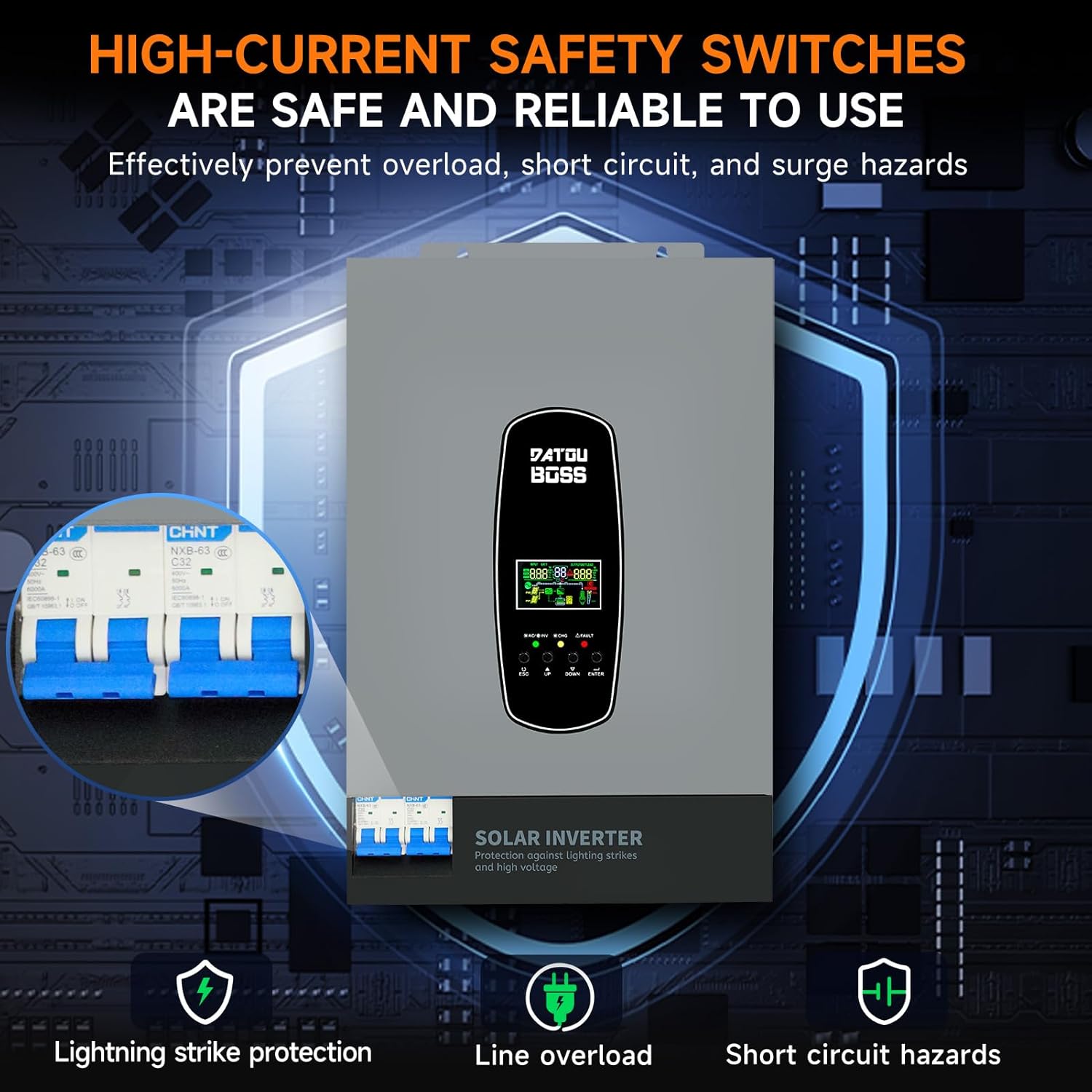
Image 2.2: High-current safety switches are integrated to effectively prevent overload, short circuit, and surge hazards, ensuring safe and reliable operation.
3. פּראָדוקט פֿעיִקייטן
- פּורע סינע וואַווע רעזולטאַט: צושטעלט הויך-קוואַליטעט AC מאַכט פּאַסיק פֿאַר סענסיטיווע עלעקטראָניק.
- אינטעגרירטע MPPT טשאַרדזש קאָנטראָללער: Features a 120A MPPT solar charge controller for efficient solar power harvesting.
- באַטעריע-לאָז אָפּעראַציע: Supports direct power supply to loads from PV array or AC source without requiring a battery connection.
- BMS Protection System: Equipped with a Battery Management System for lithium batteries, preventing overcharge and deep discharge.
- Customizable Charging Modes: Offers three battery charging modes: Hybrid (solar and utility), Solar Limited, and Pure Solar.
- LCD דיספּלעי און LED אינדיקאַטאָרן: Real-time system data and operating status are displayed on the LCD screen, complemented by 3 dynamic LED indicators. Error codes are shown for easy troubleshooting.
- EMI Filtering: Minimizes electromagnetic interference for stable operation.
- RS485 קאָמוניקאַציע פּאָרט: Enables communication with batteries for monitoring and optimized charging.
4. אויסזען באַשרייַבונג
The DATOUBOSS 6200W Hybrid Solar Inverter features a robust design with clearly labeled connection points and an intuitive user interface.

Image 4.1: This image provides a detailed view of the inverter's front, left, and right sides. The front panel includes an LCD display, status indicators, and control buttons (ESC, UP, DOWN, ENTER). The top panel shows AC input, BMS/RS485, AC output, RS232 Dry Contact, and PV input ports. The bottom features a safety switch and ground wire connection. The left and right sides show ventilation grilles.
- פראָנט פּאַנעל: Features an LCD display for real-time data, status indicators (AC/INV, CHG, FAULT), and navigation buttons (ESC, UP, DOWN, ENTER).
- Top Connections: Includes terminals for AC input, AC output, PV input, BMS/RS485 communication, and RS232 Dry Contact.
- Bottom Connections: Equipped with a safety switch and a ground wire terminal.
- זייטן: Designed with ventilation grilles for efficient heat dissipation.
5. ספּעסאַפאַקיישאַנז
Key technical specifications for the DATOUBOSS 6200W 48V Hybrid Solar Inverter:

Image 5.1: A close-up of the inverter's detailed parameters label, showing model DT4862L, capacity, PV and DC specifications, operating temperature, and protection degree.
| שטריך | באַשרייַבונג |
|---|---|
| מאָדעל נומער | DATOUBOSS-48V-6200W |
| קאַפּאַציטעט | 6200 וו / 6200 וואַ |
| אַרייַנשרייַב וואָלtage | 48 וודק |
| רעזולטאַט חלקtage | 230 VAC (Pure Sine Wave) |
| שפּיץ רעזולטאַט מאַכט | 9300 וואטס |
| MPPT PV באַנדtagE ראַנגע | 60 וודק צו 500 וודק |
| מאַקס פּוו עריי מאַכט | 8500 וו |
| מאַקס זונ - טשאַרדזשינג קראַנט | 120 א |
| מאַקסימום אַק טשאַרדזשינג קראַנט | 100 א |
| Max Combined Charging Current (PV + AC) | 120 א |
| אַפּערייטינג טעמפּעראַטור ראַנגע | -10°C צו 50°C |
| שוץ גראַד | IP21 |
| דימענסיעס (L X W X H) | 31 X 13.4 X 46.3 סענטימעטער |
| פּונקט וואָג | 10.4 קילאָגראַמס |
| ווייַז טיפּ | לקד |
6. סעטאַפּ
Proper setup is crucial for the safe and efficient operation of your hybrid solar inverter. Always ensure all power sources are disconnected before making any connections.
- מאָונטינג: Choose a suitable location for mounting the inverter. It should be indoors, well-ventilated, and protected from direct sunlight, moisture, and extreme temperatures. Ensure sufficient clearance around the unit for airflow.
- גראָונדינג: פֿאַרבינדט דעם אינווערטער'ס גראַונד טערמינאַל צו אַ פֿאַרלעסלעכן ערד־פּאָסטן.
- באַטערי קשר: Connect the battery bank to the inverter's battery terminals. Ensure correct polarity (positive to positive, negative to negative). Use appropriate cable gauges and fuses. The inverter supports 48V lithium batteries and includes a lithium battery activation function.
- PV אַרעי קאַנעקשאַן: Connect the solar panel array to the PV input terminals. Verify that the PV voltage and current are within the inverter's specified operating range (60-500 VDC MPPT range, max 500 VDC open circuit voltage, max 27A input current). Ensure correct polarity.
- AC אינפוט קאנעקשאן (יוטיליטי/גענעראטאר): Connect the AC utility grid or a compatible generator to the AC input terminals.
- AC אַרויסגאַנג קאַנעקשאַן (לאָודז): Connect your AC loads (appliances, circuits) to the AC output terminals.
- Communication Connections (Optional): If using, connect the RS485 port to a compatible battery or monitoring device. The WiFi module (if included) can be connected for remote monitoring.
- לעצט טשעקס: Double-check all connections for tightness and correct polarity. Ensure all safety switches are in the OFF position before powering on.
7. אָפּערייטינג
אַמאָל דער ינווערטער איז ריכטיק אינסטאַלירט און אַלע קאַנעקשאַנז זענען זיכער, קענט איר אָנהייבן אָפּעראַציע.
- מאַכט אויף: Turn on the battery breaker first, then the PV array breaker, and finally the AC input breaker (if connected). Switch the inverter's main power ON/OFF switch to the 'ON' position.
- LCD ווייַז: The LCD screen will illuminate, displaying system data such as input voltagE, רעזולטאַט וואָלtage, battery status, and load percentage. Use the 'UP' and 'DOWN' buttons to navigate through different display screens and the 'ENTER' button to confirm selections.
- LED ינדיקאַטאָרס: Observe the three LED indicators:
- AC/INV: Indicates AC input status or inverter operation.
- CHG: ווײַזט אָן דעם סטאַטוס פֿון דער באַטעריע.
- שולד: Illuminates if an error occurs. Refer to the LCD for specific error codes.
- Setting Charging Modes: The inverter allows customization of battery charging modes:
- היבריד אָפּצאָל: (Default) Utilizes both solar energy and AC utility power for charging.
- Solar Limited Charge: Prioritizes solar charging, using AC utility only when solar is insufficient.
- Pure Solar Charge: לאָדט באַטעריעס אויסשליסלעך פֿון זונ - ענערגיע.
- Battery-Less Mode: The inverter can operate without a battery connected, directly powering loads from the PV array or AC source. This mode can be configured through the system settings.
- מאָניטאָרינג: Regularly check the LCD display for system status and performance. If a WiFi module is installed, use the dedicated application for remote monitoring.
8. וישאַלט
רעגולערע אויפהאלטונג גאראנטירט די לאנגעוויטי און אפטימאלע פאָרשטעלונג פון אייער דאַטובאָסס היבריד זונ - ינווערטער.
- רייניקונג: האַלט דעם ינווערטער ריין און פריי פון שטויב. ניצט אַ טרוקענעם שטאָף צו ווישן די אויסערלעכע זייט. זאָרגט אַז די ווענטילאַציע עפענונגען זענען נישט פאַרשטאָפּט.
- קשר טשעקס: Periodically inspect all electrical connections for tightness and signs of corrosion. Tighten any loose connections.
- באַטערי דורכקוק: If using batteries, regularly check their terminals for corrosion and ensure they are clean and secure. Monitor battery health via the inverter's display or communication port.
- ינווייראַנמענאַל טנאָים: Ensure the inverter remains in a suitable environment, free from excessive heat, cold, or humidity.
- Firmware דערהייַנטיקונגען: קוק די פאַבריקאַנט ס webזייטל פֿאַר אַלע בנימצא פירמווער דערהייַנטיקונגען צו ענשור אַז דיין ינווערטער האט די לעצטע פֿעיִקייטן און באַג פיקסיז.
9. טראָובלעשאָאָטינג
די סעקציע גיט אנווייזונגען פאר אלגעמיינע פראבלעמען. פאר קאמפליצירטע פראבלעמען, קאנטאקטירט טעכנישע שטיצע.
| פּראָבלעם | מעגלעך סיבה | לייזונג |
|---|---|---|
| אינווערטער טוט זיך נישט אן | No battery power; main switch off; loose connections. | קוק די באַטאַרייע וואָלtage; ensure main switch is ON; verify all connections. |
| קיין AC רעזולטאַט | איבערלאַסט; קורץ קרייז; נידעריק באַטאַרייע וואָלומעןtage; fault code. | Reduce load; check for short circuits; charge battery; check LCD for error codes. |
| די באַטאַרייע איז נישט טשאַרדזשינג | PV input too low/high; AC input unavailable; incorrect charging mode. | קוק PV voltage/current; verify AC input; adjust charging mode settings. |
| Fault LED illuminated | Internal error; over-temperature; over-voltagE/קראַנט. | Note the error code on the LCD and consult the full user manual for specific remedies. Power cycle the unit if safe to do so. |
10. וואָראַנטי און שטיצן
DATOUBOSS is committed to providing high-quality products and customer satisfaction.
- לעבן: This product is designed for a 10-year lifespan.
- גאַראַנטירן: A 5-year guarantee covers manufacturing defects and malfunctions under normal use.
- קונה שטיצן: We offer 24-hour response for technical inquiries and support.
- סערוויס: Local warehouses are available for efficient service and parts.

Image 10.1: Visual representation of DATOUBOSS's commitment to product quality and customer service, including a 10-year lifespan, 5-year guarantee, 24-hour response, and local warehouses.
For further assistance or to report an issue, please contact DATOUBOSS customer service through the official channels provided with your purchase.