
1. פּראָדוקט איבערview
This manual provides essential information for the SGIN 15.6 Inch Laptop Computer, Model SGIN-Y101. It covers initial setup, operation, maintenance, and troubleshooting to ensure optimal performance and longevity of your device.
שליסל פֿעיִקייטן:
- Powerful Core i3 Processor: Equipped with an i3 (4-thread) CPU up to 3.9GHz for multitasking.
- Ample Storage and Speed: Features 16GB RAM and 1024GB SSD for quick application loading and smooth operation. Storage is expandable with a TF card up to 1TB.
- 15.6 Inch FHD IPS Display: Full HD 1920×1080 IPS screen with 180° viewing angles for vivid colors and sharp details.
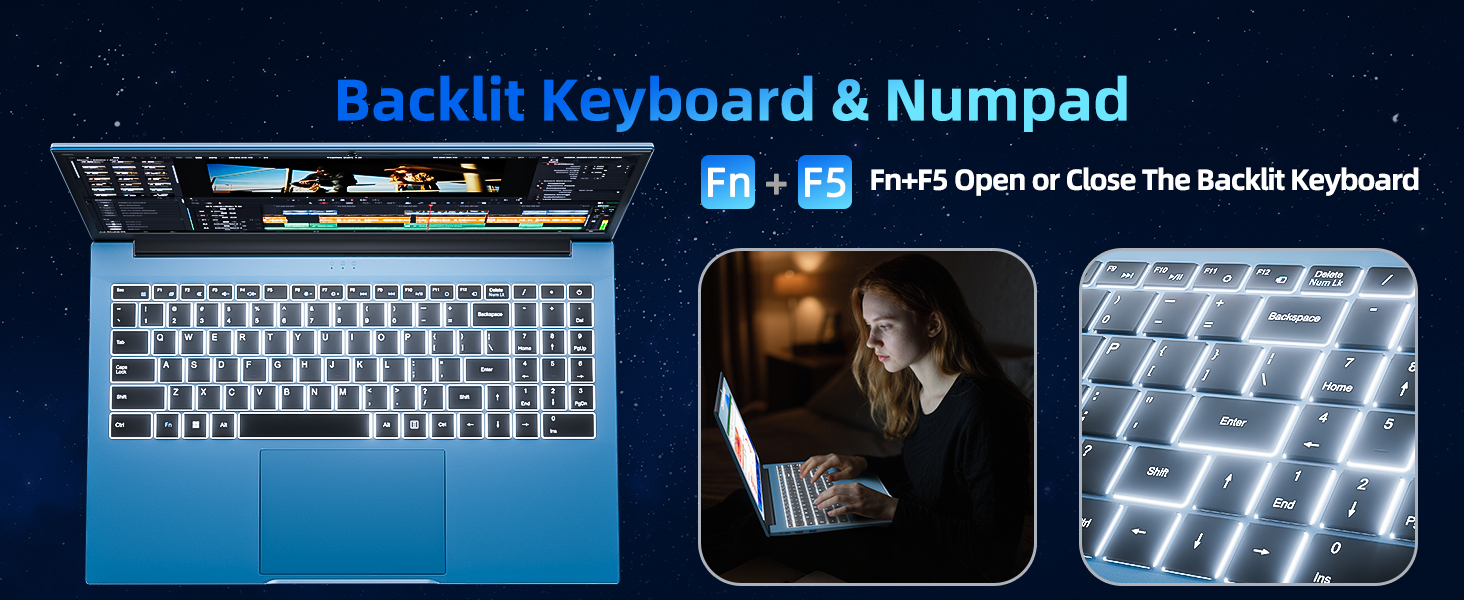
- באַקלייט קלאַוויאַטור: White backlit keyboard for improved typing accuracy in low-light conditions. Activate with "FN" + "F5".
- All-Day Battery and Connectivity: 53.2Wh battery (7000mAh) providing up to 8 hours of battery life. Includes USB 3.0, HDMI, Micro SD slot, Kensington lock, and a headphone jack. Features WiFi 6.
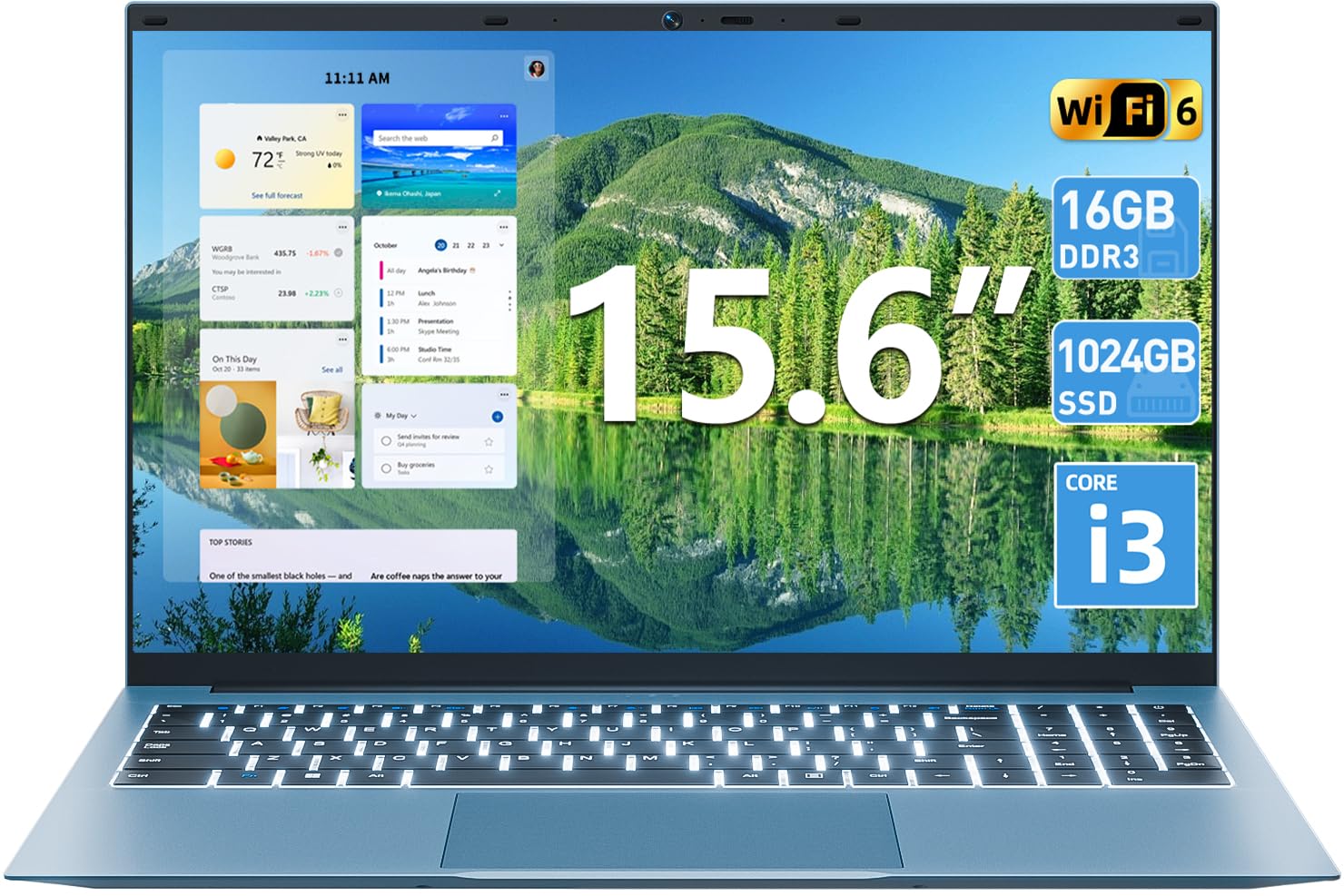
בילד 1.1: איבערview of the SGIN 15.6 Inch Laptop Computer, highlighting its main features like RAM, SSD, Core i3 processor, Windows 11, battery, backlit keyboard, and WiFi 6.
2. ערשט סעטאַפּ
2.1 אויספּאַקן דעם לאַפּטאָפּ
נעמט פֿאָרזיכטיק אַרויס אַלע קאָמפּאָנענטן פֿון דער פּאַקעט. מאַכט זיכער אַז די פֿאָלגנדיקע זאַכן זענען פֿאַראַן:
- SGIN 15.6 Inch Laptop
- מאַכט אַדאַפּטער
- באַניצער מאַנואַל

Image 2.1: The SGIN laptop, power adapter, and user manual as typically found in the package.
2.2 טשאַרדזשינג די באַטאַרייע
Before first use, fully charge the laptop battery.
- פֿאַרבינדט דעם מאַכט אַדאַפּטער צום טשאַרדזשינג פּאָרט אויף דעם לאַפּטאַפּ.
- צאַפּן די מאַכט אַדאַפּטער אין אַ וואַנט ווענטיל.
- Allow the laptop to charge until the battery indicator shows a full charge.
וויכטיק: Use only the provided power adapter to avoid damage to the laptop.
2.3 אײַנצושאַלטן און ערשטע Windows סעטאַפּ
- עפענען די לאַפּטאַפּ דעקל.
- דריק דעם מאַכט קנעפּל וואָס געפינט זיך אויף דער קלאַוויאַטור.
- פֿאָלגט די אינסטרוקציעס אויף דעם עקראַן צו פֿאַרענדיקן די ערשטע סעטאַפּ פֿון Windows 11, אַרייַנגערעכנט שפּראַך אויסוואַל, נעץ פֿאַרבינדונג און באַניצער חשבון שאַפונג.
3. אפערירן דעם לאַפּטאָפּ
3.1 קלאַוויאַטור און טאָוטשפּאַד
The laptop features a full-size keyboard with a numeric keypad and a large touchpad for navigation.
- באַקלייט קלאַוויאַטור: To toggle the keyboard backlight, press the FN שליסל גלײַכצײַטיק מיט דעם F5 שליסל.
- טאָוטשפּאַד דזשעסטשערז: Refer to Windows 11 settings for customizable touchpad gestures.

Image 3.1: The laptop's backlit keyboard and numeric keypad, shown illuminated for use in low-light conditions.
3.2 קאַנעקטינג פּעריפעראַלס
The laptop offers various ports for connecting external devices.
- וסב פּאָרץ: Connect USB devices such as mice, keyboards, or external storage.
- הדמי פּאָרט: פאַרבינדן צו אַן עקסטערנעם מאָניטאָר אָדער טעלעוויזיע פֿאַר אַ פֿאַרלענגערטע אַרויסווייַזונג.
- טיפּ-C פּאָרט: For data transfer and potentially charging (check specific adapter compatibility).
- מיקראָ סד שפּעלטל: אַרײַנשטעלן אַ מיקראָ SD קאַרטל פֿאַר נאָך סטאָרידזש.
- כעדפאָון דזשאַק: פאַרבינדן כעדפאָונז אָדער פונדרויסנדיק ספּיקערז.
- Kensington Lock Slot: Use a compatible security cable to secure your laptop.

Image 3.2: The left side of the laptop displaying the power input, Type-C port, HDMI port, and a USB port.
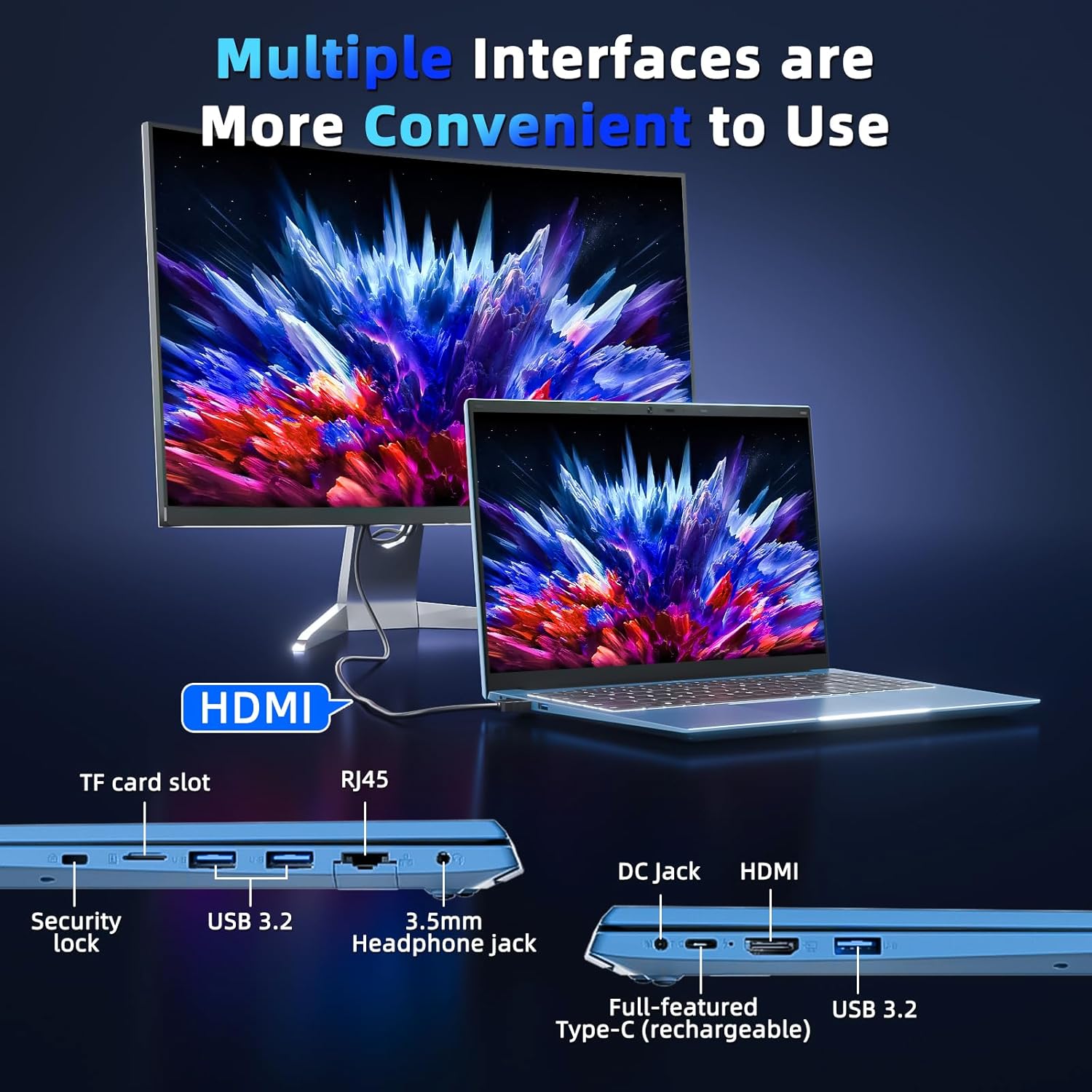
Image 3.3: The right side of the laptop displaying the Kensington lock slot, Micro SD card slot, two USB ports, and the headphone jack.
3.3 Wi-Fi קאָנעקטיוויטי
The laptop supports Wi-Fi 6 for fast wireless internet access.
- דריקט דעם Wi-Fi בילדל אין דער טאַסקבאַר.
- אויסקלייבן אייער געוואונטשענע נעץ פון דער ליסטע.
- אַרייַן די נעץ פּאַראָל אויב געבעטן און גיט "פאַרבינדן".
For wired internet connection, use the Ethernet port.
4. וישאַלט און קער
4.1 רייניקן דעם לאַפּטאָפּ
- ניצט אַ ווייכן, לינט-פֿרייע שטאָף צו רייניקן דעם עקראַן און דעם אויסערן.
- ויסמיידן ניצן האַרב קעמיקאַלז אָדער אַברייסיוו מאַטעריאַלס.
- פֿאַר שווערע פֿלעקן, לײַכט דראַפֿטןampווישט דעם שטאָף מיט וואַסער אָדער אַ פאַרשטעלן-רייניקונג לייזונג.
4.2 באַטערי קער
- פֿאַרמײַדט אָפֿט פֿולשטענדיק אויסצולאָדן די באַטעריע.
- האַלט דעם לאַפּטאָפּ אין אַ קיל, טרוקן אָרט ווען עס איז נישט אין באַנוץ פֿאַר לענגערע פּעריאָדן.
- If the laptop will not be used for a long time, charge the battery to about 50-60% before storage.
4.3 Webקאַם פּריוואַטקייט
The laptop includes a physical webcam switch for privacy. Slide the switch to cover or uncover the webcam lens as needed.
בילד 4.1: אילוסטראציע פון די פיזישע webcam cover, demonstrating how to open and close it for privacy.
5. טראָובלעשאָאָטינג
5.1 שטראָם פּראָבלעמען
- לאַפּטאָפּ טוט זיך נישט אָנצינדן: Ensure the power adapter is securely connected to both the laptop and a working power outlet. Check if the battery is charged.
- באַטערי נישט טשאַרדזשינג: Verify the power adapter connection. If the issue persists, contact customer support.
5.2 ווייַז ישוז
- פאַרשטעלן איז ליידיק: Ensure the laptop is powered on. Try adjusting the screen brightness using the function keys. If connected to an external monitor, disconnect it.
- Distorted image: Restart the laptop. Update display drivers if necessary.
5.3 קאָנעקטיוויטי פּראָבלעמען
- קיין Wi-Fi פֿאַרבינדונג: Check if Wi-Fi is enabled in Windows settings. Restart your router and the laptop. Ensure you are within range of a Wi-Fi network.
- Bluetooth device not connecting: זיכער מאַכן אַז בלועטוט איז אַקטיווירט אויף ביידע דעם לאַפּטאַפּ און דעם מיטל. מאַכט זיכער אַז דער מיטל איז אין פּערינג מאָדע.
6. ספּעסאַפאַקיישאַנז
| שטריך | דעטאַל |
|---|---|
| סאָרט | SGIN |
| מאָדעל נומער | SGIN-Y101 |
| פאַרשטעלן גרייס | 15.6 אינטשעס |
| ווייַז האַכלאָטע | 1920 x 1080 פּיקסעלס (פול HD IPS) |
| קפּו מאָדעל | Core i3 (10th Gen, Intel Core i3-10100) |
| CPU Speed (Max) | 3.9 גהז |
| באַראַן | 16GB DDR3 SDRAM |
| סטאָרידזש | 1024GB SSD (Expandable with TF card up to 1TB) |
| אָפּערייטינג סיסטעם | Windows 11 |
| באַטאַרייע קאַפּאַציטעט | 53.2 Wh (7000mAh) |
| ווירעלעסס קאַנעקטיוויטי | WiFi 6 (802.11ax), בלועטוט |
| פּאָרץ | USB 3.0, HDMI, Micro SD slot, Kensington lock, Headphone jack, Type-C |
| קלאַוויאַטור | באַקלייט |
| Webקאַם | Yes (with physical privacy switch) |
| וואָג | 2.52 קילאָגראַמס |
7. וואָראַנטי און שטיצן
The SGIN 15.6 Inch Laptop Computer comes with a 1-year limited protection warranty.
For technical assistance, troubleshooting, or warranty claims, please contact SGIN customer support. They offer 24/7 instant help. Refer to the contact information provided with your product packaging or visit the official SGIN webפּלאַץ פֿאַר שטיצן דעטאַילס.
8. פּראָדוקט ווידעאָ
Video 8.1: An official product video demonstrating the SGIN 15.6 Inch Laptop Computer, including its physical features and some operational aspects. This video is provided by the seller, SGIN Lap US.