
1. הקדמה
Thank you for choosing the PEICHENG PC-01 Wireless Bluetooth Earphones. These earphones are designed to provide a high-quality audio experience with advanced Bluetooth 6.0 technology, a comfortable over-ear hook design, and a portable charging case. This manual provides detailed instructions for setup, operation, and maintenance to ensure optimal performance and longevity of your device.
2. וואָס איז אין דער קעסטל
- PEICHENG PC-01 Wireless Bluetooth Earphones (Left and Right)
- טשאַרדזשינג קאַסע
- באַניצער מאַנואַל (דעם דאָקומענט)
3. פּראָדוקט איבערview
The PEICHENG PC-01 earphones feature an ergonomic over-ear hook design for a secure and comfortable fit, making them suitable for various activities. They utilize BlueSignal 6.0 technology for stable wireless connections and deliver High-Resolution Audio with deep bass.
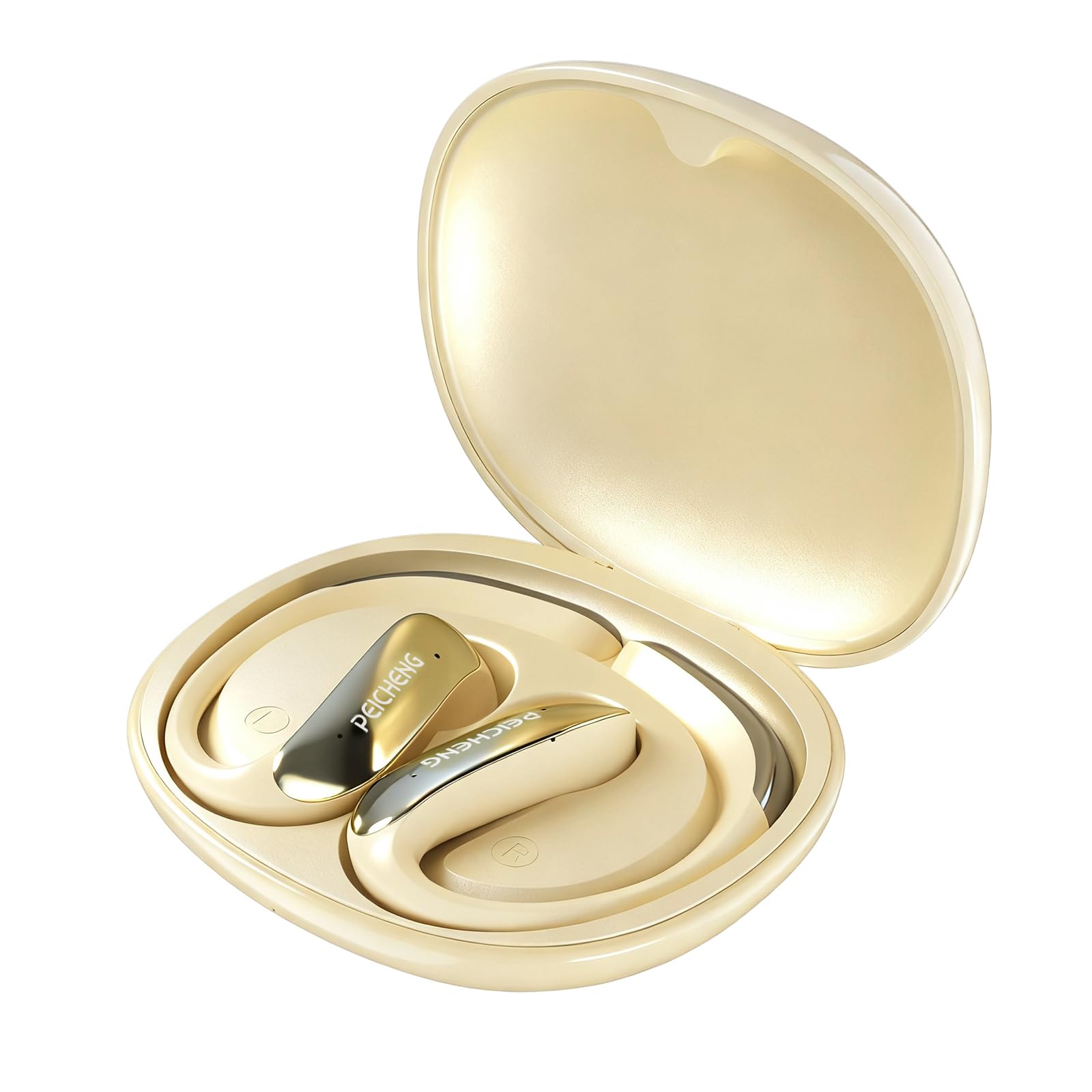
Figure 3.1: PEICHENG PC-01 Wireless Bluetooth Earphones and Charging Case.
שליסל פֿעיִקייטן:
- BlueSignal 6.0 Technology: Ensures stable, faster, and efficient wireless connections with low latency.
- הויך-האַכלאָטע אַודיאָ: Delivers immersive sound with deep, powerful bass.
- Over-Ear Hook Design: Provides a secure and comfortable fit for extended wear.
- לייטווייט קאַנסטראַקשאַן: Enhances comfort and reduces ear fatigue.
- Self-contained Space Audio: Creates an immersive sound experience.
- קלאָר רופן: Integrated microphones ensure sharp and intelligible conversations.
- פּאָרטאַטיוו טשאַרדזשינג פאַל: 300mAh capacity for all-day power.

פיגורע 3.2: איבערview of PEICHENG Wireless Earbuds features.

Figure 3.3: Internal driver design for immersive sound.

Figure 3.4: Compact and portable charging case.
4. סעטאַפּ
4.1 אויפלאָדן די אויערפאָונז און קעסטל
Before first use, fully charge the earphones and charging case. The charging case has a 300mAh battery capacity, providing multiple charges for the earphones.
- לייגט די אויערפאָונז אין די טשאַרדזשינג קעסטל, און מאַכט זיכער אַז זיי זענען ריכטיק אַרײַנגעזעצט.
- Connect a USB Type-C charging cable to the charging port on the case and plug the other end into a compatible USB power source.
- The indicator lights on the case will show the charging status. A full charge typically takes approximately 2 hours.
4.2 בלועטאָאָטה פּערינג
The PEICHENG PC-01 earphones use BlueSignal 6.0 technology for efficient pairing with various devices.
- זיכער מאַכן אַז די אויערפאָונז זענען אויפגעלאָדן און געשטעלט אין די טשאַרדזשינג קעסטל.
- Open the charging case. The earphones will automatically enter pairing mode, indicated by a flashing LED light (specific color/pattern not provided, assume standard).
- On your device (smartphone, tablet, laptop, smartwatch, TV), go to the Bluetooth settings.
- זוכן פֿאַר available devices and select "PEICHENG PC-01" from the list.
- Once connected, the LED indicator on the earphones will typically stop flashing or change to a solid light.
- די אויערפאָונז וועלן זיך אויטאָמאַטיש ווידער פֿאַרבינדן צום לעצטן פֿאַרבונדענעם מיטל ווען מען נעמט זיי אַרויס פֿון קעסטל, אויב בלועטוט איז אַקטיוויזירט אויפֿן מיטל.

Figure 4.1: BlueSignal 6.0 connectivity with various devices.
5. אַפּערייטינג ינסטרוקטיאָנס
The PEICHENG PC-01 earphones feature touch controls for managing audio playback and calls.
5.1 ריר קאָנטראָלס
The touch-sensitive area on each earphone allows for various functions. Specific gestures and their corresponding actions are detailed below:
- שפּיל / פּויזע: איין צאַפּ אויף יעדן אויערפאָן.
- ווייַטער שפּור: צאַפּ צוויי מאָל אויף די רעכטע אויערפֿאָן.
- פֿריִערדיקע שפּור: צאַפּ צוויי מאָל אויף די לינקע אויערפֿאָן.
- ענטפֿערן / סוף רופן: איין צאַפּ אויף יעדן אויערפאָן בעת אַן אינקאַמינג רוף.
- אָפּוואַרפן רופן: Press and hold on either earphone during an incoming call.
- אַקטאַווייט קול אַססיסטאַנט: טריפּל צאַפּן אויף יעדן אויערפאָן (אויב געשטיצט דורך אייער מיטל).
Note: Volume control is managed directly from your connected device.
5.2 Calling Functionality
The integrated microphones ensure clear communication during calls.
- When a call comes in, tap either earphone once to answer.
- To end an active call, tap either earphone once.
- To reject an incoming call, press and hold either earphone.

Figure 5.1: Earbud in use for clear calling.
5.3 אַודיאָ מאָדעס
The earphones feature Self-contained Space Audio, designed to provide an immersive listening experience by creating a sense of isolated sound.

Figure 5.2: Self-contained Space Audio feature.
6. וישאַלט
געהעריקע אויפהאלטונג גאראנטירט די לאנגעוויטי און פאָרשטעלונג פון אייערע אויערפאָונז.
- רייניקונג: Use a soft, dry cloth to clean the earphones and charging case. Avoid using abrasive materials or harsh chemicals.
- סטאָרידזש: ווען נישט אין באַנוץ, לייגט די אויערפאָונז אין זייער טשאַרדזשינג קעסטל צו באַשיצן זיי פון שטויב און שעדיקן.
- וואַסער ויסשטעלן: The earphones are not specified as waterproof. Avoid exposure to water or excessive moisture.
- טעמפּעראַטור: שטעלט נישט אויס די אויערפאָונז אדער קעסטל צו עקסטרעמע טעמפּעראַטורן (הייס אדער קאַלט).
7. טראָובלעשאָאָטינג
If you encounter issues with your PEICHENG PC-01 earphones, refer to the following common solutions:
| פּראָבלעם | לייזונג |
|---|---|
| אויערפאָונז נישט פּערינג |
|
| ניט געזונט אָדער נידעריק באַנד |
|
| ירפאָונז נישט טשאַרדזשינג |
|
| Touch controls unresponsive or delayed |
|
8. ספּעסאַפאַקיישאַנז
| שטריך | דעטאַל |
|---|---|
| מאָדעל נאָמען | פּיסי-קסנומקס |
| סאָרט | PEICHENG |
| קאַנעקטיוויטי טעכנאָלאָגיע | ווירעלעסס, בלועטאָאָטה |
| בלועטאָאָטה ווערסיע | 6.0 (BlueSignal 6.0) |
| אויער פּלייסמאַנט | איבער אויער |
| פאָרם פאַקטאָר | איבער אויער |
| אַודיאָ דרייווער טיפּ | דינאַמיש דרייווער |
| ימפּידאַנס | 15 אָהמס |
| ראַש קאָנטראָל | קיינער |
| ספּעציעלע שטריך | Self-contained Space Audio |
| קאָנטראָל מעטאָד | ריר |
| באַטעריע לעבן (אויערקנעפּלעך) | 5 שעה |
| טשאַרדזשינג קאַסע באַטאַרייע קאַפּאַציטעט | 300 מאַה |
| טשאַרדזשינג צייט | בעערעך 2 שעה |
| ייַזנוואַרג צובינד | וסב טיפּ C |
| קאַמפּאַטאַבאַל דעוויסעס | Smartphones, Notebooks, Tablets, TVs, Smartwatches |
| מאַטעריאַל | פּלאַסטיק, סיליקאָן |
| פּראָדוקט דימענשאַנז | 3.2 X 2.8 X 1.4 אינטשעס |
| פּונקט וואָג | 5 אונסעס |
| UPC | 607606229639 |
9. אפיציעלע פּראָדוקט ווידעאָ
ווידעא 9.1: אן איבערview of the PEICHENG PC-01 Wireless Bluetooth Earphones, showcasing their design, features, and charging capabilities.
10. וואָראַנטי און שטיצן
For warranty information or technical support, please refer to the documentation included with your purchase or contact PEICHENG customer service through the retailer where the product was purchased. Keep your proof of purchase for warranty claims.