
1. הקדמה
The Amzfast AMZG27F5Q is a 27-inch WQHD (2560 x 1440p) gaming monitor designed for an immersive visual experience. Featuring a Fast IPS panel, it delivers a high 200Hz refresh rate and a rapid 1ms response time, ensuring smooth and fluid gameplay. This monitor is compatible with both FreeSync and G-SYNC technologies to reduce screen tearing and stuttering. It supports HDR400, offers 132% sRGB and 96% DCI-P3 color gamut, and includes eye care features such as low blue light, anti-flicker, and anti-glare to protect your vision during extended use. Built-in speakers and a retractable headphone holder enhance convenience.
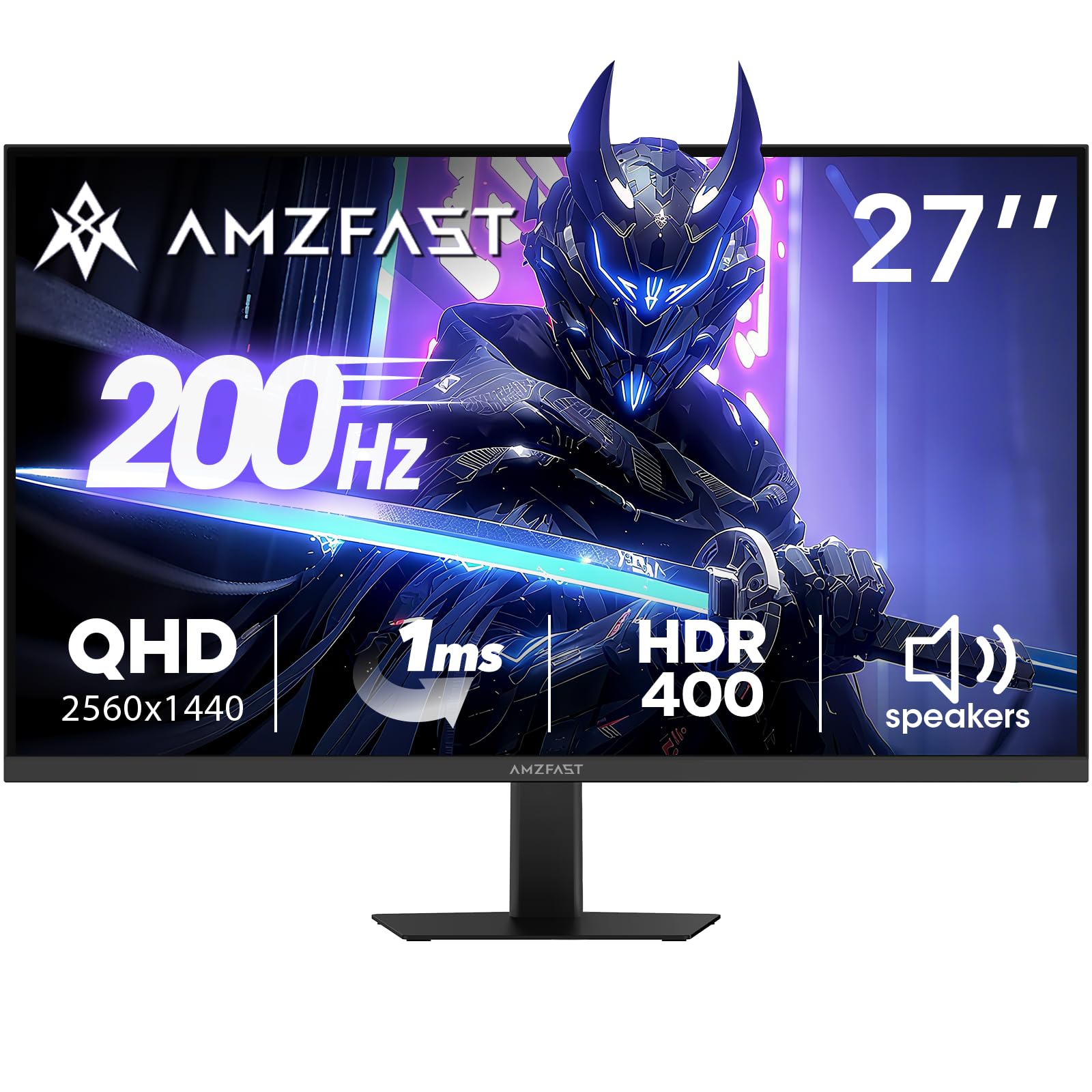
Image: Amzfast 27-inch gaming monitor displaying a vibrant game scene.
2. וואָס איז אין דער קעסטל
ביטע קאָנטראָלירט די אינהאַלט פון דער פּאַקעט ווען איר נעמט עס אויס, כּדי צו זיכער מאַכן אַז אַלע זאַכן זענען דאָרט:
- Amzfast AMZG27F5Q 27-Inch Gaming Monitor
- אַדאַפּטער x 1
- DP Cable (1.5m) x 1
- באַניצער מאַנואַל
- שנעל אָנהייב גייד
3. סעטאַפּ
3.1 צוזאַמענשטעלן דעם שטאַנד
Carefully remove the monitor and stand components from the packaging. Attach the stand base to the stand neck, then secure the assembled stand to the back of the monitor. Ensure all screws are tightened appropriately to prevent instability.
3.2 קאַנעקטינג די מאָניטאָר
The monitor supports multiple input options. Connect your device (PC, game console, laptop) to the monitor using one of the following cables:
- דיספּלייפּאָרט (DP 1.4): For resolutions up to 2560x1440 at 200Hz.
- HDMI (HDMI 2.0): For resolutions up to 2560x1440 at 144Hz.
פֿאַרבינדט דעם מאַכט אַדאַפּטער צום מאָניטאָר'ס גלייַך שטראָם אַרייַנגאַנג און דערנאָך צו אַ מאַכט ווענטיל.

בילד: הינטערשטע view diagram of the monitor showing port locations and dimensions.
3.3 VESA מאַונטינג
The monitor is compatible with 100mm x 100mm VESA mounts. If using a VESA mount, remove the stand and attach the monitor to your VESA-compatible arm or wall mount using appropriate screws (not included).

בילד: הינטערשטע view of the Amzfast 27-inch monitor, highlighting the VESA mounting points.
3.4 סעטאַפּ איבערview ווידעא
ווידעא: אן אפיציעלע איבערview of the Amzfast 27 Inch QHD 200Hz Gaming Monitor, demonstrating its features and setup.
4. אַפּערייטינג די מאָניטאָר
4.1 מאַכט אויף / אַוועק
דריק דעם מאַכט קנעפּל, וואָס געפינט זיך געוויינטלעך אויף דער הינטערשטער אָדער אונטערשטער טייל פון מאָניטאָר, צו עס אנצינדן אָדער אויסלעשן. די מאַכט אינדיקאַטאָר ליכט וועט זיך אָנצינדן ווען דער מאָניטאָר איז אַקטיוו.
4.2 אויף-סקרין ווייַז (אָסד) מעניו
The OSD menu allows you to adjust various monitor settings. Typically, a joystick or a set of buttons on the back or bottom of the monitor is used for navigation. Common settings include:
- בילד סעטטינגס: ברייטקייט, קאנטראסט, שאַרפֿקייט, גאַמאַ, קאָליר טעמפּעראַטור.
- קאָליר סעטטינגס: sRGB, DCI-P3, HDR modes.
- גיימינג סעטטינגס: Overdrive (response time), Adaptive Sync (FreeSync/G-SYNC compatible), AI Crosshair, Night Vision.
- אַרייַנשרייַב מקור: Select between DP and HDMI inputs.
- אַודיאָ: Volume control for built-in speakers and headphone output.
4.3 שליסל פֿעיִקייטן
- 200 הערץ רעפרעש קורס און 1 מס רעאקציע צייט: Experience ultra-smooth visuals and reduced motion blur, crucial for fast-paced gaming.
- אַדאַפּטיוו סינק: Synchronizes the monitor's refresh rate with your GPU's frame rate to eliminate screen tearing and stuttering. Ensure this feature is enabled in both the monitor's OSD and your graphics card settings.
- HDR400 Display: Provides enhanced contrast and color accuracy for a more vibrant and realistic viewינג דערפאַרונג.
- Game Assist Modes: Utilize features like AI Crosshair for improved aiming and Night Vision for enhanced visibility in dark game scenes.
- Built-in Speakers & Headphone Holder: Convenient integrated 2W speakers for audio output and a retractable holder to keep your headphones organized.
- אויג קער טעכנאָלאָגיע: Features Low Blue Light, Anti-glare, and Anti-flicker technologies to reduce eye strain during prolonged use.

Image: Visual representation of 200Hz refresh rate in a racing game.

Image: Illustration of 1ms response time and Adaptive Sync technology.

Image: Display showcasing HDR400 and 10-bit color depth capabilities.

Image: Demonstration of AI Crosshair and Night Vision features in gaming scenarios.

בילד: הינטערשטע view of the monitor highlighting the built-in speakers and retractable headphone holder.

Image: User interacting with the monitor, emphasizing eye care features.
5. וישאַלט
5.1 רייניקן דעם עקראַן
צו רייניקן דעם מאָניטאָר עקראַן, ווישט עס אָפּ מיט אַ ווייכן, לינט-פֿרייע שטאָף. פֿאַר שווערע פֿלעקן, ווישט עס אָפּ לייכט.ampen the cloth with water or a mild, non-abrasive screen cleaner. Avoid using harsh chemicals, alcohol, or ammonia-based cleaners, as these can damage the screen surface.
5.2 רייניקן דעם Casing
ניצט אַ ווייכע, טרוקענע שטאָף צו ווישן דעם מאָניטאָרasing. If necessary, a slightly damp cloth can be used, followed by a dry cloth to remove any moisture. Do not allow liquids to enter the monitor's vents or ports.
6. טראָובלעשאָאָטינג
If you encounter issues with your Amzfast AMZG27F5Q monitor, refer to the following common solutions:
| פּראָבלעם | מעגלעך סיבה | לייזונג |
|---|---|---|
| קיין בילד אויף פאַרשטעלן | Power cable disconnected, input source incorrect, video cable loose. | Ensure power cable is securely connected. Select the correct input source via the OSD menu. Check video cable connections (DP/HDMI) at both the monitor and your device. |
| פליקערנדיק אָדער פאַרדרייט בילד | Faulty video cable, incorrect refresh rate, Adaptive Sync issue. | Try a different video cable. Adjust the refresh rate in your device's display settings. Disable/enable Adaptive Sync in the OSD menu and graphics card settings. |
| קיין קלאַנג פֿון רעדנערס/כעדפאָונז | Volume too low, audio output not selected, faulty cable. | Increase volume via OSD menu or your device. Ensure the monitor is selected as the audio output device on your computer. Check headphone connection. |
| מאָניטאָר טוט זיך נישט אָן | Power adapter issue, power button malfunction. | Verify the power adapter is working and connected correctly. Try a different power outlet. |
7. ספּעסאַפאַקיישאַנז
| שטריך | דעטאַל |
|---|---|
| פּראָדוקט דימענשאַנז | 7.28 X 24.13 X 17.68 אינטשעס |
| פּונקט וואָג | 12.97 פונט |
| מאָדעל נומער | AMZG27F5Q |
| פאַרשטעלן גרייס | 27 אינטשעס |
| האַכלאָטע | 2560 x 1440 Pixels (WQHD) |
| אַספּעקט פאַרהעלטעניש | 16:9 |
| דערפרישן קורס | 200 הז |
| ענטפער צייט | 1ms |
| טאַפליע טיפּ | שנעל IPS |
| ברייטנאַס | 450 קאַנדעלאַ פּער קוואַדראַט מעטער (cd/m²) |
| קאַנטראַסט פאַרהעלטעניש | 1000:1 (סטאַטיק) |
| קאָליר גאַמע | 132% sRGB, 96% DCI-P3 |
| קאָליר דעפּט | 10-bit (8bit+FRC) |
| HDR שטיצן | HDR400 |
| אַדאַפּטיוו סינק | FreeSync & G-SYNC Compatible |
| קאַנעקטיוויטי | DP 1.4 x 2, HDMI 2.0 x 2, Earphone Jack, DC Input |
| וועסאַ בארג | 100 מם X 100 מם |
| געבויט-אין ספּיקערז | Yes (2W x 2) |
| אויג קער פֿעיִטשערז | Low Blue Light, Anti-glare, Anti-flicker |
| פאַבריקאַנט | EXPRESS LUCK INDUSTRIAL(ZHONGSHAN)LIMITED |
8. וואָראַנטי & שטיצן
The Amzfast AMZG27F5Q monitor comes with a 1-year warranty. Additionally, a 30-day free return/replacement policy is offered. For further assistance, technical support, or warranty claims, please visit the official Amzfast store or contact customer service.
Official Amzfast Store: Amzfast Store