
1. פּראָדוקט איבערview
The GALAX PRO 2.0Amp DC-20V Lithium-ion Battery Pack is designed to provide reliable power for compatible GALAX PRO 20V Max cordless power tools. This battery features a 2.0 Ah capacity and a 3-LED fuel gauge to indicate the charge status.
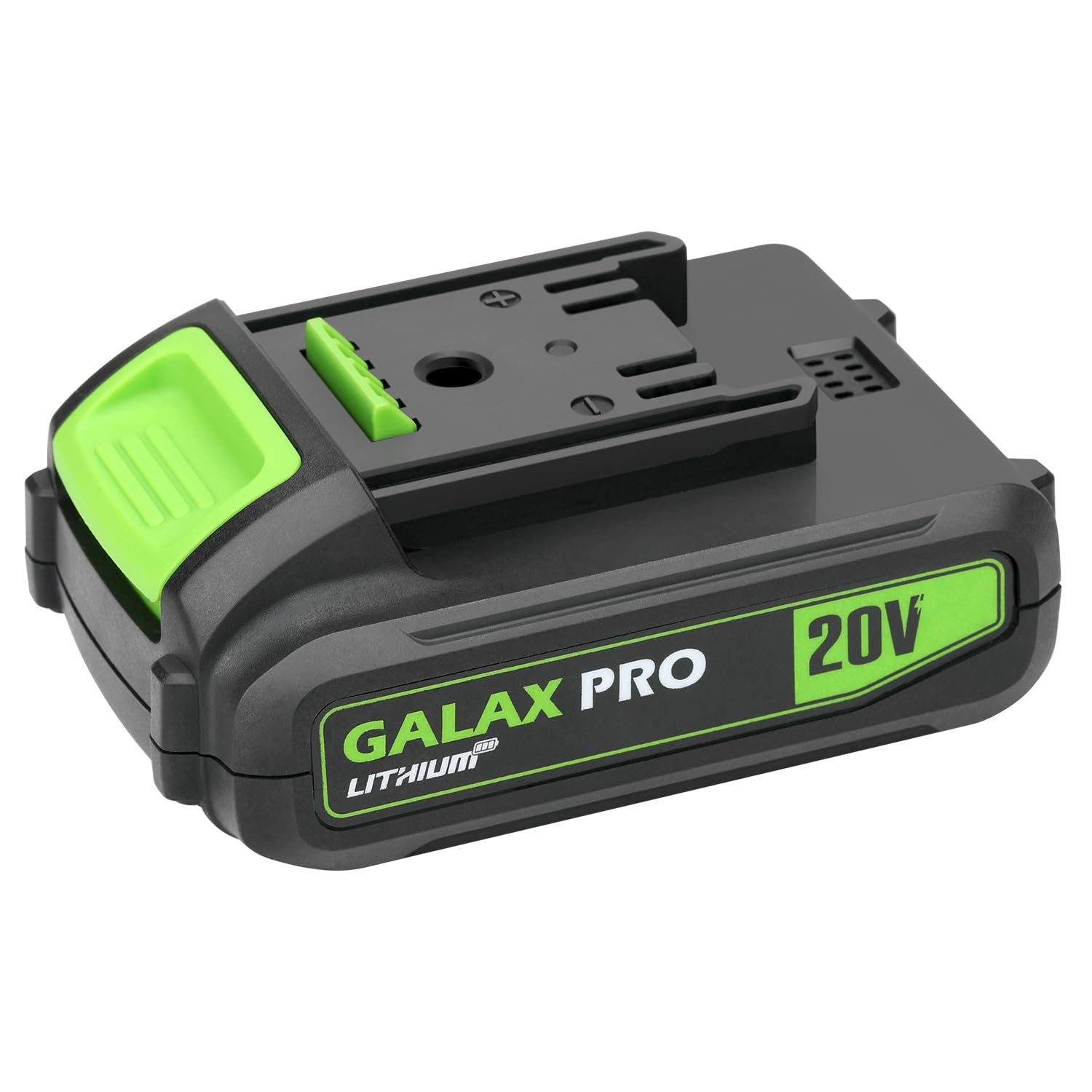
Image 1.1: The GALAX PRO 2.0Amp DC-20V Lithium-ion Battery Pack. This image shows the black and green battery pack with 'GALAX PRO LITHIUM' and '20V' branding clearly visible on its side. The top features the connection interface for power tools.
2. וויכטיק סאַפעטי אינפֿאָרמאַציע
Read and understand all safety warnings and instructions before using this battery pack. Failure to follow the warnings and instructions may result in electric shock, fire, and/or serious injury.
- טשאַרדזשינג: Only use the battery pack with GALAX PRO 20V compatible chargers. Using any other charger may create a risk of fire.
- סטאָרידזש: Store the battery pack indoors in a cool, dry place, away from moisture and direct sunlight. Do not store where temperatures may exceed 122°F (50°C).
- האַנדלינג: Do not short-circuit the battery terminals. Do not immerse the battery pack in water or other liquids. Do not open, disassemble, or attempt to repair the battery pack.
- באַזייַטיקונג: אַוועקוואַרפן באַטעריע פּאַקס פאַראַנטוואָרטלעך לויט די לאָקאַלע רעגולאַציעס. נישט אַוועקוואַרפן אין הויזגעזינד מיסט אָדער דורך פֿאַרברענונג.
- שעדיקן: ניצט נישט קיין צעבראָכענע אָדער מאָדיפֿיצירטע באַטעריע פּאַק. צעבראָכענע באַטעריעס קענען ווײַזן אומפֿאָרויסזעבארע נאַטור, וואָס קען רעזולטירן אין פֿײַער, עקספּלאָזיע אָדער ריזיקע פֿון שאָדן.
3. אויפשטעלן און ערשטע באנוץ
3.1 ערשט טשאַרדזשינג
The battery pack is shipped with a low charge to prevent power loss during transport. It is recommended to fully charge the battery pack before its first use to ensure optimal performance and lifespan.
3.2 טשאַרדזשינג פּראָצעדור
- Ensure the battery pack is clean and dry before charging.
- Insert the battery pack into a compatible GALAX PRO 20V battery charger. Ensure it clicks securely into place.
- צאַפּן די טשאַרדזשער אין אַ נאָרמאַל מאַכט ווענטיל.
- Monitor the charger's indicator lights (refer to your charger's manual for specific light patterns) to confirm charging has begun.
- אַמאָל גאָר אָנגעלאָדן, אַרויסנעמען די באַטאַרייע פּאַק פֿון די טשאַרדזשער.
באַמערקונג: This battery pack is only suitable for GALAX PRO tools and chargers.
4. אפערירן דעם באַטעריע פּאַק
4.1 Attaching to a Power Tool
- Align the battery pack with the battery port on your GALAX PRO 20V cordless power tool.
- Slide the battery pack firmly into the tool until it clicks into place. Ensure it is securely latched to prevent accidental detachment during operation.
4.2 Removing from a Power Tool
- Locate the battery release button(s) on the power tool.
- דריק און האַלט די אויסלאָז קנעפּל(ן) בשעת איר שלעפּט די באַטעריע פּאַק אַרויס פֿון דעם געצייַג.
4.3 Checking Charge Status
The battery pack features a 3-LED fuel gauge. Press the small button next to the LEDs to activate the indicator:
- 3 לעדס ליכט: Approximately 67-100% charge remaining.
- 2 לעדס ליכט: Approximately 34-66% charge remaining.
- 1 LED ליכט: Approximately 1-33% charge remaining. Recharge soon.
- No LEDs lit: Battery is fully discharged or faulty.
5. וישאַלט
געהעריקע אויפהאלטונג גאראנטירט די לאנגעוויטי און פאָרשטעלונג פון אייער באַטאַרייע פּאַק.
- רייניקונג: Keep the battery pack's terminals and housing clean and free of debris. Use a dry cloth to wipe surfaces. Do not use solvents or harsh chemicals.
- סטאָרידזש: For long-term storage, store the battery pack in a cool, dry place, ideally with a partial charge (around 50%). Avoid storing in extreme temperatures (below 32°F / 0°C or above 104°F / 40°C).
- טשאַרדזשינג סייקאַלז: Avoid completely draining the battery before recharging, as this can reduce its overall lifespan. Recharge when the power level is low.
- דורכקוק: Regularly inspect the battery pack for any signs of damage, such as cracks, swelling, or corrosion on the terminals. Do not use a damaged battery pack.
6. טראָובלעשאָאָטינג
If you encounter issues with your battery pack, refer to the following common problems and solutions:
| פּראָבלעם | מעגלעך סיבה | לייזונג |
|---|---|---|
| די באַטאַרייע איז נישט טשאַרדזשינג | Not properly seated in charger; Charger not plugged in; Faulty charger; Battery too hot/cold; Damaged battery. | Ensure battery is fully inserted; Check charger connection and power outlet; Try a different charger (if available); Allow battery to reach room temperature; Discontinue use if damaged. |
| באַטעריע מאַכט נישט קיין שטראָם פֿאַרן געצייַג | Battery not fully charged; Not properly seated in tool; Tool malfunction; Damaged battery. | Charge battery fully; Ensure battery is securely latched; Test with another battery (if available) or tool; Discontinue use if damaged. |
| פארקלענערטע לויף צייט | Battery not fully charged; Battery nearing end of lifespan; Operating in extreme temperatures. | Ensure full charge; Battery may need replacement; Operate within recommended temperature range. |
If troubleshooting steps do not resolve the issue, contact GALAX PRO customer support.
7. ספּעסאַפאַקיישאַנז
- באַטערי טיפּ: ליטהיום-יאָן
- Voltage: 20 V
- קאַפּאַציטעט: 2.0 אַה
- וואָג: 14.9 אונסעס (בעערעך 0.42 קג)
- דימענשאַנז (L x W x H): 4.84 X 3.19 X 2.48 אינטשעס (בעערעך 12.3 X 8.1 X 6.3 סענטימעטער)
- ברענשטאָף מעסטער: 3-געפירט גראדן
- קאַמפּאַטאַבילאַטי: GALAX PRO 20V Max cordless power tools and chargers
8. וואָראַנטי און שטיצן
For warranty information or technical support, please refer to the warranty card included with your product or visit the official GALAX PRO website. You may also contact GALAX PRO customer service directly for assistance with product inquiries, troubleshooting, or replacement parts.
קאָנטאַקט אינפֿאָרמאַציע: Please refer to your product packaging or the GALAX PRO official webזייטל פֿאַר די מערסט אַקטועלע קאָנטאַקט דעטאַלן.