
הקדמה
This manual provides essential information for setting up, operating, and maintaining your Element 43-inch 4K UHD HDR Frameless Xumo TV. Your new television offers stunning 4K Ultra HD resolution, enhanced color and contrast with Dolby Vision and HDR, and immersive sound with Dolby Audio. The integrated Xumo TV platform provides access to a wide range of streaming content and smart features. Please read this manual thoroughly to ensure proper use and enjoyment of your television.
סעטאַפּ
1. וואָס איז אין דער קעסטל
Before you begin, ensure all components are present. Carefully remove the TV and accessories from the packaging.

Figure 1: Box Contents and TV Dimensions. This image displays the items included in the TV box: TV, Voice Remote, TV Stands, Stand Screws, Quick Start Guide, and 2 AAA Remote Batteries. It also provides detailed dimensions for the TV with and without the stand, and the distance between the stand feet.
- TV
- קול רימאָוט
- טעלעוויזיע סטאַנדז
- שטיין סקרוז
- שנעל אָנהייב גייד
- 2 אַאַאַ רימאָוט באַטעריז
- מאַכט קאַבלע
2. אנשטעלן די טעלעוויזיע שטענדערס
If you are not wall-mounting the TV, attach the included stands. Place the TV face down on a soft, clean surface to prevent screen damage. Align each stand with the corresponding screw holes on the bottom of the TV and secure them with the provided screws.
3. פֿאַרבינדן מאַכט און דעוויסעס
Connect the power cable to the TV and then to a power outlet. Connect any external devices (e.g., cable box, gaming console, Blu-ray player) to the appropriate HDMI ports on the back of the TV. The TV supports Bluetooth and Ethernet connectivity for network access.
4. ערשט סעטאַפּ
Upon first power-on, the TV will guide you through the initial setup process. This includes selecting your language, connecting to a Wi-Fi or Ethernet network, and setting up your Xumo TV account. Follow the on-screen instructions to complete the setup.
אַפּערייטינג ינסטראַקשאַנז
1. ניצן די שטימע ווײַטקאָנטראָל
The included voice remote allows for easy navigation and control. Insert the 2 AAA batteries into the remote. Use the directional pad to navigate menus and the voice button to issue commands. Dedicated buttons provide quick access to popular streaming services.
2. Navigating Xumo TV
Xumo TV provides a centralized platform for all your entertainment. The home screen displays recommended content, installed apps, and live TV options. Use the remote to browse categories, search for titles, and manage your profile.

Figure 2: Xumo TV Interface. This image illustrates the Xumo TV home screen, showcasing popular streaming applications like Netflix, Prime Video, Hulu, and HBO Max, along with trending content suggestions.

Figure 3: Available Streaming Apps. This image displays a wide array of streaming service logos, indicating the extensive content options available through the Xumo TV platform.
3. בילד און קלאַנג סעטטינגס
Access the TV settings menu to customize your viewing experience. Adjust brightness, contrast, color, and sharpness. Enable or disable features like Dolby Vision and HDR for optimized picture quality. Configure sound modes and volume levels for Dolby Audio.
- 4K Ultra HD: Experience crystal-clear, detailed images.
- דאָלבי וויזשאַן און HDR: Enhances color and contrast for a more dynamic picture, especially in dark and bright scenes.
- Dolby Audio: Delivers superior sound quality for movies and gaming.
- 120 הערץ עפעקטיווע רעפרעש קורס: Provides smooth motion and sharp visuals for fast-paced content.

Figure 4: 4K UHD HDR10 Detail. This close-up image highlights the clarity and detail provided by 4K UHD and HDR10 technology, exemplified by the sharp focus on a dog's eye.
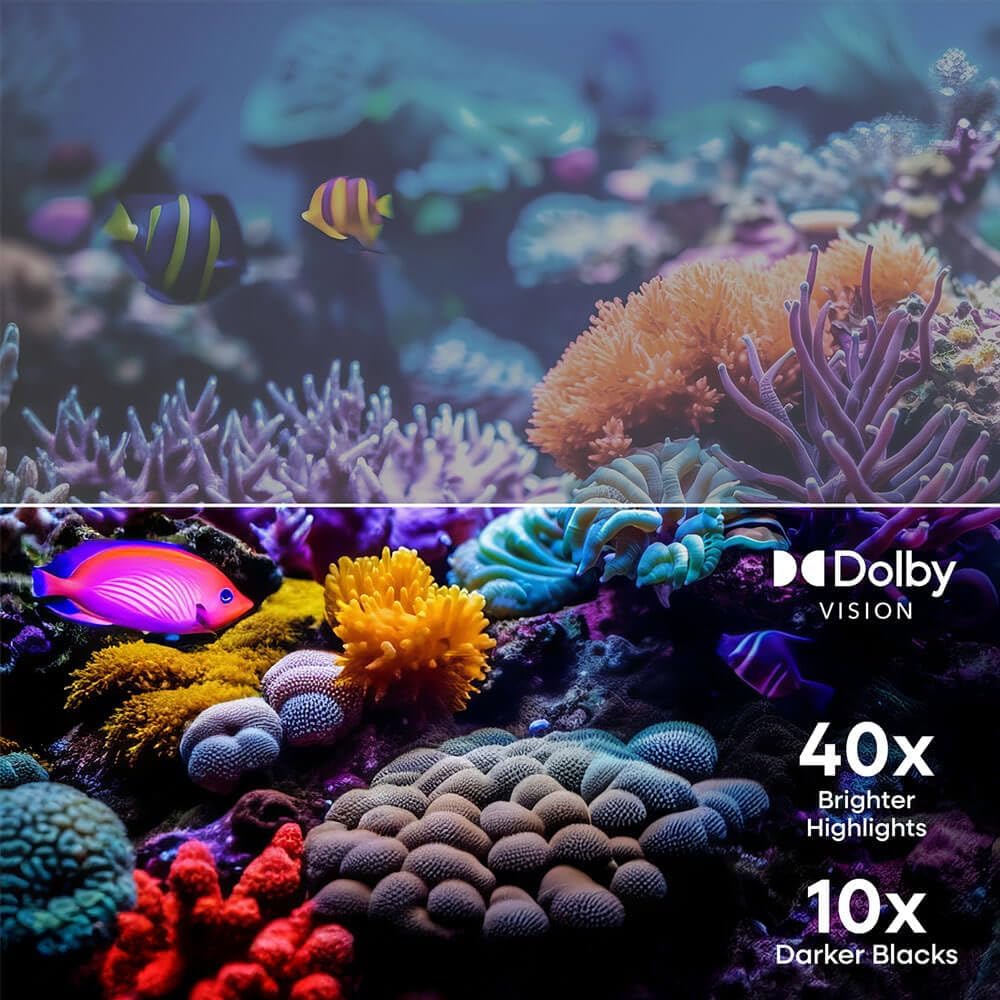
Figure 5: Dolby Vision Enhancement. This image demonstrates the visual improvement with Dolby Vision, showing a comparison between standard and Dolby Vision enhanced scenes, highlighting 40x brighter highlights and 10x darker blacks.

Figure 6: 120Hz Effective Refresh Rate. This image illustrates the smooth motion provided by the 120Hz effective refresh rate, depicted by fast-moving race cars on screen.
וישאַלט
רייניקונג די פאַרשטעלן
צו רייניקן דעם עקראַן, ווישט עס אָפּ מיט אַ ווייכן, לינט-פֿרייעם שטאָף. פֿאַר שווערע פֿלעקן, ווישט עס אַ ביסל.ampen the cloth with water or a screen-specific cleaning solution. Avoid using harsh chemicals or abrasive materials. Always unplug the TV before cleaning.
אַלגעמיינע קער
Keep the TV in a well-ventilated area, away from direct sunlight, heat sources, and excessive dust. Do not block ventilation openings. Avoid placing heavy objects on the TV or subjecting it to strong impacts.
טראָובלעשאָאָטינג
| פּראָבלעם | מעגלעך סיבה | לייזונג |
|---|---|---|
| קיין מאַכט | שטראָם קאַבל אָפּגעטרעקט; פּראָבלעם מיט שטראָם אַוטלעט | זיכער מאַכן אַז דער עלעקטרישער קאַבל איז זיכער פֿאַרבונדן. פּרוּווט אַן אַנדער עלעקטרישער אַוטלעט. |
| קיין בילד נישט, אבער סאונד איז דא | Incorrect input source; Device connection issue | Press the 'Input' button on the remote to select the correct source. Check HDMI/AV cable connections. |
| קיין קלאַנג, אָבער בילד איז דאָ | Volume muted or too low; Audio settings incorrect | מאַכט די טעלעוויזיע שטיל אָדער פאַרגרעסערט די באַנד. קאָנטראָלירט די אַודיאָ אַוטפּוט סעטטינגס אין די טעלעוויזיע מעניו. |
| קענען ניט פאַרבינדן צו ווי-פי | אומרעכט פּאַראָל; ראַוטער פּראָבלעם; טעלעוויזיע צו ווייט פֿון ראַוטער | Verify Wi-Fi password. Restart your router. Move TV closer to router or use an Ethernet cable. |
| ווייַט קאָנטראָל נישט ארבעטן | טויטע באַטעריעס; שטערונג; ווײַטקאָנטראָל נישט צוגעפּאַסט | Replace batteries. Remove any obstructions between remote and TV. Re-pair the remote if necessary (refer to Quick Start Guide). |
ספּעסאַפאַקיישאַנז
- סאָרט: עלעמענט
- מאָדעל נומער: E550AE43C
- פאַרשטעלן גרייס: 43 אינטשעס
- רעזאלוציע: 4K Ultra HD (3840 רענטגענ 2160)
- ווייַז טעכנאָלאָגיע: געפירט
- HDR שטיצן: דאָלבי וויזשאַן, HDR10
- דערפרישן קורס: 120Hz Effective
- אַודיאָ טעכנאָלאָגיע: Dolby Audio
- סמאַרט טעלעוויזיע פּלאַטפאָרם: Xumo TV
- קאַנעקטיוויטי: Bluetooth, Ethernet, HDMI (multiple ports), USB
- אַספּעקט פאַרהעלטעניש: 16:9
- פּראָדוקט גרייסן (מיט שטאַנד): 37.7"W x 22.2"H x 8.7"D (approximate, based on image)
- פּראָדוקט גרייסן (אָן שטאַנד): 37.7"W x 22.0"H x 3.3"D (approximate, based on image)
- נומער וואָג: 15.9 פונט
- מאַונטינג טיפּ: Wall Mount, Table Mount
- אַרייַנגערעכנט קאַמפּאָונאַנץ: Remote Control, Power Cable
וואָראַנטי אינפֿאָרמאַציע
Element televisions typically come with a limited manufacturer's warranty. For specific details regarding the warranty period, coverage, and terms and conditions, please refer to the warranty card included with your product or visit the official Element Electronics webזייטל. האַלט דיין קויפן באַווייַז פֿאַר וואָראַנטי קליימז.
שטיצן
If you encounter any issues not covered in this manual or require further assistance, please contact Element Electronics customer support. You can usually find contact information (phone number, email, or support portal) on the official Element Electronics webוועבזייטל אדער אין דעם שנעלן אָנהייב גייד וואָס איז צוגעשטעלט מיט אייער טעלעוויזיע.
אָנליין רעסורסן: For the latest updates, FAQs, and additional support, visit the Element Electronics Store on Amazon אדער זייער אפיציעלע בראַנד webפּלאַץ.