
1. הקדמה
This manual provides detailed instructions for the KOOSMILE Mini PC N150 (Model N80). This device is a compact and portable computer featuring an 8-inch multi-touch display, designed for various applications from daily tasks to light entertainment. Please read this manual thoroughly before using the product to ensure proper operation and to maximize its lifespan.

פיגורע 1.1: The KOOSMILE Mini PC N150, showcasing its integrated 8-inch touchscreen and various connectivity ports.
שליסל פֿעיִקייטן:
- פּראַסעסער: Twin Lake N150 CPU (4 cores, 4 threads, up to 3.6 GHz)
- זכּרון: 12GB DDR5 באַראַן
- סטאָרידזש: 256GB M.2 SSD (expandable, other variants available)
- ווייַז: 8-inch HD multi-touch screen
- קאַנעקטיוויטי: WiFi 6, Bluetooth 5.2, Dual RJ45 Ethernet
- פּאָרץ: 2x USB 3.0, 2x USB 2.0, HDMI, DisplayPort, Full-function Type-C, 3.5mm Audio Jack, TF Card Slot
- אַפּערייטינג סיסטעם: Windows 11 פּראָ
- באַטערי: Integrated 5000mAh battery for portable use
2. פּעקל אינהאַלט
באַשטעטיקן אַז אַלע זאכן זענען פאַראַן אין דער פּאַקעט ווען איר נעמט אויס די קעסטל:
- KOOSMILE Mini PC N150 (Model N80)
- מאַכט אַדאַפּטער
- HDMI קאַבלע
- דפּ קאַבלע
- באַניצער מאַנואַל (דעם דאָקומענט)
3. פּראָדוקט איבערview (Ports and Features)
Familiarize yourself with the various ports and features of your Mini PC for optimal connectivity and usage.

פיגורע 3.1: דעטאַילעד view of the KOOSMILE Mini PC N150's 12-port design, highlighting each port's function.
פּאָרט דיסקריפּשאַנז:
- וסב 3.0 פּאָרץ (x2): פֿאַר הויך-גיכקייט דאַטן אַריבערפירן מיט קאָמפּאַטיבלע דעוויסעס.
- וסב 2.0 פּאָרץ (x2): For connecting standard USB peripherals like keyboards and mice.
- הדמי פּאָרט: Connects to external displays, TVs, or projectors for video and audio output.
- DisplayPort (DP): Connects to external displays for high-resolution video output.
- Full-function Type-C Port: Supports 4K@60Hz video output, data transfer, and power delivery.
- RJ45 Ethernet Ports (x2): פֿאַר ווייערד נעץ קאַנעקשאַנז.
- 3.5 מם אַודיאָ דזשאַק: פֿאַר פֿאַרבינדן כעדפֿאָונז אָדער עקסטערנע רעדנערס.
- טף קאַרד שפּעלטל: For expanding storage or transferring data from TF cards.
- מאַכט קנעפּל: צו מאַכט אויף / אַוועק די מיטל.

פיגורע 3.2: The integrated adjustable metal bracket allows for flexible viewינג אַנגלעס.
4. סעטאַפּ גייד
4.1 קאַנעקטינג מאַכט
- Connect the provided power adapter to the power input port on the Mini PC.
- צאַפּן די מאַכט אַדאַפּטער אין אַ וואַנט ווענטיל.
- The device is now ready for initial power on.
4.2 ערשטע בוט און ווינדאָוס סעטאַפּ
- Press the power button located on the side of the Mini PC.
- The device will boot up, and the 8-inch touchscreen will display the Windows 11 Pro setup wizard.
- Follow the on-screen instructions to complete the initial Windows setup, including language, region, network connection, and user account creation.
4.3 קאַנעקטינג פּעריפעראַלס
You can connect external devices such as a keyboard, mouse, and external monitors.
- קלאַוויאַטור און מויז: Connect USB keyboards and mice to the available USB 2.0 or USB 3.0 ports. Wireless peripherals can be connected via Bluetooth 5.2.
- External Monitors: Use the provided HDMI or DP cables to connect to external displays. The full-function Type-C port also supports video output.
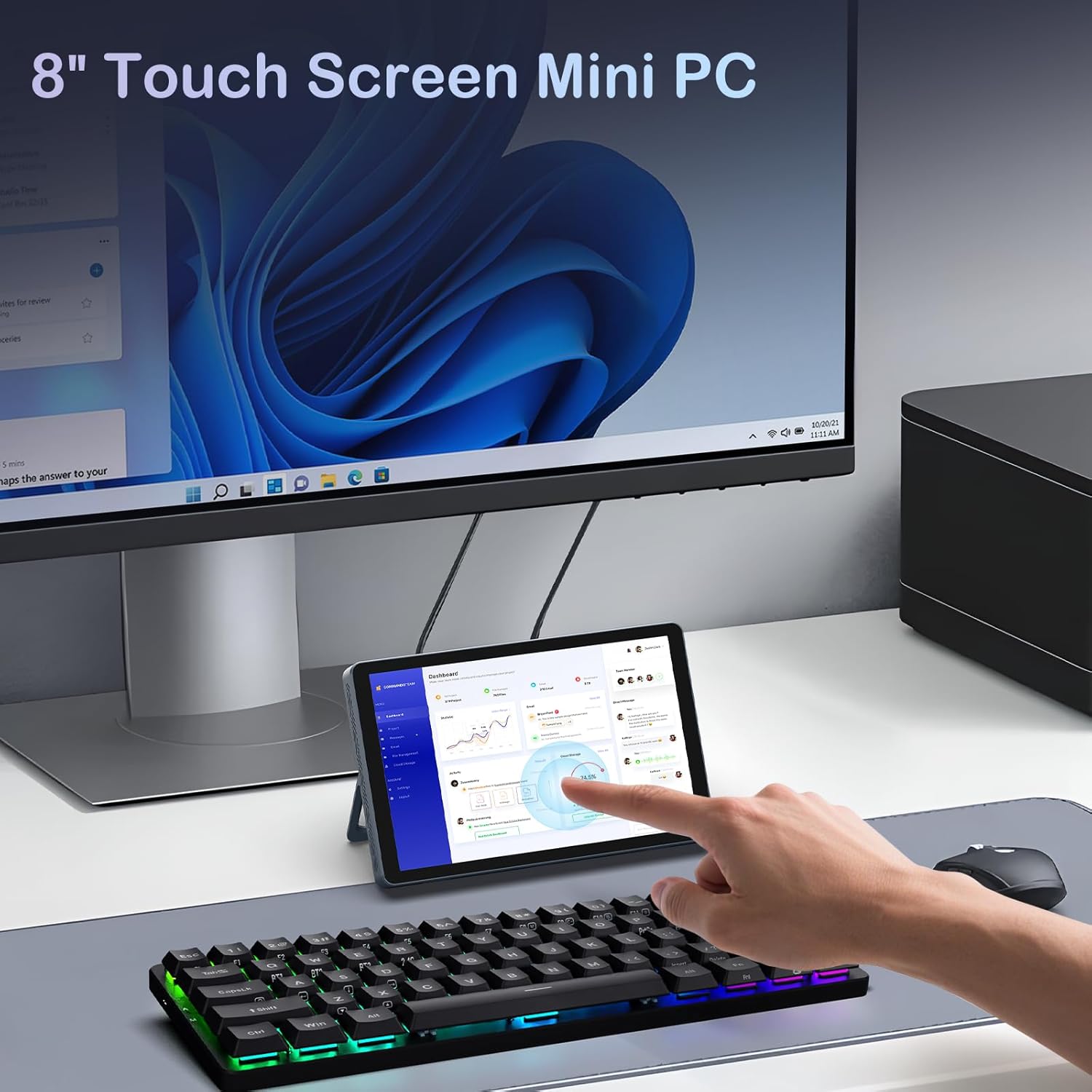
פיגורע 4.1: The Mini PC N150 in a desktop setup, utilizing an external monitor and peripherals.
4.4 נעטוואָרק קאַנעקשאַן
- ווי-פי: During Windows setup or via Windows settings, connect to your preferred Wi-Fi 6 network.
- עטהערנעט: Connect an Ethernet cable from your router or modem to one of the two RJ45 ports on the Mini PC for a wired network connection.
5. אַפּערייטינג ינסטרוקטיאָנס
5.1 ניצן די טאָוטשסקרעען
The 8-inch display supports multi-touch gestures, allowing for intuitive interaction with Windows 11 Pro. Use standard touch gestures for navigation, scrolling, zooming, and selecting items.
5.2 Connecting External Displays (Dual Display)
The Mini PC supports dual 4K displays simultaneously via HDMI, DisplayPort, and the full-function Type-C port. This allows for an extended desktop experience.
- Connect your external monitors using the appropriate cables (HDMI, DP, or Type-C).
- Once connected, Windows will automatically detect the displays. You can configure display settings (extend, duplicate, or second screen only) via the Display Settings in Windows.
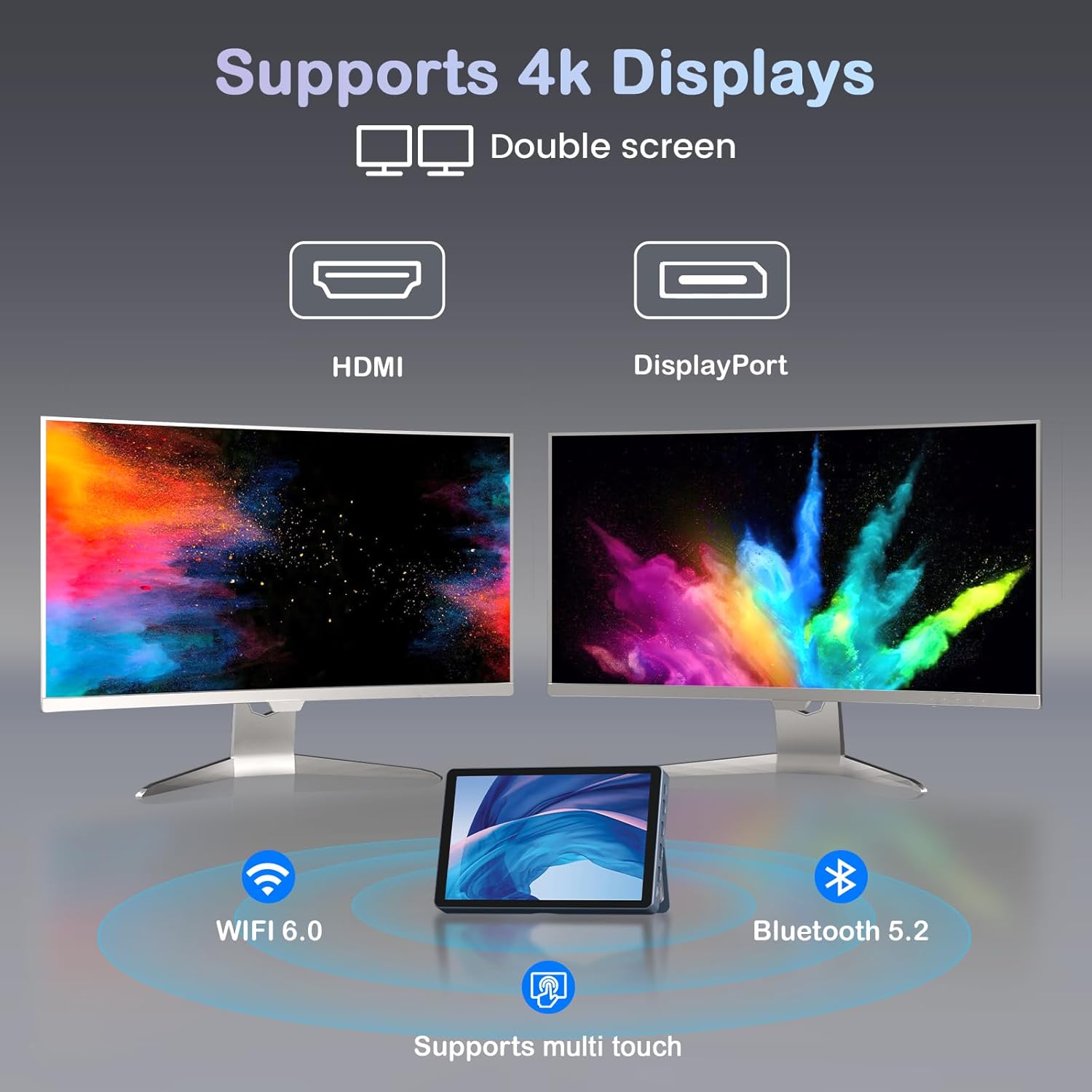
פיגורע 5.1: The Mini PC N150 supporting a dual 4K monitor setup, enhancing productivity.
5.3 באַטערי מאַנאַגעמענט
The integrated 5000mAh battery provides power for portable use. The battery also supports charging other devices via its Type-C port.
- Charging the Mini PC: Connect the power adapter to fully charge the internal battery.
- טשאַרדזשינג פונדרויסנדיק דעוויסעס: Use a compatible USB-C cable to connect your smartphone or other devices to the Mini PC's full-function Type-C port for charging. Ensure the Mini PC has sufficient battery charge.

פיגורע 5.2: The Mini PC N150 can provide power to charge other portable devices.
5.4 Adjusting the Integrated Stand
The Mini PC features an adjustable metal bracket on its rear, allowing you to set the device at various viewינג אַנגלעס פֿאַר באַקוועם נוצן.
- Gently pull out the metal bracket from the back of the device.
- Adjust the bracket to your desired angle (e.g., 45 degrees or 165 degrees) to prop up the screen.
- Ensure the bracket is stable before releasinג דעם אַפּאַראַט.
6. וישאַלט
6.1 רייניקונג
- Use a soft, dry, lint-free cloth to clean the exterior of the device.
- For the touchscreen, use a screen-specific cleaning solution and a microfiber cloth. Avoid harsh chemicals.
- פאַרזיכערן אַז די מיטל איז פּאַוערד אַוועק און אַנפּלאַגד איידער רייניקונג.
6.2 סטאָרידזש יקספּאַנשאַן
The Mini PC comes with an M.2 SSD, which can be upgraded. Refer to the manufacturer's guidelines or a qualified technician for storage upgrades to avoid voiding the warranty or damaging the device.
- The device supports M.2 SSDs.
- Consult the technical support team for recommended compatible M.2 SSD types and installation procedures.
7. טראָובלעשאָאָטינג
If you encounter issues with your KOOSMILE Mini PC N150, refer to the following common troubleshooting steps:
- קיין מאַכט:
- זיכער מאַכן אַז דער מאַכט אַדאַפּטער איז זיכער פארבונדן צו ביידע די מיני פּיסי און אַ אַרבעטנדיק מאַכט ווענטיל.
- באַשטעטיקן אַז די עלעקטרישע ווענטיל אַרבעט דורך אַרײַנשטעקן אַן אַנדער דעוויס.
- If using the battery, ensure it is charged.
- No Display on External Monitor:
- Check that the HDMI, DP, or Type-C cable is securely connected to both the Mini PC and the monitor.
- Ensure the external monitor is powered on and set to the correct input source.
- פרובירט אן אנדערן קאבל אדער מאָניטאָר אויב פאַראַן.
- Wi-Fi/בלוטוט קאנעקטיוויטי פראבלעמען:
- Ensure Wi-Fi/Bluetooth is enabled in Windows settings.
- ריסטאַרט דעם מיני פּיסי און אייער ראַוטער/מאָדעם.
- Check for updated network drivers in Device Manager.
- טאָוטשסקרין רעאַגירט נישט:
- Restart the Mini PC.
- זיכער מאַכן אַז דער עקראַן איז ריין און פריי פון שמוץ.
- Check for updated touchscreen drivers.
If these steps do not resolve the issue, please contact KOOSMILE technical support for further assistance.
8. ספּעסאַפאַקיישאַנז
The following table outlines the technical specifications for the KOOSMILE Mini PC N150 (Model N80):
| שטריך | באַשרייַבונג |
|---|---|
| מאָדעל נומער | N80 |
| פּראַסעסער | Intel Celeron N150 (4 Cores, 4 Threads, up to 3.6 GHz) |
| באַראַן | 12GB DDR5 |
| סטאָרידזש | 256GB M.2 SSD (supports NVMe) |
| גראַפיקס | ינטעגראַטעד גראַפיקס |
| אָפּערייטינג סיסטעם | Windows 11 פּראָ |
| ווייַז | 8-inch HD Multi-touch Screen |
| מאַקסימום סקרין האַכלאָטע | 3840 X 2160 (4K) |
| וסב פּאָרץ | 2 קס וסב 3.0, 2 קס וסב 2.0 |
| ווידעא רעזולטאַט | HDMI, DisplayPort, Full-function Type-C (4K@60Hz Dual Display Support) |
| נעץ | WiFi 6 (802.11ax), Bluetooth 5.2, 2x RJ45 Ethernet |
| אַודיאָ | 3.5 מם אַודיאָ דזשאַק |
| קאָרט רידער | טף קאַרד שפּעלטל |
| באַטערי | 5000mAh (נישט-סטאַנדאַרט באַטאַרייע) |
| דימענשאַנז | 7.62 × 4.88 × 0.91 inches (19.36 x 12.4 x 2.31 cm) |
| וואָג | 2.42 פונט (1.1 קג) |
9. וואָראַנטי און שטיצן
KOOSMILE is committed to providing reliable products and customer satisfaction.
- וואָראַנטי: Each KOOSMILE Mini PC N150 comes with a 1-year limited warranty from the date of purchase. This warranty covers manufacturing defects and hardware malfunctions under normal use.
- טעכניש שטיצן: We offer lifetime technical support for your product. Our professional after-sales team is available 24 hours a day to assist you with any technical inquiries or issues.
- קונה סערוויס: For responsive customer service, please refer to the contact information provided on the KOOSMILE official webוועבזייטל אדער אייער קויפן פּלאַטפאָרמע.