
Kinglucky A20
Kinglucky ClipFree A20 Open-Ear Earbuds Instruction Manual
מאָדעל: A20
הקדמה
Welcome to the Kinglucky ClipFree A20 Open-Ear Earbuds. These earbuds are designed for comfort and style, featuring an open-ear design and detachable crystal earrings. This manual provides essential information for setting up, operating, maintaining, and troubleshooting your new earbuds.
וואָס איז אין די קעסטל
Upon opening your Kinglucky ClipFree A20 package, you should find the following items:
- Kinglucky ClipFree A20 Open-Ear Earbuds
- טשאַרדזשינג קאַסע
- Detachable Crystal Butterfly Earrings (if included with your model)
- וסב-C טשאַרדזשינג קאַבלע
- באַניצער מאַנואַל (דעם דאָקומענט)

Image: The Kinglucky A20 earbuds, charging case, detachable butterfly earrings, and USB-C charging cable as packaged.
סעטאַפּ
1. אויפלאָדן די אויערקנעפּלעך און קעסטל
Before first use, fully charge your Kinglucky A20 earbuds and charging case. Connect the provided USB-C cable to the charging port on the case and a power source. The digital display on the case will show the battery level. A full charge provides up to 8 hours of playtime for the earbuds, with the case extending total playtime to approximately 50 hours.
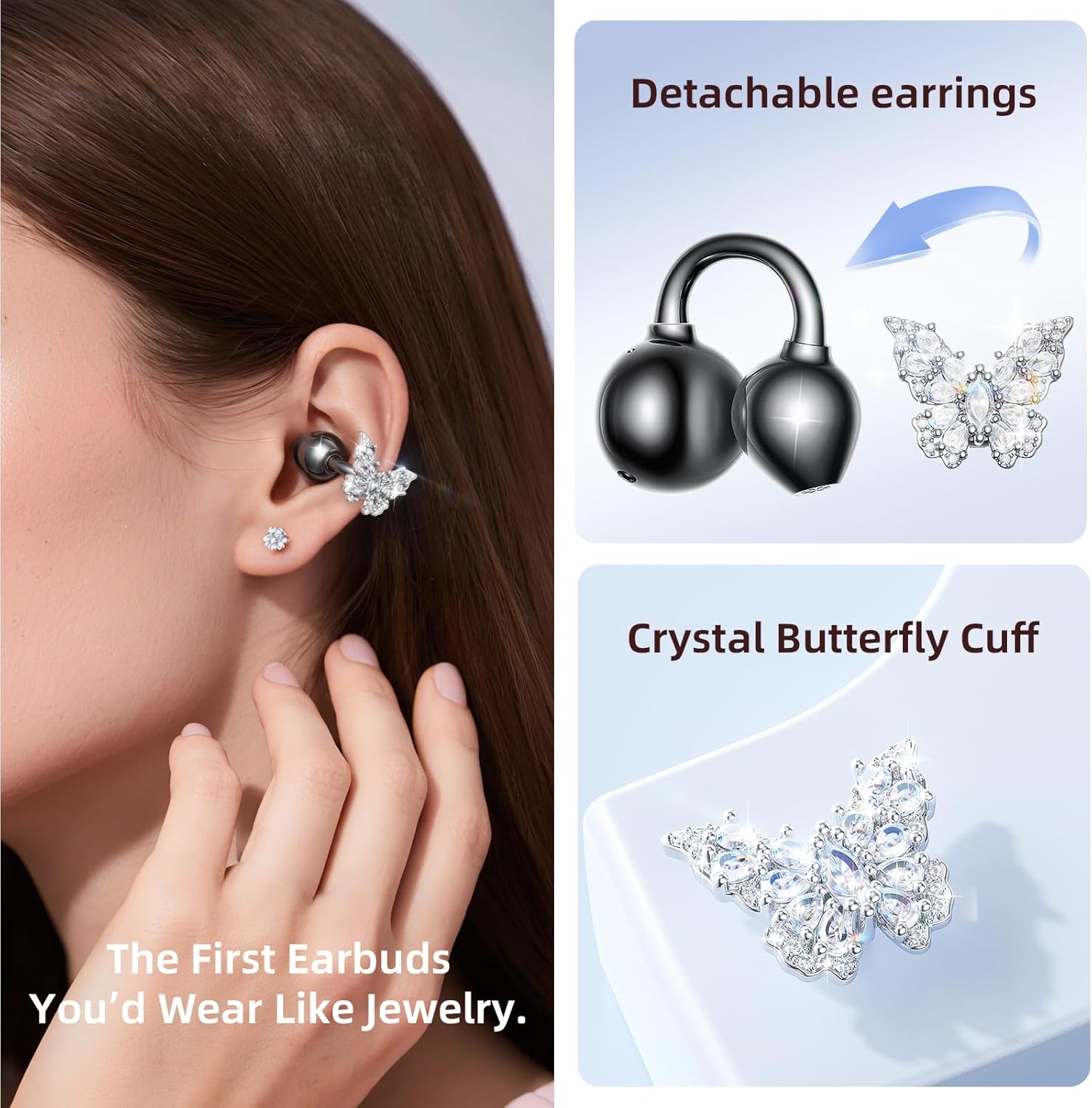
Image: The Kinglucky A20 earbuds resting in their charging case, displaying the battery percentage on the front.
2. בלועטאָאָטה פּערינג
- עפֿנט דעם טשאַרדזשינג קעסטל. די אויערקנעפּלעך וועלן אויטאָמאַטיש אַרײַן אין פּערינג מאָדע.
- אויף אייער דעווייס (סמאַרטפאָן, טאַבלעט, אאז"וו), גייט צו בלועטוט סעטטינגס.
- Select "Kinglucky A20" from the list of available devices.
- אַמאָל פארבונדן, וועט איר הערן אַן אַודיאָ פּראָמפּט, און די אינדיקאַטאָר ליכט אויף די אויערקנעפּלעך וועט זיך טוישן.
The Kinglucky A20 supports Bluetooth 5.4 for a stable connection and multipoint pairing, allowing connection to two devices simultaneously.
3. טראָגן די אויערקנעפּלעך
The A20 earbuds feature an open-ear clip design for comfort and stability. They do not enter the ear canal, resting gently on the ear.
- Gently open the ear cuff of the earbud.
- Position the earbud over your ear, ensuring the speaker is aligned with your ear canal for optimal sound.
- אַדזשאַסטירן פֿאַר אַ זיכער און באַקוועם פּאַסיק.
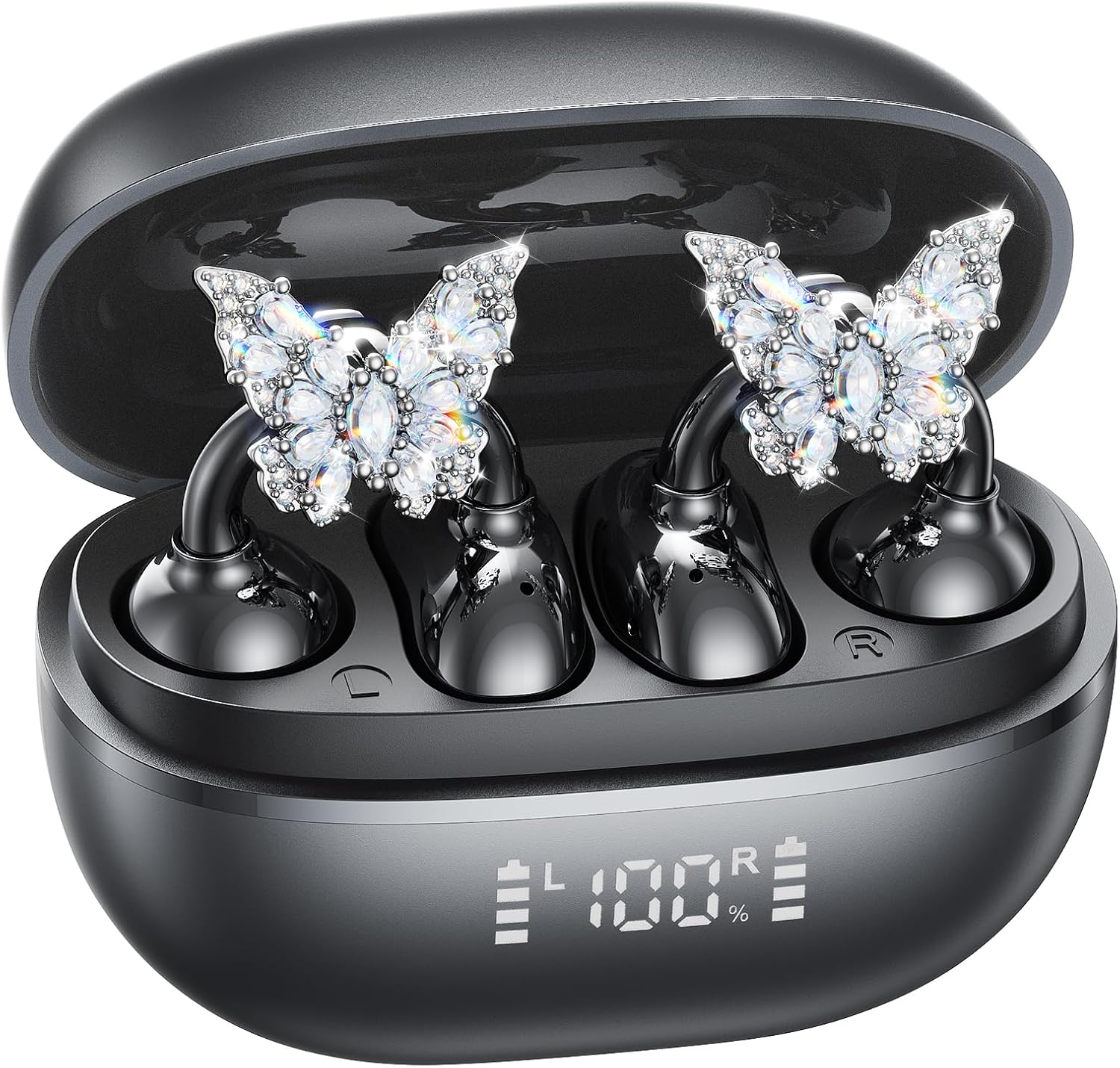
Image: A woman wearing the Kinglucky A20 earbuds with the detachable butterfly earrings, demonstrating the clip-on fit.
4. Attaching/Detaching Crystal Earrings
The crystal butterfly earrings are detachable. To attach, gently clip them onto the earphone stem. To detach, carefully unclip them. Remove the decorative earrings before storing the earbuds in the charging case to prevent damage.

Image: A visual guide illustrating the process of attaching the crystal butterfly accessory to the earbud stem.
אַפּערייטינג ינסטראַקשאַנז
ריר קאָנטראָלס
The Kinglucky A20 earbuds feature intuitive touch controls on the outer surface of each earbud.
- שפּיל / פּויזע מוזיק: טאָפּל צאַפּן אויף יעדער עאַרבוד.
- ענטפֿערן / סוף רופן: Double-tap either earbud during an incoming call or active call.
- אָפּוואַרפן רופן: דריק און האלט איינע פון די אויערקנעפל פאר 2 סעקונדעס בעת אן אנקומענדיקן רוף.
- אַקטאַווייט קול אַססיסטאַנט: דריקן און האַלטן יעדער עאַרבוד פֿאַר 3 סעקונדעס.

Image: A visual representation of the touch control functions for music playback and call management on the earbuds.
Sound Quality and Call Clarity
The A20 earbuds are engineered to deliver clear and balanced sound for various audio content, from podcasts to music. They feature AI-powered call clarity with 2 beamforming microphones and advanced noise-canceling technology for crisp conversations.

Image: An exploded diagram showing the internal components of the Kinglucky A20 earbud, highlighting its sound engineering.
וישאַלט
- רייניקונג: Use a soft, dry cloth to wipe the earbuds and charging case. Avoid using harsh chemicals or abrasive materials.
- סטאָרידזש: ווען נישט אין באַנוץ, לייגט די אויערקנעפּלעך אין זייער טשאַרדזשינג קעסטל צו באַשיצן זיי און זיכער מאַכן אַז זיי בלייבן טשאַרדזשד.
- וואַסער קעגנשטעל: The earbuds are IP56 water-resistant, meaning they can withstand sweat and light rain. Do not submerge them in water.
טראָובלעשאָאָטינג
| פּראָבלעם | לייזונג |
|---|---|
| עאַרבודס נישט פּערינג | Ensure earbuds are charged. Turn off and on Bluetooth on your device. Forget "Kinglucky A20" in your device's Bluetooth settings and re-pair. |
| קיין געזונט פון איין עאַרבוד | Place both earbuds back in the charging case, close the lid, wait a few seconds, then open and try again. Check device audio balance settings. |
| טשאַרדזשינג פאַל ניט טשאַרדזשינג | Verify the USB-C cable is securely connected to both the case and the power source. Try a different cable or power adapter. |
| נעבעך רופן קוואַליטעט | Ensure earbuds are properly seated on your ears. Move closer to your connected device to avoid interference. |
ספּעסאַפאַקיישאַנז
- מאָדעל נאָמען: A20
- קאַנעקטיוויטי: ווירעלעסס, בלועטאָאָטה 5.4
- אויער אָרט: עפענען אויער
- באַטאַרייע לעבן: Up to 8 hours (earbuds), up to 50 hours total with charging case
- וואַסער קעגנשטעל: IP56
- וואָג: אומגעפער 4.0 גראַם פּער אויערקנעפּל
- אַרייַנגערעכנט קאַמפּאָונאַנץ: Earbuds, Charging Case, USB-C Cable, User Manual, Detachable Crystal Earrings
וואָראַנטי און שטיצן
Kinglucky products are manufactured to high standards and undergo rigorous quality checks. For warranty information, technical support, or customer service inquiries, please refer to the contact details provided on the Kinglucky official webוועבזייטל אדער אייערע קויפן דאקומענטן. האַלט אייער קויפן באווייז פאר גאַראַנטיע קליימז.
פֿאַר ווייטערדיקע הילף, קענט איר באַזוכן די Kinglucky Store on Amazon.
Ask a question about this manual
Ask about setup, troubleshooting, compatibility, parts, safety, or missing instructions. Manuals+ will review the question and use this page’s manual context to help answer it.