
הקדמה
This manual provides instructions for the Zebronics CSH501 2.5" SSD/HDD Enclosure. This device allows you to connect a 2.5-inch SATA Solid State Drive (SSD) or Hard Disk Drive (HDD) to your computer via a USB Type-C 3.1 Gen 1 interface, enabling high-speed data transfer and portable storage solutions. It supports up to 6TB of storage capacity and features a tool-free slide design for easy installation.
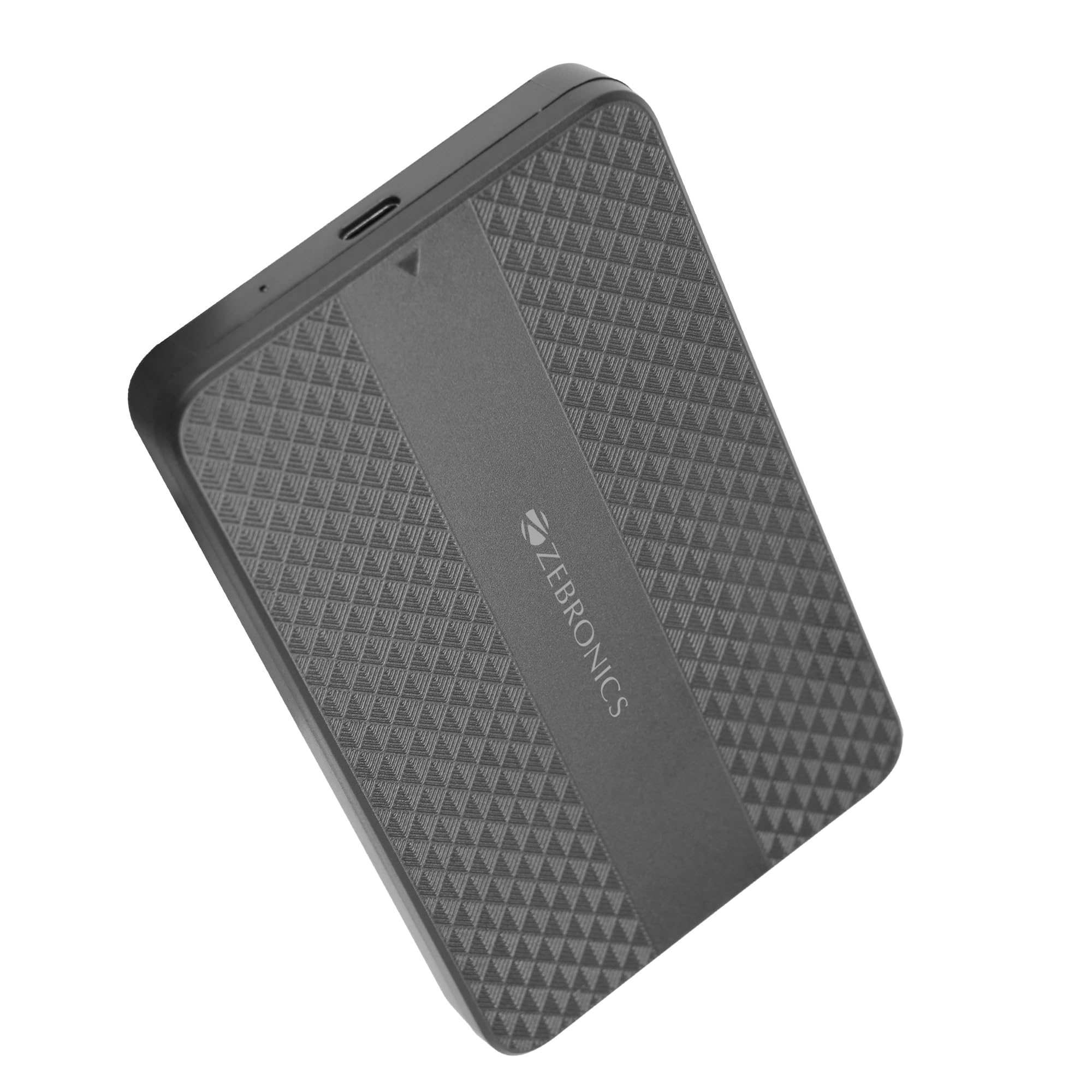
Image: The Zebronics CSH501 2.5 inch SSD/HDD Enclosure, a compact black device with a textured surface and Zebronics branding.
פּעקל אינהאַלט
באַשטעטיקן אַז אַלע זאכן זענען פאַראַן אין פּעקל:
- 1 x 2.5" SATA SSD Enclosure (CSH501)
- 1 X Foam Pad
- 1 x USB to Micro B Cable
ספּעסאַפאַקיישאַנז
| שטריך | באַשרייַבונג |
|---|---|
| מאָדעל | CSH501 |
| קאָמפּאַטיבלע דרייווס | 2.5-אינטש SATA SSD/HDD |
| מאַקס. סטאָרידזש קאַפּאַציטעט | 6 טב |
| צובינד | וסב טיפּ-C 3.1 גענ 1 |
| דאַטאַ אַריבערפירן קורס | אַרויף צו 5 גבפּס |
| מאַטעריאַל | פּלאַסטיק |
| דימענסיעס (L X W X H) | 13 ל רענטגענ 8 וו רענטגענ 1.3 ה סענטימעטער |
| וואָג | 60 גראַמז |
| אַס סופּפּאָרט | Windows, Mac, Linux |
סעטאַפּ און ינסטאַלירונג
The CSH501 enclosure features a tool-free slide design for quick and easy installation of your 2.5-inch SATA SSD or HDD.
- Step 1: Open the Enclosure
Gently slide the back cover of the enclosure to open it. - Step 2: Insert the Drive
Carefully insert your 2.5-inch SATA SSD or HDD into the enclosure, ensuring it connects securely to the internal SATA connector. You may use the provided foam pad to secure thinner drives. Close the cover by sliding it back until it clicks into place. - שריט 3: קאָננעקט צו קאָמפּיוטער
Connect the enclosure to your computer using the provided USB to Micro B cable. The enclosure is plug-and-play, requiring no additional drivers for most operating systems.

Image: A three-step visual guide demonstrating the tool-free slide setup: 1. Slide back to open the cover. 2. Insert the drive and close the cover. 3. Connect to the computer for plug & play operation.
אַפּערייטינג ינסטראַקשאַנז
Once connected, the enclosure will be recognized by your operating system as an external storage device. You can then access, transfer, and manage fileווי איר וואָלט טאָן מיט יעדן אַנדערן פונדרויסנדיקן דרייוו.
- דאַטאַ אַריבערפירן: The USB 3.1 Gen 1 interface supports data transfer speeds up to 5 Gbps. Actual speeds may vary based on the connected drive, computer's USB port, and file טייפּס.
- אַפּערייטינג סיסטעם קאַמפּאַטאַבילאַטי: The enclosure is compatible with Windows, Mac, and Linux operating systems.
- מאַכט: The enclosure is bus-powered via the USB connection, eliminating the need for an external power adapter.

Image: The Zebronics CSH501 enclosure connected to a laptop via its USB cable, illustrating its capability for data transfer speeds up to 5Gbps.

Image: The Zebronics CSH501 enclosure connected to a laptop, with text highlighting its compatibility across Windows, Mac, and Linux operating systems.
וישאַלט
To ensure the longevity and optimal performance of your Zebronics CSH501 enclosure:
- האַלט דעם אַפּאַראַט ריין און פֿרײַ פֿון שטויב. ניצט אַ ווייכן, טרוקענעם שטאָף פֿאַר רייניקונג.
- Avoid exposing the enclosure to extreme temperatures, humidity, or direct sunlight.
- דו זאלסט נישט פאַלן אָדער אונטערטעניק די מיטל צו שטאַרק ימפּאַקץ.
- Always safely eject the drive from your operating system before disconnecting the enclosure to prevent data corruption.
טראָובלעשאָאָטינג
If you encounter issues with your enclosure, refer to the following common solutions:
- דרייוו נישט דעטעקטירט:
- Ensure the drive is properly seated within the enclosure and the cover is closed securely.
- פרובירט צו קאנעקטן דעם קעסטל צו אן אנדערן USB פארט אויף אייער קאמפיוטער.
- פּרוביר מיט אַן אַנדער USB קאַבל.
- Verify that the drive itself is functional by testing it in another enclosure or directly connecting it to a computer if possible.
- For new drives, ensure they are initialized and formatted in your operating system's Disk Management (Windows) or Disk Utility (Mac).
- לאַנגזאַמע טראַנספער גיכקייטן:
- Ensure the enclosure is connected to a USB 3.0/3.1 port on your computer. Connecting to a USB 2.0 port will result in slower speeds.
- The performance of the installed SSD/HDD also affects transfer speeds.
- גרויס file טראַנספערס זענען בכלל שנעלער ווי פילע קליינע file טראַנספערס.
- Enclosure Gets Warm:
It is normal for the enclosure to become warm during extended use, especially during large data transfers, as heat is dissipated from the internal drive. Ensure adequate airflow around the device.
וואָראַנטי און שטיצן
The Zebronics CSH501 enclosure comes with a 1 Year Carry-In Warranty to the service center. For warranty claims or technical support, please contact Zebronics customer service.
פאַבריקאַנט קאָנטאַקט אינפֿאָרמאַציע:
Zebronics India Private Limited
No.13/7, Smith Road, Royapettah, Chennai - 600 002
For further assistance, visit the official Zebronics webזייטל אדער קאנטאקט זייערע שטיצע קאנאלן.