
FIDECO HCA64
FIDECO HCA64 10-Port 10Gbps USB 3.2 Gen 2 Powered Hub User Manual
מאָדעל: HCA64
1. הקדמה
This manual provides comprehensive instructions for the FIDECO HCA64 10-Port 10Gbps USB 3.2 Gen 2 Powered Hub. It covers setup, operation, maintenance, troubleshooting, and product specifications to ensure optimal performance and longevity of your device. Please read this manual thoroughly before using the product.
2. פּעקל אינהאַלט
Please verify that all items listed below are included in your package. If any items are missing or damaged, please contact FIDECO support.
- FIDECO HCA64 10-Port USB 3.2 Gen 2 Powered Hub
- 12 וו 5 אַ מאַכט אַדאַפּטער
- יו-עס-בי-סי צו יו-עס-בי-סי קאבל מיט יו-עס-בי-איי אדאפטער
- באַניצער מאַנואַל
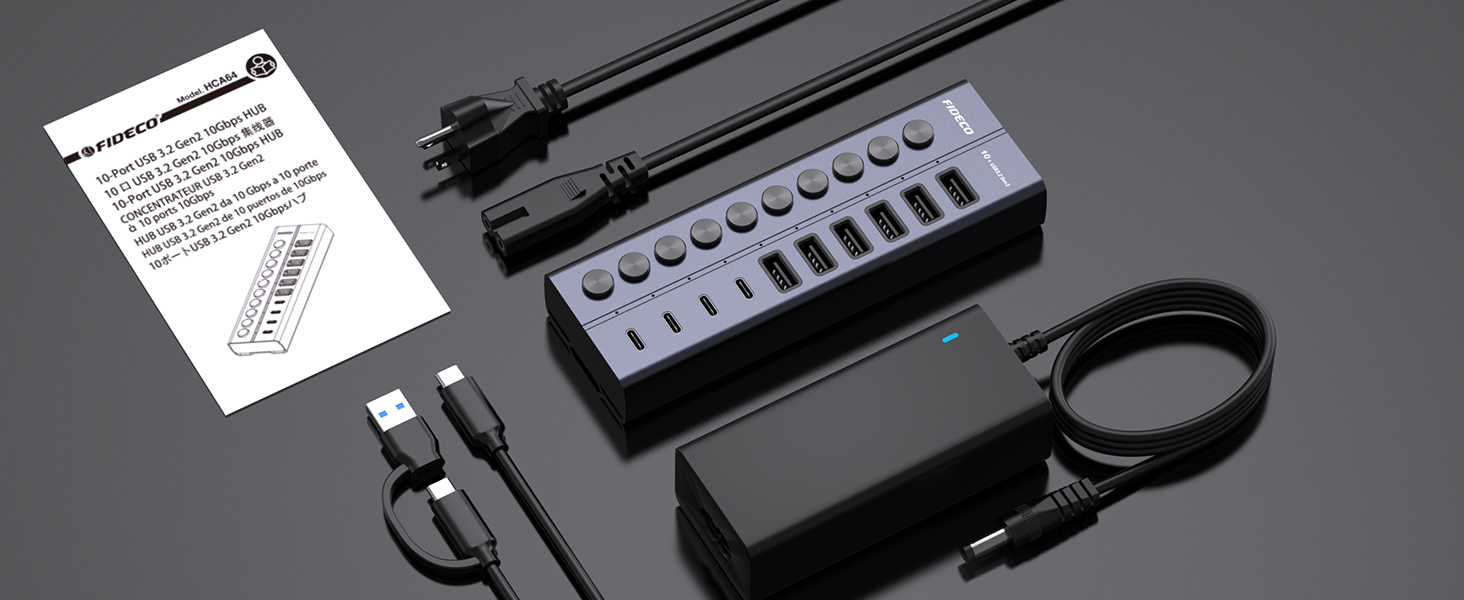
Image: Contents of the FIDECO HCA64 package, including the hub, power adapter, USB cable, and manual.
3. פּראָדוקט איבערview
The FIDECO HCA64 is a high-performance 10-port USB hub designed to expand connectivity for your laptop or PC. It features a robust aluminum alloy casing for efficient heat dissipation and includes individual on/off switches for each port.
שליסל פֿעיִקייטן:
- 10Gbps Super Speed: USB 3.2 Gen 2 standard for rapid data transfer.
- 60W Powered Hub: Includes a 12V 5A power adapter for stable operation and charging.
- BC1.2 Charging Support: All 10 ports support BC1.2 charging (5V/1.5A max).
- Independent On/Off Switches: Control power to individual ports.
- Aluminum Design: Durable and aids in heat dissipation.
- ווערסאַטאַל פּאָרץ: 6 USB-A ports and 4 USB-C ports.

בילד: פראָנט view of the FIDECO HCA64 USB Hub, illustrating the layout of 6 USB-A (10Gbps) and 4 USB-C (10Gbps) ports, along with individual power buttons.
4. סעטאַפּ
Follow these steps to set up your FIDECO HCA64 USB Hub:
- פאַרבינדן די מאַכט אַדאַפּטער: Plug the 12V 5A power adapter into the DC IN port on the back of the USB hub. Then, plug the power adapter into a wall outlet. The hub requires external power for stable operation and charging capabilities.
- פאַרבינדן צו דיין קאָמפּיוטער: Use the provided USB-C to USB-C cable (with the attached USB-A adapter if needed) to connect the hub to an available USB-C or USB-A port on your laptop or PC.
- מאַכט אויף: The hub is plug-and-play; no drivers are required. Once connected, the hub will be ready for use. Individual port power can be controlled using the dedicated on/off switches.

בילד: א נאָענטע בילד view showing the 60W power adapter being connected to the FIDECO USB Hub, ensuring stable power for multiple devices.

Image: Demonstrates the flexibility of the included USB-C cable with an attached USB-A adapter, allowing connection to both USB-C and USB-A host ports on laptops.
5. אַפּערייטינג ינסטרוקטיאָנס
5.1 דאַטאַ אַריבערפירן
The FIDECO HCA64 hub supports USB 3.2 Gen 2, offering data transfer speeds up to 10Gbps. Connect your USB devices such as external hard drives, USB flash drives, or other peripherals to the available USB-A or USB-C ports on the hub. Ensure the individual port switch is turned on for the connected device.

Image: Illustrates the 10Gbps data transfer capability of both USB-C and USB-A ports on the hub, significantly faster than USB 3.0's 5Gbps.
5.2 דיווייס טשאַרדזשינג
All 10 USB ports on the FIDECO HCA64 support BC1.2 charging, providing a maximum power output of 5V/1.5A per port. This is suitable for charging smartphones, tablets, and other USB-powered devices. The hub can simultaneously transfer data and charge devices.

Image: A smartphone and tablet are shown charging simultaneously through the FIDECO USB Hub, demonstrating its BC1.2 fast charging capability.

Image: A laptop connected to the FIDECO USB Hub, which is simultaneously transferring data from a USB drive and charging a smartphone, highlighting multitasking efficiency.
5.3 Using Individual On/Off Switches
Each port on the hub has an independent on/off switch and an LED indicator. Press the button to toggle the power for the corresponding port. The LED will illuminate when the port is active. This feature allows you to manage connected devices without frequent plugging and unplugging, conserving power and extending device lifespan.
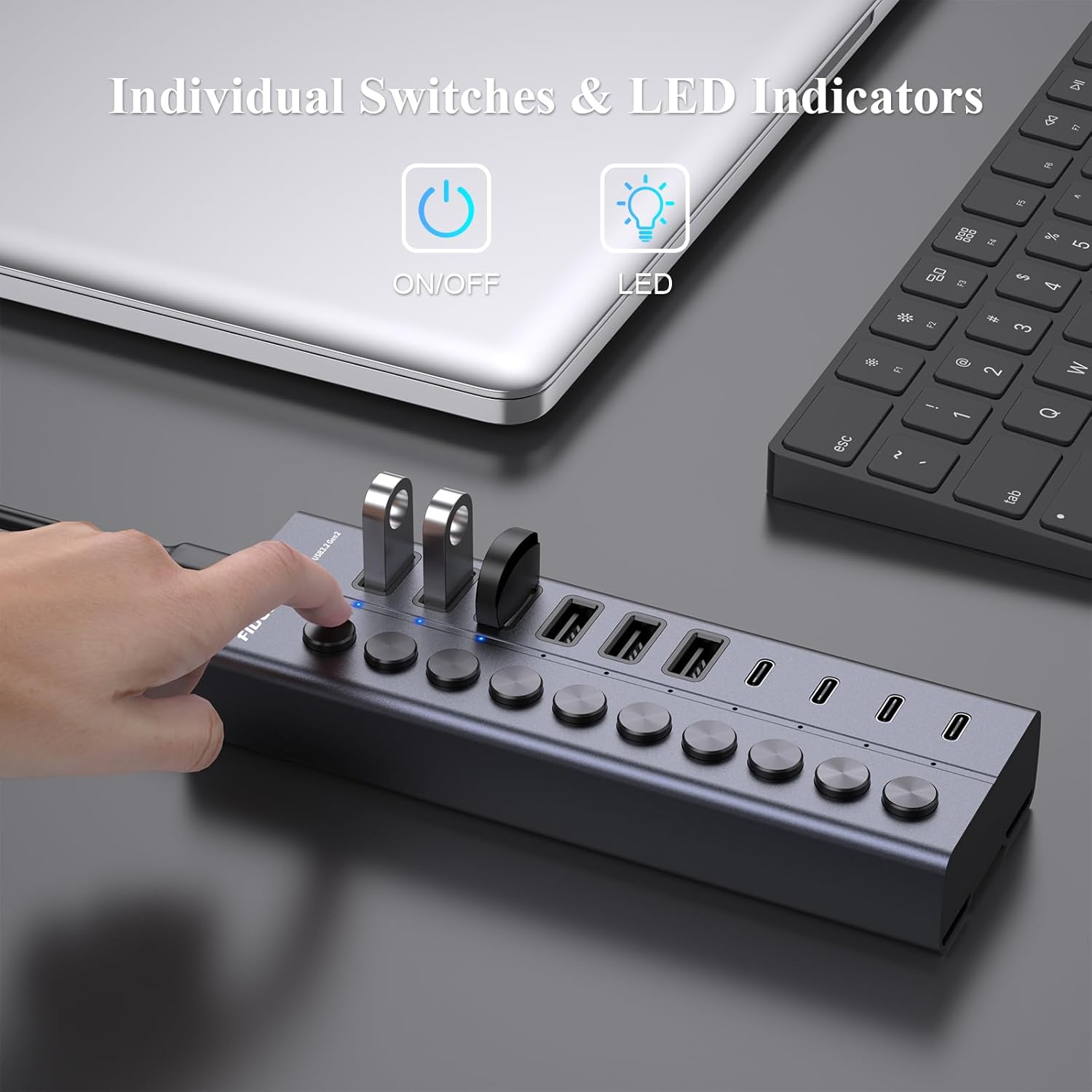
Image: A hand is shown pressing one of the individual on/off switches on the FIDECO USB Hub, with multiple USB drives connected, demonstrating selective power control.

Image: A close-up of the FIDECO USB Hub highlighting the individual on/off switches and their corresponding LED indicators, allowing users to control each device separately.
5.4 קאַמפּאַטאַבילאַטי
The FIDECO HCA64 USB Hub is widely compatible with various operating systems, including Windows, Mac OS, and Linux. It supports a broad range of devices such as card readers, dashcams, desktops, gaming consoles, and laptops.
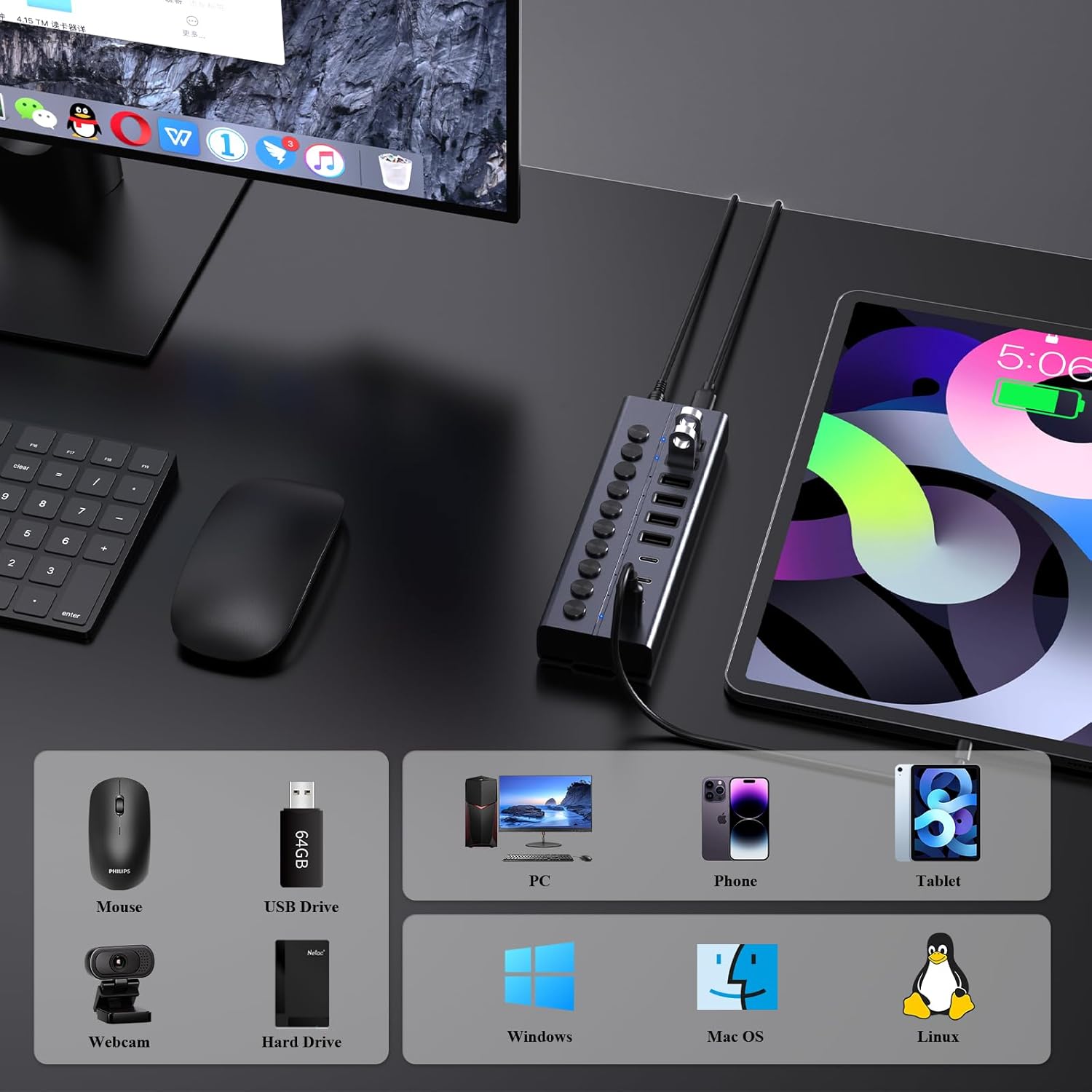
Image: An illustration showing the FIDECO USB Hub connected to a laptop, with icons representing compatible devices like mice, USB drives, webcams, hard drives, phones, tablets, and PCs, as well as operating systems like Windows, Mac OS, and Linux.
5.5 פּראָדוקט דעמאָנסטראַציע ווידעאָ
Watch this video for a visual guide on setting up and using the FIDECO 10Gbps 60W Powered USB Hub.
Video: A demonstration of the FIDECO 10Gbps 60W Powered USB Hub, showcasing its features, connectivity, and high-speed data transfer capabilities.
6. וישאַלט
To ensure the longevity and optimal performance of your FIDECO HCA64 USB Hub, follow these maintenance guidelines:
- רייניקונג: ניצט אַ ווייכע, טרוקענע שטאָף צו ווישן די ייבערפלאַך פון דעם כאַב. פֿאַרמייַדט ניצן פליסיקע רייניקונגסמיטלען אָדער אַברייסיוו מאַטעריאַלן, ווײַל זיי קענען שאַטן די ענדיקונג אָדער אינעווייניקסטע קאָמפּאָנענטן.
- סטאָרידזש: האַלט דעם כאַב אין אַ קיל, טרוקן אָרט אַוועק פון דירעקט זונשייַן און עקסטרעמע טעמפּעראַטורן.
- האַנדלינג: באַהאַנדלט דאָס אַפּאַראַט מיט פֿאָרזיכט. פֿאַרמײַדט עס צו לאָזן פֿאַלן אָדער אויסשטעלן עס צו שטאַרקע קלאַפּן.
- ווענטילאַטיאָן: Ensure the hub is placed in an area with adequate ventilation to prevent overheating, especially during prolonged use with multiple devices.
7. טראָובלעשאָאָטינג
If you encounter issues with your FIDECO HCA64 USB Hub, please refer to the following common problems and solutions:
- מיטל ניט דערקענט:
- Ensure the individual on/off switch for the specific port is activated.
- Verify that the hub is properly connected to your computer and the power adapter is securely plugged in.
- Try connecting the device directly to your computer to confirm it functions independently.
- ריסטאַרט דיין קאָמפּיוטער.
- לאַנגזאַמע דאַטן טראַנספער גיכקייט:
- Ensure both the hub and your connected device support USB 3.2 Gen 2 (10Gbps) for maximum speed. Older USB standards will operate at their respective lower speeds.
- פֿאַרמײַדט צו פֿאַרבינדן צו פֿיל הויך-באַנדווידט דעוויסעס גלײַכצײַטיק.
- Check the quality of the USB cable used to connect your device to the hub.
- דעוויסעס לאָדענען נישט אָדער לאָדענען זיך לאַנגזאַם:
- Confirm the power adapter is connected and functioning. The hub requires external power for charging.
- Note that each port provides a maximum of 5V/1.5A (BC1.2). This may not be sufficient for devices requiring higher power input, such as some portable monitors or high-power laptops.
- Ensure the charging cable is functional and properly connected.
- איבערהיצונג פון דער כאַב:
- While the aluminum design aids in heat dissipation, ensure the hub is in a well-ventilated area.
- Reduce the number of high-power devices connected if overheating persists.
8. ספּעסאַפאַקיישאַנז
| שטריך | דעטאַל |
|---|---|
| מאָדעל נומער | הקאַקסנומקס |
| פּראָדוקט דימענשאַנז | 6 X 2 X 1.1 אינטשעס |
| פּונקט וואָג | 1.32 פונט |
| ייַזנוואַרג צובינד | USB Type C (Host Connection) |
| וסב פּאָרץ | 6 x USB-A (10Gbps), 4 x USB-C (10Gbps) |
| דאַטאַ טראַנספער ספּיד | ביז 10 גיגאַביט פּער סעקונדע (USB 3.2 דור 2) |
| מאַכט אַרייַנשרייַב | 12V 5A (60W) Power Adapter |
| טשאַרדזשינג רעזולטאַט | BC1.2 (5V/1.5A max per port) |
| ספּעציעלע פֿעיִקייטן | Anti-Slip, Fast Charging, Fast Data Transfer, Plug and Play, Powered, Individual On/Off Switches |
| קאַמפּאַטאַבאַל דעוויסעס | Card Readers, Dashcams, Desktops, Gaming Consoles, Laptops |
| אַפּערייטינג סיסטעמס | Windows, Mac OS, Linux |
9. וואָראַנטי און שטיצן
9.1 וואָראַנטי אינפֿאָרמאַציע
FIDECO products are designed for reliability and performance. Specific warranty details may vary by region and retailer. Please retain your proof of purchase for any warranty claims.
9.2 טעכניש שטיצן
For technical assistance, troubleshooting, or any other inquiries regarding your FIDECO HCA64 USB Hub, please contact our support team:
- בליצפּאָסט: support@fideco.cn
When contacting support, please provide your product model (HCA64) and a detailed description of the issue.
Ask a question about this manual
Ask about setup, troubleshooting, compatibility, parts, safety, or missing instructions. Manuals+ will review the question and use this page’s manual context to help answer it.