
1. הקדמה
Thank you for choosing the PAXA Mini Electric Shaver. This compact and powerful device is designed to provide a close and comfortable shave, whether at home or on the go. Featuring a magnetic dual-head rotary system, IPX7 waterproofing for wet and dry use, and convenient USB-C charging, this shaver is built for efficiency and portability. Please read this manual thoroughly before first use to ensure proper operation and maintenance.
2. וואָס איז אַרייַנגערעכנט
- PAXA Mini Electric Shaver
- פּראַטעקטיוו קאָווער
- וסב-C טשאַרדזשינג קאַבלע
- רייניקונג באַרשט
- באַניצער מאַנואַל

Image: Contents of the PAXA Mini Electric Shaver package.
3. פּראָדוקט פֿעיִקייטן
3.1. High-Performance Shaving System
The PAXA Mini Electric Shaver features a powerful 9,000 RPM high-speed motor and precision stainless steel blades. Its dual-ring arc blade design with a protective mesh ensures a close, smooth shave without pulling or irritation. The magnetic blade head is designed for easy attachment and removal.

בילד: דעטאַלירט view of the shaver's internal components and performance metrics.
3.2. Compact and Durable Design
Crafted with a durable aluminum alloy and ABS body, this shaver features a matte finish and full anti-slip texture for a secure grip. Its compact, palm-sized design (approximately 2.3 inches) makes it ideal for travel, fitting easily into pockets, toiletry bags, or briefcases. A hard protective case is included to prevent accidental power-on and protect the shaver during transport.

Image: The shaver's compact size for portability.
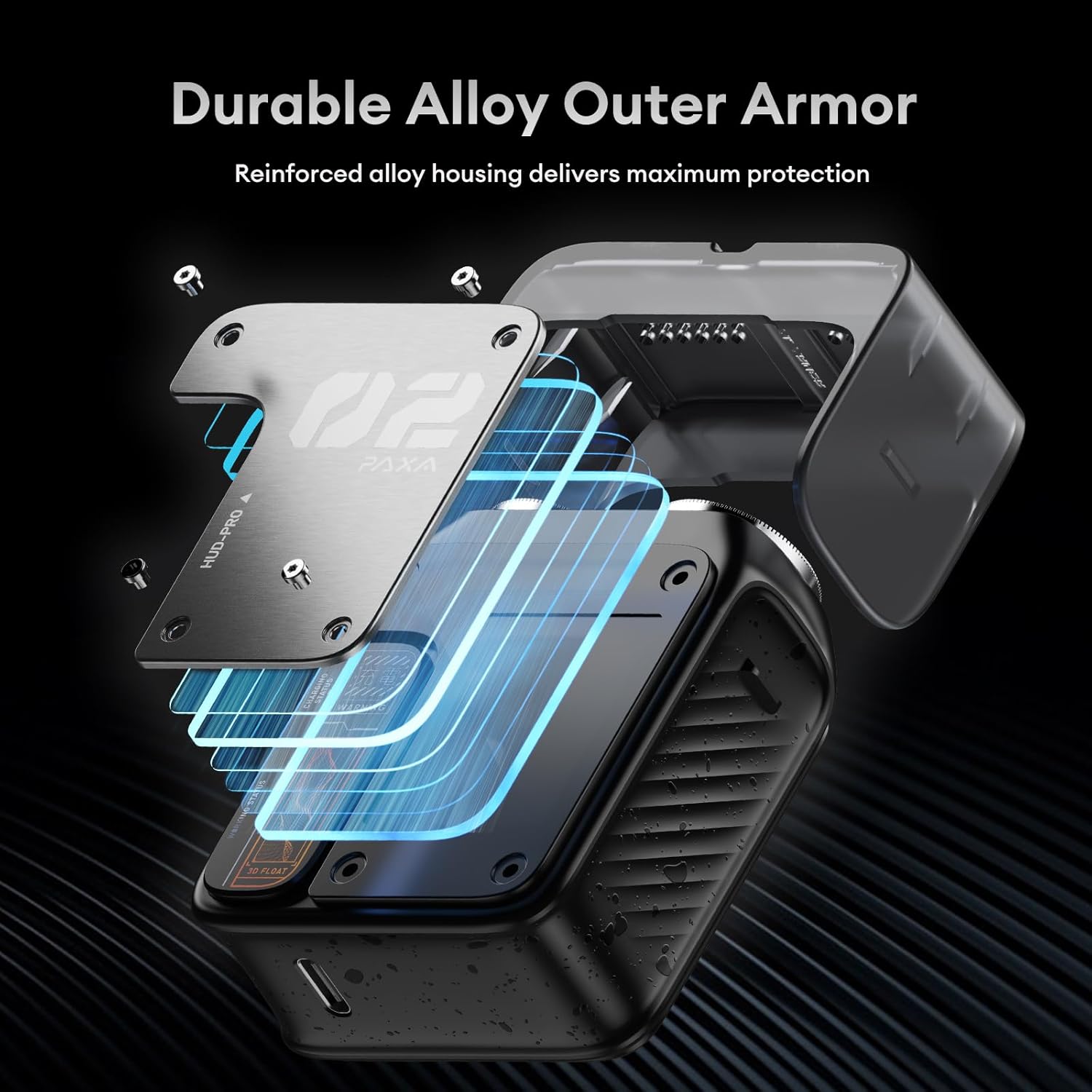
Image: The shaver's durable alloy outer armor.
3.3. IPX7 Waterproof for Wet & Dry Shaving
With an IPX7 waterproof rating, this electric foil shaver can be used for both wet and dry shaving. Enjoy a refreshing shave with foam or gel, or a quick dry shave. The waterproof design also makes rinsing and cleaning quick and easy under running water.

Image: The shaver's wet and dry shaving capabilities.

Image: The shaver undergoing an IPX7 full body wash.
3.4. Smart Battery Indicator & USB-C Fast Charging
The shaver features a smart "breathing" LED battery display with orange and red indicators to show power levels at a glance. It supports USB-C fast charging, providing 5 minutes of emergency power with a quick charge, and a full charge delivers up to 60 minutes of continuous use with 90 days of standby time.
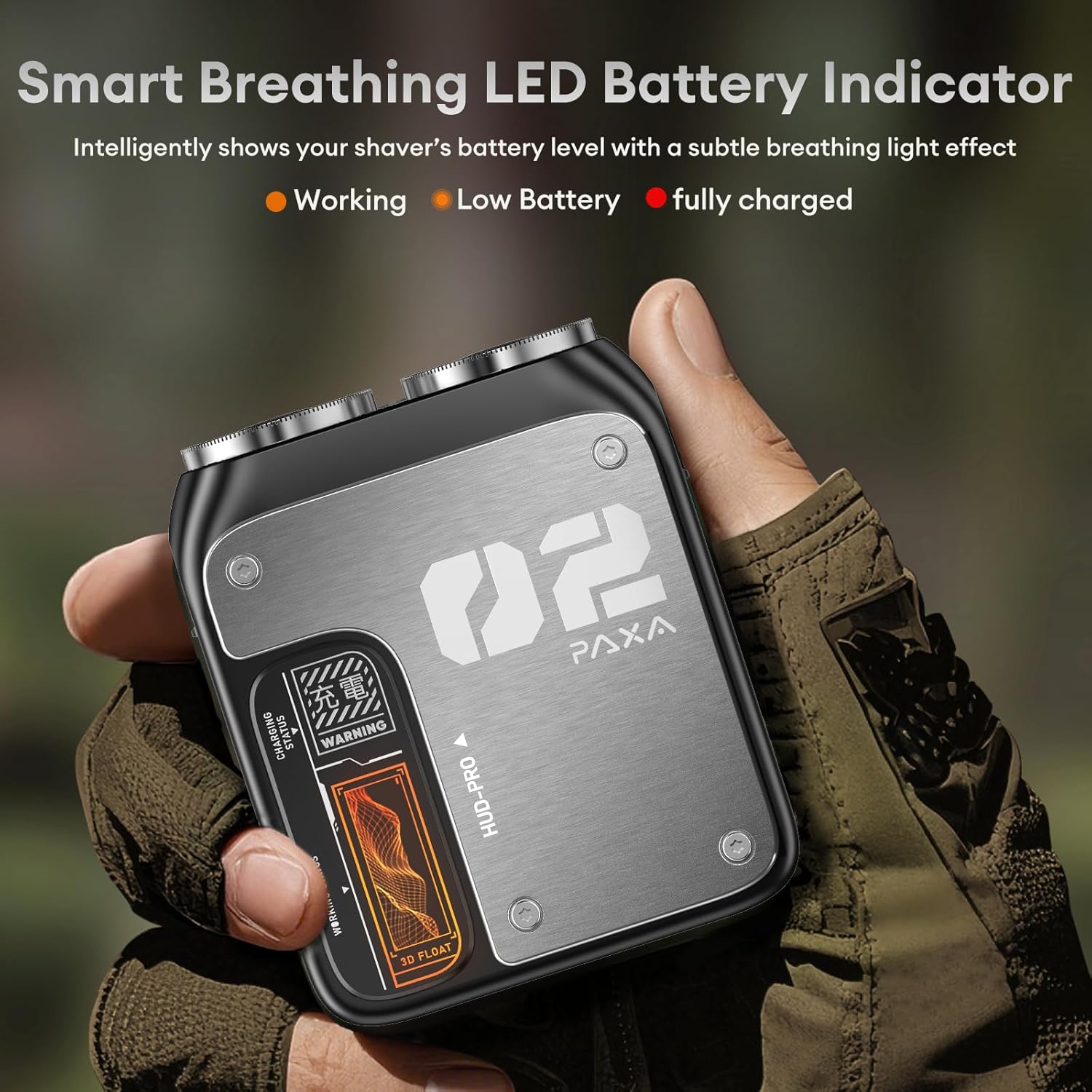
Image: The shaver's smart LED battery indicator.

Image: USB-C charging options for the shaver.
4. סעטאַפּ
4.1. ערשטע אויפלאָדונג
- Before first use, fully charge your PAXA Mini Electric Shaver.
- Connect the provided USB-C cable to the charging port on the shaver and plug the other end into a compatible USB power source (e.g., laptop, car charger, power bank, or wall adapter).
- The LED battery indicator will show the charging status. A full charge typically takes about 1 hour.
- Do not use the shaver while it is charging. Keep it away from water during charging.
4.2. צוגרייטן זיך צום ערשטן באַנוץ
- אַראָפּנעמען דעם פּראַטעקטיוו דעקל פֿון דעם ראַזירער קאָפּ.
- It is recommended to perform a gentle test shave on a small area of your skin to allow for adjustment, as new shaver blades may initially feel sharper.
5. אַפּערייטינג ינסטרוקטיאָנס
5.1. פּאָווערינג אויף / אויסגעלאשן
Press the power button located on the side of the shaver to turn it on or off. Always hold the shaver away from your face when turning it on or off.
5.2. Shaving Technique
The PAXA Mini Electric Shaver can be used for both wet and dry shaving.
- טרוקן סטרושקע: For a quick and convenient shave, ensure your skin is clean and dry. Gently move the shaver in circular motions or straight lines against the direction of hair growth.
- נאַס סטרושקע: For a more refreshing and comfortable shave, apply shaving foam or gel to your face. Move the shaver smoothly over your skin, following the contours of your face.
Important Note: New shaver blades may initially feel sharper. We recommend shaving gently without applying excessive pressure, allowing your skin time to adjust.
Video: A brief demonstration of the PAXA Mini Electric Shaver's IPX7 waterproof feature and its compact design.
6. וישאַלט
6.1. Cleaning the Shaver Head
Regular cleaning ensures optimal performance and hygiene. The magnetic blade head makes cleaning simple:
- מאַכן זיכער אַז די גאָלער איז אויסגעדרייט אַוועק.
- Gently pull the magnetic blade head upwards to detach it from the shaver body.
- Rinse the detached blade head and the shaver body under running water to remove hair clippings and debris. You may also use the provided cleaning brush to dislodge stubborn hairs.
- Allow all parts to air dry completely before reattaching the blade head and storing the shaver.
6.2. סטאָרידזש
After cleaning and drying, place the protective cover back on the shaver head. Store the shaver in a cool, dry place, away from direct sunlight and extreme temperatures.
7. טראָובלעשאָאָטינג
| פּראָבלעם | מעגלעך סיבה | לייזונג |
|---|---|---|
| די ראַזירער טוט זיך נישט אָן. | נידעריגע באַטעריע אָדער קיין אָפּצאָל. | Charge the shaver fully using the USB-C cable. Check the LED indicator for charging status. |
| שלעכטע שערונג פאָרשטעלונג. | די בליידז זענען מאַט אָדער פארשטאפט מיט האָר. | Clean the shaver head thoroughly. If performance does not improve, consider replacing the blade head (replacement parts sold separately). |
| די ראַזירער ציט האָר אָדער פאַראורזאַכט יריטאַציע. | Incorrect shaving technique or skin not adjusted to new blades. | Shave gently without excessive pressure. Ensure skin is clean. For wet shaving, use foam or gel. Allow skin a few weeks to adjust to a new electric shaver. |
| טשאַרדזשינג אַרבעט נישט. | דעפעקטיווער קאַבל אָדער מאַכט מקור. | Try a different USB-C cable or power adapter. Ensure the charging port is clean and free of debris. |
8. ספּעסאַפאַקיישאַנז
| שטריך | דעטאַל |
|---|---|
| סאָרט נאָמען | PAXA |
| מאָדעל נאָמען | PAT0105 |
| נומער מאָדעל נומער | PAT0105 |
| מאַנופאַקטורער טייל נומער | PAT0103 |
| פּעקל דימענשאַנז | 4.76 X 4.49 X 1.54 אינטשעס |
| פּונקט וואָג | 7.05 אונסעס |
| קאָליר | גרוי |
| בלייד מאַטעריאַל | אַללוי סטיל |
| נומער פון בלאַדעס | 2 |
| קאָפּ טיפּ | ראָטאַרי |
| מאַכט מקור | באַטאַרייע פּאַוערד |
| באַטערי טיפּ | Integrated Rechargeable Lithium-Ion, 350 mAh |
| באַטערי דורכשניטלעך לעבן | 60 טעג (סטאַנדביי) |
| קעסיידערדיק נוצן צייט | אַרויף צו 60 מינוט |
| וואָטערפּרוף רייטינג | IPX7 |
| רעקאָממענדעד ניצט | בארד |
| נאָך פֿעיִקייטן | Battery Indicator, Detachable Head, Dry Shave, Floating Head, Rechargeable |
| אַרייַנגערעכנט קאַמפּאָונאַנץ | רייניקונג באַרשט |
9. וואָראַנטי און שטיצן
The PAXA Mini Electric Shaver comes with a 1 יאָר מאַנופאַקטורער וואָראַנטי. For warranty claims, technical support, or any questions regarding your product, please refer to the contact information provided with your purchase documentation or visit the official PAXA webפּלאַץ.