
1. הקדמה
This manual provides essential information for setting up, operating, and maintaining your Tecno Pova Slim 5G smartphone. Please read this guide carefully to ensure proper use and to maximize the device's performance and longevity.
The Tecno Pova Slim 5G is a 5G-enabled smartphone featuring a slim design, a 3D curved display, and a large battery capacity. It incorporates advanced features such as a Dynamic Mood Light and Ella AI with regional language support.

בילד 1.1: פאָרנט און הינטן view of the Tecno Pova Slim 5G smartphone.
2. וואָס איז אין דער קעסטל
Upon unboxing your Tecno Pova Slim 5G, verify that all the following items are included:
- Tecno Pova Slim 5G Smartphone
- מאַכט אַדאַפּטער
- וסב קאַבלע
- טעלעפאָנירן קאַסע
- עקראַן פּראָטעקטאָר (פאַר-אַפּליקירט אָדער אין קעסטל)
- סים טרייַ עדזשעקטאָר
- שנעל אָנהייב גייד (דעם מאַנואַל)
3. דיווייס איבערview
Familiarize yourself with the physical components of your Tecno Pova Slim 5G smartphone.
3.1. פיזישע אויסלייג
- פראָנט: Curved AMOLED display, front camera, earpiece.
- צוריק: Dual rear cameras, LED flash, Dynamic Mood Light, Tecno branding.
- רעכט זייַט: מאַכט קנעפּל, באַנד אַרויף/אַראָפּ קנעפּלעך.
- לינקע זייט: סים קאָרט טאַץ.
- דנאָ: USB Type-C port, microphone, speaker grille.
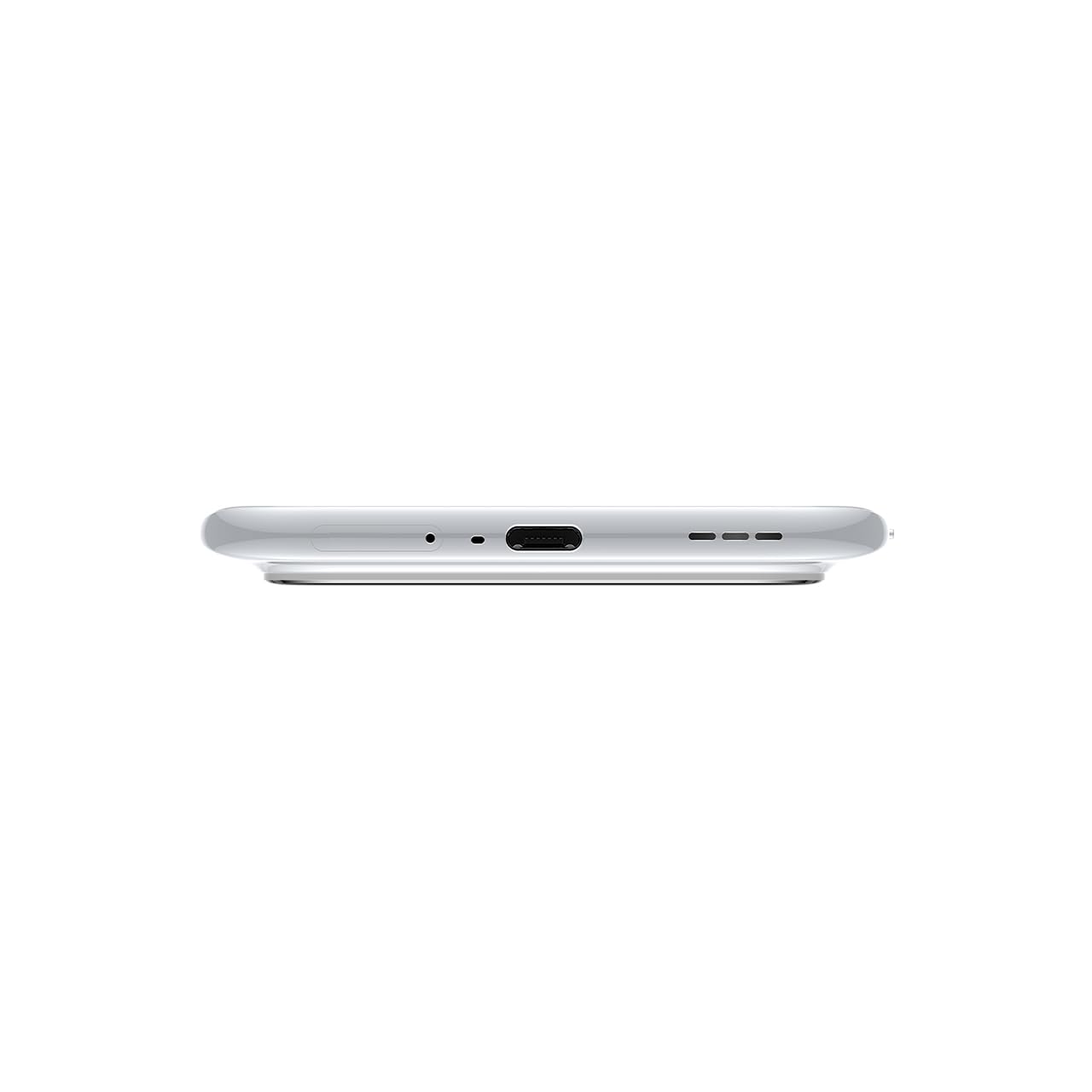
בילד 3.1: אונטן view of the device, highlighting the USB-C port and speaker.
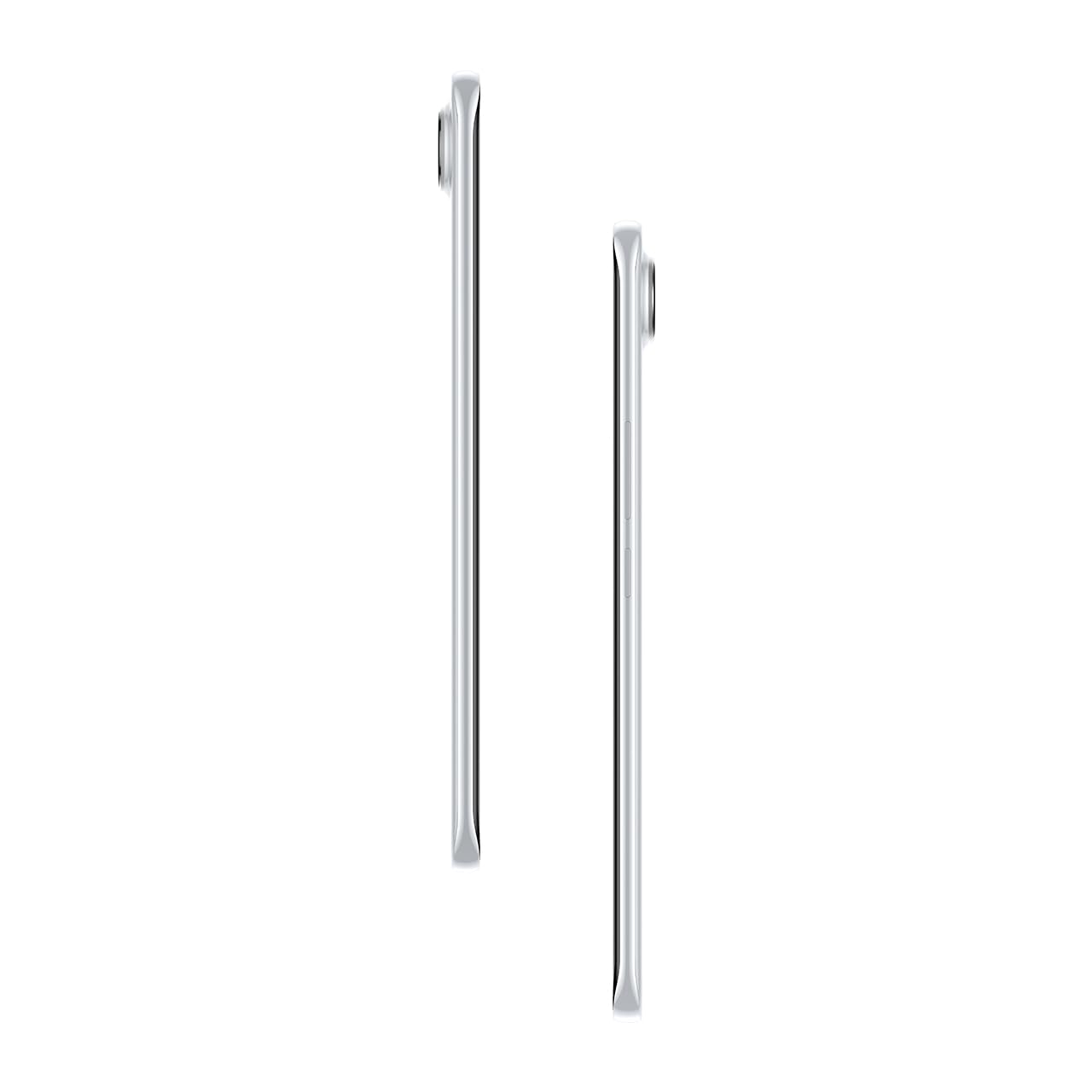
בילד 3.2: זייט view אילוסטרירט דעם סלים פּראָfile פון די סמאַרטפאָנע.
4. סעטאַפּ
4.1. ינסערטינג די סים קאַרד
- געפינט די סים קארטל טאַץ אויף דער לינקער זייט פון דעם מיטל.
- שטעקט אריין דעם סים טרעי אויסווארף געצייג אין דעם קליינעם לאך לעבן דעם טרעי און דריקט לײַכט ביז דער טרעי קומט ארויס.
- לייגט אריין אייערע נאַנאָ-סים קאַרטל(ן) אין די באַשטימטע סלאָץ אויף דער טאַץ. מאַכט זיכער אַז די גאָלדענע קאָנטאַקטן קוקן אַראָפּ.
- שטופּ פֿאָרזיכטיק צוריק דעם טאַץ אין טעלעפֿאָן ביז עס קליקט אַרײַן אין פּלאַץ.
4.2. פּאָווערינג אויף / אויסגעלאשן
- צו מאַכט אויף: Press and hold the Power button on the right side of the phone until the Tecno logo appears.
- צו מאַכט אַוועק: דריק און האלט דעם פּאַוער קנעפּל, און סעלעקטיר 'פּאַוער אויס' פון די אָפּציעס אויפן עקראַן.
- צו ריסטאַרט: דריק און האלט דעם פּאַוער קנעפּל, און סעלעקטיר 'ריסטאַרט' פֿון די אָפּציעס.
4.3. ערשט קאָנפיגוראַטיאָן
Upon first power-on, follow the on-screen instructions to set up your device. This includes selecting your language, connecting to Wi-Fi, setting up your Google account, and configuring security features like fingerprint or face unlock.
5. אַפּערייטינג דיין מיטל
5.1. ווייַז פֿעיִקייטן
The Tecno Pova Slim 5G features a 1.5K Curved AMOLED display with a 144Hz refresh rate, providing smooth visuals. It offers up to 4500 nits peak brightness for clear visibility in various lighting conditions and is protected by Corning Gorilla Glass 7i.
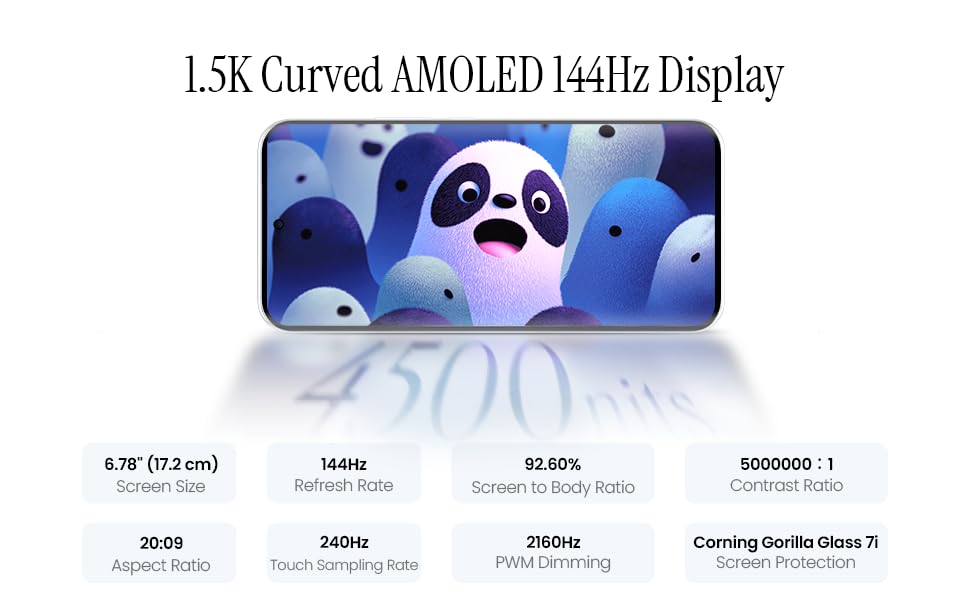
Image 5.1: Display specifications including screen size, refresh rate, and brightness.
5.2. קאַמעראַ יוז
The device is equipped with a 50MP AI camera system. To take photos or record videos, open the Camera application. You can switch between different modes (Photo, Video, Portrait, Night, etc.) and adjust settings like zoom, flash, and filters.
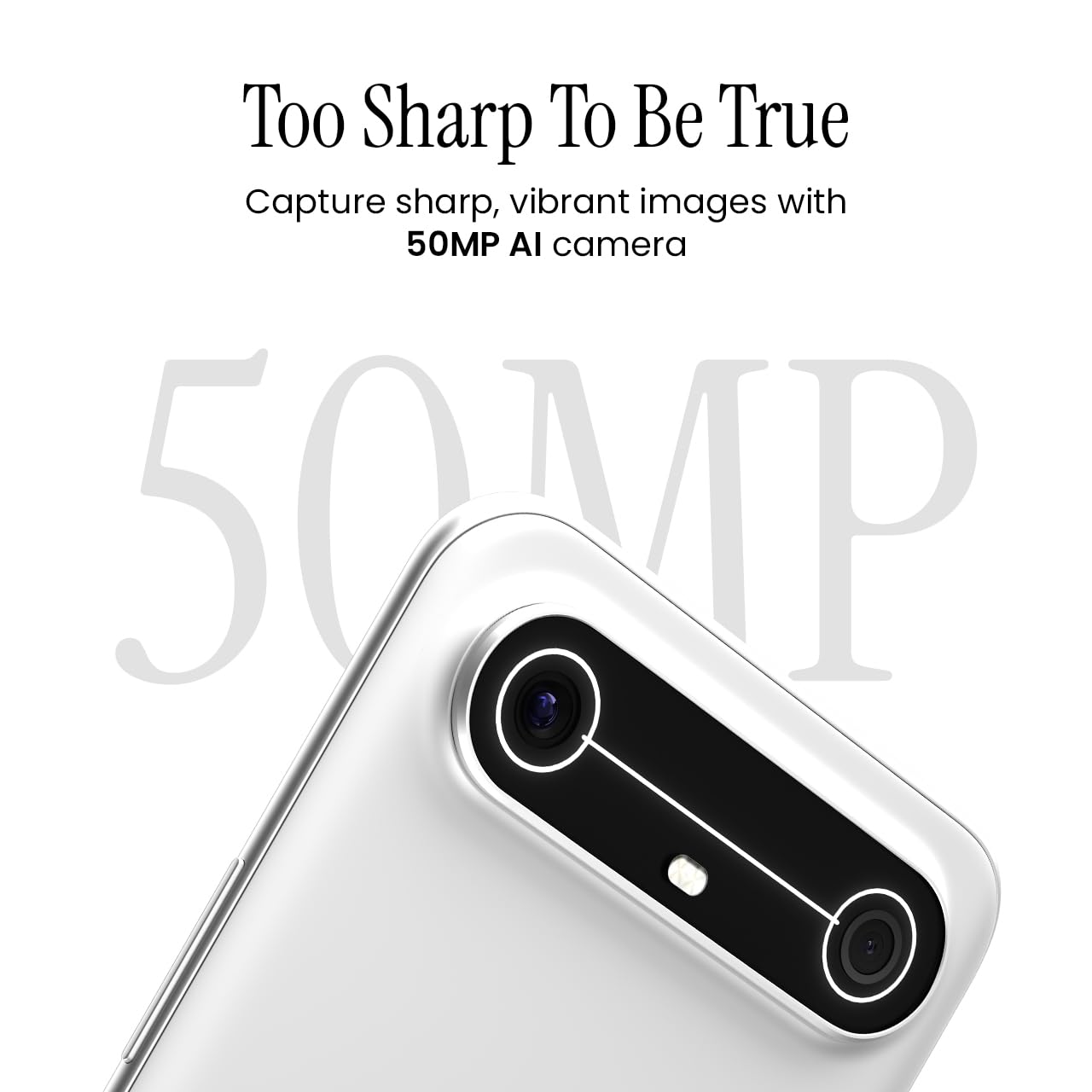
Image 5.2: Detail of the 50MP AI camera module.
5.3. Dynamic Mood Light
The Dynamic Mood Light is an integrated lighting feature on the back of the device that responds to various notifications, calls, and system events, providing visual cues.

Image 5.3: The Dynamic Mood Light design on the device's rear.
5.4. Ella AI Features
Ella AI provides intelligent assistance, including support for Indian regional languages. Key features include:
- AI Writing Assistant: Helps in drafting messages and content.
- קרייזן צו זוכן: Allows users to search for information by circling objects on the screen.
- שפּראַך פארשטאנד: Processes and responds to voice commands in various Indian languages.
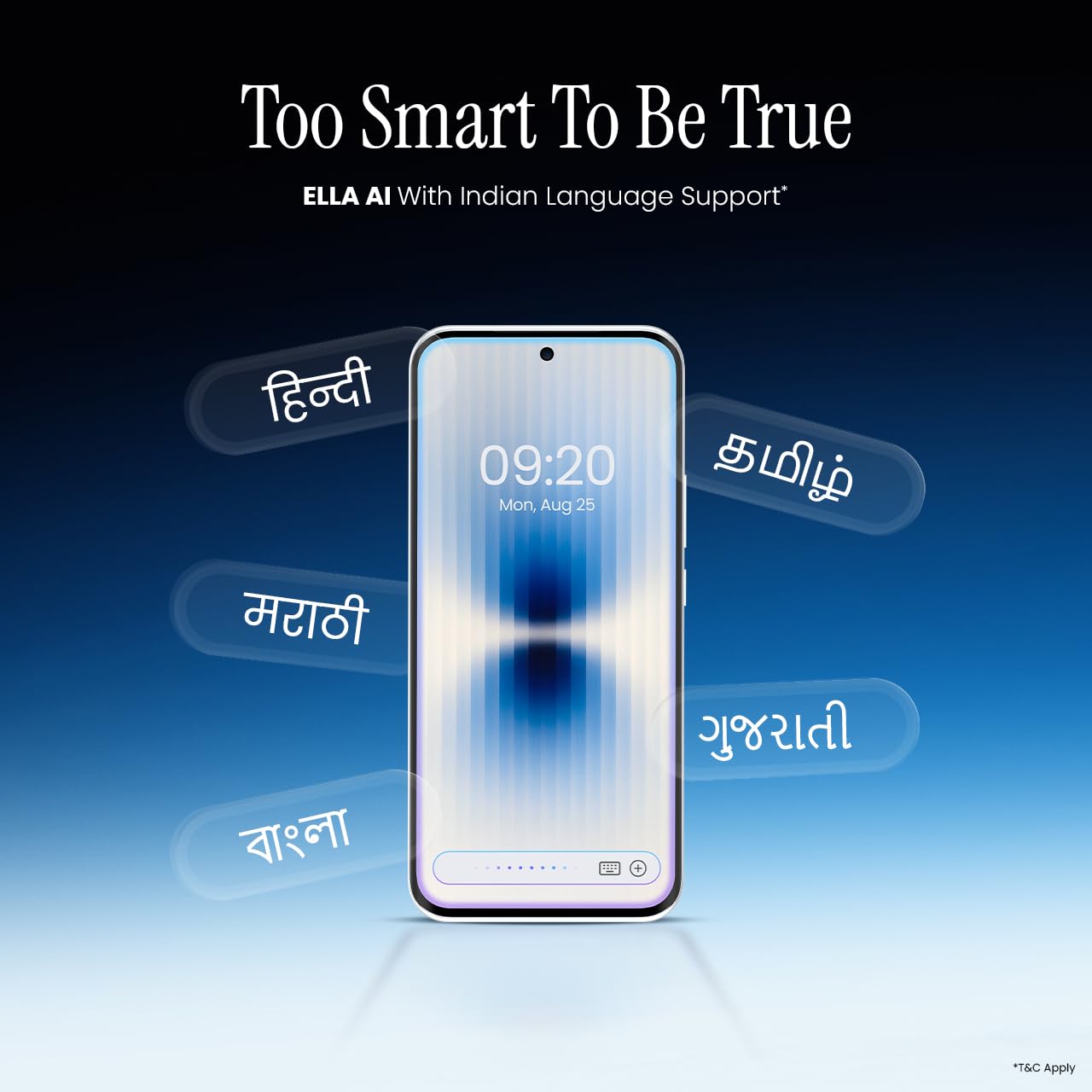
Image 5.4: Ella AI demonstrating Indian language support.
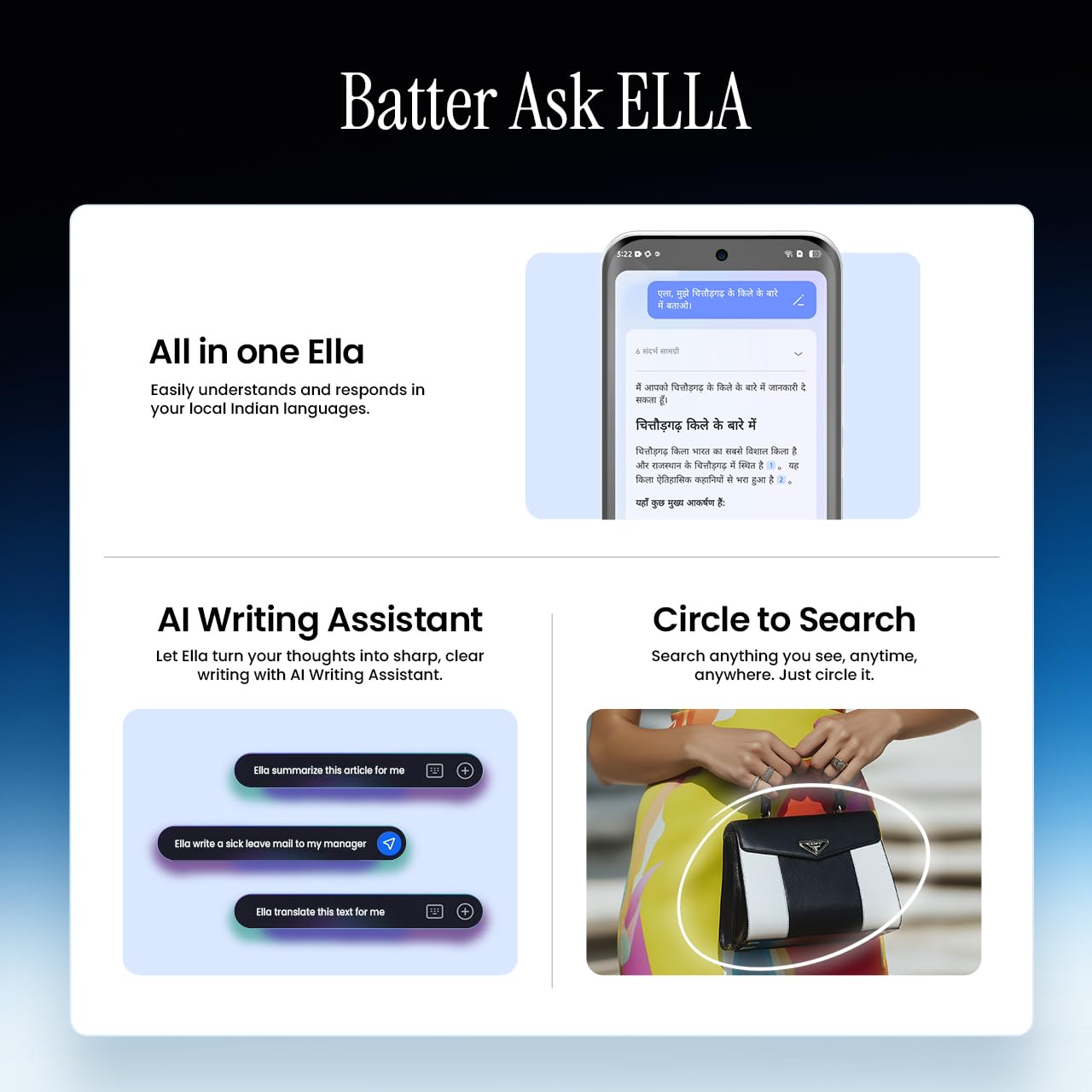
Image 5.5: Visual representation of Ella AI's writing assistant and circle to search functions.
5.5. קאַנעקטיוויטי
The Pova Slim 5G supports 5G networks for high-speed data, Wi-Fi for local network access, and Bluetooth for connecting to accessories. It features an Intelligent Signal Hub System with 4x4 MIMO & N28 Band for enhanced network performance.
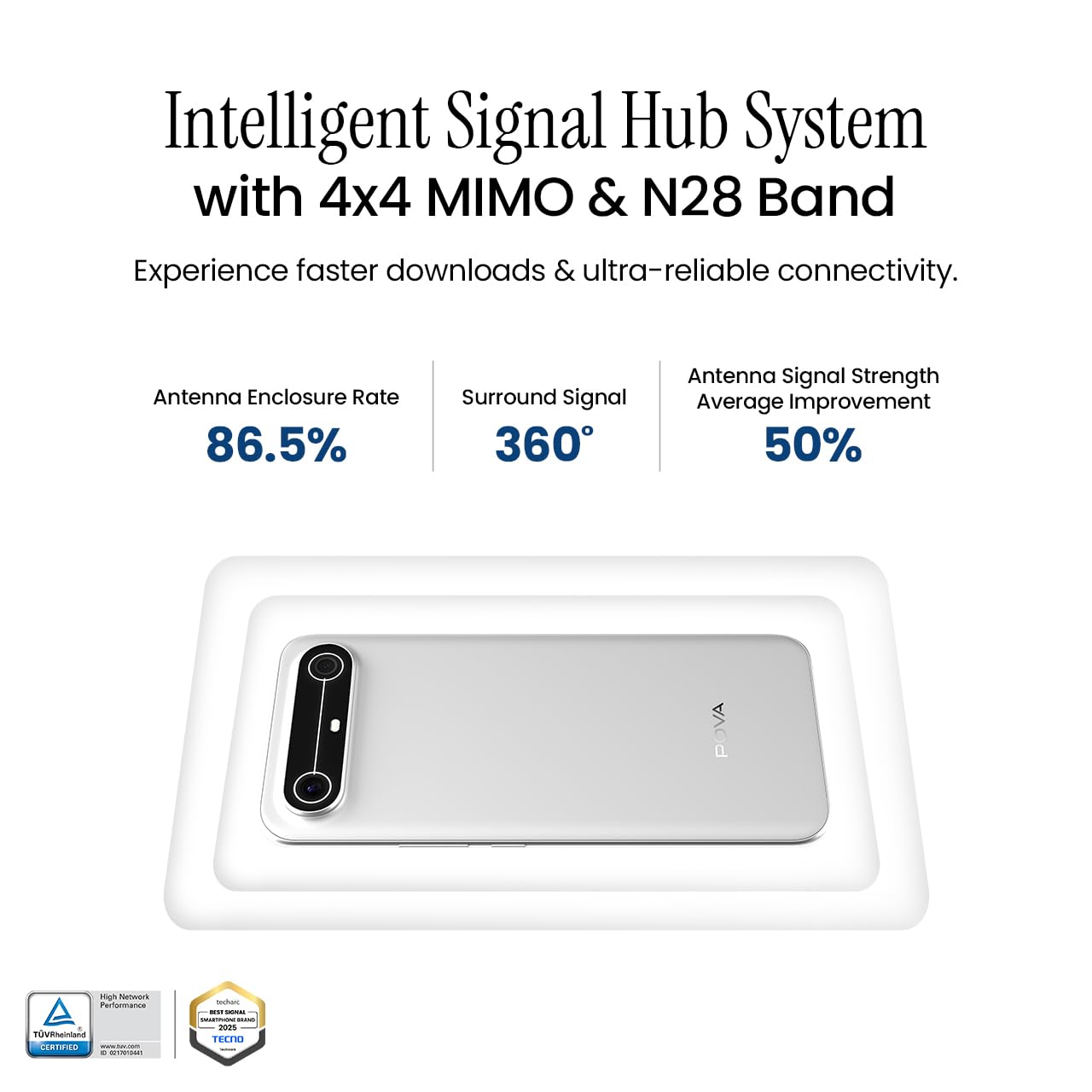
Image 5.6: Diagram illustrating the Intelligent Signal Hub System.
5.6. באַטאַרייע און טשאַרדזשינג
The device is powered by a 5160mAh battery and supports 45W fast charging. Use the provided power adapter and USB cable for optimal charging performance. Avoid using uncertified chargers or cables.

Image 5.7: Representation of the 5160mAh battery and 45W charging capability.
6. וישאַלט
6.1. באַטערי קער
- פֿאַרמײַדט עקסטרעמע טעמפּעראַטורן, ווײַל זיי קענען פֿאַרערגערן די לעבן פֿון דער באַטעריע.
- Do not fully discharge the battery regularly; charge it before it drops too low.
- Unplug the charger once the battery is full to prevent overcharging.
6.2. רייניקן דיין דעווייס
ניצט אַ ווייכן, לינט-פֿרייע שטאָף צו רייניקן דעם עקראַן און קערפּער פֿון אייער טעלעפֿאָן. פֿאַרמייַדט נוצן שאַרפֿע כעמיקאַלן אָדער אַברייזיוו מאַטעריאַלן. פֿאַר שווערע פֿלעקן, אַ ביסל אָפּווישןampווישט דעם שטאָף מיט וואַסער אָדער אַ פאַרשטעלן רייניגער ספּעציעל דיזיינד פֿאַר עלעקטראָניק.
6.3. ווייכווארג דערהייַנטיקונגען
Regularly check for and install software updates. Updates often include security patches, performance improvements, and new features. To check for updates, go to סעטטינגס> סיסטעם> סיסטעם דערהייַנטיקן.
6.4. האַלטבאַרקייט פֿעיִקייטן
The Pova Slim 5G is built with durability in mind, featuring MIL-STD-810H military-grade toughness, IP64 dust and splash resistance, and Corning Gorilla Glass 7i for screen protection.

Image 6.1: Indication of MIL-STD-810H military-grade protection.

Image 6.2: Visual representation of Corning Gorilla Glass 7i protection.

Image 6.3: Device shown with IP64 dust and splash resistance.
7. טראָובלעשאָאָטינג
אויב איר טרעפט פּראָבלעמען מיט אייער מיטל, פּרוּווט די פאלגענדע לייזונגען:
- מיטל נישט קער אויף: זיכער מאַכן אַז די באַטאַרייע איז אויפגעלאָדן. פֿאַרבינדט דעם טשאַרדזשער און וואַרט אַ פּאָר מינוט איידער איר פּרוּווט ווידער אָנצוצינדן.
- נעץ קאָנעקטיוויטי פּראָבלעמען: Check if your SIM card is properly inserted. Try restarting the device. Verify that mobile data or Wi-Fi is enabled in settings.
- פּאַמעלעך פאָרשטעלונג: Close unnecessary background applications. Clear cache from apps. Consider restarting the device. Ensure sufficient storage space is available.
- די באַטאַרייע איז געשווינד ויסגעשעפּט: Reduce screen brightness. Disable unused features like Bluetooth or GPS. Limit background app activity.
- אַפּפּס קראַשינג: Clear the app's cache and data (Settings > Apps > [App Name] > Storage > Clear Cache/Clear Data). If the issue persists, reinstall the app.
For persistent issues, contact customer support or visit an authorized service center.
8. ספּעסאַפאַקיישאַנז
| שטריך | באַשרייַבונג |
|---|---|
| מאָדעל נומער | KM9 |
| אָפּערייטינג סיסטעם | אַנדרויד 15 |
| ראַם זכּרון אינסטאַלירט גרייס | 8 גיגאבייט |
| סטאָרידזש (ראַם) | 128 גיגאבייט |
| קפּו ספּיד | 2, 2.5 גיגאהערץ |
| פּראָדוקט דימענשאַנז | 16.4 X 7.6 X 0.6 סענטימעטער |
| פּונקט וואָג | 156 ג |
| באַטערי פּאָווער שאַץ | 5160 מאַה |
| האַכלאָטע | 1224 X 2720 בילדצעלן |
| קאַנעקטיוויטי טעכנאָלאָגיע | Bluetooth, Infrared, USB, Wi-Fi |
| קאָליר | Slim White |
| לאַנד פון אָריגין | אינדיע |
9. וואָראַנטי און שטיצן
Your Tecno Pova Slim 5G smartphone comes with a limited manufacturer's warranty. Please refer to the warranty card included in your product packaging for specific terms and conditions, including coverage period and limitations.
For technical support, service inquiries, or to find authorized service centers, please visit the official Tecno website or contact their customer service helpline. Keep your purchase receipt and device's serial number handy when seeking support.
אָנליין שטיצן: Tecno India Support