
וויכטיק סאַפעטי אינפֿאָרמאַציע
Please read these instructions carefully before assembling and using the chair. Pay particular attention to the safety guidelines for the massage function and LED lighting.
- פאַרזיכערן אַלע קאַמפּאָונאַנץ זענען סיקיורלי פאַסאַנד איידער נוצן.
- Do not exceed the maximum recommended load capacity of 150 kg.
- האַלטן קינדער און פּעץ אַוועק בעשאַס פֿאַרזאַמלונג.
- Use only the provided power adapter for the LED and massage functions.
- פֿאַרמײַדט אויסשטעלן דעם שטול צו דירעקטער זון אָדער עקסטרעמע טעמפּעראַטורן.
פּראָדוקט איבערview
The JUMMICO Gaming Chair is designed for comfort and an immersive gaming experience, featuring ergonomic adjustments, LED lighting, and a massage function.
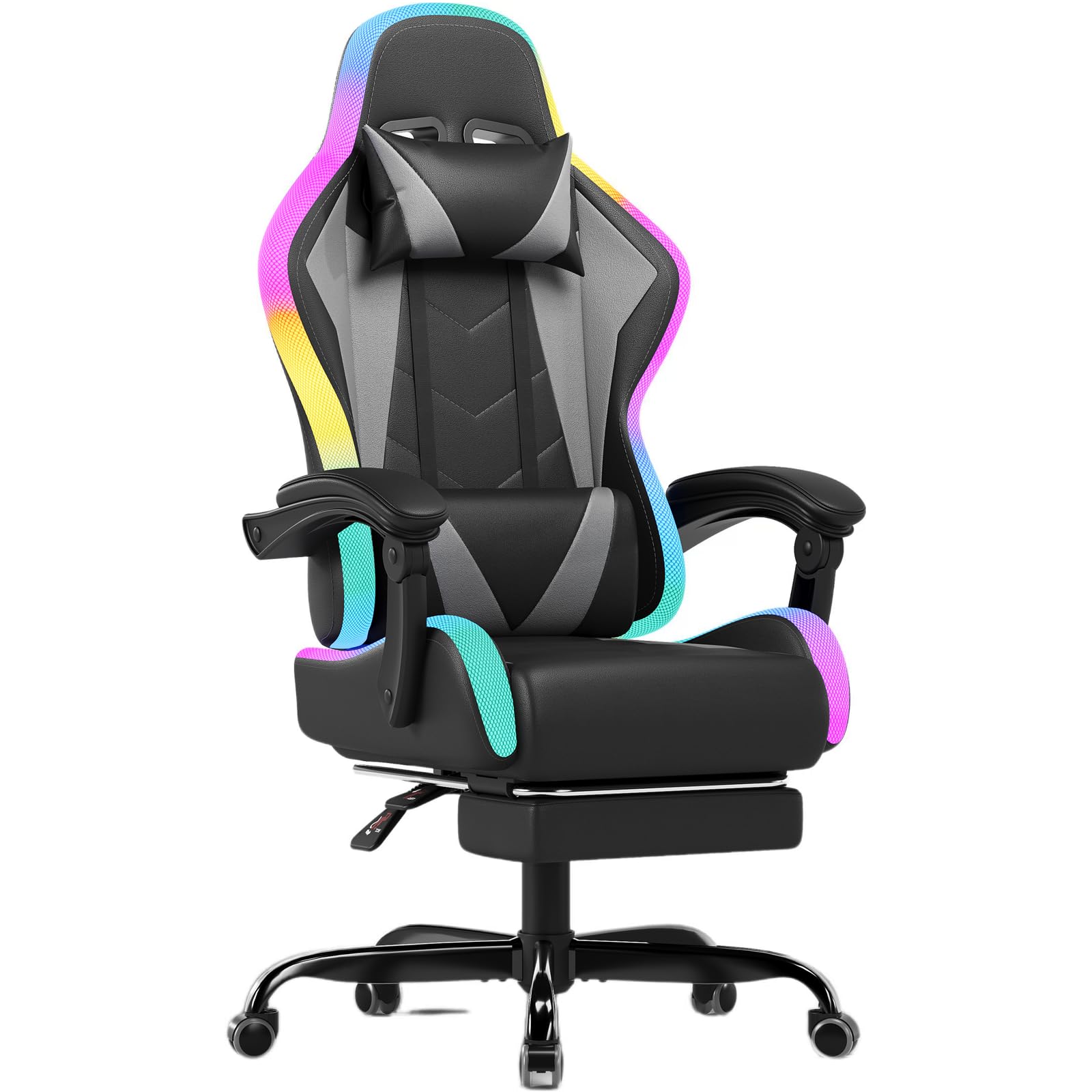
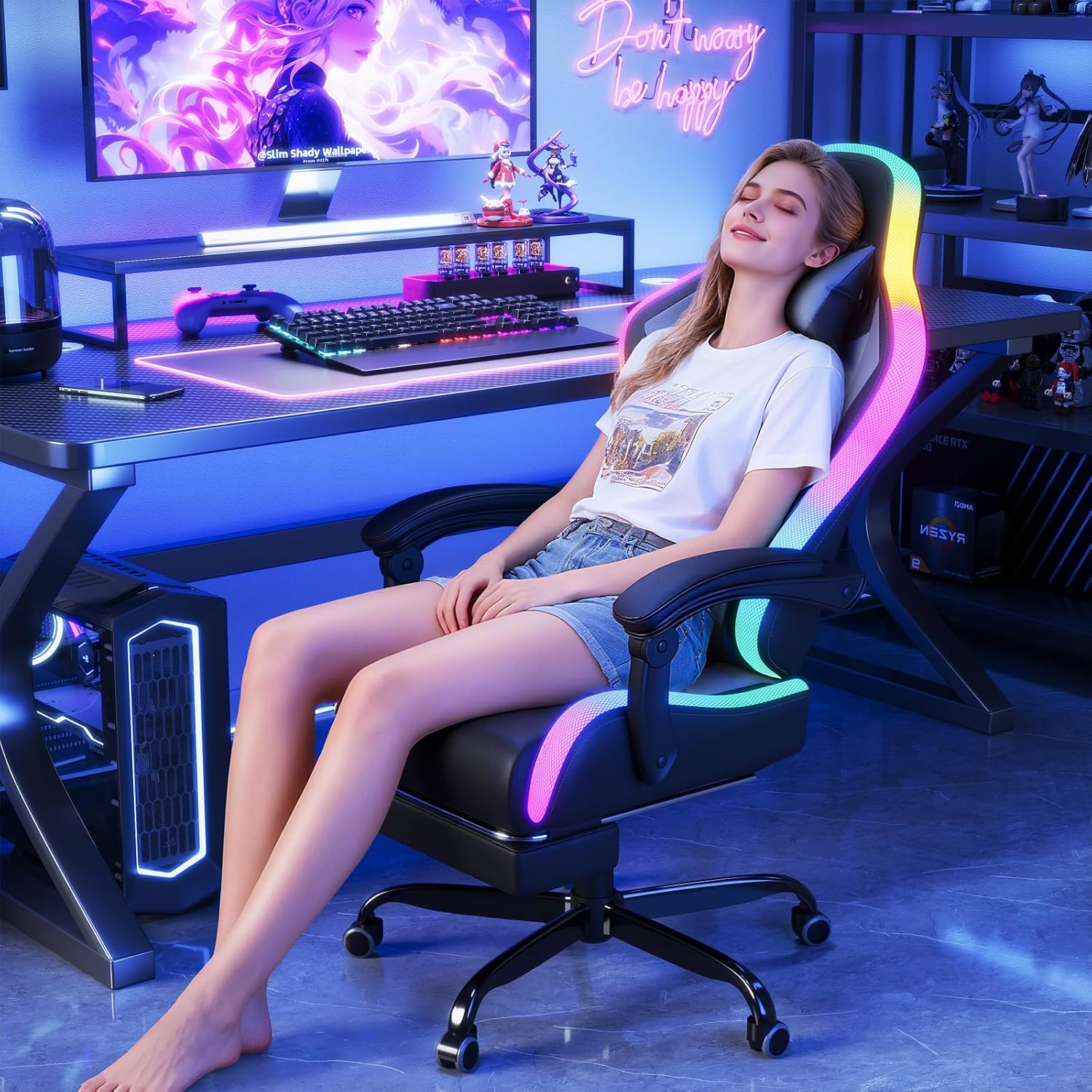
Image: The JUMMICO Gaming Chair with its integrated LED lighting, positioned within a modern gaming environment.
שליסל פֿעיִקייטן:
- LED לייטינג: Integrated RGB lighting with 366 preset modes, controllable via remote for an immersive experience.
- מאַסאַזש פונקציע: Adjustable lumbar support with vibration massage (over 20,000 vibrations/minute) to relieve fatigue.
- ערגאָנאָמיק פּלאַן: Adjustable recline (90° to 135°), retractable footrest, 360° swivel, and height adjustment for optimal posture.
- דוראַבאַל קאַנסטראַקשאַן: Features a 1.8mm thick metal frame, robust 5-star metal base, and SGS-certified gas lift for stability and longevity.
- הויך-קוואַליטעט מאַטעריאַלס: Constructed with breathable PU leather and high-density foam for comfort.

Image: An illustration highlighting the ergonomic design of the chair, showing support for the neck, shoulders, back, and lumbar region.
סעטאַפּ און אַסעמבלי
Your JUMMICO Gaming Chair requires assembly. Please follow the detailed instructions provided in the separate assembly manual included in the packaging. Ensure all parts are present before beginning assembly.
אַלגעמיינע פֿאַרזאַמלונג טריט:
- אויספּאַקן אַלע קאָמפּאָנענטן און קאָנטראָלירן קעגן דער טיילן־ליסטע אין דער פֿאַרזאַמלונג־מאַנואַל.
- Attach the wheels to the 5-star base.
- אַרייַנלייגן די גאַז הייבן אין די צענטער פון די באַזע.
- Assemble the seat and backrest according to the manual's diagrams.
- Attach the assembled seat to the gas lift.
- Connect the LED and massage cables as instructed.
בילד: אן עקספלאדירטע view showing all individual components of the gaming chair, useful for identifying parts during assembly.

Image: A diagram illustrating the safety-focused design of the chair's base, highlighting the robust chassis, certified gas lift, steel plate, and anti-slip PU wheels.
אַפּערייטינג ינסטראַקשאַנז
שטול אַדזשאַסטמאַנץ:
- הייך אַדזשאַסטמאַנט: Pull the lever located under the seat upwards to adjust the chair height. Release the lever at the desired height.
- צוריקלייגן פונקציע: Pull the recline lever (typically on the right side of the seat) to adjust the backrest angle between 90° and 135°. Release the lever to lock the position.
- צוריקציענדיקע פֿוסשטיצע: Pull the footrest out from under the seat when desired, and push it back in when not in use.
- 360° סוויוואַל: The chair is designed to swivel freely for ease of movement.
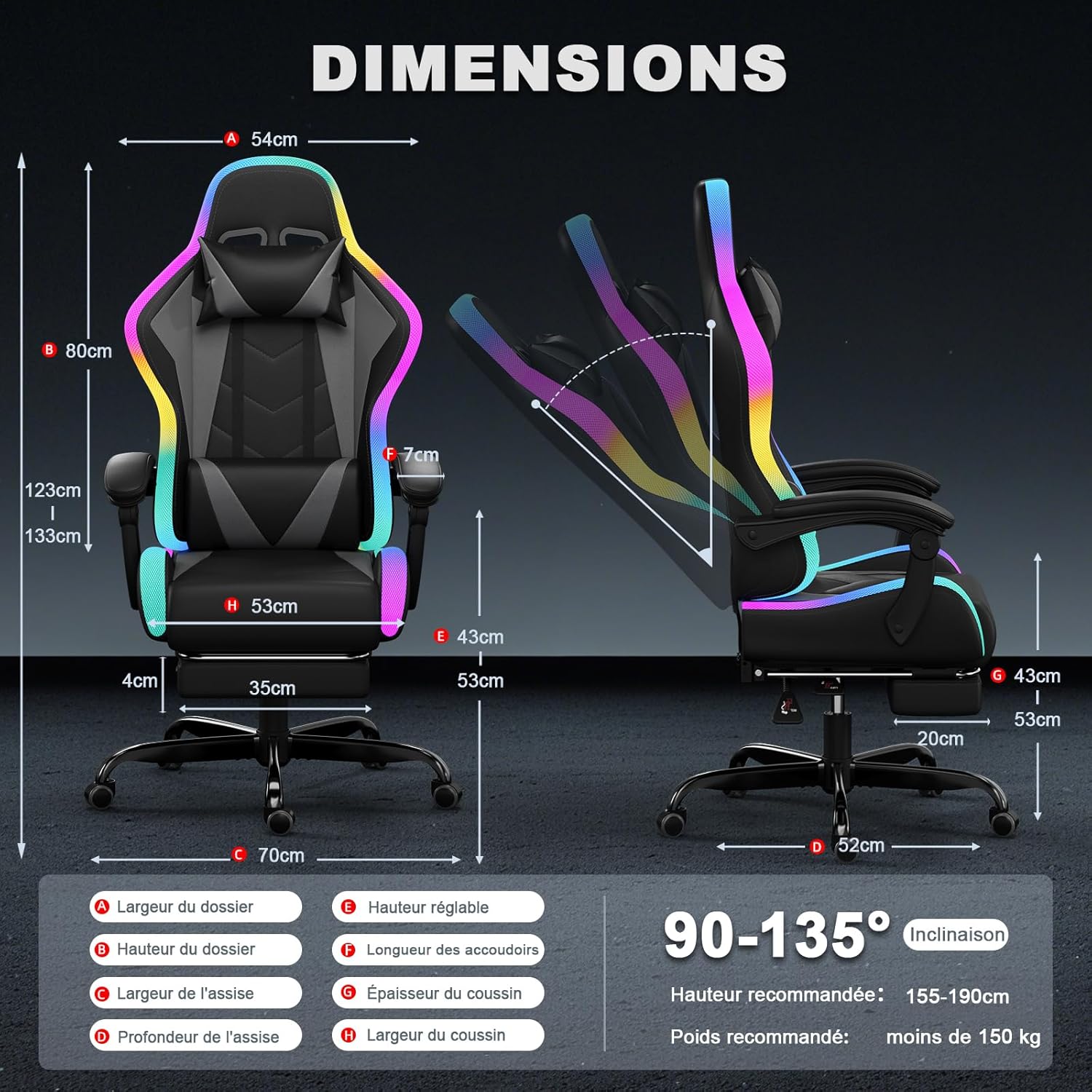
Image: A detailed diagram illustrating the various dimensions of the chair and its recline capability from 90 to 135 degrees.
געפירט לייטינג קאנטראל:
The LED lighting is controlled via the included remote control.
- מאַכט אויף / אַוועק: דרוק די מאַכט קנעפּל אויף די ווייַט.
- מאָדע סעלעקציע: Use the mode buttons to cycle through 366 preset RGB lighting modes.
- קאָליר אַדזשאַסטמאַנט: Select specific colors or color patterns.
- גיכקייט אַדזשאַסטמאַנט: Increase or decrease the speed of dynamic lighting effects.
- ברייטנאַס אַדזשאַסטמאַנט: סטרויערן די אינטענסיטעט פון די LED לייץ.
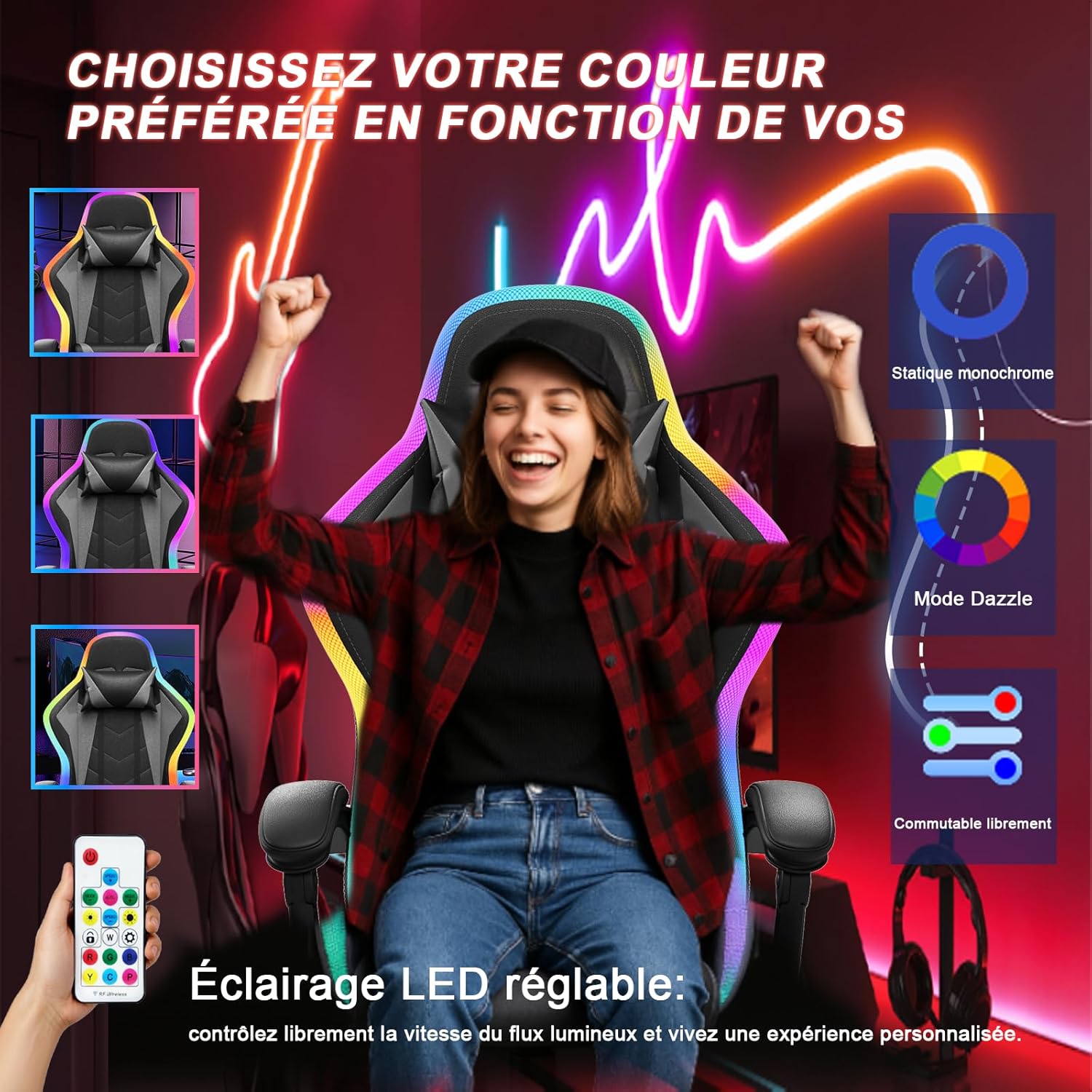
Image: A user demonstrating the control of the chair's LED lighting using the provided remote control, showcasinג פֿאַרשידענע קאָליר אָפּציעס.
מאַסאַזש פונקציע:
The lumbar support features a vibration massage function.
- Connect the USB cable from the lumbar cushion to a power source (e.g., USB port on a computer or a USB wall adapter).
- Activate the massage function using the control on the lumbar cushion or as indicated in the specific massage unit instructions.
- Adjust intensity or mode if available.
וישאַלט
Regular maintenance will help prolong the life and appearance of your JUMMICO Gaming Chair.
- רייניקונג: ווישט די פּו לעדער ייבערפלאַכן מיט אַ ווייכן, דamp שטאָף. פֿאַר שווערע פֿלעקן, ניצט אַ מילדע זייף לייזונג און טריקנט גלייך. פֿאַרמייַדט שטרענגע כעמיקאַלן אָדער שרײַבנדיקע רייניגער.
- ראַם און באַזע: קאָנטראָלירט פּעריִאָדיש אַלע שרויפן און באָלטן צו זיכער מאַכן אַז זיי זענען פעסט. פֿעסט צו אויב נייטיק.
- ווהעעלס: Clean any dust or debris from the wheels to ensure smooth movement.
- עלעקטריקאַל קאַמפּאָונאַנץ: Ensure the LED and massage cables are not pinched or damaged. Disconnect power when cleaning or not in use for extended periods.
טראָובלעשאָאָטינג
If you encounter any issues with your JUMMICO Gaming Chair, refer to the following common solutions:
| פּראָבלעם | מעגלעך סיבה | לייזונג |
|---|---|---|
| Chair does not recline or adjust height. | Lever not engaged, gas lift issue, or mechanism obstruction. | Ensure the lever is fully pulled/pushed. Check for obstructions under the seat. If issues persist, contact support. |
| געפירט לייץ זענען נישט ארבעטן. | Power connection loose, remote battery dead, or LED strip damage. | Check all cable connections. Replace remote control batteries. Ensure the power adapter is functioning. |
| די מאַסאַזש פונקציע אַרבעט נישט. | USB cable disconnected, power source issue, or internal fault. | Verify the USB cable is securely connected to a working power source. Try a different USB port or adapter. |
| דער שטול קוויטשט אדער וואקלט. | Loose bolts or components. | Inspect and tighten all assembly bolts and screws, especially those connecting the seat to the mechanism and the base. |
ספּעסאַפאַקיישאַנז
| שטריך | דעטאַל |
|---|---|
| סאָרט | JUMMICO |
| מאָדעל נומער | gaming stuhl led |
| קאָליר | גרוי |
| מאַטעריאַל | Foam, Cast Iron, PU Leather |
| פּראָדוקט דימענשאַנז (L x W x H) | 52 X 53 X 128 סענטימעטער |
| פּונקט וואָג | 20 קילאָגראַמס |
| מאַקסימום מאַסע קאַפּאַציטעט | 150 קילאָגראַמס |
| צוריקלייגן ווינקל | 90° צו 135° |
| Gas Lift Certification | SGS Certified, Class 3 |
| UPC | 788418914934 |
וואָראַנטי און שטיצן
JUMMICO is committed to providing high-quality products and customer satisfaction.
If you have any questions, concerns, or require assistance with your JUMMICO Gaming Chair, please do not hesitate to contact us directly via Amazon. Our customer service team aims to provide a satisfactory response within 24 hours.
ביטע באַהאַלטן אייער קויפן-באַווייַז פֿאַר יעדע וואָראַנטי-פאָדערונג.