
הקדמה
Thank you for choosing the VENTION Wireless HDMI Extender. This device allows you to wirelessly transmit HDMI video and audio signals up to 656 feet (200 meters) with minimal latency. Featuring 2.4G and 5G dual-band support, 4K decoding, and a plug-and-play design, it is ideal for various applications including home entertainment, business presentations, and gaming. This manual provides detailed instructions for setup, operation, and troubleshooting to ensure optimal performance and longevity of your device.
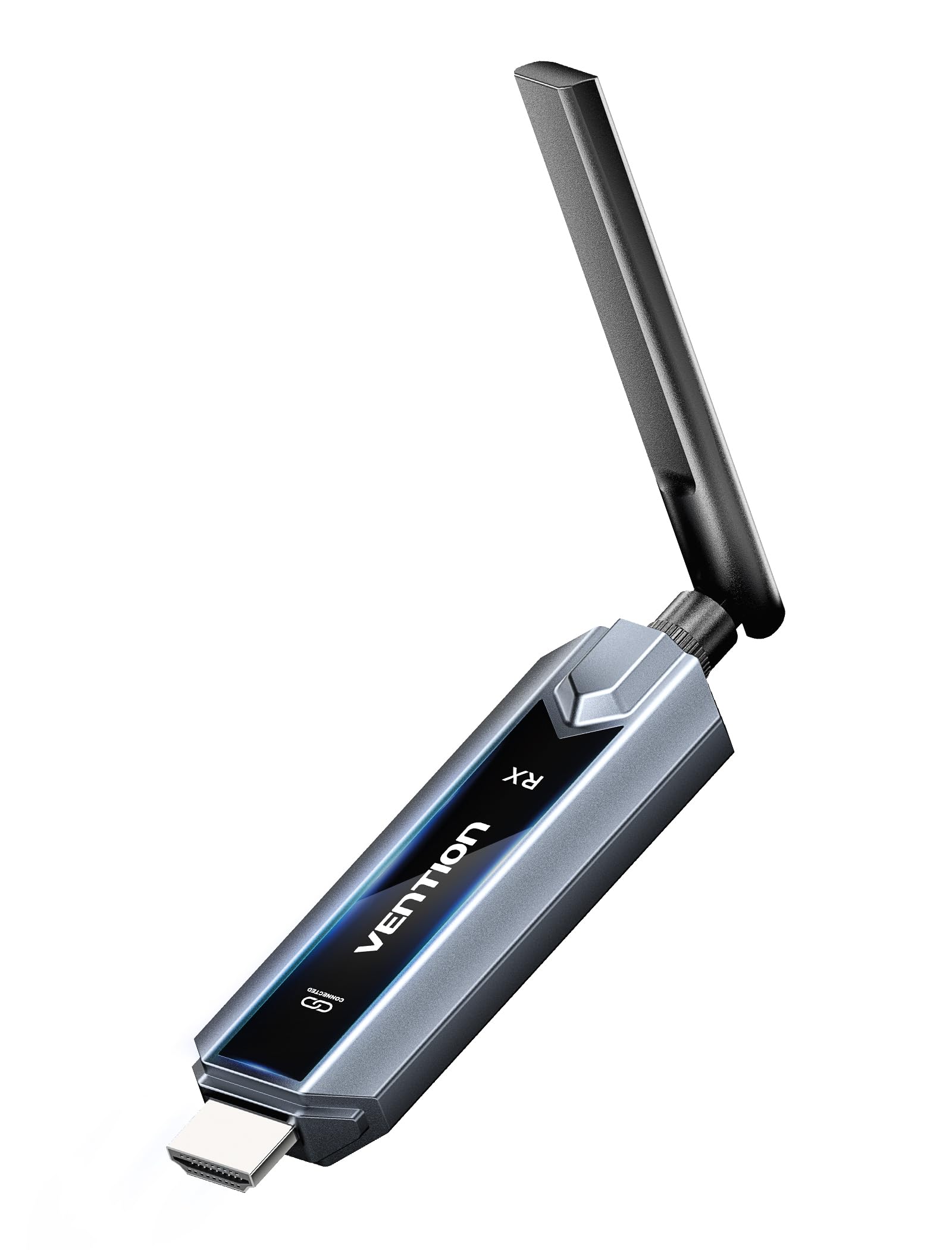
Image: The VENTION Wireless HDMI Transmitter and Receiver units, showcasing their compact design and antennas.
פּעקל אינהאַלט
ביטע באַשטעטיקן אַז אַלע זאכן זענען פאַראַן אין דיין פּעקל:
- Wireless HDMI Transmitter (TX unit)
- Wireless HDMI Receiver (RX unit)
- וסב-C צו הדמי אַדאַפּטער
- Mini HDMI Adapter
- מיקראָ הדמי אַדאַפּטער
- USB-C Power Cord (for power supply)
- HDMI פארלענגערונג קאַבל
- באַניצער מאַנואַל (דעם דאָקומענט)
פּראָדוקט פֿעיִקייטן
The VENTION Wireless HDMI Extender offers a range of features designed for convenience and high performance:
- פּלאַג און שפּיל אָפּעראַציע: No drivers or software installation required. Simply connect and use.
- עקסטענדעד קייט: Transmit signals up to 656 feet (200 meters) in an open environment.
- 4K דעקאָדירונג און 1080P@60Hz רעזולטאַט: Supports 4K Ultra HD decoding for high-quality video, with output at 1080P resolution at 60Hz for smooth playback.
- צוויי-באַנד ווירעלעס: Utilizes both 2.4G and 5G frequencies for stable and fast transmission.
- Multi-Screen Synchronization: One transmitter can connect to up to four receivers (additional receivers sold separately) to synchronize content across multiple displays.
- Mirror/Extend Mode: Supports both mirroring your display and extending it for multi-tasking (ensure your computer supports extended mode).
- ברייט קאַמפּאַטאַבילאַטי: Compatible with various HDMI source devices (laptops, PCs, gaming consoles, TV boxes, cameras) and display devices (TVs, monitors, projectors).
- Engineered Antenna: Designed for enhanced signal stability and faster transmission speeds.
- 5GHz Powerful Chipset: Ensures stable performance in diverse environments.

Image: Diagram illustrating one transmitter (TX) connecting wirelessly to four receivers (RXs) for multi-screen synchronization, highlighting no Wi-Fi, Bluetooth, app, or settings required.

Image: Illustration of the engineered antenna design, emphasizing a transmission distance of 656 feet (200 meters) for faster speeds and greater stability.
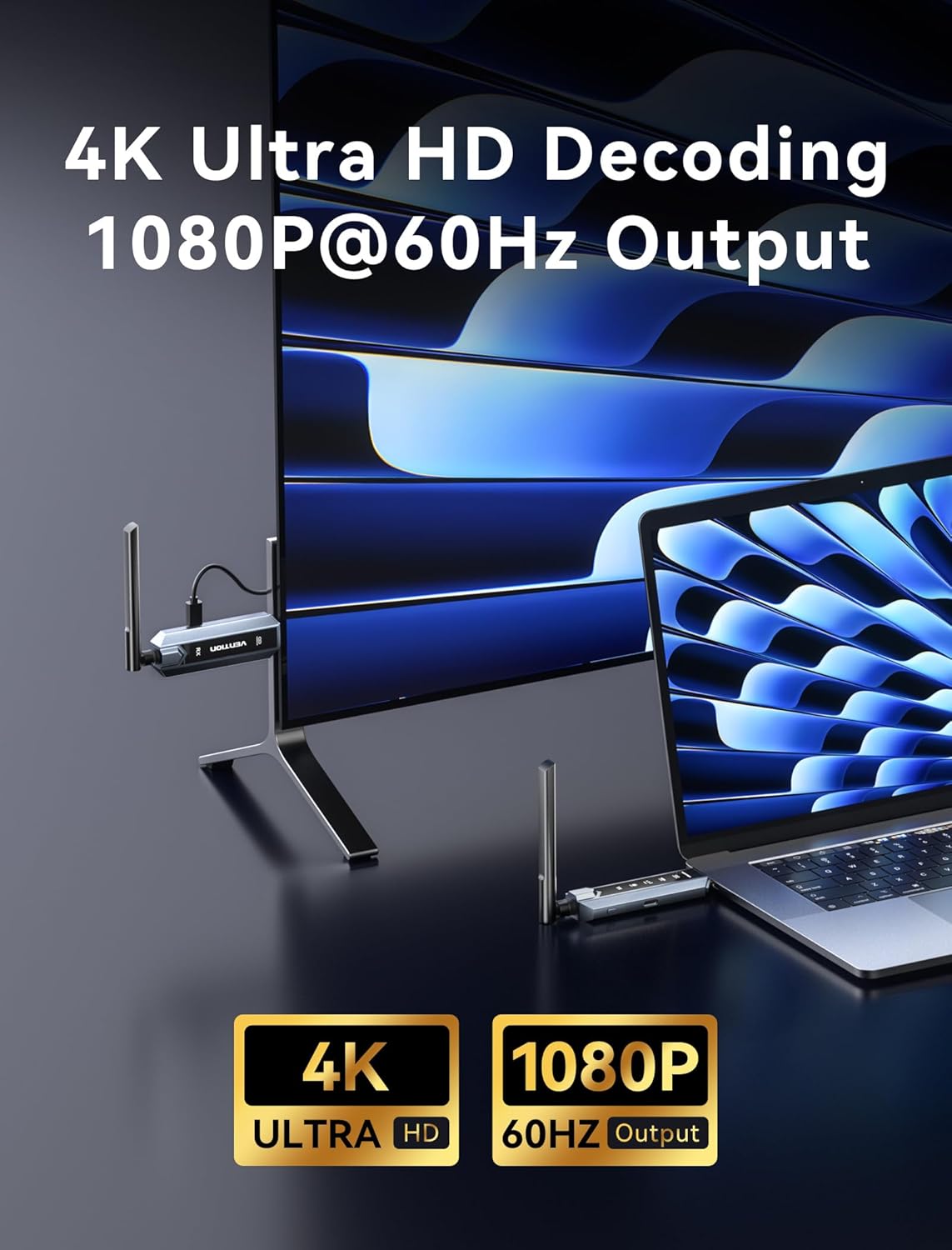
Image: Visual representation of 4K Ultra HD decoding capability with 1080P at 60Hz output, showing a laptop connected to a display.

Image: Close-up of a chipset labeled '5G', indicating a powerful 5GHz chipset for stable performance.

Image: Comparison of 'Mirror mode' (displaying the same picture on laptop and external monitor) and 'Extend mode' (displaying different pictures), with a note about computer support for extended mode.
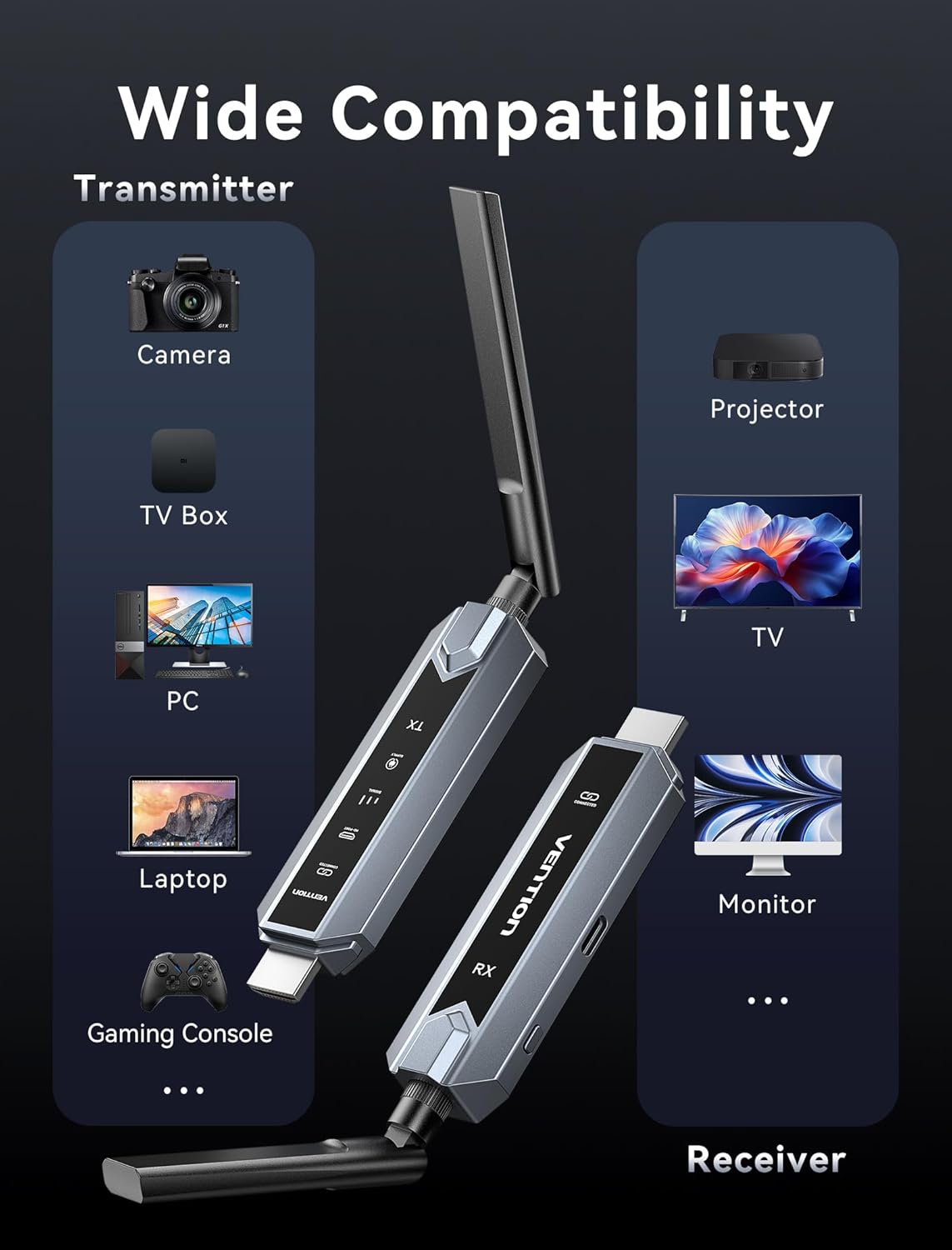
Image: Infographic showing wide compatibility for the transmitter (Camera, TV Box, PC, Laptop, Gaming Console) and receiver (Projector, TV, Monitor).

Image: Four panels depicting various usage scenarios: Business Meetings, Home Entertainment, Teaching Presentation, and Gaming Entertainment.
סעטאַפּ אינסטרוקציעס
Follow these steps to set up your VENTION Wireless HDMI Extender:
- פֿאַרבינדן דעם טראַנסמיטער (TX):
- Connect the TX unit to the HDMI output port of your source device (e.g., laptop, PC, gaming console).
- If your source device has a Mini HDMI or Micro HDMI port, use the provided Mini HDMI Adapter or Micro HDMI Adapter.
- If your source device has a USB-C port that supports video output, use the provided USB-C to HDMI Adapter.
- For devices that require additional power, connect the USB-C Power Cord to the TX unit and a USB power source (e.g., a wall adapter, computer USB port).
- פֿאַרבינדן דעם ריסיווער (RX):
- Connect the RX unit to the HDMI input port of your display device (e.g., TV, monitor, projector).
- Connect the USB-C Power Cord to the RX unit and a USB power source. The RX unit requires external power to function.
- מאַכט אויף דיווייסאַז:
- זיכער מאַכן אַז ביידע אייער קוואַל מיטל און אַרויסווייַזן מיטל זענען אנגעצונדן.
- The TX and RX units will automatically attempt to establish a connection. The digital display screen on the units will indicate connection status.
- אויסקלייבן איינגאבע אויף דיספּליי:
- On your display device, select the correct HDMI input source to which the RX unit is connected.
The system is designed for plug-and-play operation, and the video and audio should appear on your display automatically once connected and powered.
אַפּערייטינג ינסטראַקשאַנז
Once the setup is complete, operating the VENTION Wireless HDMI Extender is straightforward:
- אָטאַמאַטיק קשר: The TX and RX units are pre-paired and will automatically connect when powered on and within range.
- סיגנאַל טראַנסמיסיע: The extender will transmit the HDMI signal from your source device to your display. The digital display on the units may show signal strength or connection status.
- Mirror/Extend Mode: If your source device (e.g., laptop) supports it, you can configure your display settings to either mirror your primary screen or extend it. This setting is managed through your computer's operating system display preferences, not directly on the extender units.
- Multi-Receiver Setup: If you are using multiple RX units, ensure each RX unit is powered and connected to its respective display. The TX unit will broadcast to all paired RX units simultaneously.
טראָובלעשאָאָטינג
אויב איר טרעפט פּראָבלעמען, ביטע אָפּשיקן צו די פאלגענדע טראָובלעשווטינג טריט:
- קיין סיגנאַל אויף דיספּליי:
- Ensure both TX and RX units are properly powered via the USB-C power cords.
- וועריפיצירט אַז די HDMI קייבלס זענען זיכער פארבונדן צו ביידע די מקור און די אַרויסווייַז דעוויסעס.
- Check that your display is set to the correct HDMI input source.
- Ensure the TX and RX units are within the effective transmission range (656ft/200m line of sight) and that there are no significant obstructions.
- Try restarting both the source device and the display device.
- Poor Video/Audio Quality or Intermittent Signal:
- פארקלענערן די דיסטאַנץ צווישן די TX און RX וניץ.
- Minimize obstructions (walls, furniture, other electronic devices) between the units.
- Ensure there are no strong sources of wireless interference (e.g., Wi-Fi routers, microwave ovens) nearby.
- Check if the source device's resolution is compatible with the extender's output (1080P@60Hz).
- איינהייטן נישט פארבינדן:
- Power cycle both the TX and RX units by unplugging and re-plugging their power cords.
- Ensure both units are from the same VENTION Wireless HDMI Extender kit.
- No Video, but Audio is Present (or vice versa):
- Verify the HDMI cable connections are secure.
- Test with a different HDMI cable if possible.
- Ensure your source device's audio/video output settings are correct.
ספּעסאַפאַקיישאַנז
| שטריך | באַשרייַבונג |
|---|---|
| סאָרט | VENTION |
| מאָדעל | Wireless HDMI Extender 1RX |
| קאַנעקטיוויטי טעכנאָלאָגיע | HDMI, HEVC, LDS, SBC |
| ווירעלעסס טעכנאָלאָגיע | HEVC, LDS, SBC (2.4G + 5G Dual Band) |
| טראַנסמיסיע דיסטאַנסע | אַרויף צו 656 פֿיס (200 מעטער) |
| ווידעא קאָדירונג | HEVC Main 10 |
| ווידעא דיקאָודינג | 4K Ultra HD |
| רעזולטאַט האַכלאָטע | 1080 פּ @ 60 הז |
| קאַמפּאַטאַבאַל דעוויסעס | Personal Computer, Television, Projector, Gaming Consoles, Cameras, TV Boxes |
| קאַנעקטער טיפּ | הדמי, וסב טיפּ- C |
| קאָנטראָל מעטאָד | Touch (for certain features, if applicable) |
| ספּעציעלע פֿעיִקייטן | Digital Display Screen, Heat-Control, Multi-Screen Streaming Extender |
| קאָליר | גרוי |
| פּראָדוקט דימענשאַנז (ד רענטגענ וו רענטגענ ה) | 6.53" x 5.12" x 1.18" |
| מאַכט אַרייַנשרייַב | USB-C (5V/2A recommended) |
וישאַלט
To ensure the longevity and optimal performance of your VENTION Wireless HDMI Extender, follow these maintenance guidelines:
- רייניקונג: Use a soft, dry cloth to clean the units. Do not use liquid cleaners or aerosols, as they may damage the device.
- סטאָרידזש: ווען נישט אין באַנוץ פֿאַר לענגערע פּעריאָדן, זאָל מען די אַפּאַראַטן האַלטן אין אַ קיל, טרוקן אָרט, אַוועק פֿון דירעקטער זון און עקסטרעמע טעמפּעראַטורן.
- האַנדלינג: Handle the units with care. Avoid dropping them or subjecting them to strong impacts.
- ווענטילאַטיאָן: Ensure the units have adequate ventilation to prevent overheating, especially during prolonged use. Do not cover the ventilation holes.
- מאַכט צושטעלן: Always use the provided USB-C power cord or a compatible 5V/2A power adapter to prevent damage.
וואָראַנטי און שטיצן
VENTION products are designed for reliability and performance. For warranty information, technical support, or service inquiries, please refer to the warranty card included in your package or visit the official VENTION webזייטל. ביטע באַהאַלטן אייער קויפן באַווייַז פֿאַר וואָראַנטי קליימז.
For further assistance, you may contact VENTION customer support through the contact information provided on their official webוועבזייטל אדער דורך דעם פארקויפער וואו איר האט געקויפט דעם פראדוקט.