
1. פּראָדוקט איבערview
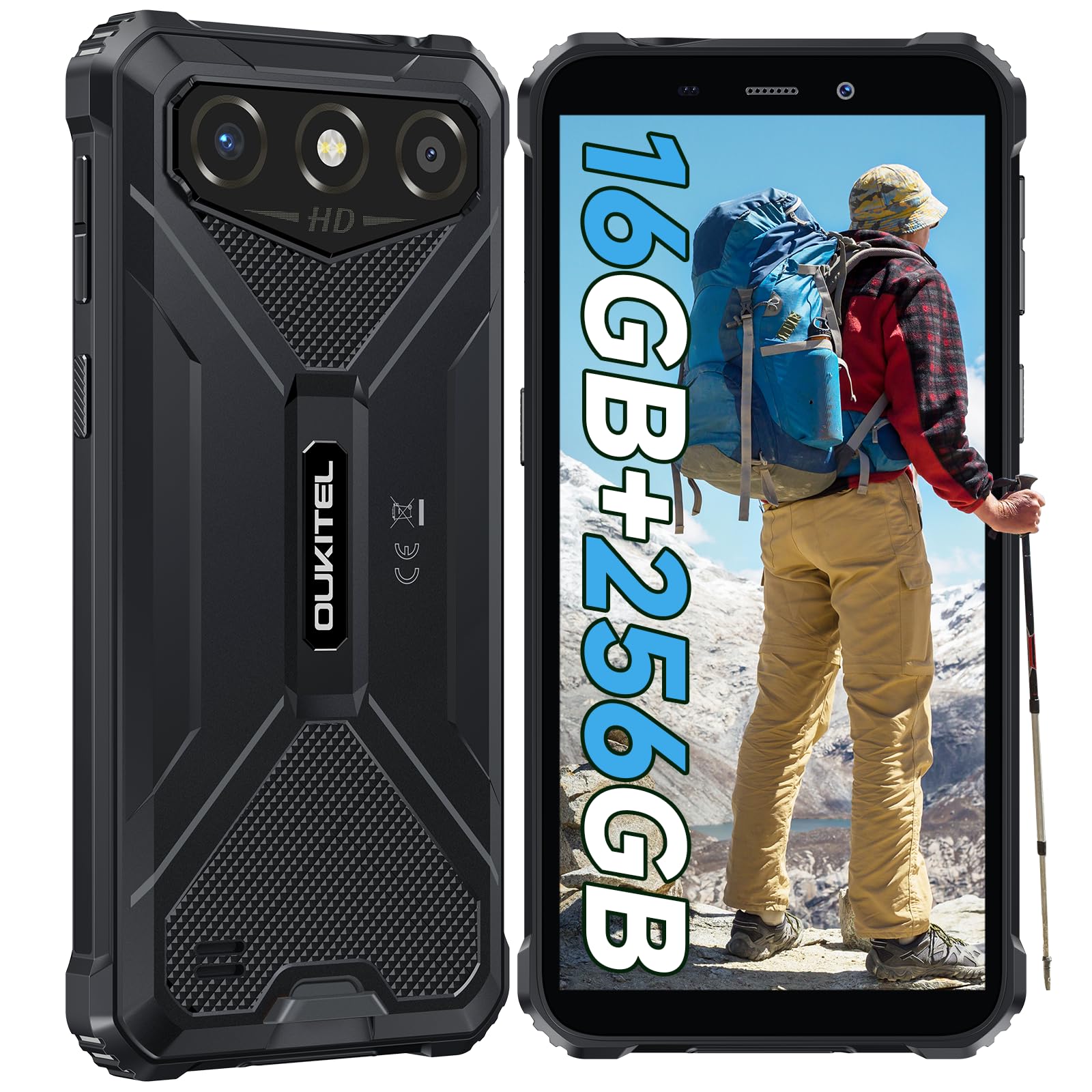
The OUKITEL G3 is a rugged smartphone designed for durability and performance in challenging environments. It features a 6.0-inch HD display, a 6300mAh battery, 16GB RAM (expandable), 256GB ROM (expandable to 1TB), and a 13MP main camera. The device is certified with IP68, IP69K, and MIL-STD-810H ratings, ensuring resistance to water, dust, and drops. It operates on Android 14 and supports 4G Dual SIM, GPS, Face ID, and OTG functionality.
2. פּעקל אינהאַלט
באַשטעטיקן אַז אַלע זאכן זענען פאַראַן אין דיין פּעקל:
- 1x OUKITEL G3 Smartphone
- 1x טשאַרדזשער
- 1x טיפּ-C קאַבלע
- 1x SIM Card Ejector Pin
- 1x באַניצער מאַנואַל

3. ערשט סעטאַפּ
3.1. אריינשטעלן סים קארטלעך און TF קארטל
- געפינט די סים קארטל טאַץ אויף דער זייט פון דעם מיטל.
- Use the provided SIM ejector pin to open the tray.
- Carefully place your Nano SIM cards (up to two) and/or a TF card (for memory expansion up to 1TB) into the designated slots.
- זייט זיכער אַז די קאַרטלעך זענען ריכטיק אָריענטירט ווי אנגעצייכנט אויף דער טאַץ.
- שטופּן דעם טאַץ צוריק אין טעלעפאָן ביז עס קליקט אַרײַן אין פּלאַץ.

3.2. טשאַרדזשינג די באַטערי
Before first use, fully charge the device. Connect the Type-C cable to the phone's charging port and the other end to the provided charger. Plug the charger into a power outlet. The battery indicator on the screen will show charging status. The OUKITEL G3 features a 6300mAh battery for extended use.
3.3. פּאָווערינג אויף / אויסגעלאשן
- צו אנצינדן: דריק און האלט דעם פּאַוער קנעפּל ביז דער OUKITEL לאָגאָ דערשיינט.
- אויסצולאָשן: דריק און האַלט דעם פּאַוער קנעפּל, און סעלעקטיר "אויסלאָשן" פון די אָפּציעס אויפן עקראַן.
- צו ריסטאַרטן: דריק און האַלט די פּאַוער קנעפּל, און סעלעקטירן "ריסטאַרט" פֿון די אָפּציעס.
4. אַפּערייטינג ינסטרוקטיאָנס
4.1. אַרויסווייַזונג און נאַוויגאַציע
The OUKITEL G3 features a 6.0-inch HD display with 450 nits brightness and Corning Glass 5 protection. Navigate the Android 14 interface using touch gestures: tap, swipe, pinch-to-zoom. Access quick settings by swiping down from the top of the screen.

4.2. קאַמעראַ פונקציעס
The device is equipped with a 13MP rear camera and a 5MP front camera. Open the Camera app to capture photos and videos. Features include:
- Standard Photo Mode: For everyday photography.
- AI Beauty Mode: Enhances facial features in portraits.
- אונטערוואַסער קאַמעראַ מאָדע: Allows capturing photos and videos while submerged up to 1.5m for 30 minutes. Ensure all ports are securely sealed before underwater use.
- פּאַנאָראַמאַ מאָדע: For wide-angle landscape shots.

4.3. באַטעריע פאַרוואַלטונג און OTG
The 6300mAh battery provides extended usage. To optimize battery life, manage screen brightness, close unused applications, and enable power-saving modes when needed. The device supports OTG (On-The-Go) reverse charging, allowing you to use your OUKITEL G3 to charge other compatible devices via a Type-C OTG cable (sold separately).

4.4. אייגענע שליסל און זיכערהייט פֿעיִטשערס
- מנהג שליסל: A programmable button on the side of the device for quick access to specific applications or functions. Configure its actions (single click, double click, long press) in the phone settings.
- Face ID: Use facial recognition for secure unlocking of your device. Set up Face ID in the Security settings.
- גפּס נאַוויגאַציע: The OUKITEL G3 supports GPS, GLONASS, Beidou, and Galileo navigation systems for accurate positioning.

5. וישאַלט און האַלטבארקייט
The OUKITEL G3 is built to withstand harsh conditions, certified with IP68, IP69K, and MIL-STD-810H standards.
- IP68 וואַסער קעגנשטעל: Protected against continuous immersion in water up to 1.5 meters for 30 minutes. Ensure all port covers are tightly sealed before exposure to water.
- IP69K Dust Resistance: Fully protected against dust ingress and high-pressure, high-temperature water jets.
- MIL-STD-810H Drop Resistance: Designed to withstand drops from up to 1.5 meters. The aluminum frame and rubberized corners provide enhanced shock absorption.
צו ריין די מיטל, נוצן אַ ווייך, דamp cloth. Avoid harsh chemicals or abrasive materials. Regularly check port covers for proper sealing to maintain water and dust resistance.

6. טראָובלעשאָאָטינג
אויב איר טרעפט פּראָבלעמען מיט אייער OUKITEL G3, זעט די פאלגענדע געוויינטלעכע לייזונגען:
| פּראָבלעם | מעגלעך לייזונג |
|---|---|
| די מיטל טוט נישט מאַכט אויף | זיכער מאַכן אַז די באַטאַרייע איז אויפגעלאָדן. פֿאַרבינדט דעם טשאַרדזשער און וואַרט אַ פּאָר מינוט איידער איר פּרוּווט ווידער אָנצוצינדן. |
| נעבעך נעץ סיגנאַל | Check if SIM cards are correctly inserted. Move to an area with better network coverage. Contact your service provider if the issue persists. |
| אַפּליקאַציעס קראַשן אָדער פרירן | Close background applications. Clear the cache of the problematic app. Restart the device. Ensure sufficient storage space is available. |
| באַטאַרייע דריינז געשווינד | Reduce screen brightness. Disable unused features like Wi-Fi, Bluetooth, GPS. Close power-intensive apps. Check battery usage in settings to identify culprits. |
| טאָוטשסקרעען ניט ריספּאַנדאַבאַל | ריסטאַרט דעם מיטל. אויב די פּראָבלעם בלייבט, פירט אויס אַ פאַבריק ריסעט (באַקאַפּ דאַטן ערשט). |
7. טעכניש ספּעסאַפאַקיישאַנז
| שטריך | דעטאַל |
|---|---|
| סאָרט | OUKITEL |
| מאָדעל | G3 |
| אָפּערייטינג סיסטעם | אַנדרויד 14 |
| באַראַן | 4GB (expandable to 16GB virtual RAM) |
| אינערלעכער סטאָרידזש (ראַם) | 256 גיגאבייט |
| יקספּאַנדאַבאַל סטאָרידזש | ביז 1TB (TF קאַרטל) |
| ווייַז גרייס | 6.0 אינטשעס |
| ווייַז האַכלאָטע | HD (450 nits brightness, Corning Glass 5) |
| דערפרישן קורס | 60 הז |
| דערציען אַפּאַראַט | 13 מעגאַפּיקסעלס |
| פראָנט אַפּאַראַט | 5 מעגאַפּיקסעלס |
| באַטאַרייע קאַפּאַציטעט | 6300 מאַה |
| טשאַרדזשינג פּאָרט | וסב טיפּ-C |
| האַלטבארקייט רייטינגז | IP68, IP69K, MIL-STD-810H |
| סים קאַרטל שטיצע | Dual 4G Nano SIM |
| נאַוויגאַציע | דזשי־פי־עס, גלאָנאַס, ביידו, גאַלילעאָ |
| ביאָמעטריק זיכערהייט | Face ID |
| אַודיאָ דזשאַק | 3.5 מם |
For detailed energy efficiency information, please refer to the EU EPREL database: https://eprel.ec.europa.eu/qr/2400970

8. וואָראַנטי און שטיצן
OUKITEL provides the following support for the G3 smartphone:
- צוריקקער פּאָליטיק: 30-day no-reason return.
- וואָראַנטי: TWO-YEAR warranty.
- טעכניש שטיצן: Long-term technical assistance.
- קונה סערוויס: 24-שעה אָנליין קונה סערוויס.
For any inquiries or support, please contact OUKITEL official customer service.