
1. הקדמה
די שווארצעview MP60 Mini PC is a compact and powerful computing solution designed for various applications, including office work, multimedia creation, and home server use. Featuring the Intel Twin Lake N150 processor, 16GB RAM, and a 512GB M.2 SSD, it offers efficient performance in a small form factor. This manual provides essential information for setting up, operating, and maintaining your device.

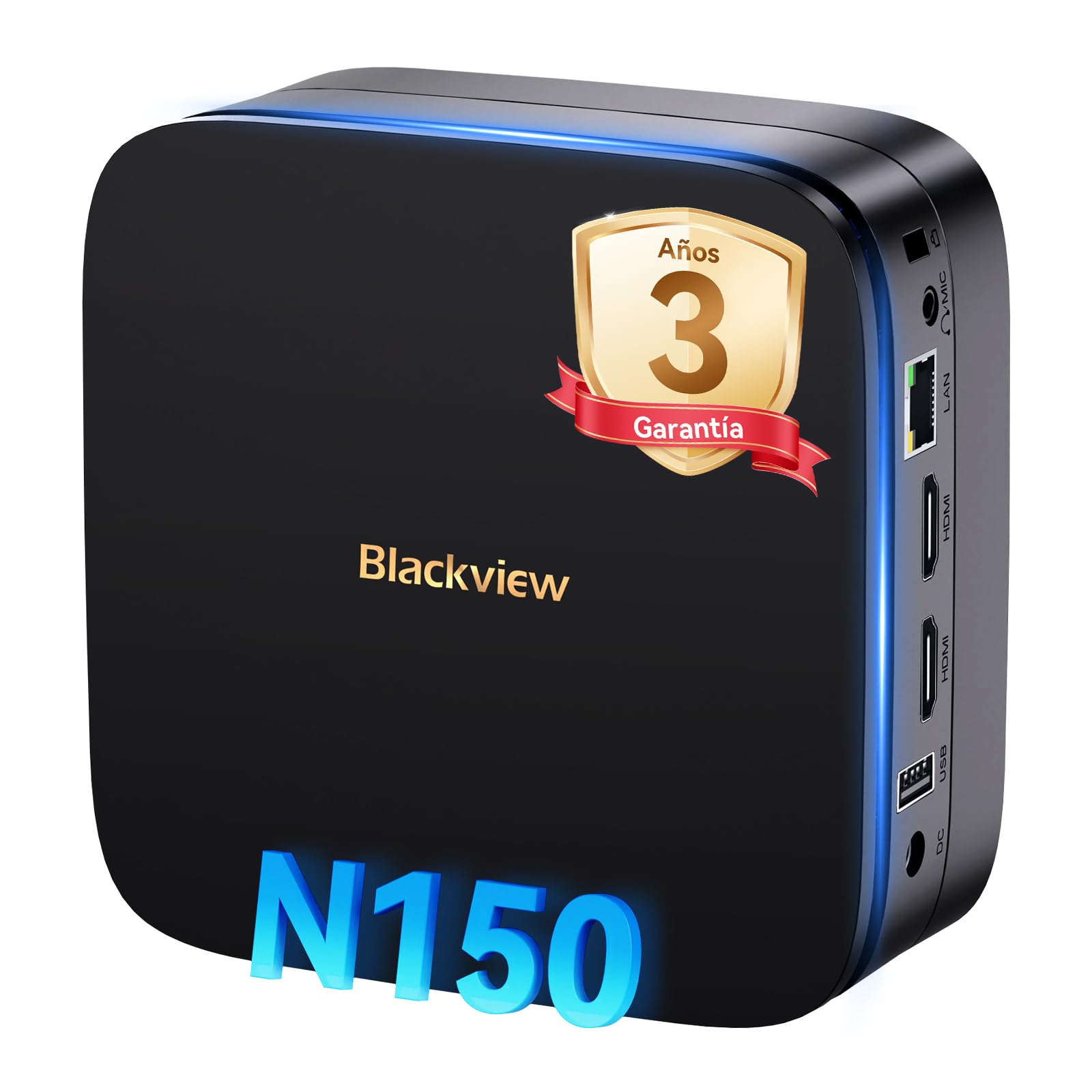
Image: The Blackview MP60 Mini PC, highlighting its compact design and Intel Twin Lake N150 processor.
2. וואָס איז אין דער קעסטל
באַשטעטיקן אַז אַלע זאכן זענען פאַראַן אין פּעקל:
- שוואַרץview Mini PC MP60 N150 (x1)
- HDMI קאַבלע (x1)
- מאַכט אַדאַפּטער (קס 1)
- VESA Mount with Screws (x1)
- וואָראַנטי און שטיצן אינפֿאָרמאַציע
3. פּראָדוקט איבערview
די שווארצעview MP60 Mini PC features a compact design with essential ports for connectivity and expansion. Its small footprint makes it suitable for various environments.
בילד: פאָרנט און הינטן view of the Blackview MP60 Mini PC, illustrating its various ports including USB, HDMI, and Ethernet.
שליסל פֿעיִקייטן:
- פּראַסעסער: Intel Twin Lake N150 (up to 3.6 GHz)
- באַראַן: 16GB DDR4
- סטאָרידזש: 512GB M.2 SSD (expandable up to 2TB)
- גראַפיקס: ינטעגראַטעד ינטעל UHD גראַפיקס
- אַפּערייטינג סיסטעם: Windows 11 פּראָ
- קאַנעקטיוויטי: Dual-band Wi-Fi (2.4Ghz & 5Ghz), Bluetooth 4.2, Gigabit Ethernet (RJ45)
- ווידעא רעזולטאַט: 2x HDMI 2.0 (supports dual 4K displays)
- וסב פּאָרץ: 4x USB ports (USB 2.0 Type A, USB 3.0 Type A)
4. סעטאַפּ אינסטרוקציעס
Follow these steps to set up your Blackview MP60 Mini PC:
- פאַרבינדן צו אַ דיספּליי: Use the provided HDMI cable to connect the Mini PC to your monitor or TV. The device supports dual 4K displays.
- פאַרבינדן פּעריפעראַלס: שטעקט אריין אייער USB קלאַוויאַטור און מויז אין די פאַראַן USB פּאָרץ.
- פאַרבינדן צו מאַכט: Connect the power adapter to the DC-in port on the Mini PC, then plug the adapter into a power outlet.
- מאַכט אויף: Press the power button located on the front of the Mini PC. The device will boot up, and you will see the Windows 11 Pro setup screen.
- ערשטע ווינדאָוס סעטאַפּ: פֿאָלגט די אינסטרוקציעס אויף דעם עקראַן צו פֿאַרענדיקן די Windows 11 Pro סעטאַפּ, אַרייַנגערעכנט שפּראַך, ראַיאָן, נעץ פֿאַרבינדונג און באַניצער אַקאַונט שאַפונג.

Image: The Blackview MP60 Mini PC demonstrating its micro size and portability, fitting easily into a bag.
5. אַפּערייטינג ינסטרוקטיאָנס
5.1 יקערדיק אָפּעראַציע
Once Windows 11 Pro is set up, you can begin using your Mini PC. The Intel Twin Lake N150 processor provides sufficient power for daily tasks, office applications, and multimedia consumption.
- מאַכט אויף / אַוועק: Press the power button to turn the device on. To shut down, go to the Start Menu in Windows and select Power > Shut down.
- ריסטאַרט: From the Start Menu, select Power > Restart.
- שלאָפן מאָדע: From the Start Menu, select Power > Sleep.
5.2 סטאָרידזש יקספּאַנשאַן
די שווארצעview MP60 Mini PC allows for easy storage expansion with a 2.5-inch SSD/HDD. This feature is useful for storing large files, videos, or creating a home NAS.
- Locate the removable base of the Mini PC.
- Carefully remove the base to access the 2.5-inch drive bay.
- Install your 2.5-inch SSD or HDD (up to 2TB, not included) into the bay.
- Secure the drive and reattach the base.
- After booting, you may need to initialize and format the new drive in Windows Disk Management.

Image: Step-by-step illustration of how to install a 2.5-inch SSD into the Blackview MP60 Mini PC for storage expansion.
5.3 Dual 4K Display Setup
The Mini PC supports connecting two 4K displays simultaneously via its two HDMI 2.0 ports, enhancing productivity for tasks requiring multiple screens.
- Connect your primary monitor to one HDMI port.
- Connect your secondary monitor to the second HDMI port.
- Once both monitors are connected and the PC is powered on, Windows will automatically detect them.
- To configure display settings (e.g., extend, duplicate, resolution), right-click on the desktop and select "Display settings."

Image: The Blackview MP60 Mini PC powering two 4K monitors, demonstrating its dual display capability for enhanced productivity.
5.4 נעץ און וויירלעסע קאָנעקטיוויטי
The MP60 offers robust connectivity options:
- ווי-פי: Supports dual-band 2.4GHz and 5GHz Wi-Fi for fast and stable wireless internet access. Connect via Windows network settings.
- עטהערנעט: A Gigabit RJ45 port provides a wired connection for maximum stability and speed (up to 1000 MB/s).
- בלועטאָאָטה: Bluetooth 4.2 allows for easy connection of wireless peripherals like keyboards, mice, and audio devices.
6. וישאַלט
To ensure optimal performance and longevity of your Blackview MP60 Mini PC, follow these maintenance guidelines:
- האַלטן עס ריין: Regularly clean the exterior of the Mini PC with a soft, dry cloth. Use compressed air to clear dust from vents to maintain efficient cooling.
- ווייכווארג דערהייַנטיקונגען: האַלט אייער ווינדאָוז אָפּערייטינג סיסטעם און דרייווערס דערהייַנטיקט צו ענשור זיכערהייט און פאָרשטעלונג.
- ויסמיידן אַבסטראַקשאַנז: ענשור אַז די ווענטאַליישאַן אָופּאַנינגז זענען נישט אפגעשטעלט צו פאַרמייַדן אָוווערכיטינג.
- זיכער שאַטדאַון: Always shut down the PC properly through the operating system rather than simply unplugging it.

בילד: אן אינערליכע view of the Blackview MP60 Mini PC, illustrating its silent heat dissipation system with a cooling fan and heatpipes.
7. טראָובלעשאָאָטינג
If you encounter issues with your Blackview MP60 Mini PC, refer to the following common troubleshooting steps:
- קיין מאַכט:
- זיכער מאַכן אַז דער מאַכט אַדאַפּטער איז זיכער פארבונדן צו ביידע די מיני פּיסי און אַ אַרבעטנדיק מאַכט ווענטיל.
- פּרובירן די מאַכט ווענטיל מיט אן אנדער מיטל.
- קיין ווייַז:
- Check HDMI cable connections to both the Mini PC and the monitor.
- Ensure the monitor is powered on and set to the correct input source (HDMI).
- פרובירט אן אנדערן HDMI קאבל אדער מאָניטאָר אויב מעגלעך.
- קיין אינטערנעט פֿאַרבינדונג:
- For Wi-Fi, ensure the Wi-Fi adapter is enabled in Windows settings and you are connected to the correct network with the correct password.
- For Ethernet, ensure the cable is securely plugged into both the Mini PC and your router/modem. Check router status.
- Restart your router/modem and the Mini PC.
- פּאַמעלעך פאָרשטעלונג:
- שליסט אומנייטיקע אַפּליקאַציעס וואָס לויפן אין הינטערגרונט.
- קוקט נאָך און אינסטאַלירט אַלע וואַרטנדיקע ווינדאָוז דערהייַנטיקונגען.
- זייט זיכער אז עס איז גענוג פריי פלאץ אויף אייער הויפט דרייוו.
- לויפט א ווירוס סקען.
If problems persist, refer to the warranty and support section for further assistance.
8. ספּעסאַפאַקיישאַנז
Detailed technical specifications for the Blackview MP60 Mini PC:
| שטריך | באַשרייַבונג |
|---|---|
| פּראַסעסער | Intel Twin Lake N150 (up to 3.6 GHz, 4 Cores, 4 Threads, 6MB Cache) |
| גראַפיקס | ינטעגראַטעד ינטעל UHD גראַפיקס |
| באַראַן | 16 גיגאבייט DDR4 (3200 מעגהערץ) |
| סטאָרידזש | 512GB M.2 SSD (PCIe x4 interface), expandable with 2.5" SSD/HDD up to 2TB |
| אָפּערייטינג סיסטעם | Windows 11 פּראָ |
| ווידעא רעזולטאַט | 2x HDMI 2.0 (supports dual 4K @ 60Hz displays) |
| וסב פּאָרץ | 4x USB (USB 2.0 Type A, USB 3.0 Type A) |
| נעץ | Gigabit Ethernet (RJ45), Wi-Fi 5G (802.11ac, dual-band 2.4GHz/5GHz) |
| בלועטאָאָטה | בלועטאָאָטה 4.2 |
| אַודיאָ רעזולטאַט | 3.5 מם אַודיאָ דזשאַק |
| קאָאָלינג אופֿן | Air Cooling (Silent design with fan and heatpipes) |
| דימענשאַנז | 12.8 X 12.8 X 5.2 סענטימעטער |
| וואָג | 1.01 קג |
| מאַכט צושטעלן | External Power Adapter (Type E/F: 2 pins for EU) |
9. וואָראַנטי און שטיצן
שוואַרץview is committed to providing high-quality products and excellent customer service.
וואָראַנטי אינפֿאָרמאַציע:
Your Blackview MP60 Mini PC comes with a 3-year official warranty covering parts and labor for manufacturing defects. This ensures prompt replacement or repair in case of product failure.

בילד: שוואַרץview's commitment to customer satisfaction, highlighting a 3-year warranty and lifetime technical support.
טעכניש שטיצן:
שוואַרץview אָפפערס לעבן טעכניש שטיצן. Our expert team is available via email, live chat, or phone to assist you with software updates, troubleshooting, and optimization tips to keep your device running smoothly for years. Please refer to the contact information provided with your product or visit the official Blackview webפּלאַץ פֿאַר שטיצן דעטאַילס.