
1. הקדמה
Thank you for choosing the AVMATRIX SD1242-4K HDMI Splitter. This device is designed to distribute a single HDMI 2.0 input signal to four HDMI 2.0 outputs, supporting resolutions up to 4K@60Hz with RGB 4:4:4 color space. It features EDID management and dual power supply options (USB-C and DC) for versatile use in various professional and home environments.
2. זיכערקייַט אינפֿאָרמאַציע
- ענשור אַז די מיטל איז געשטעלט אין אַ געזונט-ווענאַלייטיד געגנט צו פאַרמייַדן אָוווערכיטינג.
- שטעלט נישט אויס דעם אפאראט צו פייכטקייט, רעגן, אדער עקסטרעמע טעמפעראטורן.
- Use only the provided power adapter or a compatible power source.
- Avoid disassembling the unit; refer all servicing to qualified personnel.
- האַלטן די מיטל אַוועק פון שטאַרק מאַגנעטיק פעלדער.
3. פּעקל אינהאַלט
ביטע טשעק די פּאַקעט פֿאַר די פאלגענדע זאכן:
- AVMATRIX SD1242-4K HDMI Splitter Unit
- מאַכט אַדאַפּטער
- וסב טיפּע- C קאַבלע
- באַניצער מאַנואַל (דעם דאָקומענט)
4. פּראָדוקט איבערview
The AVMATRIX SD1242-4K is a compact and robust HDMI splitter designed for high-quality video distribution. It features one HDMI input and four HDMI outputs, allowing a single source to be displayed on up to four screens simultaneously.
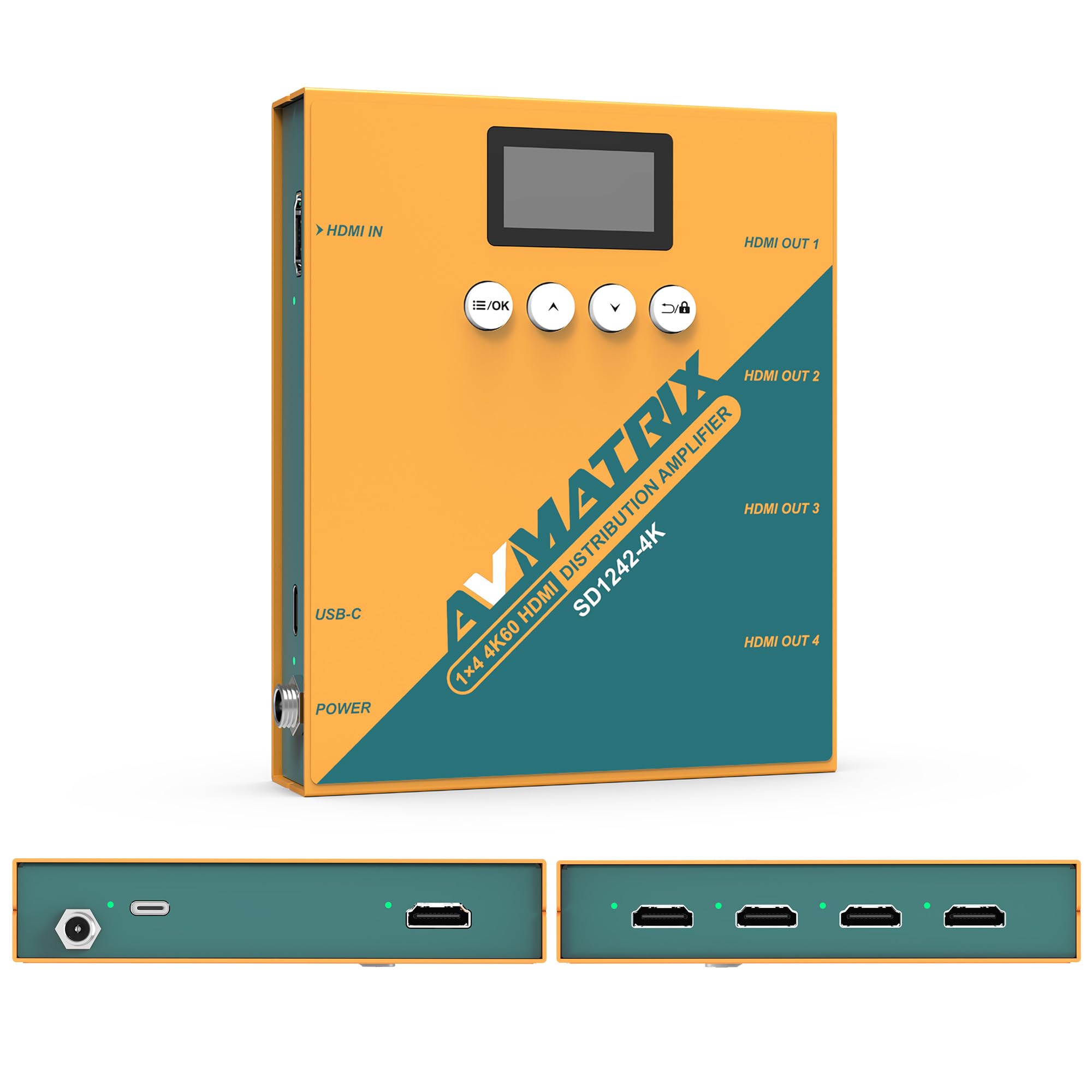
פיגור 1: פאָרנט און הינטן view of the AVMATRIX SD1242-4K HDMI Splitter, showing HDMI input, four HDMI outputs, USB-C, and DC power ports.

Figure 2: The AVMATRIX SD1242-4K HDMI Splitter highlighting its HDMI 2.0 inputs/outputs and support for up to 4K@60Hz resolution for ultra-high-definition picture quality.
4.1 פֿעיִקייטן
- 1 HDMI 2.0 input to 4 HDMI 2.0 outputs.
- Supports resolutions up to 4K@60Hz (RGB 4:4:4).
- EDID management with Auto, Standard, Customize, and EDID Copy modes.
- Dual power supply: USB Type-C and DC 12V.
- Built-in OLED display for real-time status.
- Control via front panel buttons or PC software.
5. סעטאַפּ
Follow these steps to set up your AVMATRIX SD1242-4K HDMI Splitter:
- פאַרבינדן HDMI מקור: Connect your HDMI source device (e.g., PS4, Blu-ray player, computer) to the HDMI IN port on the splitter using a high-quality HDMI 2.0 cable.
- פֿאַרבינדן HDMI דיספּלייז: Connect up to four HDMI display devices (e.g., HDTVs, monitors, projectors) to the HDMI OUT 1-4 ports on the splitter using high-quality HDMI 2.0 cables.
- פאַרבינדן מאַכט: Connect the provided power adapter to the DC 12V port on the splitter, or connect a USB Type-C cable to the USB-C port and a compatible USB power source. The device supports both power options.
- מאַכט אויף: Ensure all devices (source, splitter, displays) are powered on. The splitter's OLED display will show its status.
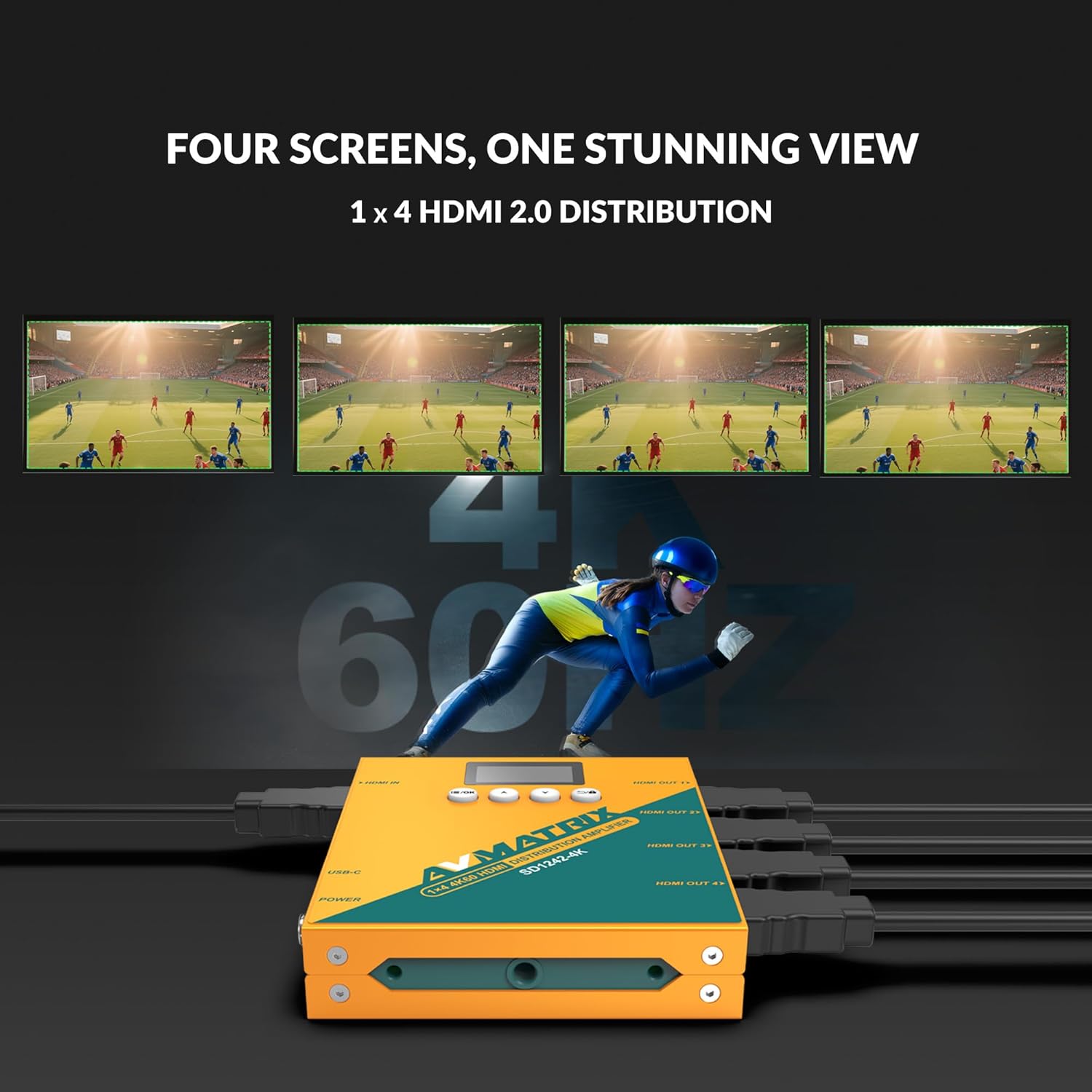
Figure 3: Illustration of the AVMATRIX SD1242-4K HDMI Splitter distributing a single video source to four separate display screens, demonstrating its 1x4 distribution capability.
6. אַפּערייטינג ינסטרוקטיאָנס
6.1 עדיד פאַרוואַלטונג
The SD1242-4K features EDID management to ensure optimal compatibility and performance between your source and display devices. You can configure EDID settings using the front panel buttons or the PC control software.

Figure 4: Comparison of a display without EDID management (left, showing potential compatibility issues) and with EDID management (right, showing seamless communication and optimal display).
There are four EDID modes available:
- אַוטאָ: The splitter automatically detects and selects the best EDID settings based on the connected displays.
- נאָרמאַל: Uses a default, common EDID setting for broad compatibility.
- קאַסטאַמייז: Allows users to upload a custom EDID file via PC software.
- EDID קאָפּיע: Copies the EDID from a specific output display (e.g., Output 1) to be used for all outputs.
6.2 קאָנטראָל אָפּציעס
The device can be controlled via its front panel buttons or through dedicated PC software.

Figure 5: Demonstrates the two primary control methods for the AVMATRIX SD1242-4K: direct interaction with the front panel buttons and comprehensive control via PC software interface.
- פראָנט קנעפּל: Use the buttons located on the front panel to navigate menus on the OLED display and adjust basic settings, including EDID modes.
- פּיסי ווייכווארג קאָנטראָל: Connect the splitter to a computer via its USB port. Install the AVMATRIX control software to access advanced settings, customize EDID, and monitor device status.
6.3 מאַכט צושטעלן אָפּציעס
The SD1242-4K offers flexible power options for convenience.

Figure 6: Illustrates the dual power supply capabilities of the AVMATRIX SD1242-4K, showing both the traditional DC power input and the modern USB Type-C power input.
- דק מאַכט צושטעלן: Use the included 12V DC power adapter for stable and continuous power.
- USB Type-C Power Supply: For portability or when a DC outlet is unavailable, power the device using a standard USB Type-C cable connected to a compatible USB power source (e.g., power bank, computer USB port).
7. וישאַלט
- רייניקונג: ניצט אַ ווייכע, טרוקענע שטאָף צו רייניקן די אויסערלעכע זייט פון דעם אַפּאַראַט. ניצט נישט קיין פליסיקע אָדער אַעראָזאָל רייניגער.
- סטאָרידזש: ווען נישט אין באַנוץ פֿאַר לענגערע פּעריאָדן, האַלט די דעווייס אין אַ קיל, טרוקן אָרט אַוועק פון דירעקט זונשייַן.
- Firmware דערהייַנטיקונגען: Check the AVMATRIX official webזייטל פּעריִאָדיש פֿאַר פירמווער דערהייַנטיקונגען צו ענשור אָפּטימאַל פאָרשטעלונג און קאַמפּאַטאַבילאַטי.
8. טראָובלעשאָאָטינג
If you encounter issues with your AVMATRIX SD1242-4K, refer to the following common problems and solutions:
| פּראָבלעם | מעגלעך סיבה | לייזונג |
|---|---|---|
| No video output on displays. | Loose HDMI cables, incorrect EDID setting, power issue. | Check all HDMI cable connections. Ensure the splitter is powered on. Try different EDID modes (Auto or Standard). Test with a different HDMI source or display. |
| Video flickering or unstable image. | Poor quality HDMI cables, signal interference, EDID mismatch. | Use certified high-speed HDMI 2.0 cables. Ensure cables are not excessively long. Adjust EDID settings. Reduce cable length if possible. |
| Displays show different resolutions. | EDID setting not optimized for all displays. | Use EDID Copy mode from the lowest resolution display or a custom EDID that all displays can support. |
| מיטל טוט נישט אָנצינדן. | Power adapter not connected, faulty power source. | Verify power adapter is securely connected to both the splitter and a working power outlet. Try the USB-C power option if DC fails, or vice-versa. |
9. ספּעסאַפאַקיישאַנז
| שטריך | דעטאַל |
|---|---|
| מאָדעל | SD1242-4K |
| ווידעא אַרייַנשרייַב | 1x HDMI טיפּ א |
| ווידעא רעזולטאַט | 4x HDMI טיפּ א |
| HDMI סטאַנדאַרד | HDMI 2.0 |
| מאַקס האַכלאָטע | 4096x2160p 60/59.94/50/30/29.97/25/24/23.98 |
| Color Space & Precision | RGB 4:4:4 8 bit, YUV 4:2:2 8 bit, YUV 4:4:4 8 bit |
| מאַכט צושטעלן | DC 12V / USB-C |
| מאַכט קאַנסאַמשאַן | 6W |
| Voltage Range (USB) | USB 5V-5.5V |
| VoltagE Range (DC) | דק 5.5וו-24וו |
| דימענסיעס (LWD) | 125.5 X 104 X 24.5 מם |
| נעץ וואָג | 471ג |
| אַפּערייטינג טעמפּעראַטור | -20°C ~ 60°C |
| סטאָרידזש טעמפּעראַטור | -30°C ~ 70°C |
10. וואָראַנטי אינפֿאָרמאַציע
AVMATRIX products are covered by a limited warranty against defects in materials and workmanship. The warranty period typically begins from the date of purchase. Please retain your proof of purchase for warranty claims. For specific warranty terms and conditions, refer to the warranty card included with your product or visit the official AVMATRIX webפּלאַץ.
This warranty does not cover damage caused by improper installation, accident, misuse, abuse, natural disaster, or unauthorized modification of the product.
11. קונה שטיצן
If you require further assistance or have questions not covered in this manual, please contact AVMATRIX customer support:
- Webפּלאַץ: www.avmatrix.net (for product information, drivers, and firmware updates)
- בליצפּאָסט: אָפּשיקן צו דער באַאַמטער website for specific support email addresses.
- טעלעפֿאָן: אָפּשיקן צו דער באַאַמטער webפּלאַץ פֿאַר רעגיאָנאַל קאָנטאַקט נומערן.
When contacting support, please have your product model (SD1242-4K) and a detailed description of your issue ready.