
הקדמה
Welcome to the Miroir Mini Projector M416 user manual. This guide provides essential information for setting up, operating, and maintaining your new projector. The Miroir M416 is a portable HD projector designed for versatile use, featuring auto-focus, keystone correction, and a built-in speaker for an immersive viewינג דערפאַרונג.
Please read this manual thoroughly before using the projector to ensure proper operation and to maximize its performance and lifespan.
וואָס איז אין די קעסטל
- פּראַדזשעקטער
- מאַכט אַדאַפּטער
- באַניצער מאַנואַל
- ווייַט קאָנטראָל

Image: Miroir Mini Projector M416 with its remote control, power cord, HDMI cable, and user manual.
פּראָדוקט איבערview
פראָנט View

בילד: פראָנט view of the Miroir Mini Projector M416, highlighting the projection lens and integrated speaker grille.
פּאָרץ און קאַנעקשאַנז
The Miroir M416 projector offers various ports for connecting external devices:
- HDMI 1.4 (x2): For connecting laptops, gaming consoles, TV sticks, and other HDMI-enabled devices.
- וסב 2.0: For connecting USB storage devices or for wired smartphone mirroring (with appropriate adapter).
- מיקראָ סד: For playing media directly from a Micro SD card.
- 3.5 מם אַודיאָ דזשאַק: For connecting external speakers or headphones.
- DC 24V: מאַכט אַרייַנשרייַב פּאָרט.
בילד: הינטערשטע view of the Miroir Mini Projector M416, illustrating the Micro SD slot, HDMI ports, USB port, 3.5mm audio jack, and DC power input.
סעטאַפּ
מאַכט קאַנעקשאַן
- Connect the power adapter to the DC 24V port on the projector.
- צאַפּן די מאַכט אַדאַפּטער אין אַ וואַנט ווענטיל.
Placement and Screen Size
The projector can display screen sizes from 45 inches to 200 inches, depending on the projection distance. For optimal viewing, ensure the projector is placed on a stable, flat surface or mounted on a tripod.
- 45-אינטש פאַרשטעלן: Approximately 1.25 meters (4 feet) distance.
- 100-אינטש פאַרשטעלן: Approximately 2.7 meters (8.8 feet) distance.
- 200-אינטש פאַרשטעלן: Approximately 4 meters (13 feet) distance.
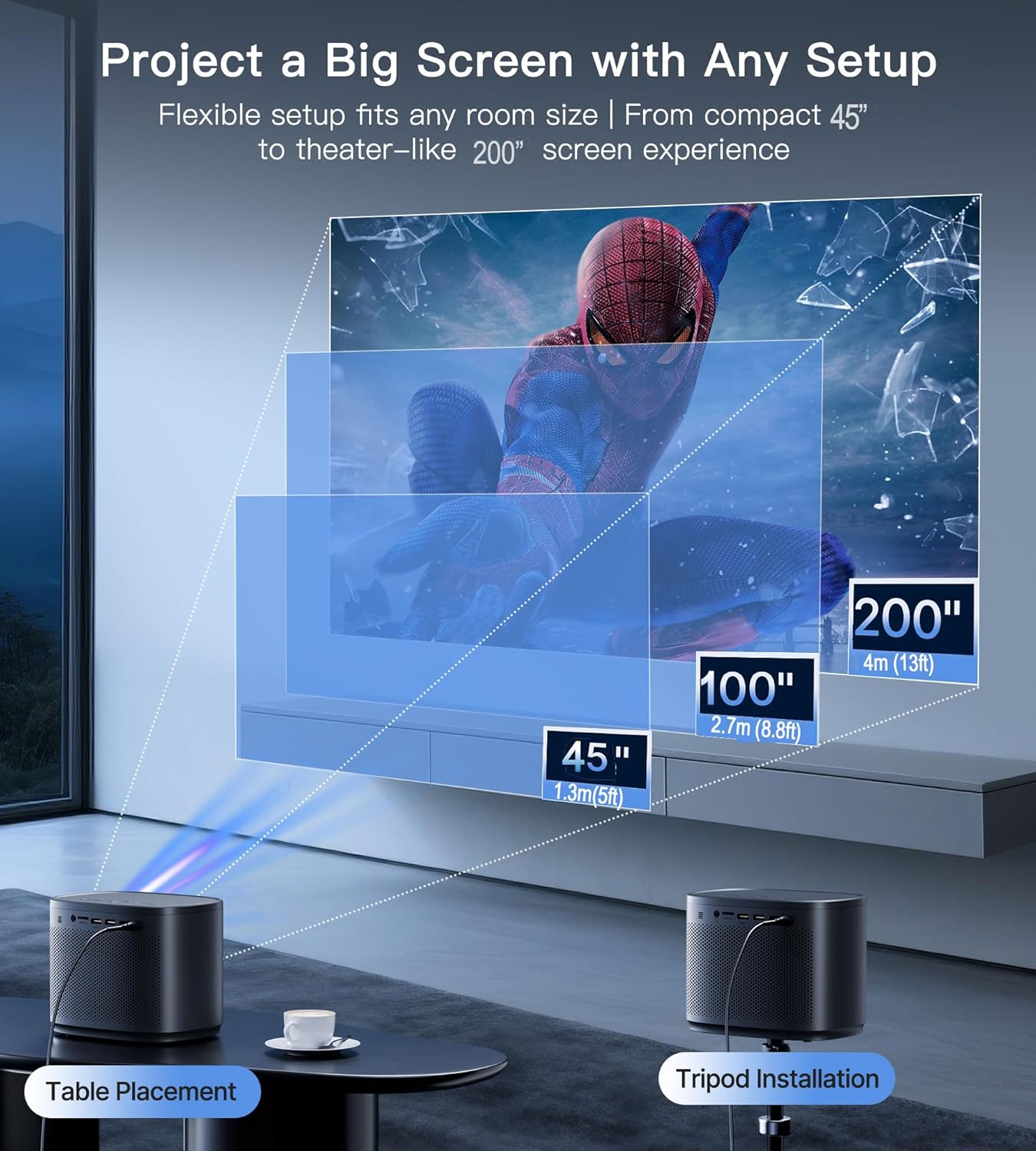
Image: Illustration of recommended projection distances for screen sizes ranging from 45 to 200 inches, demonstrating both table and tripod setup options.
אַפּערייטינג ינסטראַקשאַנז
מאַכט אויף / אַוועק
דריק דעם מאַכט קנעפּל אויף דעם פּראָיעקטאָר אָדער די ווײַט קאָנטראָל צו דרייען דעם אַפּאַראַט אָן אָדער אויס.
קאַנעקטינג דעוויסעס
The Miroir M416 supports various connection methods:
1. Connecting Your Smartphone (Wired)
To mirror your smartphone screen, you will need a compatible adapter (not included):
- יאָס דעוויסעס: Connect your iPhone using a Lightning to HDMI cable/adapter.
- אַנדרויד דעוויסעס: Connect your Android phone using a Micro USB or Type-C to HDMI cable/adapter.
Note: Due to copyright protection (HDCP), streaming apps like Netflix, Prime Video, and Hulu cannot be directly mirrored from smartphones. For these services, use a TV stick or streaming device.

Image: Instructions for connecting iOS and Android smartphones to the projector using appropriate HDMI adapters.
2. Connecting a TV Stick or Streaming Device
For streaming apps, plug your Fire Stick, Roku, Chromecast, or similar device into one of the projector's HDMI ports. Ensure the streaming device is also connected to a power source.
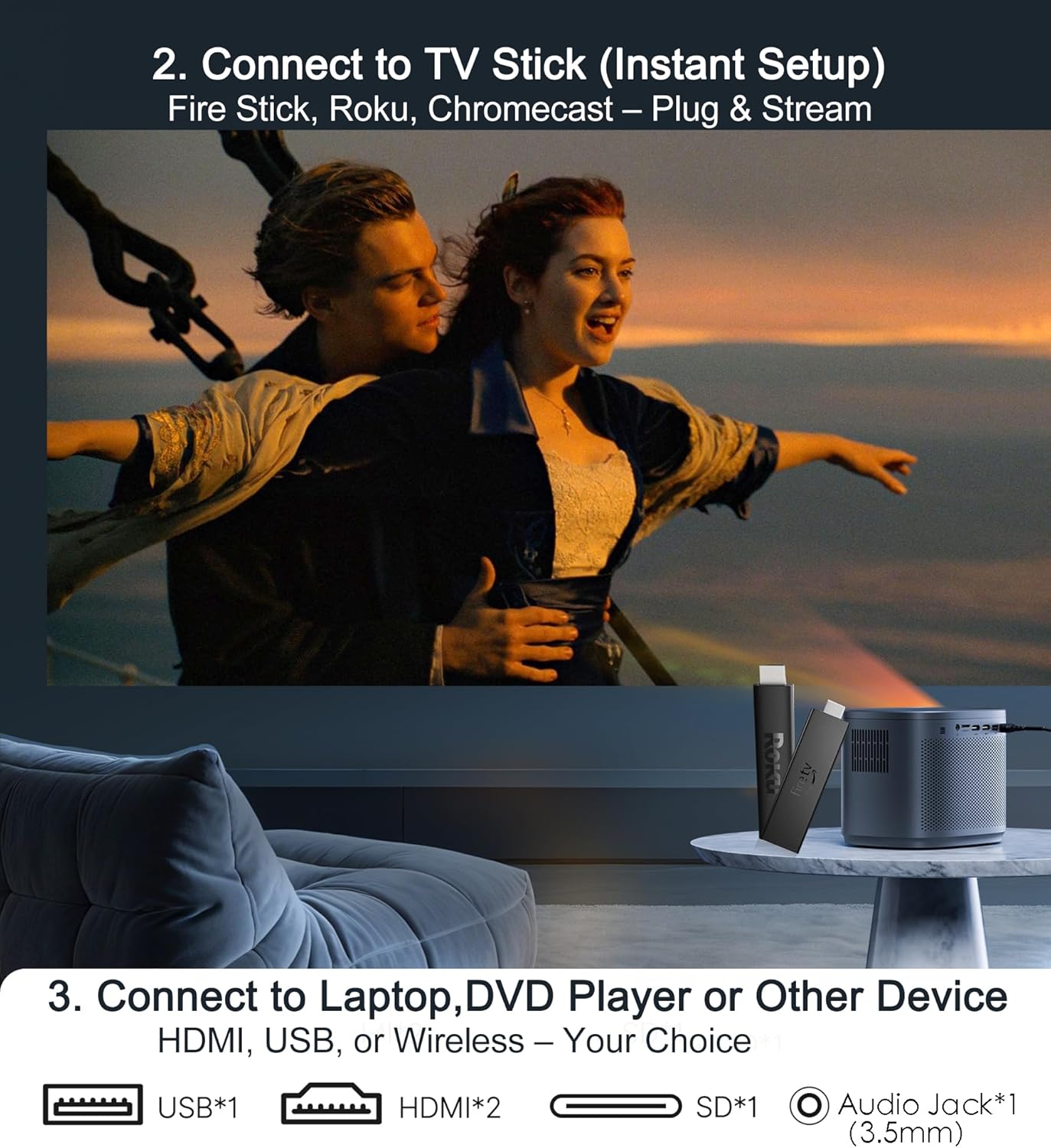
Image: A TV stick connected to the projector, demonstrating instant setup for streaming content.
3. Connecting Laptops, Gaming Consoles, or Other Devices
Connect devices such as laptops, PS5/Xbox consoles, or Blu-ray players directly via an HDMI cable. The projector also supports USB for media playback.

Image: A laptop connected to the projector via HDMI, displaying content on a large screen.
Image Adjustment: Auto Focus & Keystone Correction
The Miroir M416 features smart self-adjusting technology to ensure a clear, rectangular image:
- אַוטאָ פאָקוס: Built-in sensors automatically adjust the focus for a sharp image, even if the projector is moved.
- אַוטאָ ווערטיקאַל קייסטאָנע קערעקשאַן: Automatically corrects vertical image distortion to create a perfectly rectangular projection.
- Manual 4-Corner Keystone Correction: For complex angles or specific adjustments, you can manually fine-tune each corner of the image.
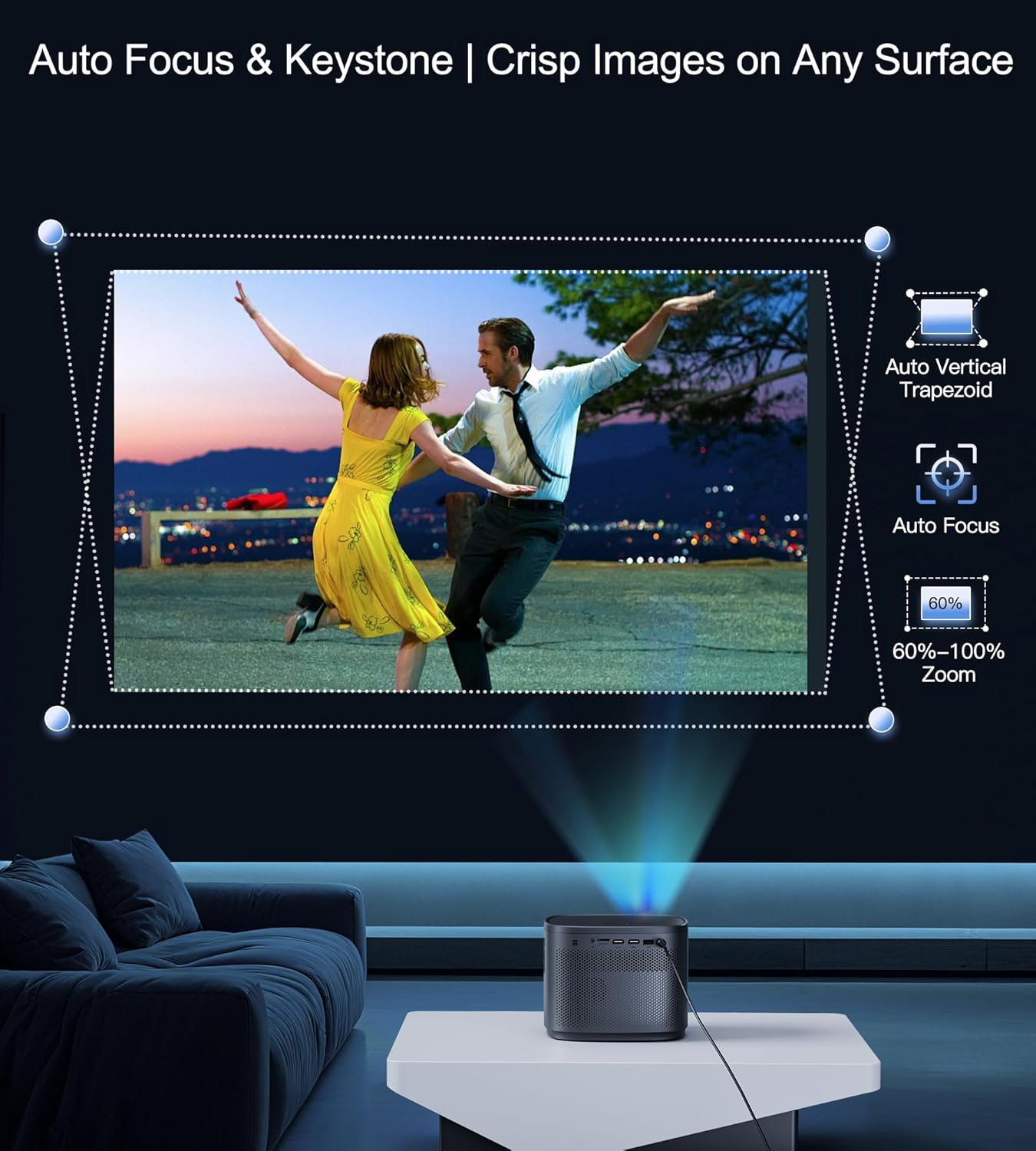
Image: Visual representation of the auto-focus and auto vertical keystone correction capabilities, ensuring a crisp and square image.
Optical Zoom Function
The projector offers an optical zoom function (100%-60%) to resize the screen without losing image quality or needing to move the projector.

Image: Illustration of the optical zoom feature, demonstrating how the screen size can be adjusted from 100% down to 60% while maintaining image clarity.
אַודיאָ רעזולטאַט
The Miroir M416 features a built-in 5W speaker for clear audio. For enhanced sound, you can connect external speakers or headphones via the 3.5mm audio jack.
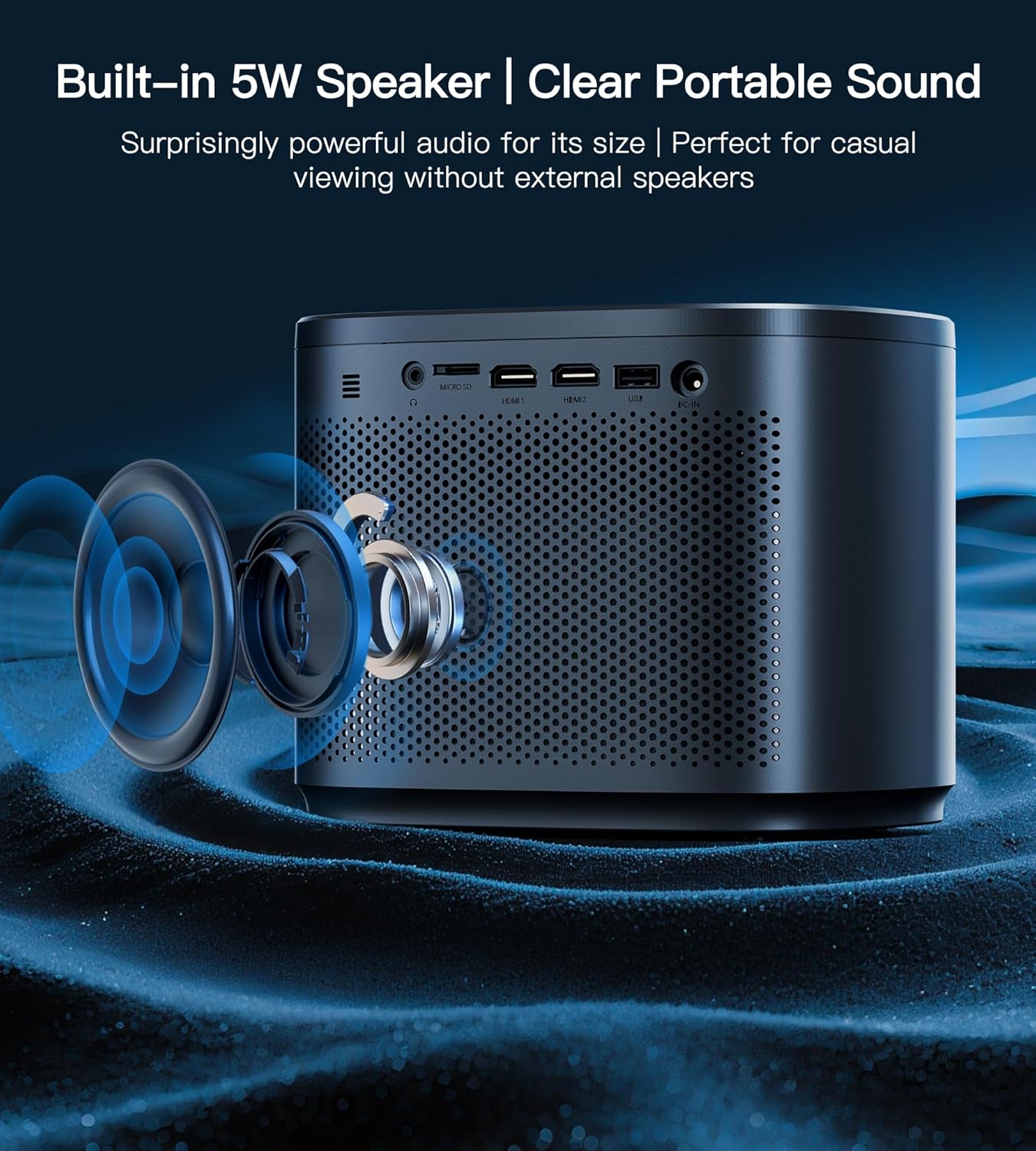
בילד: אויסשניט view of the Miroir Mini Projector M416, highlighting the integrated 5W speaker for immersive sound.
וישאַלט
לענס רייניקונג
To maintain optimal image quality, regularly clean the projector lens using a soft, lint-free cloth specifically designed for optical lenses. Avoid using abrasive materials or harsh chemicals.
ווענטילאַטיאָן
Ensure the projector's ventilation openings are clear and unobstructed to prevent overheating. Do not place the projector on soft surfaces that may block airflow. The projector features a smart cooling system designed for quiet operation (36dB).

Image: Diagram showing the smart cooling system of the Miroir Mini Projector M416, designed for efficient heat dissipation and quiet operation.
סטאָרידזש
When not in use, store the projector in a cool, dry place, away from direct sunlight and extreme temperatures. Use the original packaging or a protective case to prevent dust accumulation and damage.
טראָובלעשאָאָטינג
Refer to the following common questions and answers for quick troubleshooting:

Image: Frequently Asked Questions (FAQ) for the Miroir Mini Projector M416, providing solutions to common user inquiries.
- Q1: Does this projector have WiFi/Bluetooth?
A: No. Wireless connectivity requires an external streaming stick (e.g., Fire Stick). - Q2: How to connect my iPhone/Android phone?
A: Use an HDMI cable (iPhone requires a Lightning-to-HDMI adapter). - Q3: Can I mirror Disney+/Netflix from my phone?
A: No. Due to DRM restrictions, use official apps via streaming devices. - Q4: Is it bright enough for daytime use?
A: Yes, 200 ANSI lumens works with curtains; optimal at night. - Q5: Is auto-correction accurate?
A: Yes. <15° auto keystone (<1cm error) with +/-45° manual fine-tuning. - Q6: Does it support PS5/Switch? Any lag?
A: Yes. <30ms latency via HDMI (ideal for gaming). - Q7: How big is the screen?
A: 45-200 inches, adjustable by distance. - ק8: קען איך עס ניצן אינדרויסן?
A: Yes, but avoid direct sunlight for best results.
ספּעסאַפאַקיישאַנז
| שטריך | דעטאַל |
|---|---|
| סאָרט | מיראָיר |
| מאָדעל נומער | M416 |
| פּונקט וואָג | 1.89 פונט (0.86 קג) |
| פּראָדוקט דימענשאַנז | 5.5 X 6.3 X 7.8 אינטשעס |
| ווייַז האַכלאָטע | HD |
| ברייטנאַס | 200 אַנסי לומענס |
| קאַנטראַסט פאַרהעלטעניש | 5000:1 |
| קאַנעקטיוויטי טעכנאָלאָגיע | HDMI (x2), USB, Micro SD, 3.5mm Jack |
| ספּעציעלע פֿעיִקייטן | Auto Focus, Built-In Speaker, Digital Keystone Correction, Portable |
| געבויט-אין רעדנער | 5W |
| געפירט לamp לעבן | 30,000 שעה |
וואָראַנטי און שטיצן
The Miroir Mini Projector M416 comes with a 3-Year 'No Worry' Service, ensuring peace of mind with your purchase. Miroir also provides לעבן טעכניש שטיצן with quick replies within 24 hours for any assistance you may need.
For technical support or warranty claims, please refer to the contact information provided on the official Miroir webוועבזייטל אדער אייער קויפן דאקומענטאציע.