
1. הקדמה
1.1 פּראָדוקט איבערview
The EKIY EC16 is an ultra-mini 2-in-1 wireless adapter designed to convert your car's existing wired CarPlay or Android Auto system into a wireless connection. It features stable 6Ghz WiFi and Bluetooth 5.4 for seamless integration with your vehicle's infotainment system, providing a convenient and cable-free driving experience.
1.2 פּעקל אינהאַלט
- EKIY EC16 Wireless CarPlay and Android Auto Adapter
- USB Female A to C cable
- באַניצער מאַנואַל
1.3 שליסל פֿעיִקייטן
- Wired to Wireless Conversion for CarPlay and Android Auto
- Compact and Ultra-Mini Design
- Stable Bluetooth 5.4 and 6Ghz WiFi Connectivity
- Automatic Reconnection upon vehicle startup
- Supports original car functions: Steering Wheel Control, Knob Control, Voice Control, Touch Screen Control
- Over-The-Air (OTA) Updates for continuous improvement
2. סעטאַפּ אינסטרוקציעס
- פאַרבינדן די אַדאַפּטער: Plug the EKIY EC16 adapter into your car's USB port that supports wired CarPlay or Android Auto. Use the provided USB Female A to C cable if necessary.
- פּאָר דורך בלועטאָאָטה: On your smartphone (iPhone with iOS 10+ or Android with Android 11.0+), enable Bluetooth and search for the adapter's Bluetooth name (usually "EKIY-XXXX"). Select it to pair.
- באַשטעטיקן קשר: Follow any on-screen prompts on your car's display to confirm the connection.
- אָטאַמאַטיק ריקאַנעקשאַן: After the initial setup, the adapter will automatically connect to your paired phone when the car engine is turned on.

Image of the EKIY EC16 Wireless Adapter, a compact device designed for easy integration into a car's USB port.

Image illustrating the small size of the EKIY EC16 Wireless Adapter, shown next to a human hand and a coin for scale, highlighting its ultra-miniature design.
3. אַפּערייטינג ינסטרוקטיאָנס
3.1 ניצן קאַרפּליי/אַנדרויד אויטאָ
Once connected, your car's display will show the wireless CarPlay or Android Auto interface. You can navigate apps, make calls, send messages, and play music directly from your car's screen.
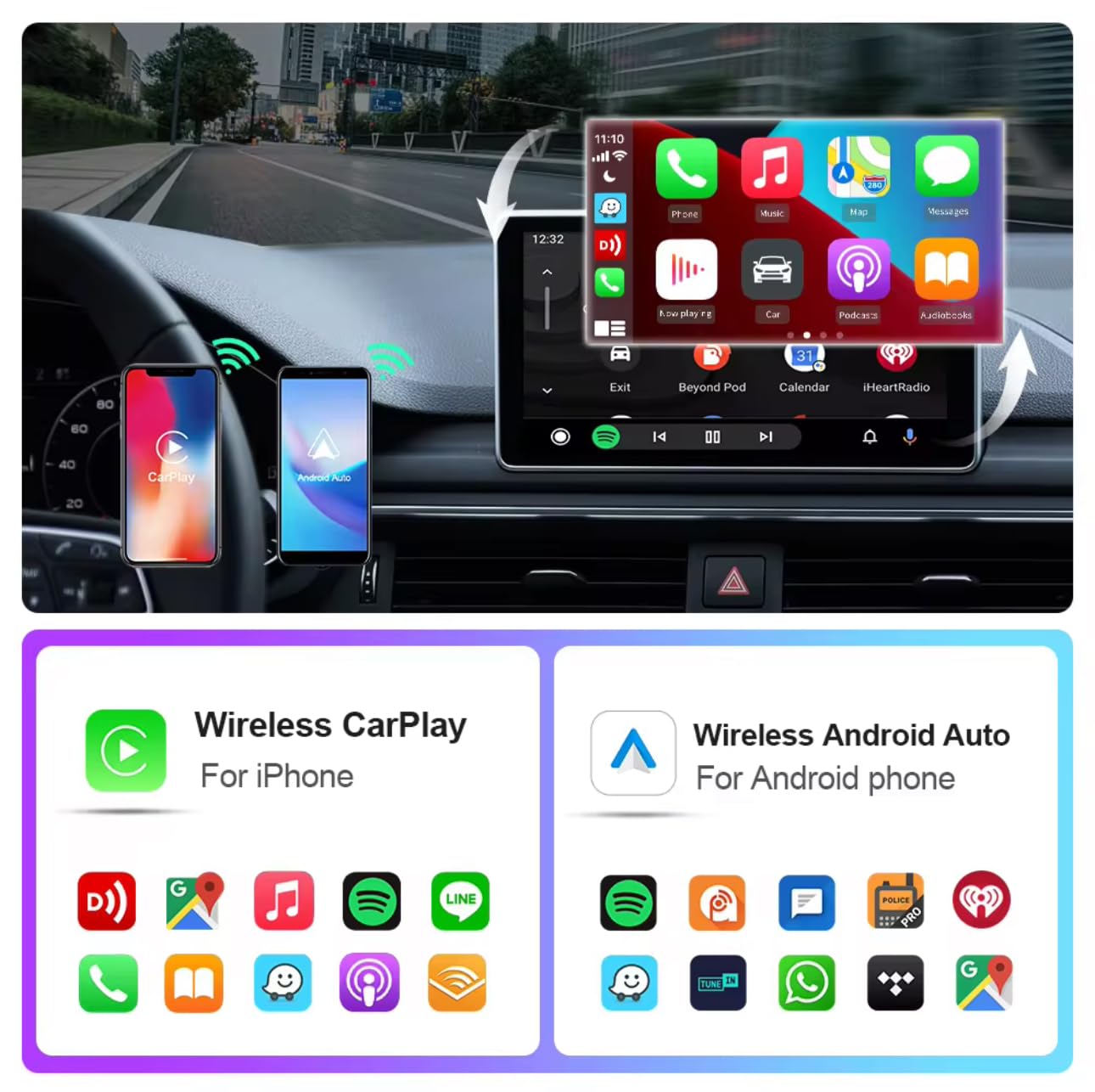
Image showing a car's infotainment screen displaying both Wireless CarPlay and Wireless Android Auto interfaces, with a smartphone connected to each, demonstrating the dual compatibility of the adapter.
3.2 Car Controls
The adapter supports your car's original control methods, ensuring a seamless user experience:
- קאָנטראָלס פון די סטירינג ראָד
- קנופּ קאָנטראָל
- קול קאָנטראָל
- ריר סקרין קאָנטראָל

Image collage demonstrating the compatibility of the adapter with various original car control methods: steering wheel buttons, rotary knob, voice command activation, and touchscreen interaction.
3.3 אָטאַמאַטיק קאַנעקשאַן
After the initial pairing, the EKIY EC16 adapter will automatically detect and connect to your paired smartphone when the car engine is started, typically within 5 seconds.

Image depicting a smartphone automatically connecting to a car's infotainment system via the wireless adapter, symbolized by WiFi signals, indicating the automatic reconnection feature.
3.4 Switching Phones
The adapter connects to one phone at a time. To switch to a different phone, ensure the previously connected phone's Bluetooth and WiFi are disconnected from the adapter. Then, pair the new phone following the setup instructions in Section 2.
4. קאַמפּאַטאַבילאַטי
4.1 פאָרמיטל קאָמפּאַטאַביליטי
The EKIY EC16 adapter is compatible with approximately 98% of cars manufactured from 2016 onwards that have factory-installed wired CarPlay and Android Auto.
4.2 Smartphone Compatibility
For iPhones, iOS 10 or later is required. For Android phones, Android 11.0 or later is required.
4.3 עקסקלוזשאַנז
This adapter does not support BMW, Tesla, certain other car models, and some aftermarket stereos. For specific compatibility verification, consult the manufacturer's support or the CarPlay & Android Auto webפּלאַץ.
5. וישאַלט
5.1 איבער-די-לופט (OTA) דערהייַנטיקונגען
The adapter supports OTA updates to ensure it always has the latest features and optimized performance. Connect the adapter to a WiFi network (if prompted) or follow instructions provided by the manufacturer for updates.

Image illustrating the Over-The-Air (OTA) update process, showing data being wirelessly transmitted to the adapter, ensuring it stays updated with the latest software and features.
5.2 אַלגעמיינע קער
Keep the adapter in a dry environment. Avoid exposing it to extreme temperatures or direct sunlight for prolonged periods. Do not attempt to disassemble the device.
6. טראָובלעשאָאָטינג
6.1 פֿאַרבינדונג פּראָבלעמען
- Ensure your car's USB port supports wired CarPlay/Android Auto.
- Verify Bluetooth and WiFi are enabled on your phone.
- Try restarting your phone and the car's infotainment system.
- Ensure no other devices are simultaneously trying to connect to the adapter.
6.2 Disconnections/Lag
- קאָנטראָלירט פֿאַר מעגלעכע שטערונגען פֿון אַנדערע וויירלעסע דעוויסעס.
- Ensure the adapter is not overheating; prolonged use in direct sunlight or enclosed spaces can affect performance.
- Update the adapter's firmware via OTA updates if available.
6.3 אַודיאָ קוואַליטעט
- Confirm your phone's volume and the car's audio system volume are set correctly.
- קוק פֿאַר קיין פרייַ קאַנעקשאַנז.
6.4 Adapter Not Recognized
- Try a different USB port in your car if available.
- Ensure your car model and phone OS version meet the compatibility requirements.
7. ספּעסאַפאַקיישאַנז
| פאַבריקאַנט | עקי |
| פּראָדוקט דימענשאַנז | 50 x 70 x 30 מ״מ (5 x 7 x 3 ס״מ) |
| פּונקט וואָג | 50 ג |
| דאַטאַ אַריבערפירן קורס | 5.8 GHz (WiFi) |
| קאַנעקטער טיפּ | USB Type A, USB Type C (via included cable) |
| קאַמפּאַטאַבאַל דעוויסעס | סמאַרטפאָנע |
| אַפּערייטינג סיסטעם קאַמפּאַטאַבילאַטי | יאָס 10+, אַנדרויד 11.0+ |
| ווירעלעסס טעכנאָלאָגיע | Bluetooth 5.4, 6Ghz WiFi |
| לאַנד פון אָריגין | כינע |

Image displaying the precise dimensions of the EKIY EC16 Wireless Adapter in millimeters and centimeters, alongside a coin for visual size comparison.
8. וואָראַנטי און שטיצן
8.1 וואָראַנטי
The EKIY EC16 adapter comes with a 12-month global support warranty from the date of purchase.
8.2 טעכניש שטיצן
Lifetime professional technical support is available through the dedicated Customer Care Portal. For assistance, refer to the contact information provided with your product or on the manufacturer's official webפּלאַץ.

Image of a 'Support Center' badge with a customer service icon and a phone number, indicating available customer assistance for the product.