
הקדמה
Thank you for choosing the GMBACK Wireless Pro Controller. This manual provides detailed instructions for setting up, operating, and maintaining your controller to ensure optimal performance and an enhanced gaming experience. Please read this manual thoroughly before use.
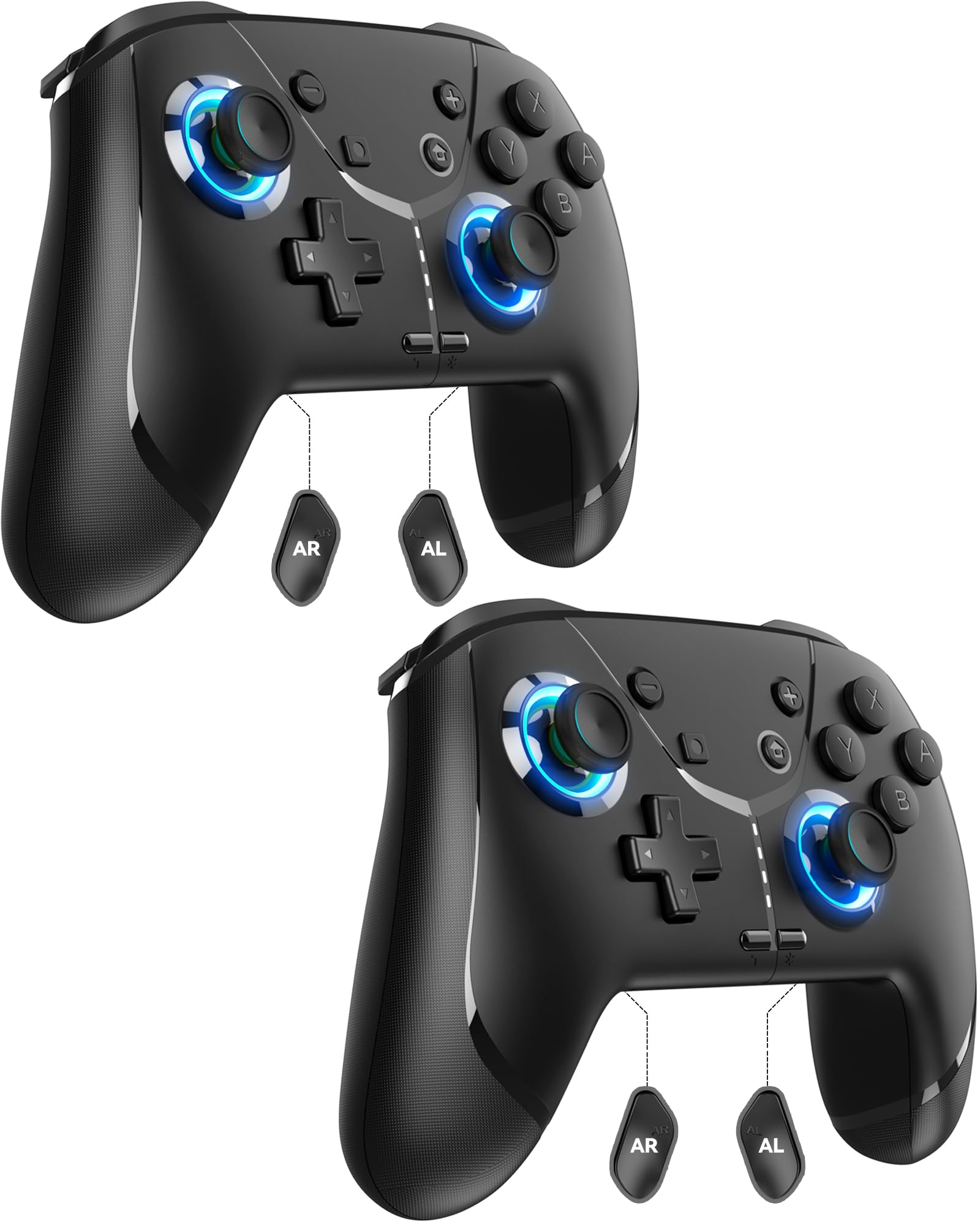
Image: GMBACK Wireless Pro Controller, front view.
פּעקל אינהאַלט
- 2 x GMBACK Wireless Pro Controllers
- 2 קס וסב-C טשאַרדזשינג קאַבלעס
- 1 x באַניצער מאַנואַל
געטינג סטאַרטעד
1. צוזאַמענשטעלן מיט נינטענדאָ סוויטש
- זיכער מאַכן אַז אייער נינטענדאָ סוויטש קאַנסאָול איז אנגעצונדן און דערהייַנטיקט צו די לעצטע סיסטעם ווייכווארג.
- סעלעקטירן פֿון די היים מעניו 'Controllers', דעמאלט 'Change Grip/Order'.
- On the GMBACK controller, press and hold the סינק קנעפּל (located on the top edge near the USB-C port) for 3-5 seconds until the LED indicators begin to flash rapidly.
- The controller will automatically pair with the Switch. Once paired, the player LED(s) on the bottom of the controller will light up solid.

Image: GMBACK Wireless Pro Controller connected to a Nintendo Switch console.
2. Connecting to PC (Wired)
- Connect the GMBACK controller to your PC using the provided USB-C cable.
- The controller will be recognized as a standard gamepad. Drivers may install automatically.
- For optimal compatibility, ensure your PC's operating system is up to date.
3. אויפלאָדן דעם קאָנטראָללער
- Connect the controller to a USB power source (e.g., Switch dock, PC, USB wall adapter) using the provided USB-C cable.
- The LED indicators will show charging status. A full charge typically takes 2-3 hours.
- The controller features an 800mAh battery, providing approximately 15-20 hours of playtime on a full charge.

Image: Visual representation of the 800mAh battery, 15-20 hours playtime, and 2-3 hours charging time.
שליסל פֿעיִקייטן און פֿונקציעס
1. Loop Macro Function
The controller supports a loop macro function, allowing you to record and replay a sequence of up to 30 seconds of button presses and joystick movements. This includes joysticks, triggers, D-pad, ABXY, and +/- buttons.
- צו רעקאָרדירן: Refer to the detailed instructions in the included user manual for specific recording steps.
- To Start/Stop Loop: האַלטן די טורבאָ קנעפּל און די מאַקראָו קנעפּל simultaneously. The controller will automatically replay your recorded actions in a continuous loop.

בילד: הינטערשטע view of the controller highlighting the AR and AL programmable buttons and the text 'Loop Macro Function'.
2. 6-אַקס גיראָ סענסאָר
The integrated 6-axis gyro sensor provides precise motion detection, allowing for intuitive control in compatible games that utilize motion sensing. This enhances immersion and gameplay accuracy.

Image: Controller being used for a racing game, illustrating the 6-Axis Gyro Sensor feature.
3. Customizable Turbo Function
The controller offers three adjustable turbo speeds for rapid-fire actions. This feature can be set to either auto-fire or manual-fire mode.
- To Adjust Turbo Speed: Refer to the included user manual for specific button combinations to cycle through the three turbo speeds.
- To Activate/Deactivate Turbo: דרוק די טורבאָ קנעפּל along with the desired action button.

Image: Controller displaying the 'Auto & Manual Turbo' feature with a gaming background.
4. Dual Vibration Adjustment
Experience immersive feedback with four levels of dual vibration intensity: None, Weak, Medium, and Strong. Adjust the vibration to your preference for different games.
- To Adjust Vibration: Consult the user manual for the specific button combination to cycle through vibration levels.

Image: Controller illustrating the four levels of dual vibration: None, Weak, Medium, Strong.
5. RGB לייטינג
The controller features dynamic RGB lighting around the joysticks, enhancing the visual appeal during gameplay. The lighting can be adjusted or turned off.
- To Adjust RGB Lighting: Refer to the user manual for instructions on changing lighting modes or turning off the lights.

Image: Controller showcasing its RGB lighting feature around the joysticks.
6. Remappable ABXY Buttons
The ABXY buttons can be remapped to switch between Nintendo Switch and Xbox layouts, providing flexibility for different gaming preferences without needing to physically remove any buttons.
- To Remap ABXY: Follow the instructions in the user manual for the specific button sequence to switch layouts.

Image: Controller illustrating the ABXY button function switching between Nintendo Switch and Xbox layouts.
7. Screenshot and Home Wake-up
- The controller includes a dedicated סקרעענשאָט קנעפּל for capturing in-game moments.
- די היים קנעפּל can be used to wake up your Nintendo Switch console from sleep mode.
וישאַלט
- רייניקונג: ניצט אַ ווייכע, טרוקענע שטאָף צו רייניקן דעם קאָנטראָללער. פֿאַרמייַדט ניצן שטרענגע כעמיקאַלן אָדער אַברייסיוו מאַטעריאַלן.
- סטאָרידזש: האַלט דעם קאָנטראָללער אין אַ קיל, טרוקן אָרט אַוועק פון דירעקט זונשייַן און עקסטרעמע טעמפּעראַטורן.
- באַטערי זאָרגן: To prolong battery life, avoid fully discharging the controller frequently. Charge it regularly, even if not in constant use.
טראָובלעשאָאָטינג
- קאָנטראָללער פֿאַרבינדט זיך נישט:
- מאַכן זיכער אַז די קאָנטראָללער איז טשאַרדזשינג.
- Verify the Switch is in 'Change Grip/Order' mode.
- Try restarting both the Switch and the controller.
- זיכער מאַכן אַז קיין אַנדערע וויירלעס דעוויסעס זאָלן נישט פאַרשאַפן שטערונג.
- קנעפּלעך ניט ריספּאַנדינג:
- Check if the controller is properly paired.
- Test button functionality in Switch system settings.
- Ensure the controller's firmware is up to date (if applicable, check GMBACK support webפּלאַץ).
- טשאַרדזשינג פּראָבלעמס:
- ניץ דעם צוגעשטעלטן USB-C קאַבל.
- פרובירט אן אנדערע USB שטראָם מקור.
- זיכער מאַכן אַז דער טשאַרדזשינג פּאָרט אויף דעם קאָנטראָללער איז ריין און פריי פון שמוץ.
ספּעסאַפאַקיישאַנז
| שטריך | דעטאַל |
|---|---|
| מאָדעל | HD6900 |
| קאַמפּאַטאַבילאַטי | Nintendo Switch 2, Switch, Switch Lite, Switch OLED, Windows PC (wired) |
| באַטאַרייע קאַפּאַציטעט | 800 מאַה |
| פּלייַטימע | 15-20 שעה |
| טשאַרדזשינג צייט | 2-3 שעה |
| קאַנעקטיוויטי | Wireless (Bluetooth), Wired (USB-C) |
| ספּעציעלע פֿעיִקייטן | Loop Macro, 6-Axis Gyro Sensor, Dual Vibration (4 levels), Adjustable Turbo (3 speeds), RGB Lighting, Remappable ABXY, Screenshot, Home Wake-up |
| פּונקט וואָג | 8.5 אונסעס |
| פּעקל דימענשאַנז | 6.54 X 5.31 X 5.28 אינטשעס |
אפיציעלע פּראָדוקט ווידעאָ
ווידעא: איבערview of the GMBACK Wireless Switch Controller, demonstrating its features and compatibility with Nintendo Switch, Switch Lite, and Switch OLED consoles.
וואָראַנטי & שטיצן
GMBACK products come with a standard manufacturer's warranty. For detailed warranty information, technical support, or any inquiries regarding your controller, please refer to the contact information provided on the product packaging or visit the official GMBACK webפּלאַץ.

Image: Icon representing customer support.