
1. הקדמה
This manual provides detailed instructions for the safe and efficient operation of your Gracioso Portable DAB/DAB+/FM Radio with Bluetooth 5.3. Please read this manual thoroughly before using the device and retain it for future reference.
2. פּעקל אינהאַלט
ביים אויספּאַקן, ביטע זיכער מאַכן אַז אַלע זאכן וואָס זענען ליסטעד אונטן זענען פאַראַן און אין גוטן צושטאַנד:
- Gracioso Portable DAB Radio
- וסב-C טשאַרדזשינג קאַבלע
- באַניצער מאַנואַל
3. פּראָדוקט איבערview
The Gracioso Portable DAB/DAB+/FM Radio offers versatile audio playback options including digital DAB/DAB+ radio, FM radio, Bluetooth 5.3 streaming, and MP3 playback via USB/SD card. It features a color display, 5W speaker, dual alarm clock, and a rechargeable battery for portable use.

פיגורע 1: פראָנט view of the Gracioso Portable DAB Radio.
4. סעטאַפּ
4.1 טשאַרדזשינג די באַטאַרייע
The radio is equipped with a built-in 1200 mAh rechargeable battery. Before first use, fully charge the device.
- Connect the supplied USB-C charging cable to the radio's USB-C port.
- פֿאַרבינדט דעם אַנדערן עק פֿונעם קאַבל צו אַ קאָמפּאַטיבלע USB מאַכט אַדאַפּטער (נישט אַרייַנגערעכנט).
- The battery indicator on the display will show charging status. A full charge typically takes 2-3 hours and provides up to 7 hours of playback depending on volume.

Figure 2: Connecting the USB-C charging cable.
4.2 Extending the Antenna
For optimal radio reception, fully extend the telescopic antenna. Adjust its position for the best signal quality.

Figure 3: Fully extended antenna for improved reception.
4.3 פּאַוערינג אויף / אַוועק
דריקן און האַלטן די מאַכט קנעפּל צו דרייען דעם ראַדיאָ אָן אָדער אויס.
5. אַפּערייטינג ינסטרוקטיאָנס
5.1 Radio Mode (DAB/DAB+/FM)
- דרוק די מאָדע button to select DAB or FM radio mode.
- In DAB/DAB+ mode, the radio will automatically scan for available stations upon first use or if no stations are found.
- To manually initiate an auto-scan, press and hold the יבערקוקן button. The radio can store up to 80 preset stations (50 AM and 30 DAB).
- ניצן די טו+/- buttons to navigate through stations or presets.
- To save a station, tune to the desired station, then press and hold the MEMO/STORE button. Follow the on-screen prompts to select a preset number.

Figure 4: Automatic scanning and preset station storage.
5.2 בלועטאָאָטה מאָדע
- דרוק די מאָדע button to select Bluetooth mode. The display will show "Pairing".
- Enable Bluetooth on your smartphone or tablet and search for "DAB939".
- Select "DAB939" to pair. Once connected, you can stream audio wirelessly.
- באַמערקונג: This device does not support connecting to Bluetooth headphones.
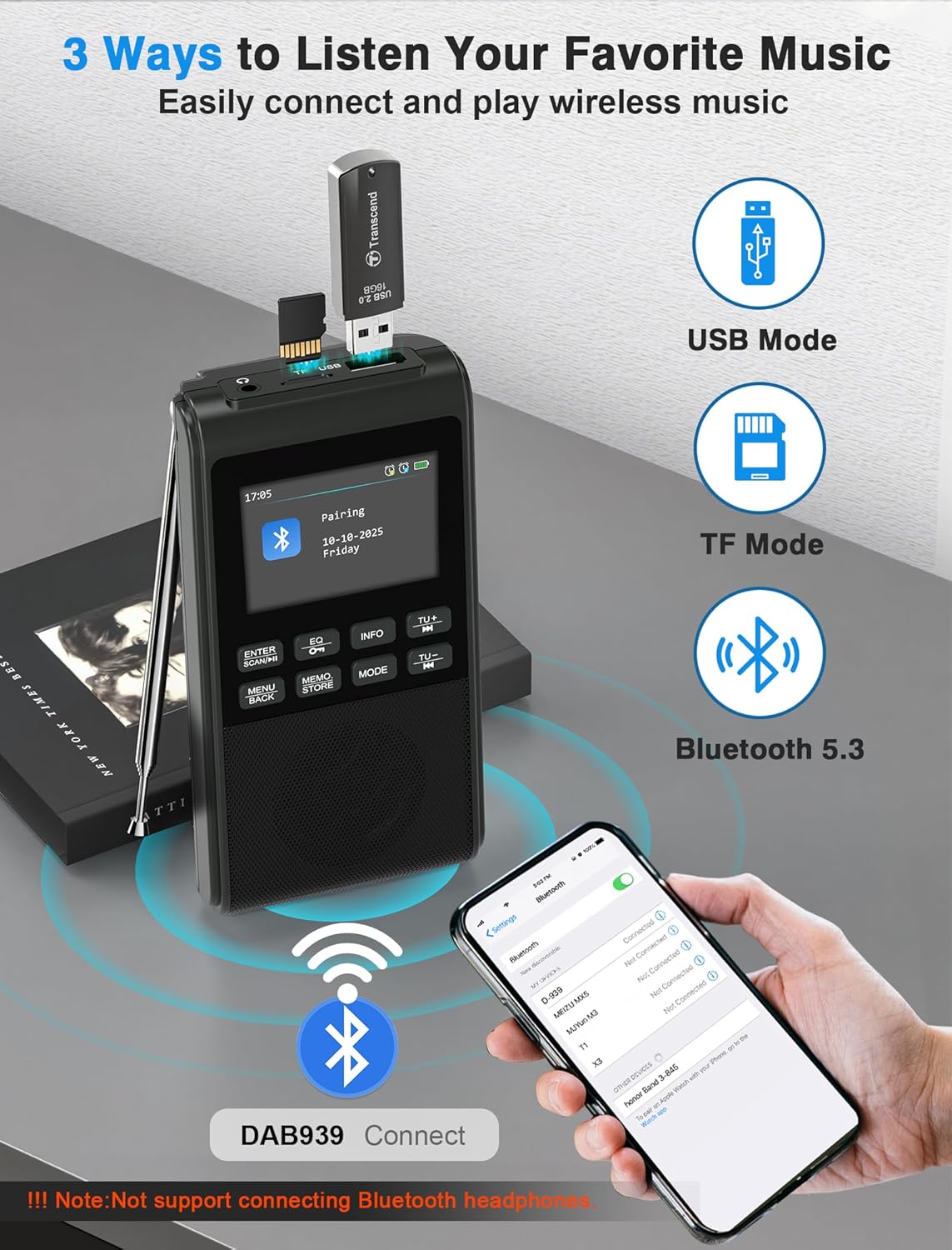
Figure 5: Pairing the radio with a Bluetooth device.
5.3 USB/SD קאַרטל ווידערשפּיל
Insert a USB flash drive or SD card (up to 32GB) containing MP3 files into the respective slot. The radio will automatically switch to USB or SD card mode and begin playback. The device remembers playback progress.
5.4 Equalizer Modes
דרוק די EQ button to cycle through 6 equalizer modes: Pop, Rock, Jazz, Classic, Vocal, and Flat. Select the mode that best suits your audio preference.

Figure 6: Visual representation of the 5W speaker and EQ settings.
5.5 נוצן פון כעדפאָונז
Connect 3.5mm headphones to the headphone jack for private listening. The internal speaker will automatically disconnect when headphones are plugged in.

Figure 7: Connecting 3.5mm headphones to the radio.
5.6 וועקער זייגער פונקציע
The radio features a dual alarm clock. Refer to the on-screen menu for setting Alarm 1 (weekdays) and Alarm 2 (weekends), including customizable alarm volume.

Figure 8: Setting up the dual alarm clock.
5.7 שלאָפן טיימער
Activate the sleep timer function to automatically turn off the radio after a set period (15, 30, 45, 60, 90, or 120 minutes). This feature is ideal for falling asleep to music or talk radio.
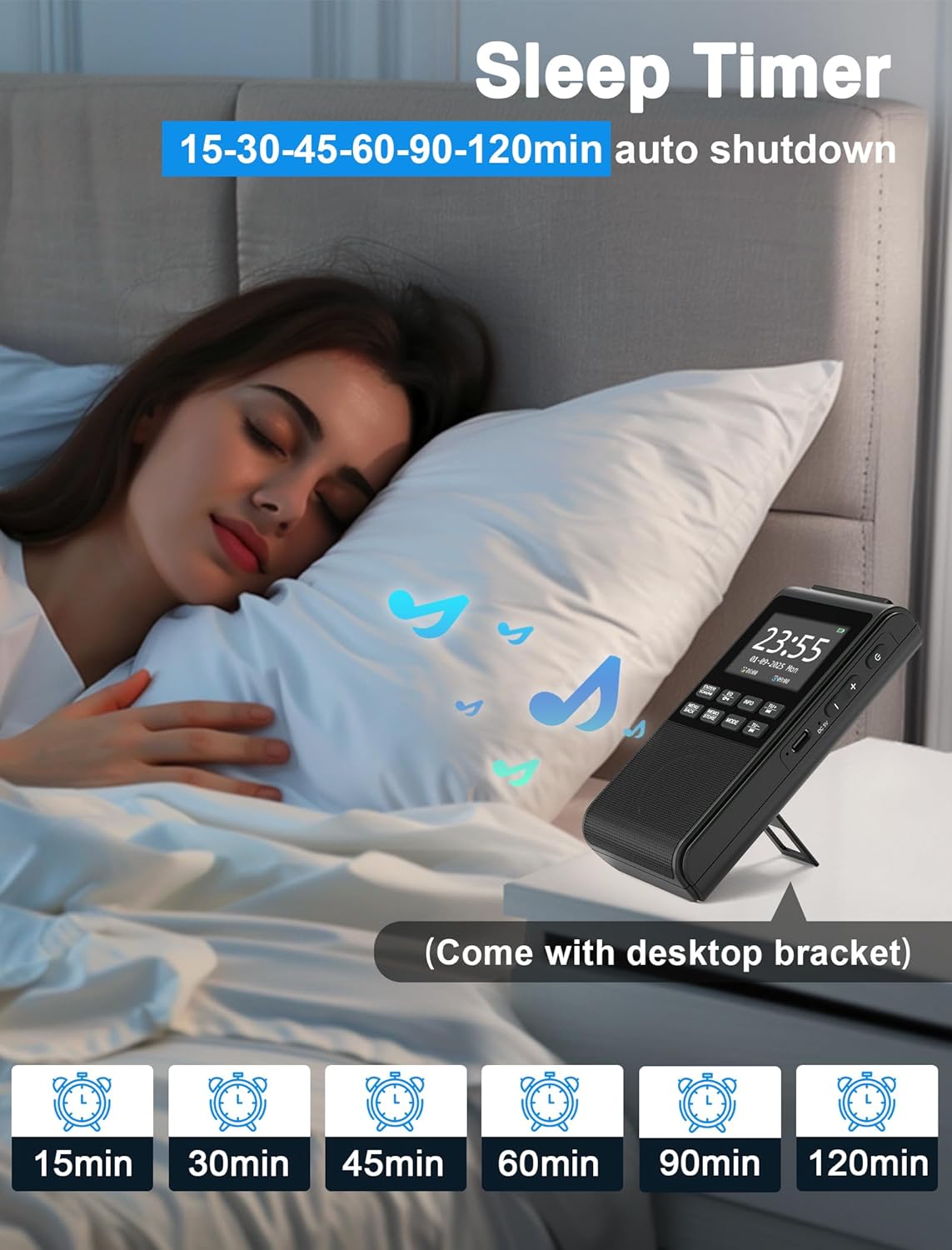
Figure 9: Using the sleep timer feature.
6. וישאַלט
6.1 רייניקונג
Wipe the radio with a soft, dry cloth. Do not use abrasive cleaners or solvents, as they may damage the surface.
6.2 באַטערי קער
To prolong battery life, avoid fully discharging the battery frequently. Recharge the device regularly, even if not in use for extended periods.
7. טראָובלעשאָאָטינג
- קיין מאַכט: Ensure the battery is charged. Connect the USB-C cable to a power source.
- שלעכטע ראַדיאָ אָפּנאַם: Fully extend and adjust the antenna. Try moving the radio to a different location to improve signal strength.
- בלועטאָאָטה ניט קאַנעקטינג: Ensure the radio is in Bluetooth pairing mode. Check that Bluetooth is enabled on your external device and "DAB939" is selected.
- קיין קול: Check the volume level. Ensure headphones are not plugged in if you intend to use the internal speaker.
8. ספּעסאַפאַקיישאַנז
| סאָרט: | Gracioso |
| מאָדעל נומער: | B0FJ88Z2BV |
| פּראָדוקט דימענשאַנז: | 12.7 X 6.7 X 2.8 סענטימעטער |
| נומער וואָג: | 230 גראַמז |
| באַטערי: | 1200 mAh Lithium-ion (rechargeable) |
| טשאַרדזשינג פּאָרט: | וסב-C |
| ראַדיאָ באַנדס: | DAB, DAB+, FM |
| בלועטאָאָטה ווערסיע: | 5.3 |
| רעדנער רעזולטאַט: | 5W |
| ווייַז: | LCD קאָליר אַרויסווייַזונג |
| נאָך פֿעיִקייטן: | Integrated Clock, Portable, Rechargeable, Foldable Stand, Wrist Strap |
9. וואָראַנטי און שטיצן
Your Gracioso Portable DAB/DAB+/FM Radio comes with a 12-month warranty. For any questions, technical assistance, or warranty claims, please contact our customer support team. We offer world-class 24/7 customer service to ensure your satisfaction.
For more information and support, please visit the official Gracioso brand store on Amazon: Gracioso Brand Store.