
1. הקדמה
The Nothing Ear (3) wireless earbuds are designed to provide a high-quality audio experience with advanced features for various activities. This manual provides essential information for setting up, operating, and maintaining your earbuds.
2. וואָס איז אין דער קעסטל
- Nothing Ear (3) Earbuds
- ווירעלעסס טשאַרדזשינג קאַסע
- וסב-C צו וסב-C קאַבלע
- Eartips (XS / S / L)
- באַניצער מאַנואַל
- זיכערקייַט און וואָראַנטי אינפֿאָרמאַציע

Image: All items included in the Nothing Ear (3) product packaging.
3. סעטאַפּ
3.1 ערשטע פּאָרינג
- Ensure your Nothing Ear (3) earbuds are in the charging case and the case is charged.
- Open the charging case lid. The indicator light should begin to flash, indicating pairing mode.
- On your device (smartphone, tablet, laptop), go to Bluetooth settings and select "Nothing Ear (3)" from the list of available devices.
- גיי קיין פּראַמפּס אויף דעם עקראַן צו פאַרענדיקן דעם פּערינג פּראָצעס.
3.2 Nothing X App Installation
For full functionality and customization, download the Nothing X app from your device's app store. The app allows you to adjust EQ settings, manage Active Noise Cancellation, customize controls, and access other advanced features.

Image: The Nothing X App provides comprehensive control over your Ear (3) earbuds.
4. אַפּערייטינג ינסטרוקטיאָנס
4.1 ריר קאָנטראָלס
The Nothing Ear (3) features intuitive pinch controls on the earbud stems. These controls can be customized via the Nothing X app.
- Single Pinch: שפּילן/פּויזע אַודיאָ, ענטפֿערן/ענדיגן רוף.
- Double Pinch: Skip forward, Decline incoming call.
- Triple Pinch: האָפּקען צוריק.
- Pinch & Hold: Toggle Noise Control (ANC/Transparency/Off).
- Double Pinch & Hold: Volume down (customizable).
4.2 אַקטיווע ראַש קאַנסאַליישאַן (ANC) און טראַנספּעראַנסי מאָדע
The earbuds offer up to 45 dB of Smart Hybrid ANC to reduce ambient noise. Transparency Mode allows you to hear your surroundings without removing the earbuds.
- באַשטימען מאָדעס: Use the Pinch & Hold gesture on either earbud to cycle through ANC, Transparency, and Off modes.
- Adaptive ANC: The Nothing X app allows for adaptive ANC settings, adjusting noise cancellation levels based on your environment.

Image: Visualizing the noise control features of Nothing Ear (3).
4.3 Super Mic Feature
The charging case integrates a dual-microphone system, called Super Mic, designed to enhance voice clarity by targeting your voice and reducing background noise up to 95 dB during calls.
- אַקטאַוויישאַן: Press and hold the 'TALK' button on the charging case. For optimal clarity in loud settings, hold the case within 5cm of your mouth.
- Quick Commands: Hold the 'TALK' button for quick commands.
- Extended Conversations: Double-tap the 'TALK' button to lock it for longer conversations.
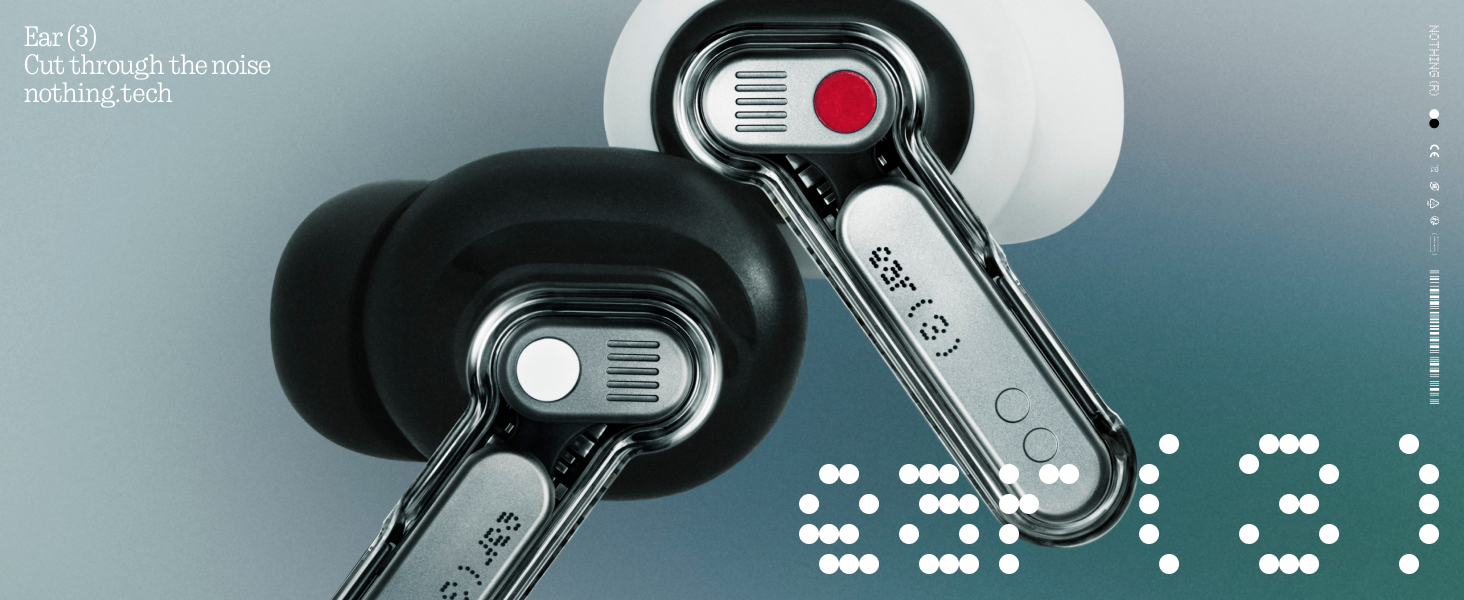
Image: The Super Mic feature in use for clear communication.
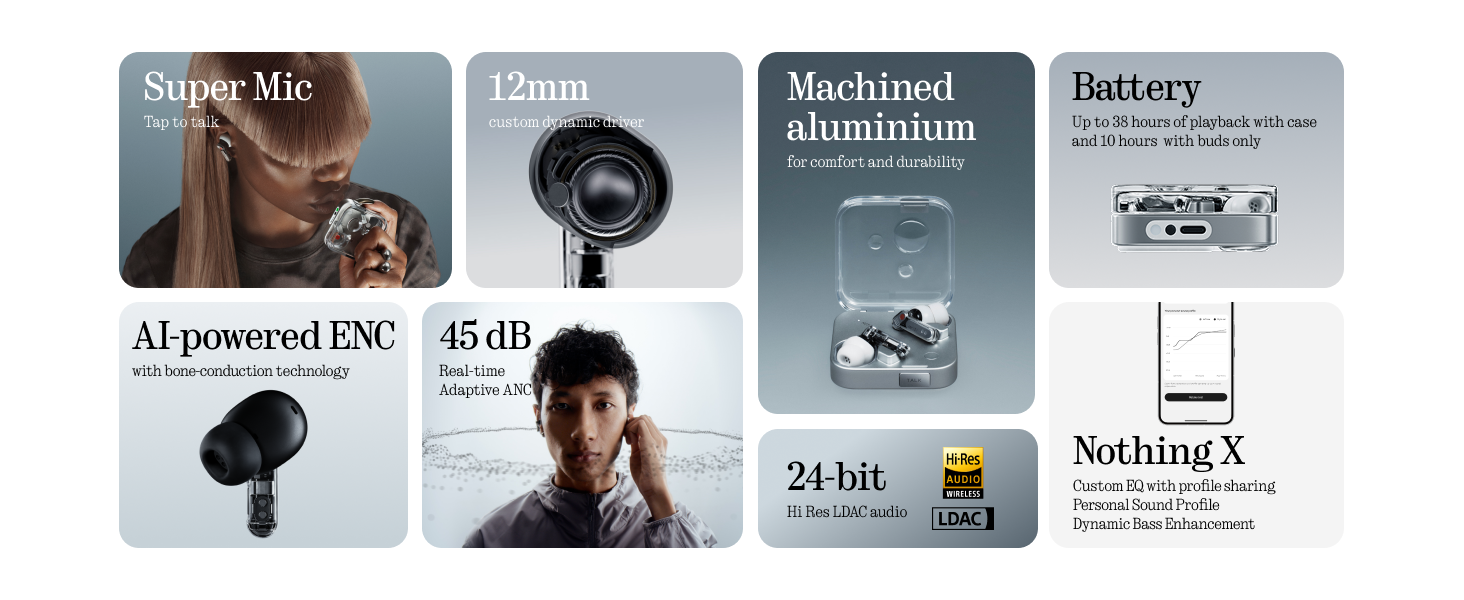
Image: The 'TALK' button on the charging case for Super Mic activation.
4.4 ספּיישאַל אַודיאָ
Experience immersive sound with Spatial Audio. This feature can be toggled between 'Fixed' and 'Off' modes within the Nothing X app.
4.5 Low Lag Mode (Gaming)
Activate Low Lag Mode via the Nothing X app for optimized audio synchronization during gaming sessions on compatible devices.
4.6 צווייפאַכיקע פֿאַרבינדונג
The earbuds support Bluetooth 5.4 with Dual Connect, allowing seamless switching between two paired devices (e.g., phone and laptop).
5. טשאַרדזשינג און באַטאַרייע
The Nothing Ear (3) provides up to 10 hours of continuous playback, with a total of 38 hours using the charging case. A quick 10-minute charge can provide an additional 10 hours of use.
- ווייערד טשאַרדזשינג: Use the provided USB-C to USB-C cable to charge the case.
- ווירעלעסס טשאַרדזשינג: The charging case supports wireless charging.

Image: Battery life and charging capabilities of Nothing Ear (3).
6. וישאַלט און קער
- וואַסער קעגנשטעל: The earbuds have an IP54 rating, making them water resistant and suitable for workouts and light rain. The charging case also has an IP54 rating.
- רייניקונג: Regularly clean the earbuds and charging case with a soft, dry cloth. Ensure no moisture enters the charging ports or speaker grilles.
- אויער עצות: Remove and clean eartips periodically. Replace them if they show signs of wear or damage.
7. טראָובלעשאָאָטינג
- קיין קול: זיכער מאַכן אַז די אויערקנעפּלעך זענען אויפגעלאָדן, ריכטיק צוזאַמענגעפּאַרט, און אַז די וואָלומען איז הויך סיי אויף די אויערקנעפּלעך און סיי אויף אייער דעווייס.
- פּאָרינג ישוז: Place earbuds back in the case, close the lid, then open it again to re-enter pairing mode. Forget the device on your phone's Bluetooth settings and try pairing again.
- ANC ניט ארבעטן: Check ANC settings in the Nothing X app. Ensure eartips provide a good seal.
- נעבעך רופן קוואַליטי: Ensure Super Mic is activated correctly in noisy environments. Check earbud microphone grilles for obstructions.
- אַפּ פּראָבלעמס: Ensure the Nothing X app is updated to the latest version. Restart the app or your device if problems persist.
8. ספּעסאַפאַקיישאַנז
| מאָדעל נאָמען | Nothing Ear (3) |
| נומער מאָדעל נומער | B173 |
| ראַש קאָנטראָל | Hybrid Active Noise Cancellation (up to 45 dB) |
| קאַנעקטיוויטי טעכנאָלאָגיע | בלועטוט 5.4, וויירלעס |
| אַודיאָ דרייווער גרייס | 12 מילימעטער דינאַמישער דרייווער |
| וואַסער קעגנשטעל מדרגה | IP54 (Earbuds & Case) |
| באַטעריע לעבן (אויערקנעפּלעך) | אַרויף צו 10 שעה |
| גאַנץ באַטאַרייע לעבן (מיט קעסטל) | אַרויף צו 38 שעה |
| שנעל טשאַרדזשינג | 10 מינוט אָפּצאָל פֿאַר 10 שעה ווידערשפּיל |
| ווירעלעסס טשאַרדזשינג | געשטיצט |
| מיקראָפאָנעס | 6 HD Microphones (earbuds), Dual-Microphone System (case for Super Mic) |
| מאַטעריאַל | אַלומינום, פּלאַסטיק |
| פּונקט וואָג | 71.4 Grams (Case) |
9. אפיציעלע פּראָדוקט ווידעאָ
ווידעא: אן אפיציעלע איבערview of the Nothing Ear (3) Wireless Earbuds, highlighting key features like 45dB Hybrid ANC.
10. וואָראַנטי און שטיצן
For warranty information and customer support, please refer to the 'Safety and Warranty Information' document included in your product packaging or visit the official Nothing webפּלאַץ.