
הקדמה
Thank you for choosing the ILIFE V5s Plus Robot Vacuum and Mop. This device is designed to provide efficient cleaning for your home, combining both vacuuming and mopping functions. It features smart navigation, app control, and automatic self-charging for convenience. Please read this manual thoroughly before use to ensure proper operation and maintenance.
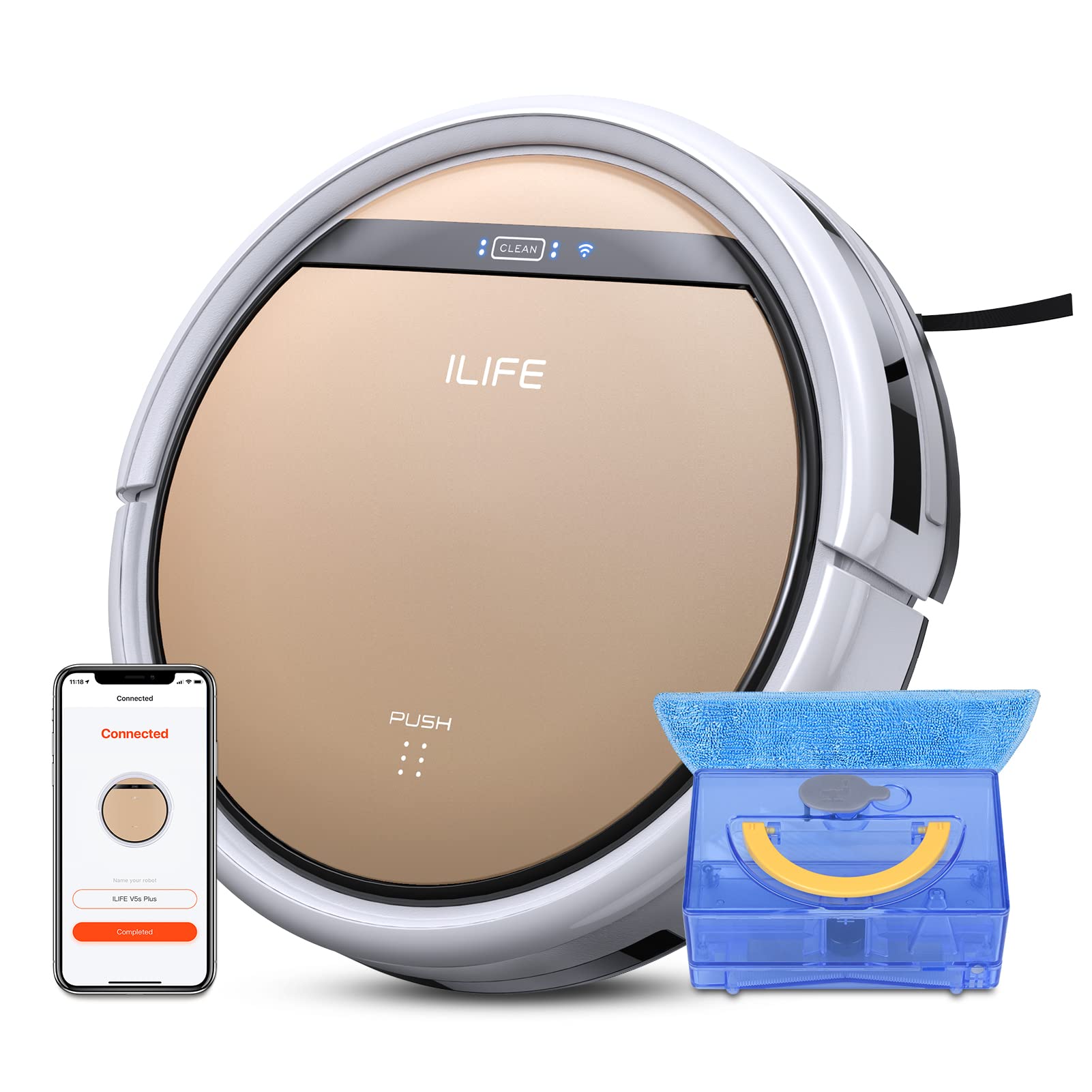
The ILIFE V5s Plus Robot Vacuum and Mop, ready for use.
זיכערקייַט אינסטרוקציעס
Before operating the ILIFE V5s Plus, please observe the following safety precautions:
- לייענען אַלע ינסטראַקשאַנז קערפאַלי איידער איר נוצן די אַפּפּליאַנסע.
- Keep the robot and its accessories out of reach of children.
- ניצט נישט דעם ראָבאָט אין נאַסע סביבות אדער לעבן וואַסער.
- Ensure the charging dock is placed on a flat surface against a wall, with clear space around it.
- Remove any loose cables, small objects, or fragile items from the cleaning path to prevent entanglement or damage.
- Do not use the robot to pick up large debris, sharp objects, or liquids other than water for mopping.
- ניצט נאָר דעם אָריגינעלן מאַכט אַדאַפּטער און טשאַרדזשינג דאָק וואָס איז צוגעשטעלט מיטן ראָבאָט.
וואָס איז אין די קעסטל
באַשטעטיקן אַז אַלע קאָמפּאָנענטן זענען פאַראַן אין דער פּאַקעט:
- הויפּט גוף (באַטאַרייע אַרייַנגערעכנט)
- טשאַרדזשינג דאָק
- ווייַט קאָנטראָל (באַטאַרייע ניט אַרייַנגערעכנט)
- אַק אַדאַפּטער
- רייניקונג געצייַג
- אָפּווישן שטאָף
- וואַסער טאַנק
- באַניצער מאַנואַל
- הויך פאָרשטעלונג פילטער
- עקסטרע זייַט ברושעס
סעטאַפּ
1. ערשטע אויפלאָדונג
Place the charging dock against a wall in an open area. Connect the AC adapter to the charging dock and plug it into a power outlet. Place the robot onto the charging dock, ensuring the charging pins align. The robot will begin charging automatically. Allow for a full charge before first use (approximately 3-5 hours).
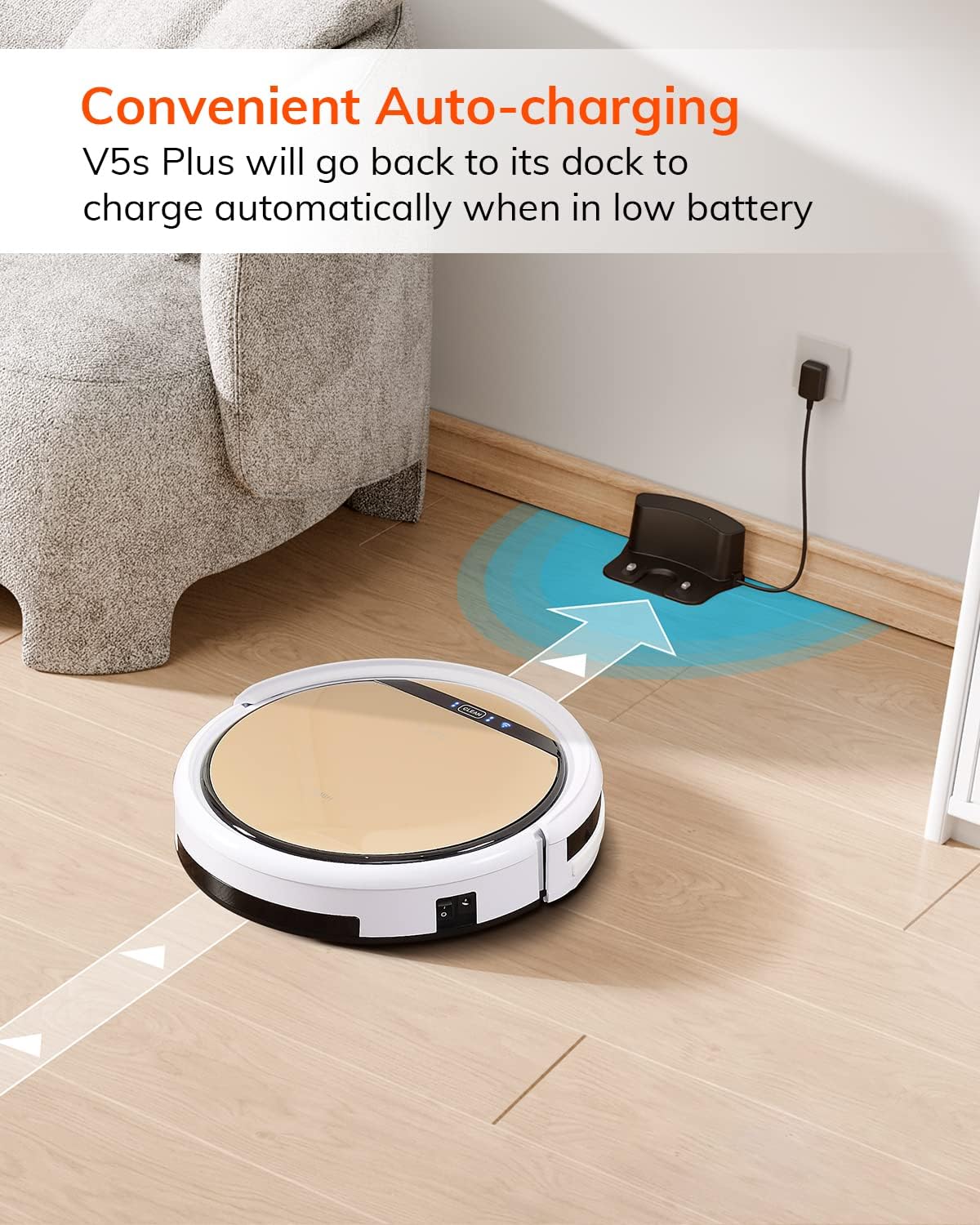
The robot automatically returns to its charging dock when the battery is low.
2. App Download and WiFi Connection
Download the 'ILIFEHOME' app from your smartphone's app store. Follow the in-app instructions to connect your robot to your home WiFi network. Ensure your WiFi is 2.4GHz, as the app does not support 5G WiFi.

Control the robot and schedule cleaning via the ILIFEHOME app.
3. Preparing the Cleaning Area
Before each cleaning cycle, clear the floor of any obstacles such as cables, toys, or small rugs that could entangle the robot. For mopping, ensure the water tank is filled and the mop cloth is attached.
אַפּערייטינג ינסטראַקשאַנז
1. מאַכט אויף / אויסגעלאשן
To power on the robot, press the 'CLEAN' button on the robot or use the remote control/app. To power off, press and hold the 'CLEAN' button until the indicator lights turn off, or use the app.
2. רייניקונג מאָדעס
The ILIFE V5s Plus offers multiple cleaning modes:
- אַוטאָ מאָדע: The robot automatically cleans the area, adjusting its path as needed.
- אָרט מאָדע: פאָקוסירט אויף אַ ספּעציפֿיש שמוציקע געגנט, רייניקט אין אַ שפּיראַלישן מוסטער.
- עדזש מאָדע: רייניקט לעבן ווענט און מעבל עדזשאַז.
- מאַקסימום מאָדע: Increases suction power for deeper cleaning.
- Scheduling Cleaning Mode: Set a cleaning schedule via the app for automated cleaning.

The robot utilizes various cleaning modes to suit different needs.
3. Vacuuming and Mopping
The V5s Plus functions as both a vacuum and a mop. For vacuuming, ensure the dustbin is installed. For mopping, replace the dustbin with the water tank and attach a clean mop cloth. The intelligent control water tank offers three-level water outlet: gentle, standard, and strong, which can be controlled by the App.

The ILIFE V5s Plus offers both vacuuming and mopping capabilities.
4. קול קאָנטראָל
The ILIFE V5s Plus is compatible with Amazon Alexa and Google Assistant. Connect your robot to your smart home system to start or stop cleaning tasks using voice commands.

Control your robot with voice commands through Alexa or Google Assistant.
5. Automatic Charging
When the battery is low or a cleaning cycle is complete, the robot will automatically return to its charging dock. Ensure the charging dock is accessible and free from obstructions.

The robot automatically returns to its charging base when power is low.
וישאַלט
Regular maintenance ensures optimal performance and extends the lifespan of your ILIFE V5s Plus.
1. Emptying and Cleaning the Dustbin
Open the top cover of the robot and remove the dustbin. Empty the dustbin into a trash receptacle. Clean the dustbin and filter with the provided cleaning tool or a soft brush. Rinse the dustbin with water if necessary, ensuring it is completely dry before reinstallation.
2. Filling and Cleaning the Water Tank
Remove the water tank from the robot. Open the water tank cap and fill it with clean water. Securely close the cap and reinsert the water tank into the robot. After mopping, empty any remaining water and rinse the tank. Allow it to air dry.

The water tank for the mopping function.
3. רייניקונג סייד ברושעס
Regularly check the side brushes for tangled hair or debris. Remove any obstructions using the cleaning tool or scissors. Replace worn-out side brushes with new ones.
4. רייניקונג סענסאָרס
Wipe the anti-drop sensors and anti-collision sensors on the robot's underside and front bumper with a clean, dry cloth to ensure proper navigation.
טראָובלעשאָאָטינג
If you encounter issues with your ILIFE V5s Plus, refer to the following common problems and solutions:
- Robot does not power on: Ensure the battery is charged. Check if the power switch on the side of the robot is turned on.
- ראָבאָט לאָדט נישט אויף: Verify the charging dock is powered and the robot is correctly aligned with the charging pins. Clean the charging contacts on both the robot and the dock.
- ראָבאָט בלייבט אָפט שטעקן: Clear the cleaning area of obstacles. Check for tangled hair in the side brushes or wheels.
- שלעכטע רייניקונג פאָרשטעלונג: Empty the dustbin and clean the filter. Clean the side brushes. Ensure the water tank is properly filled for mopping.
- Unable to connect to App:
- Make sure to select the correct Wi-Fi and login with the correct Wi-Fi password.
- The ILIFE Robot does not support 5G Wi-Fi. Make sure to use a 2.4G Wi-Fi connection.
- Make sure the Wi-Fi signal is covered and strong.
- Allow the ILIFEHOME APP to have access to your location services and wireless data.
ספּעסאַפאַקיישאַנז
| שטריך | דעטאַל |
|---|---|
| סאָרט | ILIFE |
| מאָדעל נאָמען | V5s Plus |
| ייבערפלאַך רעקאָמענדאַציע | שווער פלאָר |
| סאַקשאַן מאַכט | 2 קפּאַ |
| באַניץ צייט | אַרויף צו 110 מינוט |
| וואַסער טאַנק קאַפּאַציטעט | 300 מל |
| שטויב באָקס קאַפּאַציטעט | 300 מל |
| Dust Box Filter Type | High efficiency filter + nylon mesh |
| רייניקונג מאָדעס | Auto/Spot/Edge/Max |
| קאָנטראָל טיפּ | Remote Control/ App Control/ Alexa/ Google Assistant |
| פּראָדוקט דימענשאַנז | 30 ל רענטגענ 30 וו רענטגענ 8.1 ה סענטימעטער |
| באַטערי טיפּ | ליטהיום יאָן |
| Voltage | 110 וואלטס |
וואָראַנטי
The ILIFE V5s Plus Robot Vacuum and Mop comes with a 1-יאָר פאַבריקאַנט ס וואָראַנטי. Please retain your proof of purchase for warranty claims. The warranty covers defects in materials and workmanship under normal use. It does not cover damage caused by misuse, accidents, unauthorized modifications, or normal wear and tear.
שטיצן
For further assistance, technical support, or warranty inquiries, please contact ILIFE customer service:
- בליצפּאָסט: service_us_ca@iliferobot.com
פּראָדוקט איבערview ווידעא
קוקט דעם ווידעא פאר אן אלגעמיינעם איבערview of the ILIFE V5s Plus features and operation.
אפיציעלער פראדוקט איבערview of the ILIFE V5s Plus Robot Vacuum and Mop.