
פאָסיבאָט F114
FOSSiBOT F114 ראַגד סמאַרטפאָון באַניצער מאַנואַל
מאָדעל: F114
1. הקדמה
Welcome to the FOSSiBOT F114 Rugged Smartphone user manual. This guide provides essential information to help you set up, operate, and maintain your device. The FOSSiBOT F114 is designed for durability and performance, featuring a slim and lightweight build, a powerful camera system, and robust protection against water, dust, and shocks.
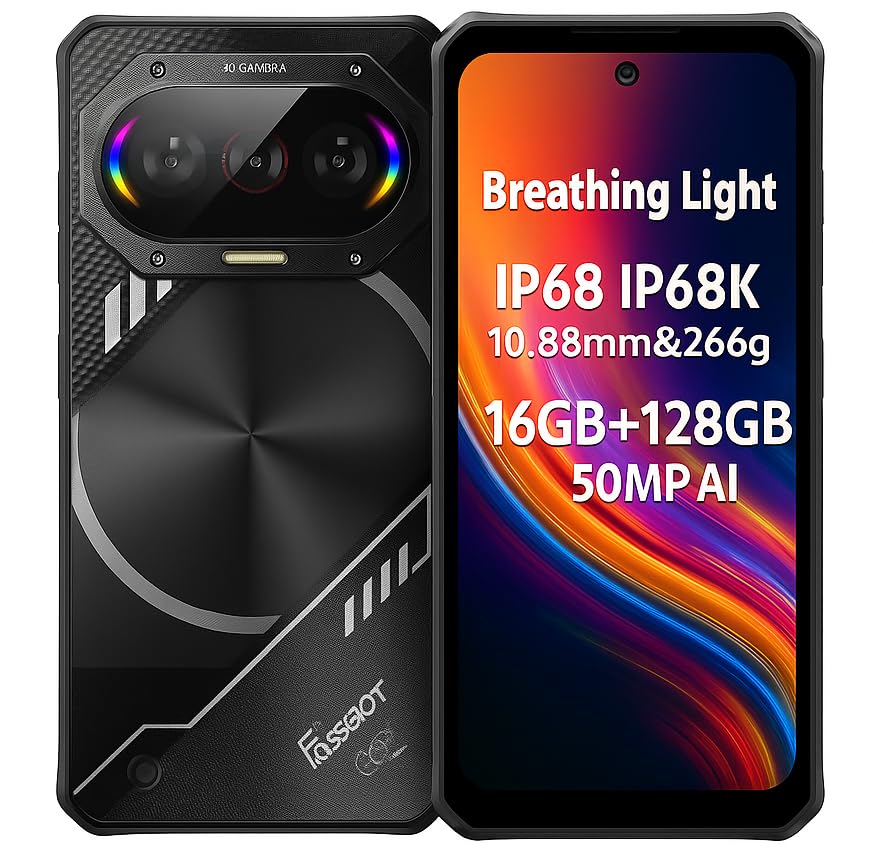
Image: The FOSSiBOT F114 rugged smartphone, showcasing its durable design.
2. פּעקל אינהאַלט
ביטע קאָנטראָלירט די אינהאַלט פון דער פּאַקעט ווען איר נעמט עס אויס. אויב עס פעלט עפּעס אָדער עס זענען צעבראָכן, קאָנטאַקטירט אייער הענדלער.
- FOSSiBOT F114 Smartphone
- וסב טיפּע- C קאַבלע
- מאַכט אַדאַפּטער
- סים עדזשעקטאָר טול
- שנעל אָנהייב גייד
- וואָראַנטי קאַרד
3. מיטל אויסלייג
Familiarize yourself with the physical components of your FOSSiBOT F114.

בילד: פראָנט view of the FOSSiBOT F114, showing the display and front camera.
- פראָנט אַפּאַראַט: פֿאַר סעלפֿיז און ווידעאָ קאָלס.
- ווייַז: 6.67-אינטש HD+ פאַרשטעלן.
- באַנד קנעפּלעך: אַדזשאַסטירן מעדיע און רוף וואָלומען.
- מאַכט קנעפּל / פינגערפּרינט סענסאָר: Turn on/off the device and unlock with your fingerprint.
- וסב טיפּ-C פּאָרט: פֿאַר טשאַרדזשינג און דאַטן אַריבערפירן.
- סים/SD קאַרטל שפּאַלט: Insert your SIM cards and microSD card.
- דערציען קאַמעראַס: 50MP main, 8MP wide-angle, 2MP macro lenses.
- Breathing Light System: RGB lights on the back for notifications and music synchronization.

בילד: זייט view of the FOSSiBOT F114, highlighting the slim profile און קנעפּל פּלייסמאַנט.
4. ערשט סעטאַפּ
4.1. אריינשטעלן סים און מיקראָסד קאַרטלעך
- געפינט די סים קארטל טאַץ אויף דער זייט פון אייער דעווייס.
- שטעקט אריין דעם סים קארטל ארויסווארפער געצייג אין דעם קליינעם לאך לעבן דעם טרעי און דריקט לײַכט ביז דער טרעי קומט ארויס.
- לייגט אריין אייער נאַנאָ-סים קאַרטל(ס) און/אָדער מיקראָSD קאַרטל אין די באַשטימטע סלאָץ אויף דער טאַץ, און זאָרגט אַז די אָריענטאַציע איז ריכטיק.
- שטופּ פֿאָרזיכטיק צוריק דעם טאַץ אין טעלעפֿאָן ביז עס קליקט אַרײַן אין פּלאַץ.

Image: Illustration of inserting SIM and microSD cards into the FOSSiBOT F114.
4.2. טשאַרדזשינג די מיטל
Before first use, fully charge your FOSSiBOT F114.
- פֿאַרבינדט דעם USB טיפּ-C קאַבל צום טשאַרדזשינג פּאָרט אין דער אונטערשטער טייל פֿון טעלעפֿאָן.
- פֿאַרבינדט דעם אַנדערן עק פֿונעם קאַבל צום מאַכט אַדאַפּטער, און דערנאָך שטעקט דעם אַדאַפּטער אַרײַן אין אַ וואַנט אַוטלעט.
- The device supports 18W fast charging. A charging indicator will appear on the screen.

Image: The FOSSiBOT F114 connected to its charger, showing the charging progress on screen.
4.3. פּאָווערינג אויף / אויסגעלאשן
- צו מאַכט אויף: דריק און האלט דעם פּאַוער קנעפּל ביז דער FOSSiBOT לאָגאָ דערשיינט.
- צו מאַכט אַוועק: דריק און האלט דעם פּאַוער קנעפּל, און דערנאָך סעלעקטיר "פּאַוער אויס" פֿון די אָפּציעס אויף דעם עקראַן.
- צו ריסטאַרט: דריק און האלט דעם פּאַוער קנעפּל, און דערנאָך סעלעקטיר "ריסטאַרט" פֿון די אָפּציעס.
5. Operating Your FOSSiBOT F114
5.1. יקערדיק נאַוויגאַציע
The FOSSiBOT F114 runs on Android 15. Navigate using touch gestures on the 6.67-inch HD+ display.
- צאַפּן: אויסקלייבן אַן אייטעם אָדער עפֿענען אַן אַפּ.
- לאַקכענען: סקראָלן דורך סקרינז אדער רשימות.
- קניפּ: פארגרעסערן אדער פארקלענערן בילדער און web בלעטער.
- הענטשקע מאָדע: Activate this feature in settings to use the touchscreen while wearing gloves, ideal for outdoor or cold environments.
5.2. קאַמעראַ יוז
Capture high-quality photos and videos with the F114's versatile camera system.

בילד: דעטאַלירט view of the FOSSiBOT F114's camera setup, showing the 50MP main camera, 8MP wide-angle, 2MP macro, and 8MP front camera.
- דערציען אַפּאַראַט: 50MP AI main camera (f/1.8 aperture), 8MP wide-angle lens, and 2MP macro lens.
- פראָנט אַפּאַראַט: 8MP (Sony IMX219 sensor).
- מאָדעס: Supports underwater photography, AI scene recognition, night mode, macro mode, portrait mode, and more.
- צו נעמען אַ פאָטאָ: Open the Camera app, select your desired mode, and tap the shutter button.
5.3. Breathing Light System
The F114 features a unique RGB breathing light system on the back that synchronizes with music and provides visual notifications.
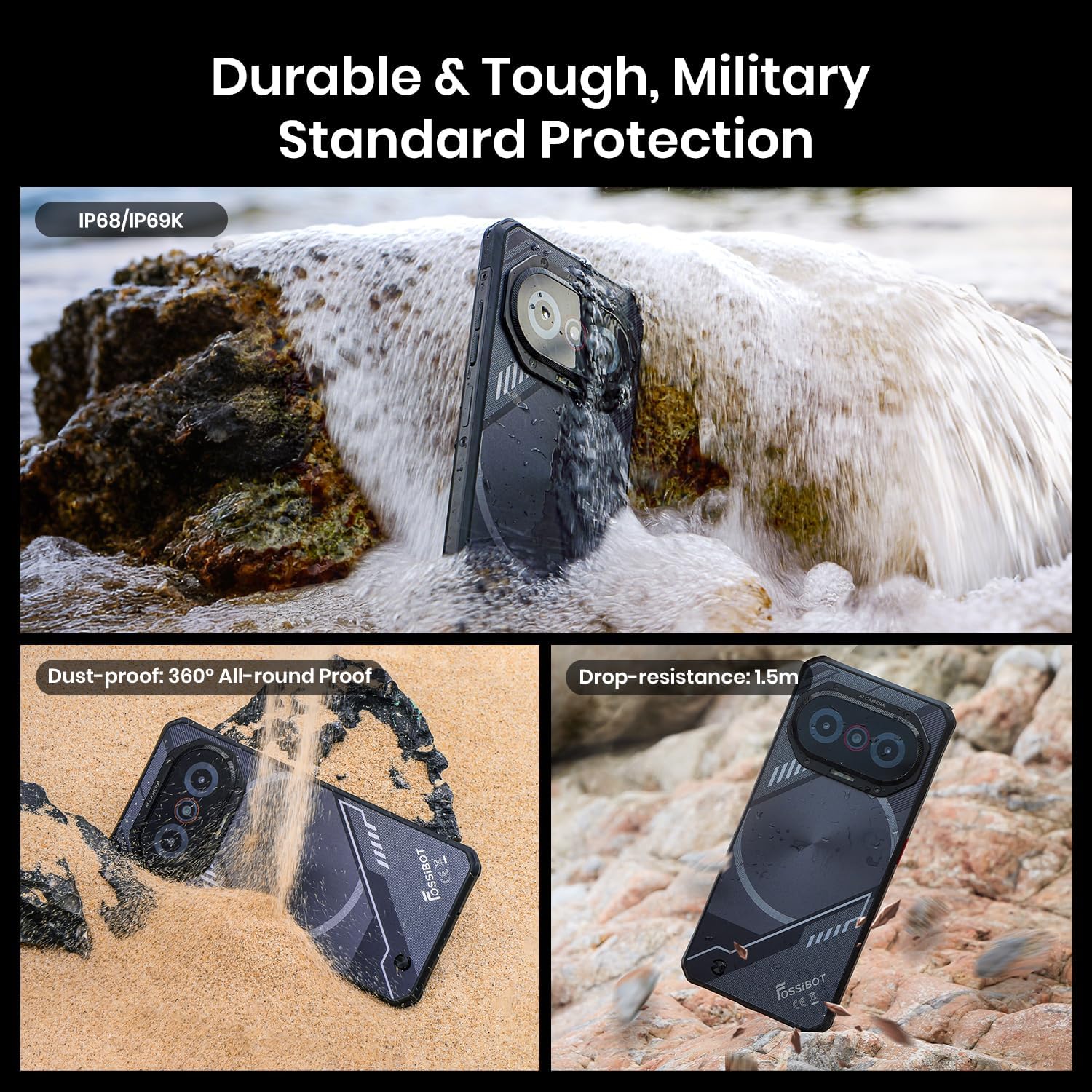
Image: The FOSSiBOT F114's rear panel showing the RGB breathing lights in different modes for charging, calls, messages, music, and low battery.
- מוזיק סינק: Lights react to bass, mids, and highs, offering four rhythmic modes.
- נאָטיפיקאַטיאָנס: Different light patterns indicate incoming calls, messages, or low battery.
- Customize light settings in the phone's display or notification settings.
5.4. האַלטבאַרקייט פֿעיִקייטן
The FOSSiBOT F114 is built to withstand harsh environments.

Image: The FOSSiBOT F114 submerged in water and covered in sand, demonstrating its IP68/IP69K waterproof and dustproof ratings, and drop resistance.
- IP68/IP69K ראַטעד: Resistant to dust and water immersion.
- MIL-STD-810H סערטיפיצירט: Military-grade durability against drops and shocks.
- זיכער מאַכן אַז אַלע פּאָרט דעקל זענען זיכער פֿאַרמאַכט צו האַלטן וואַסער און שטויב קעגנשטעל.
5.5. פאָרשטעלונג און סטאָרידזש
The F114 is powered by an octa-core UNISOC T615 processor, ensuring smooth performance for daily tasks and gaming.

Image: A visual representation of the UNISOC T615 octa-core processor, highlighting its components and capabilities.
- פּראַסעסער: UNISOC T615 Octa-core.
- באַראַן: 4GB physical RAM + up to 12GB virtual RAM (total 16GB).
- אינערלעכער סטאָרידזש: 128 גיגאבייט ראָם.
- יקספּאַנדאַבאַל סטאָרידזש: Supports microSD cards up to 2TB.
6. וישאַלט
6.1. רייניקן דיין דעווייס
- ניצט אַ ווייכן, לינט-פֿרייע שטאָף צו ווישן דעם עקראַן און קערפּער.
- פֿאַר שווערן שמוץ, אַ ביסל דampשווענק דעם שטאָף מיט וואַסער. פֿאַרמייַדט שאַרפע כעמיקאַליעס.
- זיכער מאַכן אַז אַלע פּאָרץ זענען טרוקן איידער איר לאָדן אָדער קאַנעקטינג אַקסעסאָריעס.
6.2. ווייכווארג דערהייַנטיקונגען
קאָנטראָלירט און אינסטאַלירט רעגולער ווייכווארג דערהייַנטיקונגען צו ענשור אָפּטימאַלע פאָרשטעלונג און זיכערהייט.
- גיין צו סעטטינגס > סיסטעם > סיסטעם דערהייַנטיקונג צו קאָנטראָלירן פֿאַר פֿאַראַן דערהייַנטיקונגען.
- Ensure your device has sufficient battery and a stable Wi-Fi connection before updating.
6.3. באַטערי קער
- ויסמיידן יקספּאָוזינג די מיטל צו עקסטרעם טעמפּעראַטורעס.
- לאָזט נישט די באַטאַרייע גאָר אויסליידיקן אָפט.
- ניצט נאָר דעם אָריגינעלן טשאַרדזשער און קאַבל וואָס ווערט צוגעשטעלט.
7. טראָובלעשאָאָטינג
7.1. מיטל ניט טורנינג אויף
- זיכער מאַכן אַז די באַטאַרייע איז אויפגעלאָדן. פֿאַרבינדט דעם טשאַרדזשער און וואַרט אַ פּאָר מינוט איידער איר פּרוּווט עס אָנצוצינדן.
- דריק און האלט דעם פּאַוער קנעפּל פֿאַר לפּחות 10-15 סעקונדעס צו צווינגען אַ ריסטאַרט.
7.2. Poor Network Connection
- קאָנטראָלירט צי אייער סים קאַרטל איז ריכטיק אַרײַנגעשטעלט.
- זייט זיכער אז איר זענט אין נעץ דעקונג.
- ריסטאַרט די מיטל.
- גיין צו סעטטינגס> נעץ & אינטערנעט> מאָביל נעץ and check network settings.
7.3. Camera Issues
- Ensure the camera lenses are clean and free from obstructions.
- Restart the Camera app or the device.
- Check app permissions for the Camera app in Settings > Apps > Camera > Permissions.
7.4. טאָוטשסקרין רעאַגירט נישט
- Restart the device by holding the Power button.
- זיכער מאַכן אַז דער עקראַן איז ריין און טרוקן.
- אויב איר ניצט אַ פאַרשטעלן פּראָטעקטאָר, זאָרגט אַז עס איז ריכטיק אָנגעטראָגן און שטערט נישט די ריר סענסיטיוויטי.
8. ספּעסאַפאַקיישאַנז
| שטריך | דעטאַל |
|---|---|
| סאָרט | FOSSiBOT |
| מאָדעל | פ114 |
| אָפּערייטינג סיסטעם | אַנדרויד 15 |
| פּראַסעסער | UNISOC T615 Octa-core |
| באַראַן | 4GB (expandable to 16GB virtual RAM) |
| אינערלעכער סטאָרידזש | 128 גיגאבייט |
| יקספּאַנדאַבאַל סטאָרידזש | ביז 2TB מיקראָSD |
| ווייַז גרייס | 6.67 אינטשעס HD+ |
| האַכלאָטע | 720 X 1600 בילדצעלן |
| דערציען אַפּאַראַט | 50MP Main + 8MP Wide-angle + 2MP Macro |
| פראָנט אַפּאַראַט | 8MP |
| באַטאַרייע קאַפּאַציטעט | 5000 מאַה |
| טשאַרדזשינג | 18 וו שנעל טשאַרדזשינג |
| געווער | IP68/IP69K Waterproof & Dustproof, MIL-STD-810H Drop Resistance |
| דימענשאַנז | 8.2 X 1.1 X 17.5 סענטימעטער |
| וואָג | 266ג |
| קאַנעקטיוויטי | 4G LTE, GPS, NFC, Dual SIM |
| ספּעציעלע פֿעיִקייטן | Breathing Light System, Glove Mode |
9. פּראָדוקט ווידעא גייד
זעט דעם אפיציעלן פּראָדוקט ווידעאָ פֿאַר אַ וויזועלן איבערבליקview of the FOSSiBOT F114's features and capabilities.
Video: An official FOSSiBOT F114 product video demonstrating its slim design, ruggedness, waterproof capabilities, large screen, processor, camera, and breathing lights.
10. וואָראַנטי און שטיצן
The FOSSiBOT F114 comes with a standard manufacturer's warranty. Please refer to the warranty card included in your package for details on coverage and duration.
For technical support, service, or further inquiries, please contact FOSSiBOT customer service or visit the official FOSSiBOT webפּלאַץ.
- אָנליין שטיצן: Visit the FOSSiBOT official webוועבזייטל פֿאַר אָפֿט געשטעלטע פֿראַגעס און שטיצע רעסורסן.
- E- בריוו שטיצן: Refer to your warranty card or quick start guide for contact email.
Ask a question about this manual
Ask about setup, troubleshooting, compatibility, parts, safety, or missing instructions. Manuals+ will review the question and use this page’s manual context to help answer it.