
1. הקדמה
Thank you for choosing the RORSOU C6 Active Noise Cancelling Headphones. These headphones are designed to provide a superior audio experience with advanced noise-cancelling technology, comfortable wear, and versatile connectivity options. This manual will guide you through the setup, operation, and maintenance of your new headphones.

Image: RORSOU C6 Active Noise Cancelling Headphones, Rose Gold variant.
2. פּעקל אינהאַלט
ביטע זיכער מאַכן אַז אַלע זאכן זענען פאַראַן אין דיין פּעקל:
- RORSOU C6 Active Noise Cancellation Bluetooth Headphones
- 3.5mm Backup Audio Cable
- וסב טשאַרדזשינג קאַבלע
- באַניצער מאַנואַל (דעם דאָקומענט)
- Travel Protective Storage Bag
3. פּראָדוקט איבערview און קאָנטראָלס
Familiarize yourself with the physical features and control buttons of your RORSOU C6 headphones.

Image: Detailed diagram illustrating the location and function of control buttons and ports on the RORSOU C6 headphones.
- קול העכער (+) / נעקסטע ליד: Click for volume up, long press for next track.
- באַנד אַראָפּ (-) / פריערדיקע ליד: Click for volume down, long press for previous track.
- Power Button / Play/Pause: Long press to power on/off, click to play/pause music.
- ANC קנעפּל: Click to activate/deactivate Active Noise Cancelling.
- טיפּ-C פּאָרט: פֿאַר טשאַרדזשינג די כעדפאָונז.
- 3.5 מם אַודיאָ דזשאַק: פֿאַר דראָטיקער אַודיאָ פֿאַרבינדונג.
4. סעטאַפּ
4.1. בלועטאָאָטה פּערינג
- מאַכן זיכער אַז די כעדפאָונז זענען פּאַוערד אַוועק.
- Long press the Power Button until the LED indicator flashes blue, indicating pairing mode.
- On your device (smartphone, tablet, PC), enable Bluetooth and search for "RORSOU C6" in the list of available devices.
- Select "RORSOU C6" to connect. The LED indicator will turn solid blue once connected.
4.2. ווייערד קאַנעקשאַן
צו ניצן די כעדפאָונז מיט אַ דראָט פֿאַרבינדונג:
- Connect one end of the provided 3.5mm audio cable to the 3.5mm audio jack on the headphones.
- Connect the other end of the cable to your audio source's 3.5mm port.
- די כעדפאָונז וועלן אויטאָמאַטיש איבערגיין צו ווייערד מאָדע.
5. אַפּערייטינג ינסטרוקטיאָנס
5.1. אַקטיוו ראַש קאַנסאַלינג (ANC)
The RORSOU C6 features advanced Active Noise Cancelling technology to reduce ambient noise.

Image: Visual representation of Active Noise Cancelling reducing external noise.
- To activate ANC, click the dedicated ANC button. You will hear an audible confirmation.
- To deactivate ANC, click the ANC button again.
5.2. אַודיאָ קוואַליטי
Equipped with 40mm dynamic drivers, the C6 headphones deliver high-fidelity audio with deep bass, rich mids, and crisp highs, ensuring every detail of your music is clear.
5.3. באַטעריע לעבן און טשאַרדזשינג
The headphones offer up to 60 hours of playtime on a single charge. A full charge takes approximately 2 hours using the provided USB charging cable.

Image: Close-up of the RORSOU C6 earcups and adjustable headband, emphasizing comfort.
5.4. Comfort and Portability
The RORSOU C6 headphones feature ultra-soft protein leather earcups and an adjustable headband for extended comfortable wear. Their lightweight and foldable design allows for easy storage in the travel protective bag, making them ideal for travel and daily use.
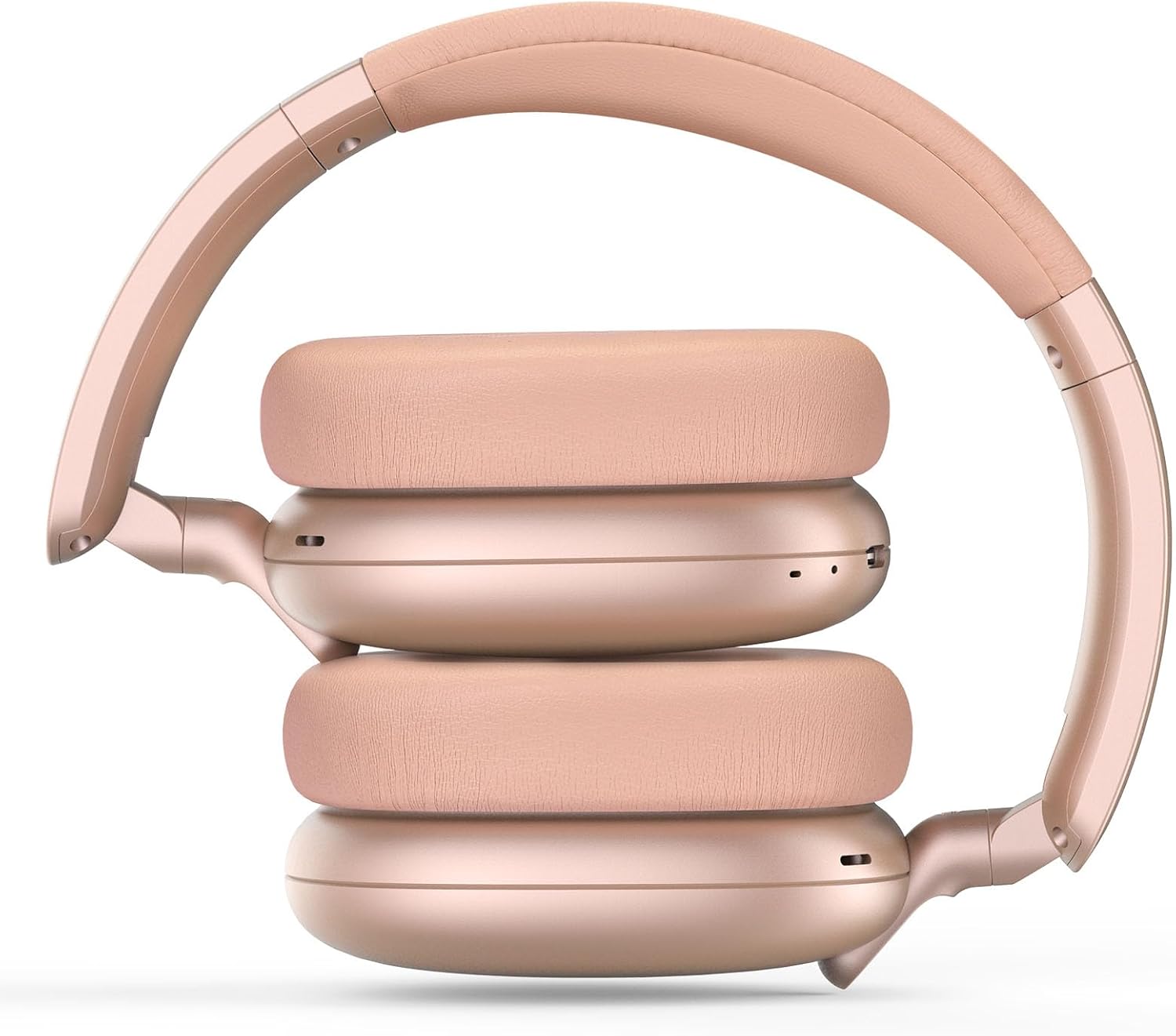
Image: RORSOU C6 headphones shown in their folded configuration, demonstrating portability.
6. ספּעסאַפאַקיישאַנז
| שטריך | באַשרייַבונג |
|---|---|
| מאָדעל נאָמען | C6 |
| סאָרט | RORSOU |
| קאַנעקטיוויטי טעכנאָלאָגיע | Bluetooth 5.4, Wired, Wireless |
| ווירעלעסס קאָמוניקאַציע טעכנאָלאָגיע | בלועטאָאָטה |
| ראַש קאָנטראָל פֿעיִקייטן | אַקטיוו ראַש קאַנסאַליישאַן |
| כעדפאָונז דזשאַק | 3.5 מם דזשאַק |
| אַודיאָ דרייווער גרייס | 40 מילאַמיטערז |
| באַטערי לעבן | 60 שעה |
| טשאַרדזשינג צייט | 2 שעה |
| פּונקט וואָג | 230 גראַמז (8.1 אונסעס) |
| ספּעציעלע שטריך | Adjustable Headband, Detachable Cable, Foldable, Lightweight, Noise Cancellation |
7. וישאַלט
To ensure the longevity and optimal performance of your RORSOU C6 headphones, follow these maintenance guidelines:
- רייניקונג: ניצט אַ ווייכע, טרוקענע שטאָף צו רייניקן די כעדפאָונז. פֿאַרמייַדט ניצן שטרענגע כעמיקאַלן אָדער שרײַבנדיקע מאַטעריאַלן.
- סטאָרידזש: When not in use, store the headphones in the provided travel protective storage bag to prevent dust and scratches.
- ויסמיידן עקסטרעמע טנאָים: שטעלט נישט אויס די כעדפאָונז צו עקסטרעמע טעמפּעראַטורן, הומידיטי, אדער דירעקטע זונשייַן.
- וואַסער קעגנשטעל: These headphones are not water resistant. Avoid contact with liquids.
8. טראָובלעשאָאָטינג
If you encounter any issues with your RORSOU C6 headphones, please refer to the following common solutions:
- קיין מאַכט: זיכער מאַכן אַז די קאָפּהערער זענען גאָר אויפגעלאָדן. פֿאַרבינדט זיי צו אַ מאַכט מקור מיטן USB טשאַרדזשינג קאַבל.
- קען נישט פארבינדן דורך בלועטוט: Make sure the headphones are in pairing mode (flashing blue LED). Ensure Bluetooth is enabled on your device and it is within range (10 meters). Try restarting both the headphones and your device.
- קיין קול: Check the volume levels on both the headphones and your connected device. If using a wired connection, ensure the 3.5mm cable is securely plugged into both ends.
- ANC ניט ארבעטן: Ensure the ANC function is activated by pressing the ANC button.
- נעבעך אַודיאָ קוואַליטעט: Ensure the headphones are within Bluetooth range of your device. If using a wired connection, try a different 3.5mm cable.
9. וואָראַנטי און שטיצן
RORSOU is dedicated to providing high-quality products with excellent after-sale service. Your RORSOU C6 headphones come with a 365-day Hassle-Free Limited Protection. If you have any questions or require support, please contact RORSOU customer service. We aim to respond within 12 hours.