
1. פּראָדוקט איבערview
The PAXA Clipbuds 7 are open-ear wireless earbuds designed for comfort and situational awareness. They feature Bluetooth 5.4 connectivity, a dual LED battery display, touch controls, and IP45 water resistance.
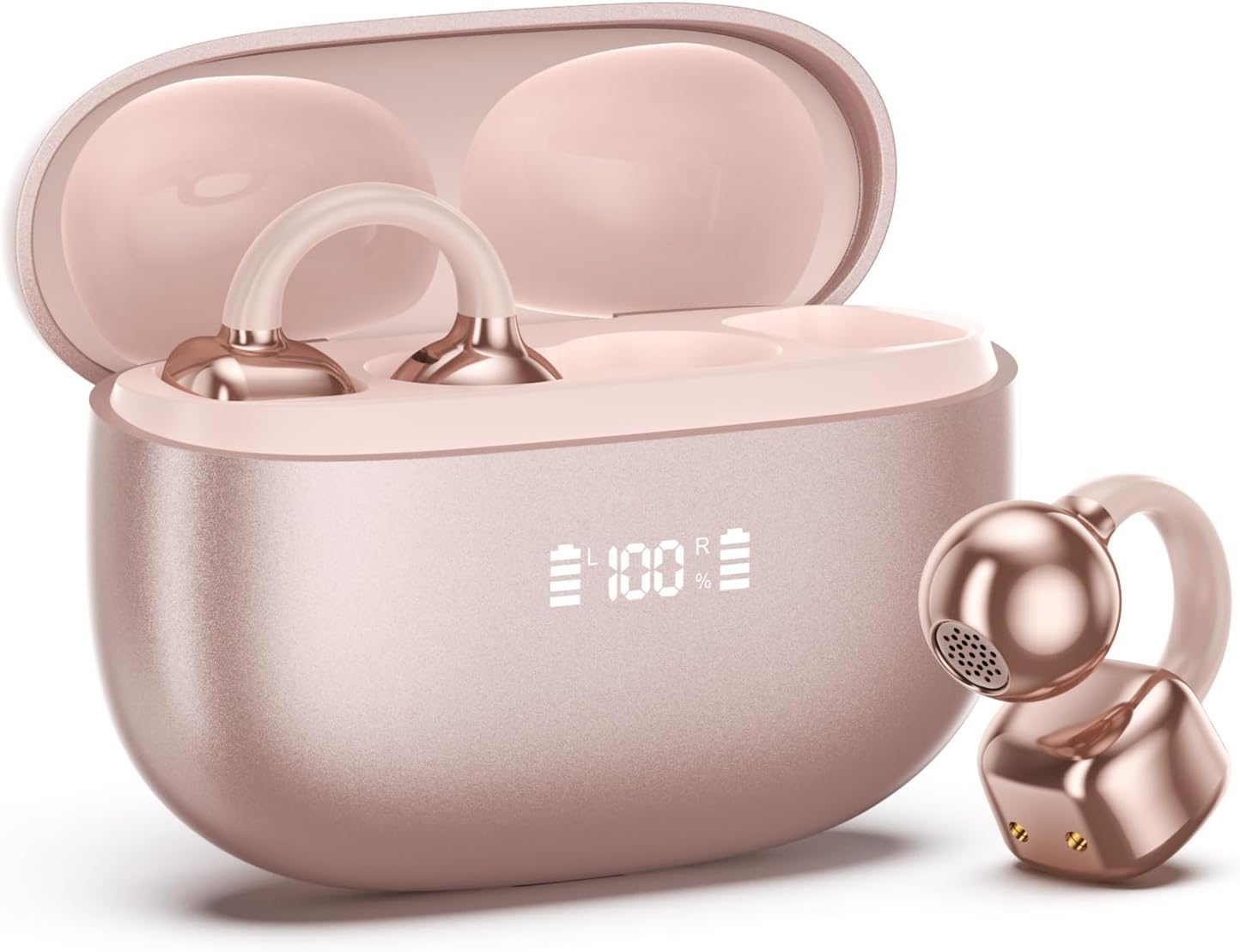
Image 1.1: PAXA Clipbuds 7 Rose Gold Earbuds and Charging Case. The earbuds are shown in their open charging case, which features an LED display indicating battery levels. One earbud is also shown outside the case.
שליסל פֿעיִקייטן:
- אָפֿן-אויער פּלאַן פֿאַר טרייסט און סביבה וויסיקייַט.
- בלועטוט 5.4 פֿאַר אַ סטאַבילע און עפֿעקטיווע וויירלעסע פֿאַרבינדונג.
- Dual LED display on charging case for battery status.
- Touch controls for music, calls, and voice assistant.
- ביז 44 שעה גאַנץ שפּיל צייט מיט טשאַרדזשינג קעסטל.
- יפּ45 שטויב און וואַסער קעגנשטעל.
- Ultra-lightweight design (4.5g per earbud).
2. פּעקל אינהאַלט
זיכער מאַכן אַז אַלע זאכן זענען פאַראַן אין פּעקל:
- Clip on Earbuds (1 pair)
- דראָטלאָזער טשאַרדזשינג קעסטל (1)
- טשאַרדזשינג קאַבלע (1)
- באַניצער מאַנואַל (1)
3. סעטאַפּ און פּערינג
3.1 ערשט טשאַרדזשינג
Before first use, fully charge the earbuds and the charging case. Connect the provided charging cable to the Type-C port on the charging case and a USB power source. The LED display on the case will indicate the charging status.
3.2 טראָגן די אויערקנעפּלעך
The Clipbuds 7 are designed to clip onto the thinnest part of your ear. Adjust the earbud tip to align with your ear canal for optimal sound and comfort.
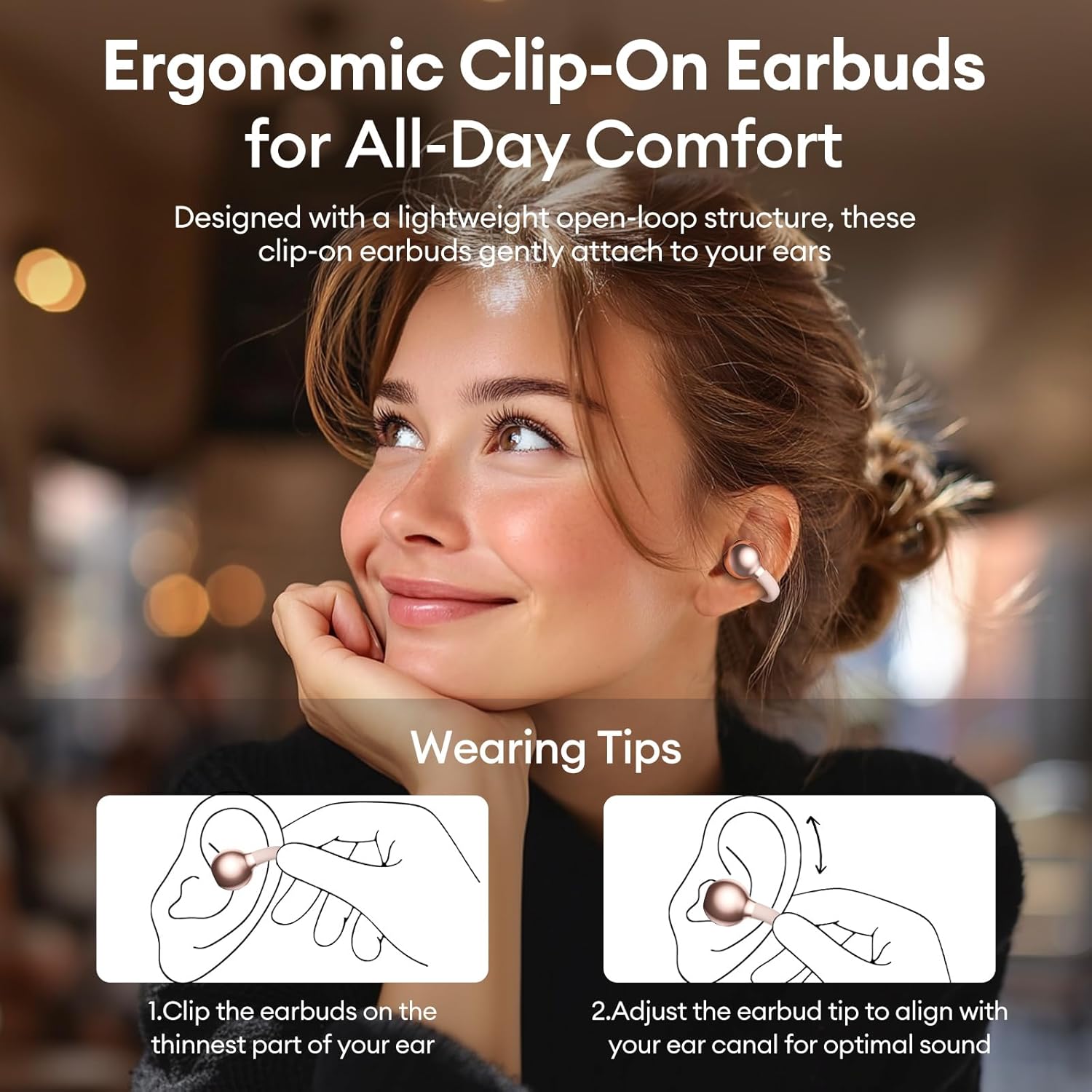
Image 3.2: Wearing instructions for PAXA Clipbuds 7. The diagram illustrates clipping the earbud onto the ear and adjusting for fit.
3.3 בלועטאָאָטה פּערינג
- זיכער מאַכן אַז די אויערקנעפּלעך זענען אויפגעלאָדן און אין דער אויפלאָדן קעסטל.
- עפֿנט דעם טשאַרדזשינג קעסטל. די אויערקנעפּלעך וועלן אויטאָמאַטיש אַרײַן אין פּערינג מאָדע.
- אויף אייער דעווייס (סמאַרטפאָן, טאַבלעט, לאַפּטאָפּ), גייט צו בלועטוט סעטטינגס.
- זוכן פֿאַר "Clipbuds 7" in the list of available devices and select it to connect.
- Once connected, the earbuds will automatically pair with your device in the future when removed from the case.
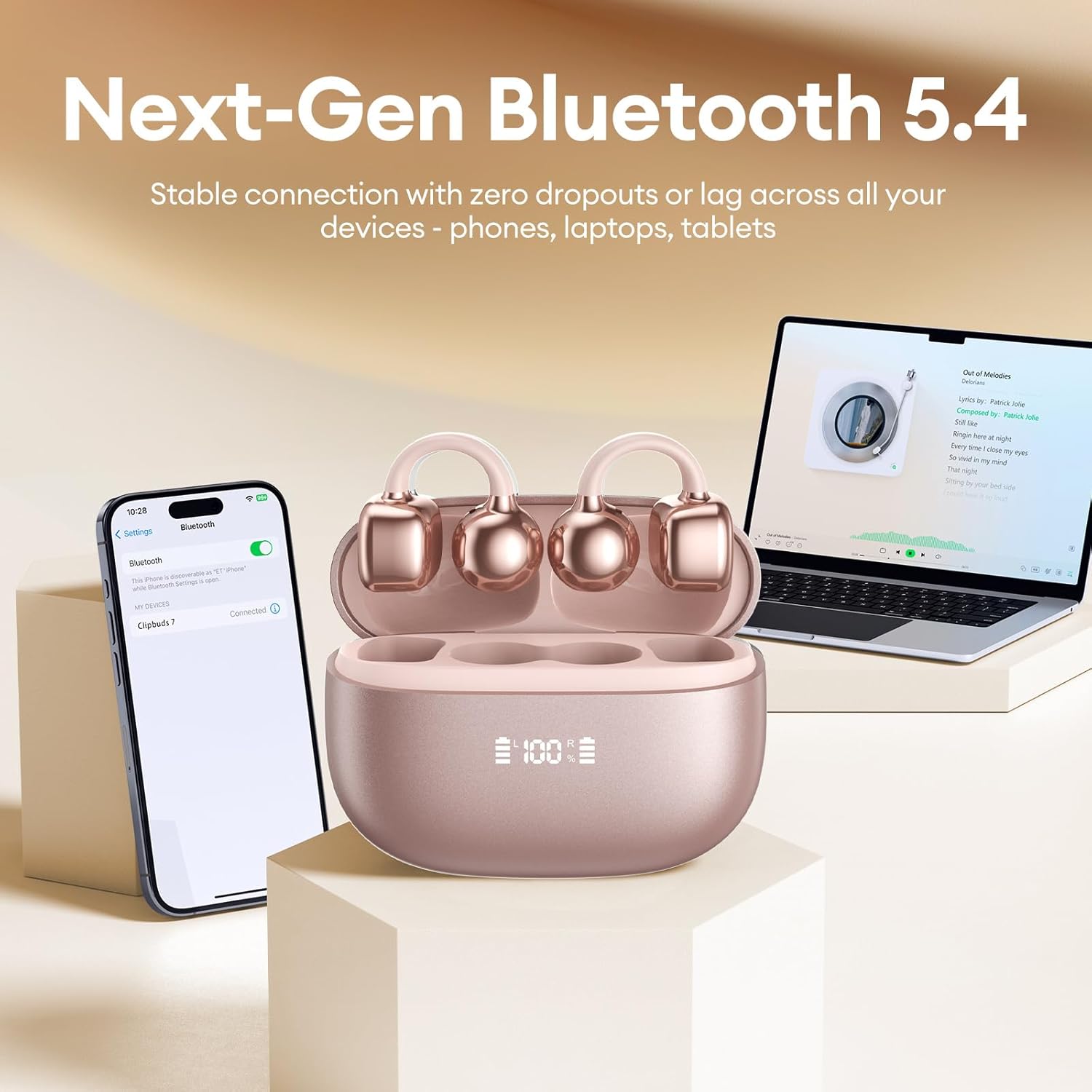
Image 3.3: PAXA Clipbuds 7 connected via Bluetooth to a smartphone and a laptop, demonstrating multi-device compatibility.
4. אַפּערייטינג ינסטרוקטיאָנס
4.1 ריר קאָנטראָלס
The Clipbuds 7 feature sensitive touch controls on each earbud. Refer to the following table for functions:

Image 4.1: Visual guide for PAXA Clipbuds 7 touch controls, showing actions for calls, music, and voice assistant.
| פֿונקציע | קאַמף |
|---|---|
| ענטפֿערן / סוף רופן | Double-click either earbud |
| אָפּוואַרפן רופן | דריקן און האַלטן יעדער עאַרבוד פֿאַר 2 סעקונדעס |
| שפּיל / פּויזע | Double-click either earbud |
| פרייַערדיק ליד | Triple-click the left (L) earbud |
| ווייַטער ליד | Triple-click the right (R) earbud |
| באנד + | Click the right (R) earbud |
| באַנד - | Click the left (L) earbud |
| Voice Assistant (Siri, Google Assistant) | Hold both earbuds for 2 seconds |
4.2 LED Battery Display
The charging case features a dual LED display that shows the battery percentage of the case and each individual earbud (L and R).
4.3 Open-Ear Awareness
The open-ear design allows you to hear your audio while remaining aware of your surroundings. This feature is beneficial for activities like running, cycling, or commuting where situational awareness is important.

Image 4.3: Individuals using PAXA Clipbuds 7 during work, sports, and social gatherings, highlighting their versatility and open-ear design.
5. באַטאַרייע און טשאַרדזשינג
The Clipbuds 7 offer extended battery life for prolonged use.
- Earbud Playtime: אַרויף צו 8 שעה אויף אַ איין אָפּצאָל.
- גאַנץ פּלייַטימע: ביז 44 שעה מיטן טשאַרדזשינג קעיס.
- שנעל טשאַרדזשינג: 10 minutes of charging provides approximately 3 hours of playtime.

Image 5.1: Illustration of the PAXA Clipbuds 7 charging case, highlighting the 44-hour total battery life and fast charging capability.
6. וישאַלט און קער
6.1 וואַסער און שטויב קעגנשטעל
The Clipbuds 7 have an IP45 rating, making them resistant to dust and splashes of water. This means they can withstand sweat and light rain, making them suitable for workouts and outdoor activities. However, they are not designed for submersion in water.
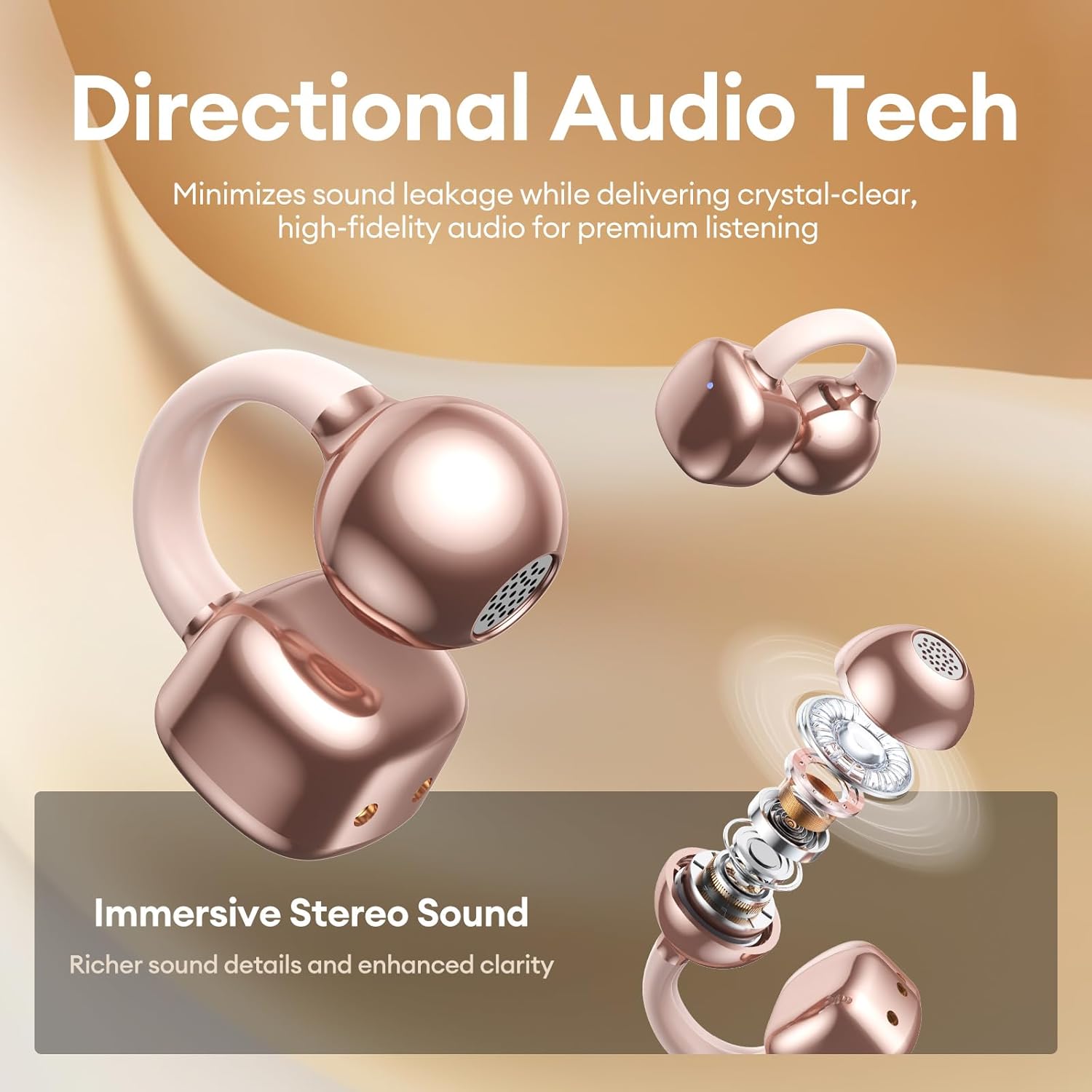
Image 6.1: A person wearing PAXA Clipbuds 7 during light rain, illustrating the IP45 water resistance feature.
6.2 רייניקונג
To maintain optimal performance and hygiene, regularly clean your earbuds and charging case with a soft, dry, lint-free cloth. Avoid using abrasive materials or harsh chemicals.
7. טראָובלעשאָאָטינג
If you encounter issues with your Clipbuds 7, try the following solutions:
- קיין קלאַנג/קאָנעקטיוויטי פּראָבלעמען:
- זיכער מאַכן אַז די אויערקנעפּלעך זענען אויפֿגעלאָדן.
- באַשטעטיקן אַז בלועטוט איז ענייבאַלד אויף דיין מיטל.
- Forget "Clipbuds 7" from your device's Bluetooth list and re-pair.
- Ensure earbuds are within Bluetooth range (up to 50 feet).
- עאַרבודז ניט טשאַרדזשינג:
- קאָנטראָלירט צי דער טשאַרדזשינג קאַבל איז זיכער פארבונדן סיי צום קעסטל און סיי צום מאַכט מקור.
- זיכער מאַכן אַז די טשאַרדזשינג קעסטל אַליין האט מאַכט.
- רייניקט די טשאַרדזשינג קאָנטאַקטן אויף ביידע די אויערקנעפּלעך און די קעסטל.
- ריר קאָנטראָלס ניט ריספּאַנדינג:
- זיכער מאַכן אַז אייערע פינגער זענען ריין און טרוקן.
- Restart the earbuds by placing them in the case and closing it, then reopening.
8. ספּעסאַפאַקיישאַנז
| שטריך | דעטאַל |
|---|---|
| מאָדעל נאָמען | קליפּבאַדס 7 |
| סאָרט | PAXA |
| קאַנעקטיוויטי טעכנאָלאָגיע | ווירעלעסס (בלועטאָאָטה) |
| בלועטאָאָטה ווערסיע | 5.4 |
| בלועטאָאָטה קייט | אַרויף צו 50 פֿיס |
| אויער פּלייסמאַנט | עפענען אויער |
| קאָנטראָל טיפּ | ריר קאָנטראָל |
| באַטעריע לעבן (איין אָפּצאָל) | 8 שעה |
| גאַנץ באַטאַרייע לעבן (מיט קעסטל) | 44 שעה |
| וואַסער קעגנשטעל מדרגה | IP45 (Dust/Water Resistant) |
| ראַש קאָנטראָל | Hybrid Noise Cancellation (ENC for calls) |
| מאַטעריאַל | Silicone Rubber + Plastic |
| פּונקט וואָג | 2.39 אונסעס |
| אַרייַנגערעכנט קאַמפּאָונאַנץ | Clip on Earbuds, Wireless Charging Case, Charging Cable, User Manual |
9. וואָראַנטי און שטיצן
For warranty information and customer support, please refer to the contact details provided with your purchase or visit the official PAXA webזייטל. האַלט דיין קויפן באַווייַז פֿאַר קיין וואָראַנטי קליימז.
10. אפיציעלע פּראָדוקט ווידעאָס
The following videos provide additional information and demonstrations of the PAXA Clipbuds 7.
PAXA Clipbuds7 Open Ear Clip On Earbuds with LED Display
Video 10.1: This video from PAXA Direct showcases the features of the Clipbuds 7, including the LED display and open-ear design. It demonstrates the product's appearance and some functionalities.
PAXA High-Street Jewelry Open Ear Clip On Earbuds
Video 10.2: This video from PAXA Direct highlights the aesthetic and design aspects of the Clipbuds 7, emphasizing their jewelry-like appearance and comfortable fit.