
קאַרויסרק ק610
karuisrc K610 GPS דראָון באַניצער מאַנואַל
מאָדעל: K610
1. הקדמה
This manual provides essential information for the safe operation and maintenance of your karuisrc K610 GPS Drone. Please read this manual thoroughly before operating the drone to ensure proper usage and to prevent damage or injury. The K610 is a foldable GPS quadcopter equipped with a 4K camera, designed for both beginners and experienced users, featuring intelligent flight modes and stable performance.

Image 1.1: The karuisrc K610 GPS Drone in flight.
2. זיכערקייַט גיידליינז
Operating a drone requires responsibility. Adhere to the following safety guidelines to ensure a safe flight experience for yourself and others:
- פאַר-פלי טשעק: Always inspect the drone, propellers, and battery before each flight. Ensure all components are securely attached and undamaged.
- ינווייראַנמענאַל טנאָים: Fly in open areas, away from people, animals, buildings, and obstacles. Avoid flying in strong winds, rain, snow, or fog.
- באַטערי זיכערקייַט: Use only approved batteries and chargers. Do not overcharge or puncture batteries. Discontinue use if batteries are damaged or swollen.
- שורה פון דערזען: האַלט די וויזועלע זיכט-ליניע מיטן דראָון צו יעדער צייט.
- רעספּעקט פּריוואַטקייט: Do not use the drone to invade privacy.
- לאקאלע רעגולאציעס: זייט באוואוסטזיניק וועגן און פאלגט אלע לאקאלע געזעצן און רעגולאציעס וועגן דראָון אפעראציע.
3. פּעקל אינהאַלט
באַשטעטיקן אַז אַלע זאכן זענען פאַראַן אין דיין פּעקל:
- K610 Drone x 1
- ווייַט קאָנטראָל רענטגענ 1
- Batteries x 1 (Nonstandard Battery)
- רעזערוו פּראָפּעלערס x 4
- שרויפנ - ציער רענטגענ 1
- וסב קאַבלע רענטגענ 1
- קעריינג קאַסע X 1
- ינסטרוקטיאָנס מאַנואַל x 1

Image 3.1: Included items in the karuisrc K610 drone package.
4. קאַמפּאָונאַנץ איבערview
4.1 דראָון
The K610 drone features a foldable design for portability, brushless motors for stable flight, and an integrated 4K camera.

Image 4.1: The karuisrc K610 drone and remote control.
4.2 רימאָוט קאָנטראָל
The remote control provides intuitive flight control and a mount for your smartphone to view די FPV פיד.
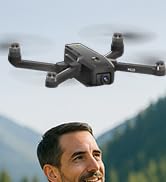
Image 4.2: Remote control with smartphone for FPV viewing.
5. סעטאַפּ
5.1 באַטעריע אינסטאַלאַציע און טשאַרדזשינג
- Insert the modular battery into the drone's battery compartment until it clicks into place.
- To charge, remove the battery from the drone. Connect the USB charging cable to the battery and a suitable USB power adapter (not included).
- The charging indicator on the battery will show its status. Ensure the battery is fully charged before flight.

Image 5.1: Modular battery for the K610 drone.
5.2 פּראָפּעלער ינסטאַלירונג
Attach the propellers according to the markings (A and B) on the propellers and motor arms. Ensure they are securely fastened with the provided screwdriver.
5.3 רימאָוט קאָנטראָל סעטאַפּ
- Install 3x AA batteries (not included) into the remote control.
- Extend the phone holder and securely mount your smartphone.
5.4 אַפּ ינסטאַלירונג און קאַנעקשאַן
- Download the official karuisrc drone app from your smartphone's app store.
- Power on the drone, then power on the remote control.
- On your smartphone, connect to the drone's Wi-Fi network (usually named 'K610-XXXXXX').
- עפֿנט די אַפּ צו שאַפֿן אַ פֿאַרבינדונג און view די לעבעדיגע FPV פיד.

Image 5.2: 5GHz WiFi transmission for real-time viewing.
5.5 קאַלאַבריישאַן
Before the first flight and after any significant change in location, perform compass and gyroscope calibration as instructed in the app or quick start guide. This ensures stable flight and accurate GPS positioning.
6. אָפּערייטינג
6.1 גרונטלעכע פלי קאָנטראָלן
Refer to the remote control diagram in the quick start guide for specific joystick and button functions. Generally:
- Left Joystick: Controls altitude (up/down) and rotation (yaw left/right).
- Right Joystick: Controls forward/backward and left/right movement (pitch/roll).
6.2 אויפשטייג און לאַנדונג
- איין-קלאַס אָפּפֿליִען: Press the designated take-off button on the remote or in the app. The drone will automatically ascend to a safe height and hover.
- מאַנואַל אָפּטראָג: Push both joysticks to the bottom-outer corners to unlock motors, then slowly push the left joystick up to ascend.
- איין-שליסל לאַנדינג: Press the designated landing button. The drone will descend and land automatically.
- מאַנואַל לאַנדינג: Slowly pull the left joystick down to descend. Once landed, push both joysticks to the bottom-outer corners to stop motors.
6.3 דזשי-פי-עס פֿעיִטשערס
The K610 drone utilizes GPS for enhanced stability and intelligent flight functions.
- אויטאָמאַטיש צוריקקער היים (RTH): The drone can automatically return to its take-off point if the signal is lost, battery is low, or the RTH button is pressed.

Image 6.1: GPS Auto Return Home functionality.
6.4 פארגעשריטענע פלי מאָדעס
Access these modes via the drone's app:
- גיי מיר: The drone will automatically follow the remote control or smartphone, capturing footagע ווי איר באַוועגט זיך.
- Waypoint Flight (Tap Fly): Tap points on the map in the app, and the drone will fly along the specified path.
- Point-of-Interest (Circle Fly): Select a point on the map, and the drone will circle around it at a set radius and altitude.

Image 6.2: Advanced flight modes: Follow Me, Circle Fly, and Tap Fly.
6.5 4K Camera Operation
The K610 is equipped with a 4K UHD camera with 90° adjustable tilt for capturing high-quality aerial footagE און פאָטאָס.
- פאָטאָ / ווידעא כאַפּן: ניצט די באַזונדערע קנעפּלעך אויף דער ווײַטקאָנטראָל אָדער די אַפּ צובינד צו נעמען בילדער אָדער אָנהייבן/אָפּשטעלן ווידעאָ רעקאָרדינג.
- אַדזשאַסטאַבאַל אַפּאַראַט ווינקל: The camera's tilt can be adjusted remotely via the app or remote control.
- סד קאָרט שטיצן: Insert an SD card (not included) into the drone for direct storage of high-resolution media.

Image 6.3: The K610's 4K HD Camera.
6.6 פּראָדוקט איבערview ווידעא
Watch this video for a visual guide on the karuisrc K610 GPS Drone's features and operation.
ווידעא 6.4: איבערview of the karuisrc K610 GPS Drone's features and capabilities.
7. וישאַלט
רעגולערע אויפהאלטונג גאראנטירט די לאנגעוויטי און אפטימאלע פערפארמאנס פון אייער דראָון.
- רייניקונג: Gently wipe the drone and remote control with a soft, dry cloth after each use. Avoid using harsh chemicals.
- פּראָפּעלער דורכקוק: Regularly check propellers for cracks, bends, or damage. Replace damaged propellers immediately using the provided spares.
- באַטערי זאָרגן: האַלט באַטעריעס אין אַ קיל, טרוקן אָרט. האַלט נישט גאָר אויפגעלאָדעטע אָדער גאָר אויסגעשעפּט באַטעריעס פֿאַר לענגערע פּעריאָדן. לאָדט זיי צו אַרום 50-60% פֿאַר לאַנג-טערמין סטאָרידזש.
- סטאָרידזש: When not in use, fold the drone and store it in its carrying case to protect it from dust and physical damage.
8. טראָובלעשאָאָטינג
אויב איר טרעפט פּראָבלעמען, זעט די פאלגענדע געוויינטלעכע פּראָבלעמען און לייזונגען:
| פּראָבלעם | מעגלעך סיבה | לייזונג |
|---|---|---|
| די דראָון הייבט זיך נישט אויף און רעאַגירט נישט אויף קאָנטראָלס. | Low battery, improper calibration, motors locked. | Charge drone/remote batteries. Perform calibration. Unlock motors (refer to section 6.2). |
| נישט-סטאַבילער פלי אדער דריפטינג. | Poor calibration, strong winds, damaged propellers. | Recalibrate the drone. Fly in calm conditions. Inspect and replace damaged propellers. |
| קיין FPV פיד אויף סמאַרטפאָון. | Wi-Fi not connected, app not open, drone/phone too far apart. | Ensure phone is connected to drone's Wi-Fi. Open the app. Move closer to the drone. |
| GPS features (RTH, Follow Me) not working. | Insufficient GPS signal, drone not calibrated. | Fly in an open area with clear sky. Wait for sufficient GPS satellites to connect (indicated by app). Perform GPS calibration. |
9. ספּעסאַפאַקיישאַנז
Key technical specifications for the karuisrc K610 GPS Drone:
| שטריך | דעטאַל |
|---|---|
| מאָדעל נאָמען | K610 |
| פּונקט וואָג | 204 גראַמז (7.2 אונסעס) |
| אַפּאַראַט | 4K UHD (4096×3072P images), 12 MP Effective Still Resolution, 90° Adjustable, CMOS Sensor |
| ווידעא קאַפּטורע רעסאָלוטיאָן | 1080p (MP4 פֿאָרמאַט) |
| קאַנעקטיוויטי טעכנאָלאָגיע | Wi-Fi, RF (5GHz FPV Transmission) |
| קאָנטראָל טיפּ | ווייַט קאָנטראָל |
| ספּעציעלע פֿעיִקייטן | Adjustable, Auto-Landing, Portable, GPS Auto Return, Follow Me, Waypoint Flight, Point-of-Interest Circle |
| מאָטאָר טיפּ | ברושלעסס מאָטאָר |
| באַטערי | 1 Nonstandard Lithium Ion Battery (included) |
| פלי צייט | Up to 20 minutes (typical 18 minutes) |
| מאַטעריאַל | פּלאַסטיק |
| פּראָדוקט דימענשאַנז | 7"ל x 2"בר x 8"ה |

Image 9.1: Brushless motor technology for the K610 drone.
10. וואָראַנטי און שטיצן
For warranty information or technical support, please contact karuisrc customer service. Keep your purchase receipt as proof of purchase.
- טעלעפֿאָן: +44 7419 298225
- בליצפּאָסט: Karuisrc@gmail.com

Image 10.1: karuisrc customer support.
Ask a question about this manual
Ask about setup, troubleshooting, compatibility, parts, safety, or missing instructions. Manuals+ will review the question and use this page’s manual context to help answer it.