
1. הקדמה
This manual provides essential information for setting up, operating, maintaining, and troubleshooting your Lenovo Laptop Computer 2026 Edition, Model IdeaPad Slim 3. Please read this manual thoroughly before using your device to ensure proper function and longevity.
2. פּעקל אינהאַלט
באַשטעטיקן אַז אַלע זאכן זענען פאַראַן אין דיין פּעקל:
- Lenovo Laptop Computer 2026 Edition (IdeaPad Slim 3)
- מאַכט אַדאַפּטער
- סד קאָרט לייענער
- שנעלע אָנהייב גייד (אויב אַרייַנגערעכנט)
- Warranty Information Card (if included)
3. פּראָדוקט איבערview
Familiarize yourself with the components and features of your Lenovo IdeaPad Slim 3 laptop.
3.1 שליסל פֿעיִקייטן

This image displays the Lenovo IdeaPad Slim 3 laptop and highlights its primary features. It includes an Intel Core i7-13620H processor, a 15.3-inch WUXGA IPS display (1920x1200 resolution), and an HD camera with a privacy shutter. The laptop is 0.70 inches thin and weighs 3.51 lbs. It comes with 24GB DDR5 RAM, upgradable to 40GB, and a 512GB SSD, upgradable to 4TB. Audio is provided by dual 2W speakers. The device supports Rapid Charge Boost and features a Metal A Cover for durability, meeting Military Grade standards.
3.2 Display and Keyboard

This image focuses on the laptop's display and keyboard. The 15.3-inch WUXGA IPS display offers a 1920x1200 resolution, 300 nits brightness, anti-glare properties, and a 16:10 aspect ratio. It boasts up to a 90% active area ratio and is an Eyesafe Display, TÜV Rheinland Certified for low blue light. The keyboard is non-backlit and includes a numeric keypad.
3.3 Power and Audio
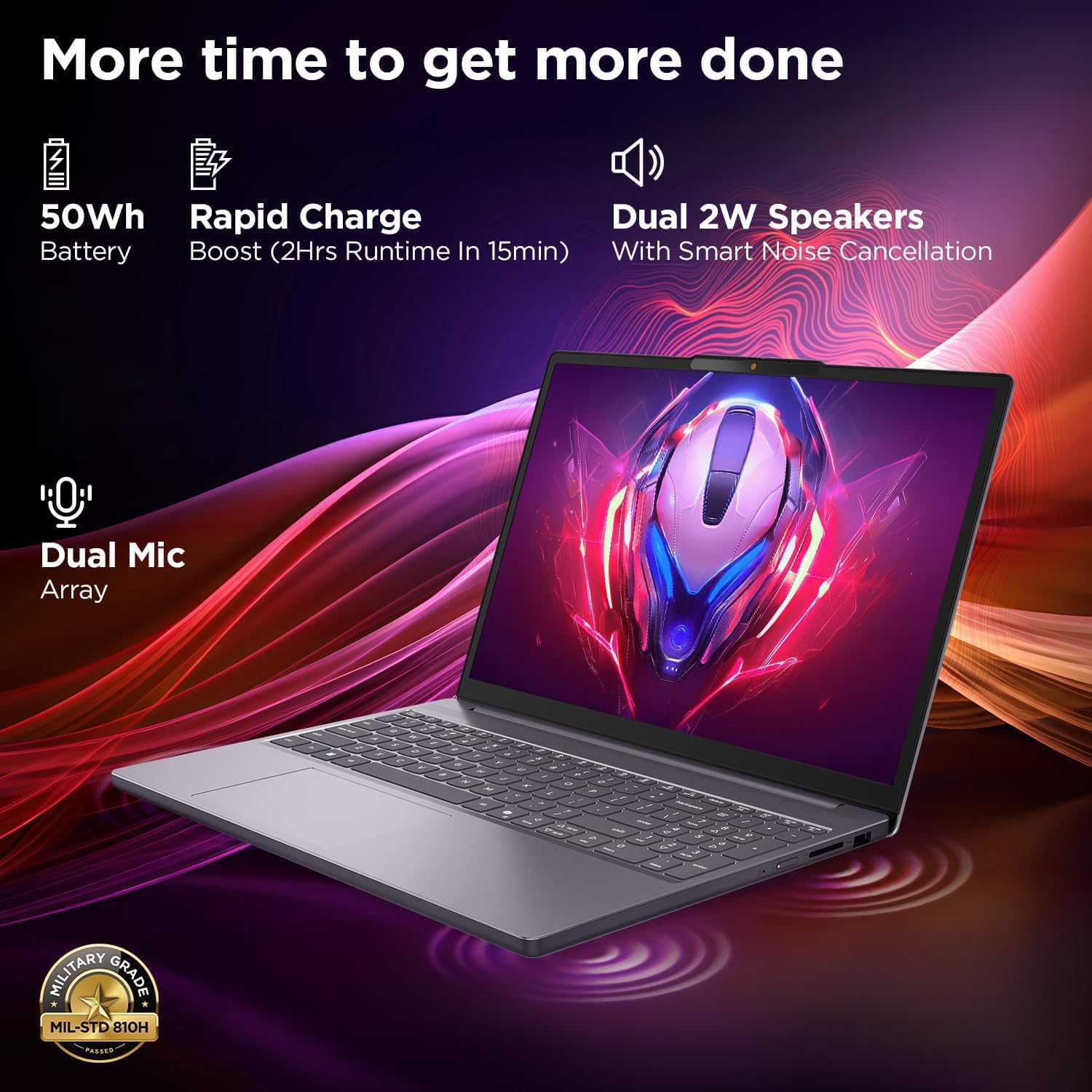
This image highlights the laptop's power and audio capabilities. It features a 50Wh battery with Rapid Charge Boost, providing 2 hours of runtime from a 15-minute charge. Dual 2W speakers with Smart Noise Cancellation and a Dual Mic Array enhance audio quality. The laptop also meets Military Grade MIL-STD 810H durability standards.
3.4 פּאָרטן און קאָנעקטיוויטי

This image illustrates the various ports available on the Lenovo IdeaPad Slim 3. These include a power button, an SD card reader, a power connector, two USB-A ports (5Gbps), an HDMI port, and a USB-C port (5Gbps) with USB Power Delivery 3.0 and DisplayPort 1.2 support for data transfer and external displays. A headphone/microphone combo jack (3.5mm) is also present.
3.5 Keyboard and Touchpad Layout
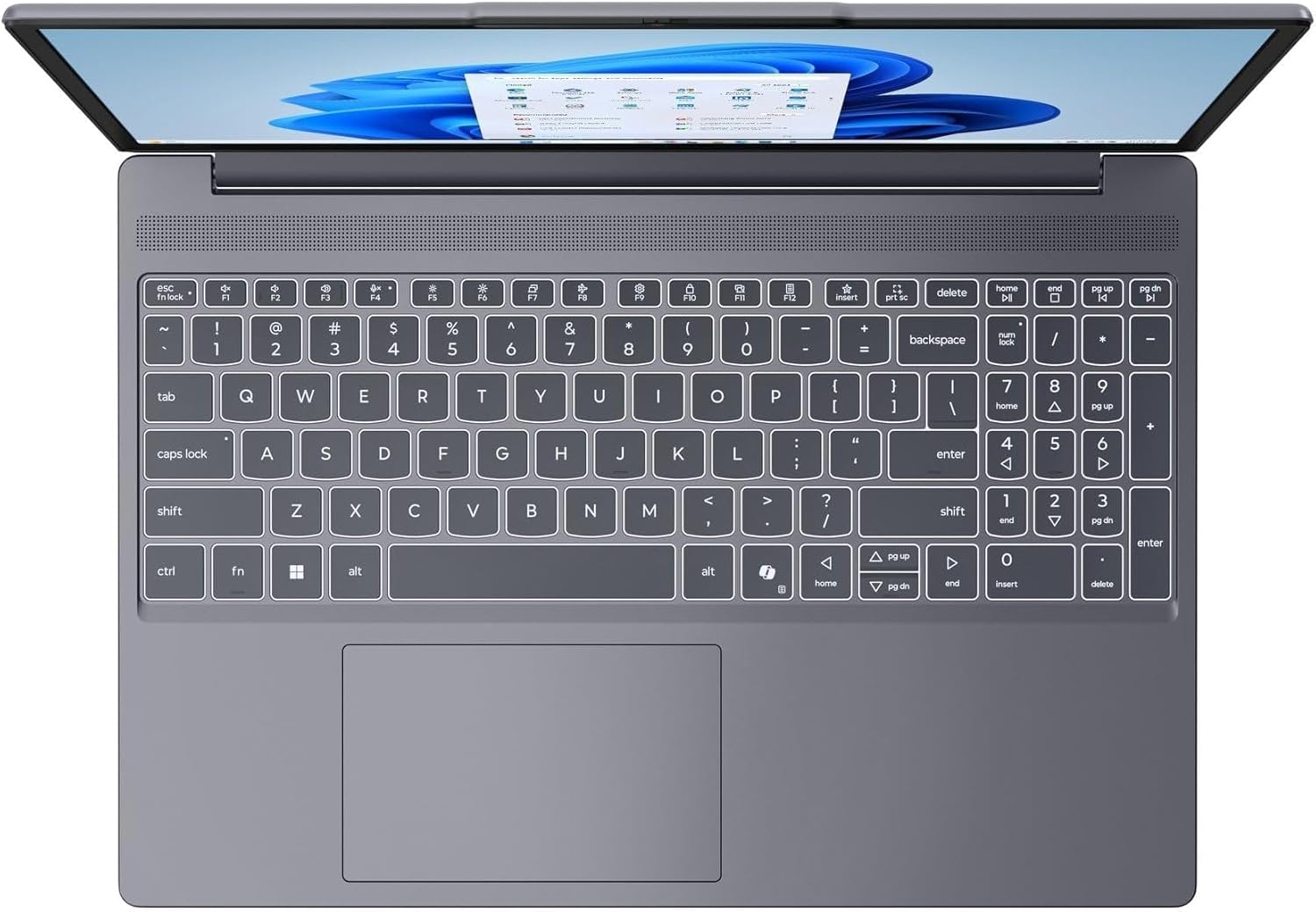
דאָס בילד גיט אַ בילד פֿון אויבן אַראָפּ view of the laptop's full-size keyboard with a numeric keypad and the integrated touchpad. It shows the standard QWERTY layout along with function keys and dedicated navigation keys.
3.6 Laptop Exterior (Closed)
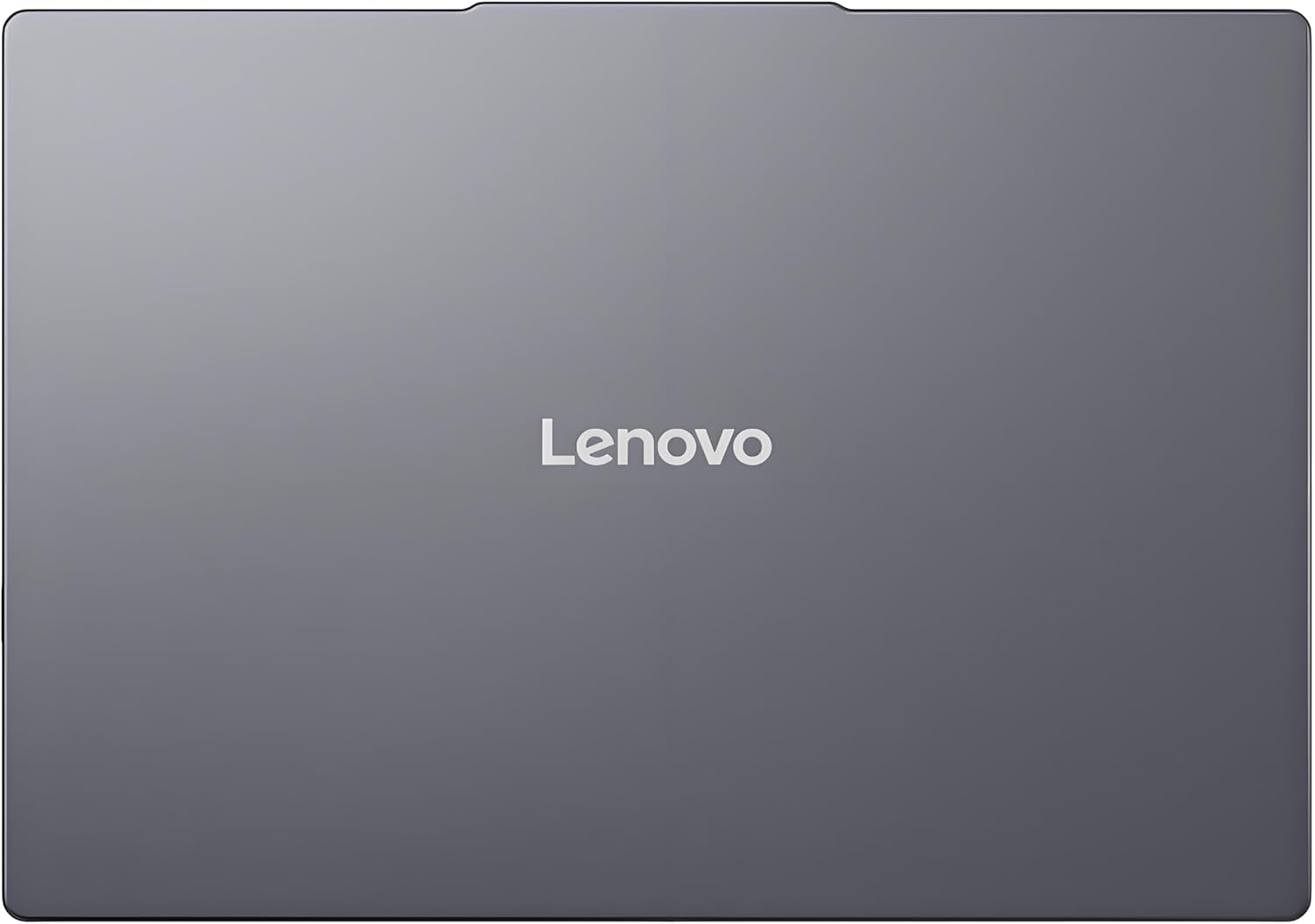
This image shows the top cover of the Lenovo IdeaPad Slim 3 laptop when closed, featuring the Lenovo brand logo centrally placed on the grey metallic surface.
3.7 Laptop Bottom View

This image displays the bottom panel of the Lenovo IdeaPad Slim 3 laptop, showing the ventilation grilles for cooling and rubber feet for stability.
4. סעטאַפּ
4.1 ערשטע איינשטראָם און אויפלאָדן
- פאַרבינדן די מאַכט אַדאַפּטער: שטעק אריין דעם מאַכט אַדאַפּטער אין דעם לאַפּטאַפּ'ס מאַכט קאַנעקטער און דערנאָך אין אַ וואַנט ווענטיל.
- טשאַרדזשינג די באַטאַרייע: לאָזט דעם לאַפּטאָפּ זיך אויפלאָדן פֿאַר לפּחות 30 מינוט איידער איר ניצט עס ערשט, אָדער ביז דער באַטאַרייע אינדיקאַטאָר ווײַזט גענוגיק אויפלאָדן.
- מאַכט אויף: עפֿנט דעם דעקל פֿונעם לאַפּטאָפּ און דריק דעם מאַכט קנעפּל וואָס געפֿינט זיך אויף דער זײַט אָדער קלאַוויאַטור דעק.
- Windows סעטאַפּ: פֿאָלגט די אינסטרוקציעס אויף דעם עקראַן צו פֿאַרענדיקן די Windows 11 Home סעטאַפּ, אַרייַנגערעכנט שפּראַך, ראַיאָן, נעץ פֿאַרבינדונג און באַניצער אַקאַונט שאַפונג.
4.2 קאַנעקטינג צו אַ נעץ
- ווי-פי: During Windows setup or later, click the Wi-Fi icon in the taskbar, select your network, enter the password, and click Connect.
- Ethernet (if applicable via adapter): Connect an Ethernet cable from your router/modem to a compatible USB-C adapter (not included) and then to the laptop's USB-C port.
5. אַפּערייטינג ינסטרוקטיאָנס
5.1 ניצן די קלאַוויאַטור און טאָוטשפּאַד
- קלאַוויאַטור: The laptop features a full-size keyboard with a numeric keypad. Use the Fn key in combination with function keys (F1-F12) for special functions like adjusting brightness, volume, or enabling/disabling Wi-Fi.
- טאָוטשפּאַד: The integrated touchpad supports multi-touch gestures for navigation, scrolling, and zooming. Refer to Windows settings for customizing touchpad gestures.
5.2 קאַנעקטינג פונדרויסנדיק דעוויסעס
- USB דעוויסעס: Connect USB peripherals (mouse, keyboard, external drives) to the available USB-A or USB-C ports.
- HDMI/דיספּלייפּאָרט: Use the HDMI port or USB-C (with DP 1.2 support) to connect an external monitor or projector.
- בלועטאָאָטה דעוויסעס: Enable Bluetooth in Windows settings to pair wireless headphones, speakers, or other Bluetooth accessories.
- SD קאָרט: Insert an SD card into the dedicated SD card reader slot for data transfer.
5.3 מאַכט מאַנאַגעמענט
- שלאָפן מאָדע: מאַכט צו דעם דעקל אָדער דריק קורץ דעם מאַכט קנעפּל צו שטעלן דעם לאַפּטאַפּ אין שלאָף מאָדע.
- שאַט אַראָפּ: Click the Start button, then Power, and select "Shut down" to turn off the laptop completely.
- ריסטאַרט: Click the Start button, then Power, and select "Restart" to reboot the laptop.
6. וישאַלט
6.1 רייניקן דעם לאַפּטאָפּ
- פאַרשטעלן: ניצן אַ ווייך, לינט-פֿרייַ שטאָף לייטלי דampגעוואשן מיט וואַסער אָדער אַ פאַרשטעלן רייניגער. שפּריצט נישט פליסיקייט גלייך אויף דעם פאַרשטעלן.
- קלאַוויאַטור און שאַסי: ניצט אַ ווייכע, טרוקענע שטאָף. פֿאַר שווערע שמוץ, אַ ביסל טרוקןamp א שטאָף מיט א מילדער זייף לייזונג קען גענוצט ווערן, זיכער מאַכנדיק אז קיין פליסיקייט גייט נישט אריין אין די עפענונגען.
- ווענטילאַטיאָן: רייניקט פּעריִאָדיש די ווענטילאַציע גרילן מיט קאָמפּרעסירטע לופט צו פאַרמייַדן שטויב אָנזאַמלונג, וואָס קען אַפעקטירן די קילונג פאָרשטעלונג.
6.2 באַטערי קער
- ויסמיידן עקסטרעם טעמפּעראַטורעס.
- לאָדט נישט אָפט גאָר אויס די באַטאַרייע.
- אויב איר לייגט אַוועק דעם לאַפּטאָפּ פֿאַר אַ לענגערע צייט, זאָלט איר אָפּלאָדן די באַטאַרייע ביז 50-60%.
6.3 ווייכווארג דערהייַנטיקונגען
- Regularly check for Windows updates via סעטטינגס > ווינדאָוס אַפּדייט.
- באַזוכט די אָפֿיציעלע לענאָוואָ שטיצע website for driver and firmware updates specific to your IdeaPad Slim 3 model.
7. טראָובלעשאָאָטינג
| פּראָבלעם | מעגלעך לייזונג |
|---|---|
| דער לאַפּטאָפּ גייט נישט אָן. | Ensure the power adapter is securely connected and the outlet is functional. Try a different outlet. If the battery is completely drained, allow it to charge for a while before attempting to power on. |
| דער עקראַן איז ליידיק אָדער שוואַרץ. | Check if the laptop is powered on. Adjust screen brightness using function keys. Connect an external monitor to check if the issue is with the laptop's internal display. |
| Wi-Fi פֿאַרבינדונג פּראָבלעמען. | Ensure Wi-Fi is enabled in Windows settings. Restart your router/modem. Check for updated Wi-Fi drivers on the Lenovo support webפּלאַץ. |
| לאַנגזאַמע פאָרשטעלונג. | Close unnecessary applications. Check Task Manager for resource-intensive processes. Ensure Windows and drivers are up to date. Run a disk cleanup. |
| קלאַוויאַטור אָדער טאָוטשפּאַד רעאַגירט נישט. | Restart the laptop. Check for driver updates. Ensure no physical obstructions are present. |
8. ספּעסאַפאַקיישאַנז
| שטריך | דעטאַל |
|---|---|
| סאָרט | Lenovo |
| מאָדעל נאָמען | IdeaPad Slim 3 |
| פאַרשטעלן גרייס | 15.3 Inches WUXGA IPS |
| האַכלאָטע | 1920 X 1200 בילדצעלן |
| פּראַסעסער | 13th Gen Intel Core i7-13620H (2.4 GHz, up to 4.9 GHz) |
| באַראַן | 24GB DDR5 RAM (Upgradable to 40GB) |
| סטאָרידזש | 1TB NVMe M.2 SSD (Upgradable to 4TB) |
| אָפּערייטינג סיסטעם | Windows 11 היים |
| גראַפיקס | ינטעגראַטעד |
| ווירעלעסס קאַנעקטיוויטי | וויי-פיי 6 (802.11ax) |
| בלועטאָאָטה | בלועטאָאָטה 5.2 |
| פּאָרץ | 2x USB-A (5Gbps), 1x USB-C (5Gbps, PD 3.0, DP 1.2), 1x HDMI, 1x Headphone/Mic Combo, 1x SD Card Reader, Power Connector |
| Webקאַם | HD Camera with Privacy Shutter |
| אַודיאָ | Dual 2W Speakers with Smart Noise Cancellation, Dual Mic Array |
| באַטערי | 50Wh, Rapid Charge Boost |
| דימענסיעס (L x B x H) | 13.52" x 9.43" x 0.7" |
| וואָג | 3.51 לבס |
| ספּעציעלע פֿעיִקייטן | Privacy Shutter, Power Delivery, Military Grade Durability (MIL-STD 810H) |
9. וואָראַנטי אינפֿאָרמאַציע
Your Lenovo Laptop Computer 2026 Edition (IdeaPad Slim 3) comes with a לימיטעד וואָראַנטי. The specific terms and duration of your warranty may vary by region and purchase date. For detailed warranty information, including coverage, terms, and conditions, please refer to the warranty card included with your product or visit the official Lenovo support webפּלאַץ:
https://support.lenovo.com/warranty
It is recommended to register your product on the Lenovo website to facilitate warranty claims and receive important updates.
10. שטיצן
For further assistance, technical support, or to download the latest drivers and manuals, please visit the official Lenovo Support webפּלאַץ:
You may also contact Lenovo customer service directly. Contact information can typically be found on the support webוועבזייטל פֿאַר אייער ספּעציפֿישער געגנט.