
1. הקדמה
This manual provides detailed instructions for the Loutoc SRC4526 Universal Remote Control, designed for seamless compatibility with Philips Ambilight Smart TVs. Please read this guide thoroughly to ensure optimal use and longevity of your remote control.
1.1 פּראָדוקט איבערview
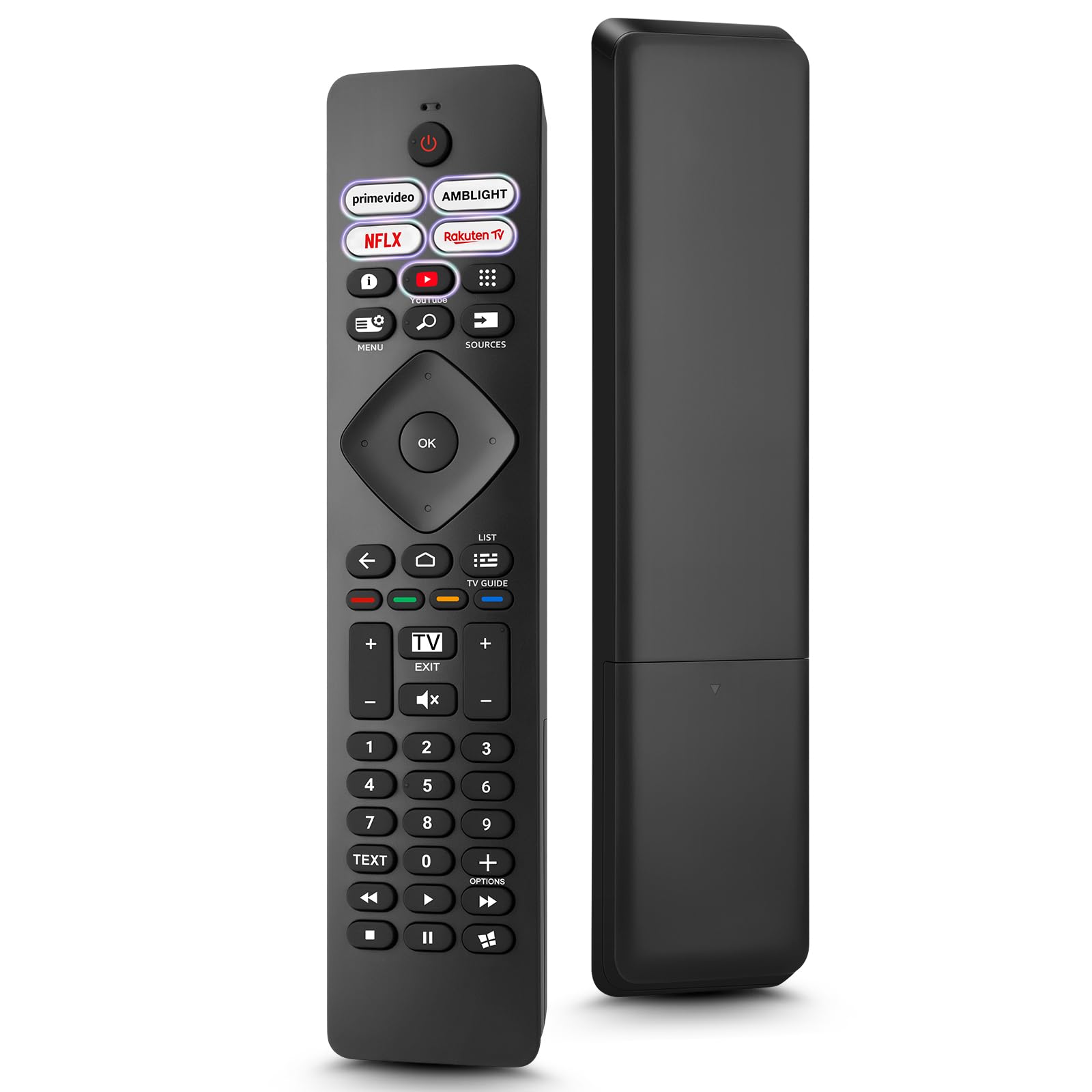
Image: The Loutoc SRC4526 Universal Remote Control, showcasinג זײַן ערגאָנאָמישן פּלאַן און קנעפּל אויסלייג.
1.2 שליסל פֿעיִקייטן
- Convenient Plug-and-Play: No complex setup or programming required. Simply insert batteries and the remote is ready for use.
- ברייט טעלעוויזיע קאָמפּאַטאַביליטי: Fully compatible with Philips Ambilight TVs, including 4K Ambilight LED, OLED, FHD, and Full Ultra HD models.
- דעדיקירטע קורץ-וועג קנעפלעך: Features 5 direct access buttons for popular streaming platforms: Ambilight, Video, NFLX (Netflix), Rakuten TV, and YouTube.
- פאַרלאָזלעך פאָרשטעלונג: Offers an effective operating range of 8 meters (26 feet) and an ultra-fast response time of 0.2 seconds.
2. סעטאַפּ
2.1 באַטאַרייע ייַנמאָנטירונג
The Loutoc SRC4526 remote control requires two AAA batteries (not included) for operation.
- געפֿינען די באַטאַרייע אָפּטייל אויף די צוריק פון די ווייַט קאָנטראָל.
- רוק דעם דעקן פון די באַטאַרייע אָפּטייל.
- אַרײַנשטעלן צוויי AAA באַטעריעס, און זיכער מאַכן אַז די פּאָזיטיוו (+) און נעגאַטיוו (-) טערמינאַלן זענען ריכטיק אויסגעשטעלט מיט די אינדיקאַטאָרן אינעווייניק.
- פאַרמאַכן די באַטאַרייע אָפּטייל דעקן סיקיורלי.
2.2 ערשט נוצן
This remote control is designed for immediate use with compatible Philips Ambilight TVs. No programming or pairing is required. Once batteries are installed, point the remote at your TV and begin operation.
3. אַפּערייטינג ינסטרוקטיאָנס
3.1 קנעפּל פונקציעס איבערview
Refer to the image below for a visual guide to the remote control's buttons and their corresponding functions.

Image: Detailed diagram of the Loutoc SRC4526 remote control, illustrating each button and its primary function.
| קנעפּל | פֿונקציע |
|---|---|
| מאַכט | Switches the TV on or off (Standby mode). |
| Prime Video, Ambilight, Netflix, Rakuten TV | Quickly launches the corresponding application. |
| מעניו | Opens the Quick Menu with typical TV functions. Hold to show Gaming control bar. |
| זוכן | Opens the Search tab on the Home screen. |
| קוואלן | Opens or closes the TV's input sources menu. |
| OK | Confirms a selection or setting. |
| Arrow/Navigation Keys | Navigates up, down, left, or right through menus and options. |
| צוריק | קערט צו די פריערדיקע פאַרשטעלן אָדער קאַנאַל. |
| היים | Opens the TV's Home menu. |
| טעלעוויזיע גייד | Opens or closes the TV Guide. Long press to open the channel list. |
| Color Keys (Red, Green, Yellow, Blue) | Provides direct selection of on-screen options. The blue key typically opens Help. |
| באַנד (+/-) | Adjusts the TV's volume level. |
| Channel (+/-) | Switches to the next or previous channel. |
| אַרויסגאַנג | Exits current menu/application or returns to live TV. From standby, goes to last viewעד מקור. |
| שטום | שטומט אדער אנשטומט דעם טעלעוויזיע קלאַנג. |
| נומער שליסלען (0-9) | Directly selects TV channels. |
| טעקסט | Opens or closes Text/Teletext. |
| פּלייבאַק קאָנטראָלס | Controls media playback: Play, Pause, Stop, Rewind, Fast Forward. |
| אַפּפּס | Opens the Apps tab on the Home screen. |
3.2 Ambilight Functionality
For Philips TVs equipped with Ambilight functionality, the dedicated Ambilight button on your remote allows you to control the lighting effects.
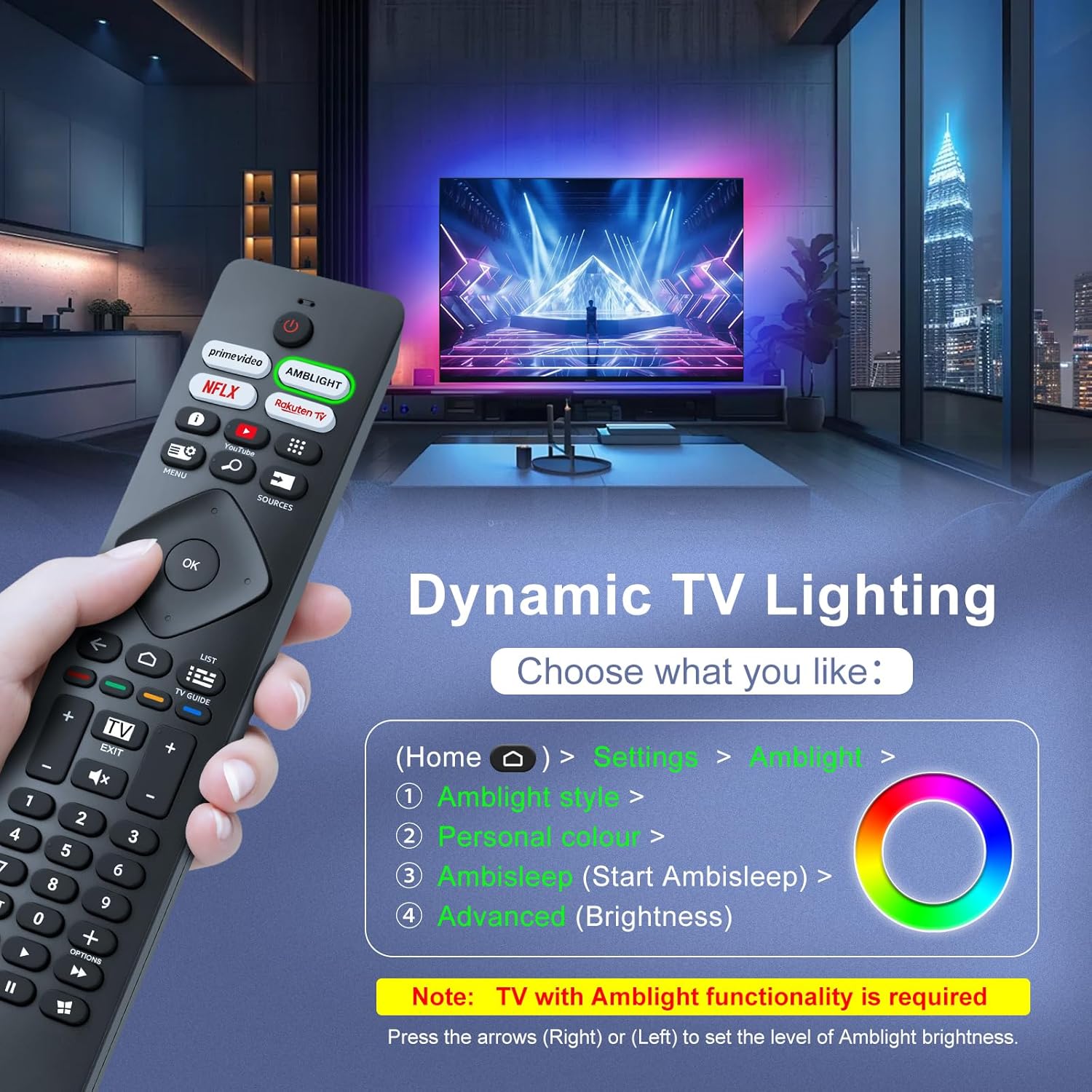
Image: A hand holding the remote control, with an overlay showing Ambilight settings on a TV screen.
After pressing the Ambilight button, you can navigate through the TV's menu to:
- Select different Ambilight display styles.
- Adjust personal color preferences.
- Initiate AmbiSleep mode.
- Adjust Ambilight brightness levels (using the right or left arrow keys).
Note: This feature requires a Philips TV with built-in Ambilight functionality.
4. וישאַלט
4.1 רייניקונג
To clean your remote control, gently wipe it with a soft, dry cloth. Avoid using liquid cleaners, aerosols, or harsh chemicals, as these can damage the remote's surface or internal components.
4.2 סטאָרידזש
האַלט די ווײַטקאָנטראָל אין אַ קיל, טרוקן אָרט אַוועק פון דירעקט זונשייַן און עקסטרעמע טעמפּעראַטורן. אויב די ווײַטקאָנטראָל וועט נישט ווערן גענוצט פֿאַר אַ לענגערע צייט, איז רעקאָמענדירט צו אַרויסנעמען די באַטעריעס צו פאַרמייַדן ליקאַדזש.
4.3 באַטערי קער
- פאַרבייַטן אַלע באַטעריז אין דער זעלביקער צייט; טאָן ניט מישן אַלט און נייַ באַטעריז.
- נישט מישן פארשידענע טיפן באַטעריעס (למשל, אַלקאַליין און ריטשאַרדזשאַבאַל).
- אָפּזאָגן געוויינט באַטעריז ריספּאַנסאַבלי לויט די היגע רעגיאַליישאַנז.
5. טראָובלעשאָאָטינג
5.1 פּראָסט ישוז און סאַלושאַנז
- ווייַט ניט ריספּאַנדינג:
- קאָנטראָלירט צי די באַטעריעס זענען ריכטיק אַרײַנגעשטעלט מיט דער ריכטיקער פּאָלאַריטעט.
- טוישט די באַטעריעס מיט נייע AAA באַטעריעס.
- זיכער מאַכן אַז עס זענען נישטאָ קיין שטערונגען צווישן דער ווײַטקאָנטראָל און דעם טעלעוויזיע'ס אינפֿראַרוד ופנעמער.
- Make sure you are within the effective operating range (up to 8 meters).
- ספעציפישע קנעפּלעך ארבעטן נישט:
- Clean the remote control, especially around the non-functioning buttons, to remove any dirt or debris.
- If only Ambilight functions are not working, ensure your Philips TV model supports Ambilight.
5.2 קאָנטאַקט שטיצע
If you encounter persistent issues that cannot be resolved with the troubleshooting steps above, please contact Loutoc customer support directly. We aim to respond to all inquiries within 12 working hours.
6. ספּעסאַפאַקיישאַנז
| שטריך | דעטאַל |
|---|---|
| סאָרט | Loutoc |
| מאָדעל נאָמען | SRC4526-FBA |
| נומער מאָדעל נומער | SRC4526 |
| קאָליר | שוואַרץ |
| קאַנעקטיוויטי טעכנאָלאָגיע | ינפרערעד |
| ספּעציעלע פֿעיִקייטן | No programming required, Ergonomic, Lightweight |
| קאַמפּאַטאַבאַל דעוויסעס | Television (Philips Ambilight TVs) |
| Maximum Number of Supported Devices | 1 |
| קאָנטראָללער טיפּ | קנעפּל קאָנטראָל |
| מאַקסימום קייט | 8 מעטער (26 פֿיס) |
| באַטערי באַשרייַבונג | AAA (2 required, not included) |
| פאַבריקאַנט | Loutoc |
| לאַנד פון אָריגין | כינע |
| דאַטע ערשטער בנימצא אויף Amazon.com.be | 31 אויגוסט 2025 |
7. וואָראַנטי און שטיצן
7.1 וואָראַנטי אינפֿאָרמאַציע
This Loutoc remote control comes with a manufacturer's warranty of 30 days from the date of purchase. Please retain your proof of purchase for any warranty claims.
7.2 קונה שטיצן
For any questions, technical assistance, or warranty inquiries, please contact Loutoc customer support. We are committed to providing timely assistance and will respond to your queries within 12 working hours.