
1. פּראָדוקט איבערview
The ARES WING GDT1006 is a heavy-duty single monitor arm designed for large and ultrawide displays. It features a gas spring system for smooth adjustments and offers versatile mounting options to optimize your workspace.
- Ultrawide Monitor Support: Compatible with 24-inch to 57-inch displays, supporting up to 66 lbs for flat screens and 52.8 lbs for curved screens. Includes VESA adapter kit for 75x75 mm, 100x100 mm, 100x200 mm, 200x100 mm, and 200x200 mm VESA patterns. Note: Non-VESA displays require a separate VESA adapter, typically included with your monitor package.
- שטאַרק קאַנסטראַקשאַן: Engineered with premium aluminum and steel for enhanced stability and durability. The gas spring system is tested for 20,000 cycles to ensure consistent performance and reduce screen wobble.
- Full-Range Adjustability: Offers extensive positioning flexibility with +70° to -45° tilt, ±90° swivel, and 360° rotation. The height is adjustable up to 22.4 inches via the gas spring system.
- צווייפאַכיקע אינסטאַלאַציע אָפּציעס: Provides both C-clamp mounting for desktops between 0.47 inches and 1.77 inches (1.2-4.5 cm) thick, and grommet mounting.
- פּלאַץ-שפּאָרן פּלאַן: Frees up valuable desk space and includes an integrated cable management system to keep wires organized.
2. סעטאַפּ און ייַנמאָנטירונג
Before beginning installation, ensure all parts are present and refer to the included hardware list. It is recommended to install the arm to the desk before attaching the monitor.
2.1 Check Monitor Compatibility
Verify your monitor has VESA mounting holes. If your monitor does not have built-in VESA compatibility or requires a specific adapter (e.g., for Samsung G9), ensure you have the necessary adapter before proceeding.

Image: Check for VESA holes and prepare VESA adapter if needed.
2.2 מאַונטינג אָפּציעס
The monitor arm offers two primary mounting methods: C-clamp and Grommet.

Image: Two mounting options: C-clamp and Grommet. C-clamp supports 0.47"-1.77" desktop thickness. Grommet supports 0.5"-2.0" desktop thickness.
C- קלamp מאָונטינג:
צוטשעפּען די C-clamp to the edge of your desk. Ensure the desktop thickness is between 0.47 inches and 1.77 inches. Tighten the clamp זיכער.
Gromme Mounting:
For grommet mounting, your desktop must have an existing through-hole (diameter 0.4-2.4 inches) or you may need to drill a 3/8 inch (10mm) hole. Ensure the desktop thickness is between 0.5 inches and 2.0 inches.

Image: Desktop thickness compatibility for C-clamp און גראָמעט מאַונטינג.
2.3 אַסעמבלי סטעפּס
Follow these general steps for assembly. A detailed animation is available in the video section.

Image: Easy 3-step installation overview.
- Mount the base to your desk using either the C-clamp or grommet method.
- Assemble the monitor arm sections, ensuring they are securely connected.
- Attach the VESA plate to your monitor, then slide the monitor onto the arm's mounting head.
2.4 אינסטאַלאַציע ווידעאָס
Video: Detailed installation animation for the ARES WING GDT1006 monitor arm.
Video: Installation tips for the GDT1006 heavy-duty monitor arm, including VESA adapter usage and initial tension adjustment.
3. אַפּערייטינג ינסטרוקטיאָנס
The ARES WING GDT1006 monitor arm allows for flexible positioning to achieve optimal viewing angles and ergonomic comfort.
3.1 אַדזשאַסטירן מאָניטאָר פּאָזיציע
The arm provides full-range motion for tilt, swivel, and rotation:
- טילט: +70° צו -45°
- סוויוול: ±90°
- ראָוטיישאַן: 360° (portrait to landscape)
- הייך אַדזשאַסטמאַנט: Up to 22.4 inches maximum height.
- פארלענגערונג: Up to 23.3 inches maximum extension.

Image: Monitor arm showing full range of motion: tilt, swivel, rotation, max height, and max extension.
3.2 גאז פֿעדער שפּאַנונג אַדזשאַסטמענט
The gas spring tension must be adjusted to match the weight of your monitor. This ensures the arm holds its position securely and allows for smooth movement.
- אויב די אָרעם טראפנס, turn the adjustment screw in the '+' direction until it remains in a horizontal position.
- אויב די אָרעם רייזאַז, turn the adjustment screw in the '-' direction until it remains in a horizontal position.
Caution: Before adjusting the spring tension and during the adjustment process, position and hold the arm horizontally as shown. Use the supplied Allen key for adjustment. Ask for assistance should you require it.
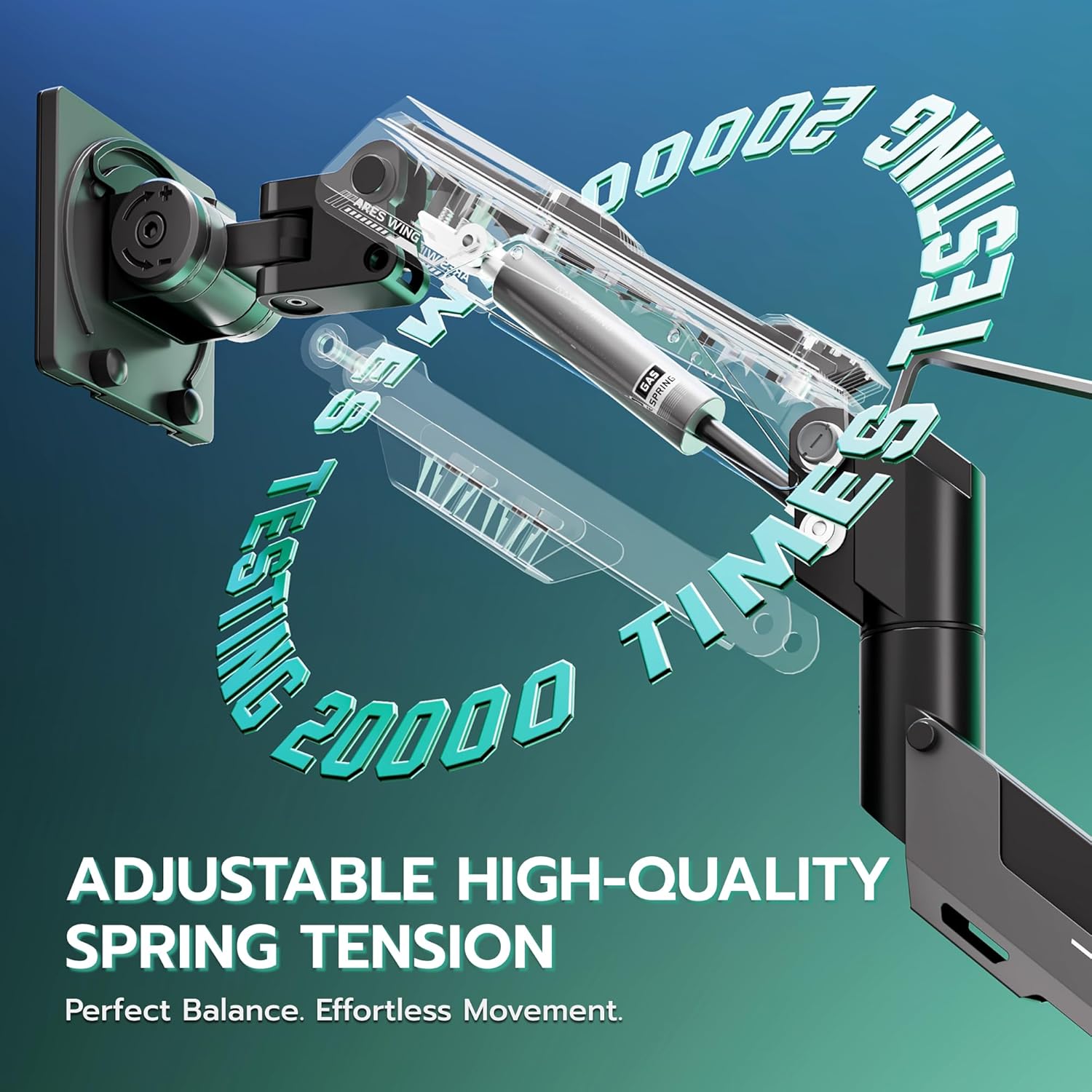
Image: Adjustable high-quality gas spring tension for perfect balance and effortless movement.
3.3 קאַבלע מאַנאַגעמענט
Utilize the integrated cable management system to route and conceal your monitor cables, contributing to a cleaner and more organized workspace.

Image: Integrated cable management for a clean setup.
3.4 אָפּעראַציע ווידעא
ווידעא: איבערview of the ARES WING heavy-duty monitor arm's features and adjustability for 57-inch ultrawide screens.
4. וישאַלט
To ensure the longevity and optimal performance of your ARES WING monitor arm, follow these maintenance guidelines:
- רעגולער רייניקונג: Wipe down the arm and base with a soft, damp שטאָף. פֿאַרמײַדט אַברייסיוו רייניגער אָדער סאָלווענטן וואָס קענען שאַטן די ענדיקונג.
- טשעק קאַנעקשאַנז: קאָנטראָלירט פּעריִאָדיש אַלע שרויפן און פֿאַרבינדונגען צו זיכער מאַכן אַז זיי בלייבן פֿעסט. פֿעסטשטײַערט ווידער אויב נייטיק.
- גאז פרילינג אַדזשאַסטמענט: If you notice the monitor arm sagging or rising unexpectedly, re-adjust the gas spring tension as described in Section 3.2.
- ויסמיידן אָווערלאָאַדינג: Do not exceed the maximum weight capacity of 66 lbs (flat screen) or 52.8 lbs (curved screen) to prevent damage to the arm and monitor.
5. טראָובלעשאָאָטינג
If you encounter issues with your monitor arm, refer to the following common solutions:
- Monitor Sags or Rises: This is typically due to incorrect gas spring tension. Refer to Section 3.2 for instructions on how to adjust the tension to match your monitor's weight.
- Arm is Loose/Wobbly: Ensure all mounting screws (both at the desk and the VESA plate) are securely tightened. Check the desk clamp or grommet mount for stability.
- Difficulty Tilting Monitor: If the monitor cannot be tilted, loosen the adjustment screw on the head of the arm until it can be tilted to the desired position.
- Monitor Rotation Issues: If the monitor does not rotate smoothly or is stuck, check for any obstructions and ensure the rotation mechanism is not overly tightened.
- Arm Does Not Move Smoothly: Ensure the gas spring tension is correctly set for your monitor's weight. Lubrication is generally not required for gas springs.
- טיפּינג סכנה: וואָרענען: Do not rotate the monitor past the rear edge of the desk to avoid an unstable situation that may cause tipping.
6. ספּעסאַפאַקיישאַנז
| שטריך | באַשרייַבונג |
|---|---|
| סאָרט | אַרעס פליגל |
| מאָדעל | GDT1006 |
| מאַונטינג טיפּ | Tabletop Mount (C-Clamp / Grommet) |
| באַוועגונג טיפּ | Rotate, Tilt, Swivel, Height Adjustment |
| מאַטעריאַל | אַלומינום |
| קאָליר | שוואַרץ |
| קאַמפּאַטאַבאַל דעוויסעס | מאָניטאָר |
| Minimum Supported Screen Size | 24 אינטשעס |
| Maximum Supported Screen Size | 57 אינטשעס |
| Weight Capacity (Flat Screen) | אַרויף צו 66 לבס |
| Weight Capacity (Curved Screen) | אַרויף צו 52.8 לבס |
| מאַקסימום טילט ווינקל | 70 Degrees (Up) / -45 Degrees (Down) |
| סוויוואַל ראַנגע | ± 90 דיגריז |
| ראָוטיישאַן | 360 דיגריז |
| Max Height Adjustment | 22.4 אינטשעס |
| מאַקס עקסטענסיאָן | 23.3 אינטשעס |
| Desktop Thickness (C-Clamp) | 0.47"-1.77" (1.2-4.5cm) |
| Desktop Thickness (Grommet) | 0.5"-2.0" |
7. וואָראַנטי און שטיצן
ARES WING products are manufactured with quality and reliability in mind. This product comes with a standard manufacturer's warranty against defects in materials and workmanship.
For warranty claims, technical support, or assistance with installation and operation, please contact ARES WING customer service through the retailer where the product was purchased or visit the official ARES WING webפּלאַץ פֿאַר קאָנטאַקט אינפֿאָרמאַציע.
ביטע באַהאַלטן אייער קויפן-באַווייַז פֿאַר גאַראַנטיע צוועקן.