
OREiN 80/110 CFM
OREiN 3-in-1 Bathroom Fan with LED Light & Humidity Sensor Instruction Manual
Model: 80/110 CFM
1. הקדמה
Thank you for choosing the OREiN 3-in-1 Bathroom Fan. This innovative unit combines a powerful exhaust fan, an energy-efficient LED light with selectable color temperatures, and a smart humidity sensor to provide optimal ventilation and illumination for your bathroom. Designed for quiet operation and easy installation, this fan ensures a fresh and comfortable environment. Please read this manual thoroughly before installation and operation to ensure safe and proper use.
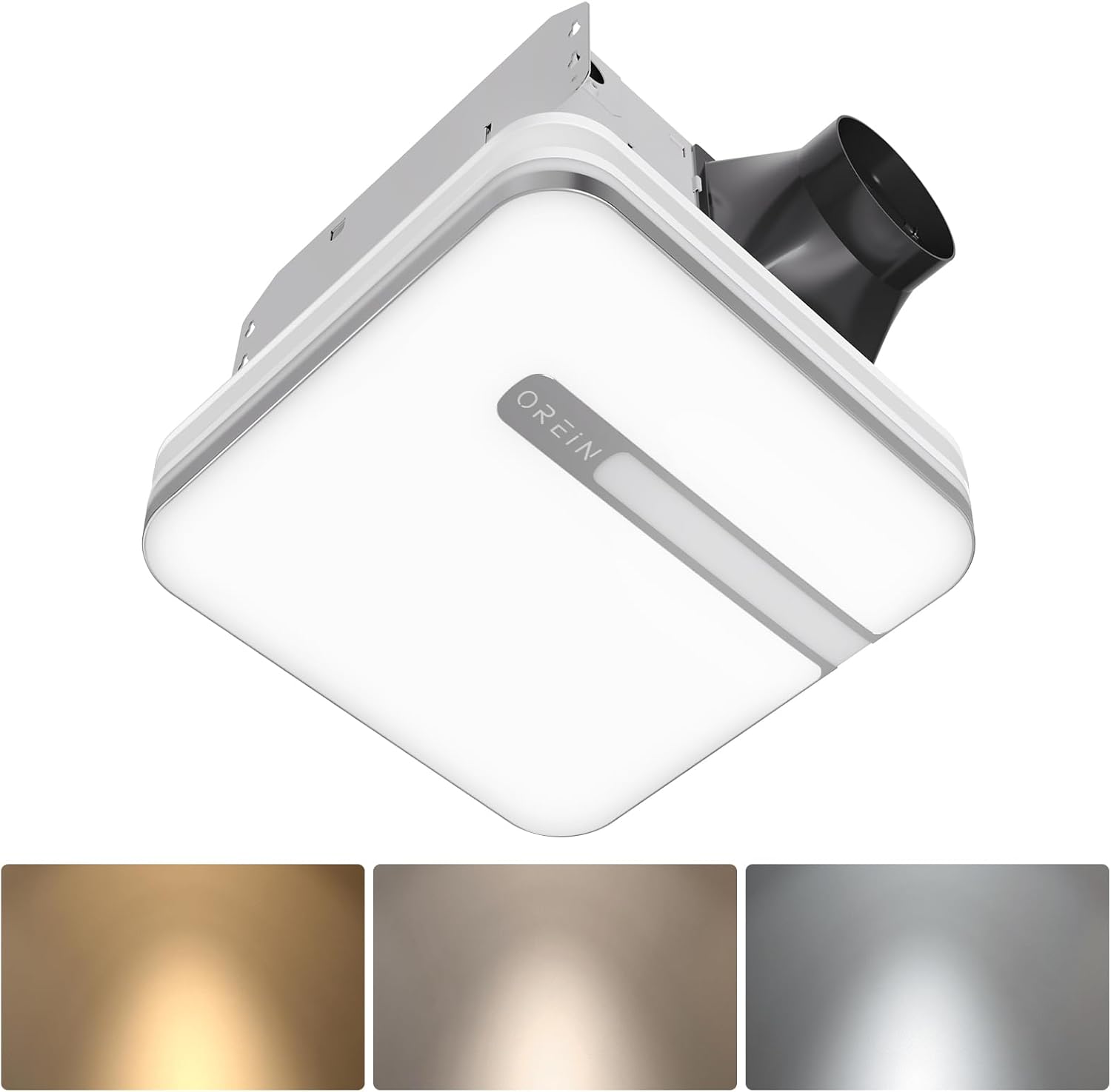
Image 1.1: OREiN 3-in-1 Bathroom Fan with LED Light and Humidity Sensor.
2. זיכערקייַט אינפֿאָרמאַציע
Always follow basic safety precautions when installing, operating, or maintaining this product to reduce the risk of fire, electric shock, or injury to persons.
- ווארענונג: צו רעדוצירן די ריזיקירן פון פייַער, עלעקטריש קלאַפּ אָדער שאָדן צו מענטשן, אָבסערווירן די פאלגענדע:
- ניצן דעם אַפּאַראַט בלויז אין די שטייגער בדעה דורך דער פאַבריקאַנט. אויב איר האָט פֿראגן, קאָנטאַקט דער פאַבריקאַנט.
- איידער סערוויסינג אָדער רייניקונג די אַפּאַראַט, באַשטימען די מאַכט טאַפליע אויף די סערוויס טאַפליע און שלאָס די סערוויס דיסקאַנעקטינג מיטל צו פאַרמיידן אַקסאַדענאַלי באַשטימען מאַכט. אויב די מיטל דיסקאַנעקטינג מיטל קענען ניט זיין לאַקט, סיקיורלי פאַסטען אַ באַוווסט ווארענונג מיטל, אַזאַ ווי אַ tag, צו די סערוויס טאַפליע.
- ייַנמאָנטירונג אַרבעט און עלעקטריקאַל וויירינג מוזן זיין דורכגעקאָכט דורך קוואַלאַפייד מענטש (s) אין לויט מיט אַלע אָנווענדלעך קאָודז און סטאַנדאַרדס, אַרייַנגערעכנט פייַער-רייטאַד קאַנסטראַקשאַן קאָודז און סטאַנדאַרדס.
- גענוג לופט איז דארף פֿאַר געהעריק ברענען און יגזאָסטינג פון גאַסאַז דורך די יויך (קוימען) פון ברענוואַרג-ברענען ויסריכט צו פאַרמייַדן צוריק-דראַפטינג. גיי די גיידליינז און זיכערקייַט סטאַנדאַרדס פון די באַהיצונג ויסריכט פאַבריקאַנט, אַזאַ ווי די ארויס דורך די נאַשאַנאַל פייער פּראַטעקשאַן אַססאָסיאַטיאָן (NFPA), און די אמעריקאנער געזעלשאפט פֿאַר באַהיצונג, ריפרידזשעריישאַן און לופטקילונג ענדזשאַנירז (ASHRAE), און די היגע קאָוד אויטאריטעטן.
- ווען קאַטינג אָדער דרילינג אין וואַנט אָדער סטעליע, טאָן ניט שעדיקן עלעקטריקאַל וויירינג און אנדערע פאַרבאָרגן יוטילאַטיז.
- דאַקטעד פאַנס מוזן שטענדיק זיין ווענטיד צו די ינ דרויסן.
- This unit is suitable for use in a shower or tub enclosure when installed in a GFCI protected branch circuit.
3. פּעקל אינהאַלט
ביים עפענען דעם פּעקל, ביטע זיכער מאַכן אַז אַלע קאָמפּאָנענטן זענען פאַראַן און נישט געשעדיגט:
- OREiN 3-in-1 Bathroom Fan Unit
- געפירט ליכט קאָווער
- Fast-Install Mounting Bracket
- ינסטרוקטיאָן מאַנואַל (דעם דאָקומענט)
- אינסטאַלאַציע האַרדווער (שרויף, דראָט קאַנעקטערז)
4. פּראָדוקט פֿעיִקייטן
- Smart Humidity Sensor: Automatically activates the fan when humidity reaches 60% to prevent moisture buildup and fogged mirrors. A green LED indicator confirms humidity mode is active.
- אַדזשאַסטאַבאַל ליכט פארבן: Choose between 3000K (warm white), 4000K (natural white), and 5000K (daylight) to suit your preference.
- נאַכט ליכט פֿונקציע: A 2200K nightlight provides soft illumination for safe nighttime navigation.
- שטיל אָפּעראַציע: Operates at ultra-quiet 0.8/1.0 sones for minimal noise disruption.
- Selectable Airflow: Choose between 80 CFM and 110 CFM airflow settings for efficient moisture removal.
- ינטעגראַטעד געפירט ליכט: Delivers 1500lm of bright, energy-efficient illumination.
- גרינג ינסטאַלירונג: Designed for simple mounting between ceiling joists with a fast-install bracket.

Image 4.1: Internal design highlighting quiet and energy-efficient components.
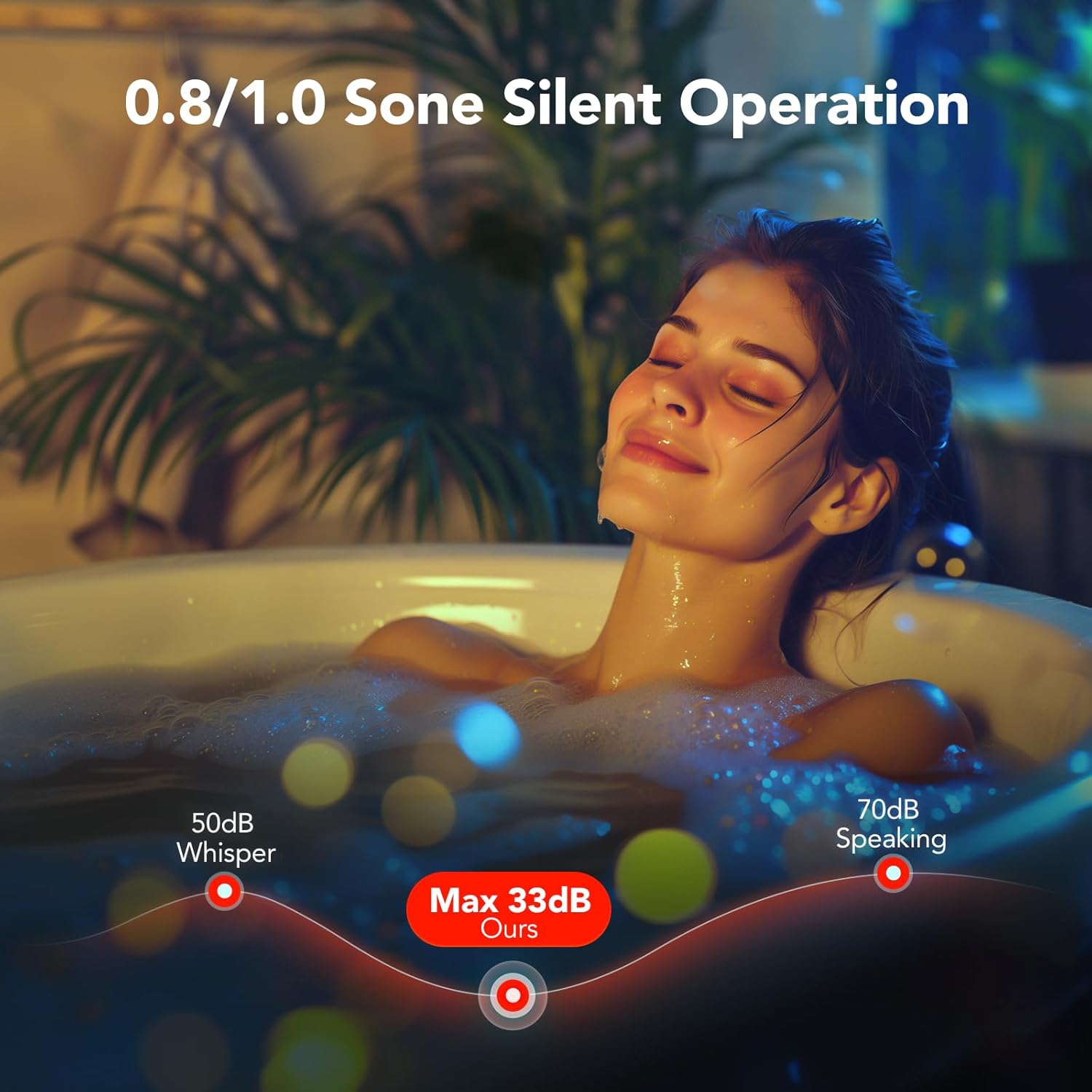
Image 4.2: Visual representation of the fan's quiet operation at low decibel levels.
5. סעטאַפּ און ייַנמאָנטירונג
This section provides general guidance for installation. For detailed electrical wiring, consult a qualified electrician.
- צוגרייטונג: Ensure power is turned off at the circuit breaker before beginning any installation work.
- עפן גרייס: The fan unit requires a ceiling opening of approximately 10.24" x 9.37" (260mm x 238mm). Ensure there are no obstructions like joists in the desired installation area.
- מאָונטינג: The fast-install bracket allows for secure mounting between ceiling joists. Position the fan unit and secure the bracket using appropriate screws. The design allows for installation from below the ceiling, eliminating the need for attic access in many cases.
- דורכפירונג: Connect the fan to standard 4-inch ducting and ensure it is vented to the outdoors.
- עלעקטריקאַל קשר: Connect the electrical wiring according to local codes and the provided wiring diagram. The light and fan may have independent wiring for separate control.
- Light Cover Installation: Once the fan unit is secured and wired, attach the LED light cover. It typically connects with spring clips for easy removal and maintenance.

Image 5.1: Product dimensions and recommended installation opening size.

Image 5.2: Simplified installation process showing the fan unit being placed into the ceiling opening.
6. אַפּערייטינג ינסטרוקטיאָנס
6.1. Humidity Sensing Mode vs. Manual Mode
The fan offers two operating modes: Manual and Humidity Sensing. You can switch between these modes by cycling the wall switch of the fan to the "OFF" position and then back to the "ON" position.
- Manual Mode (Red LED Indicator): The fan will run continuously when turned on via the wall switch.
- Humidity Sensing Mode (Green LED Indicator): The fan will automatically turn on when the humidity level in the room reaches 60%. It will continue to run until the humidity drops below the threshold, then run for an additional 20 minutes before turning off.
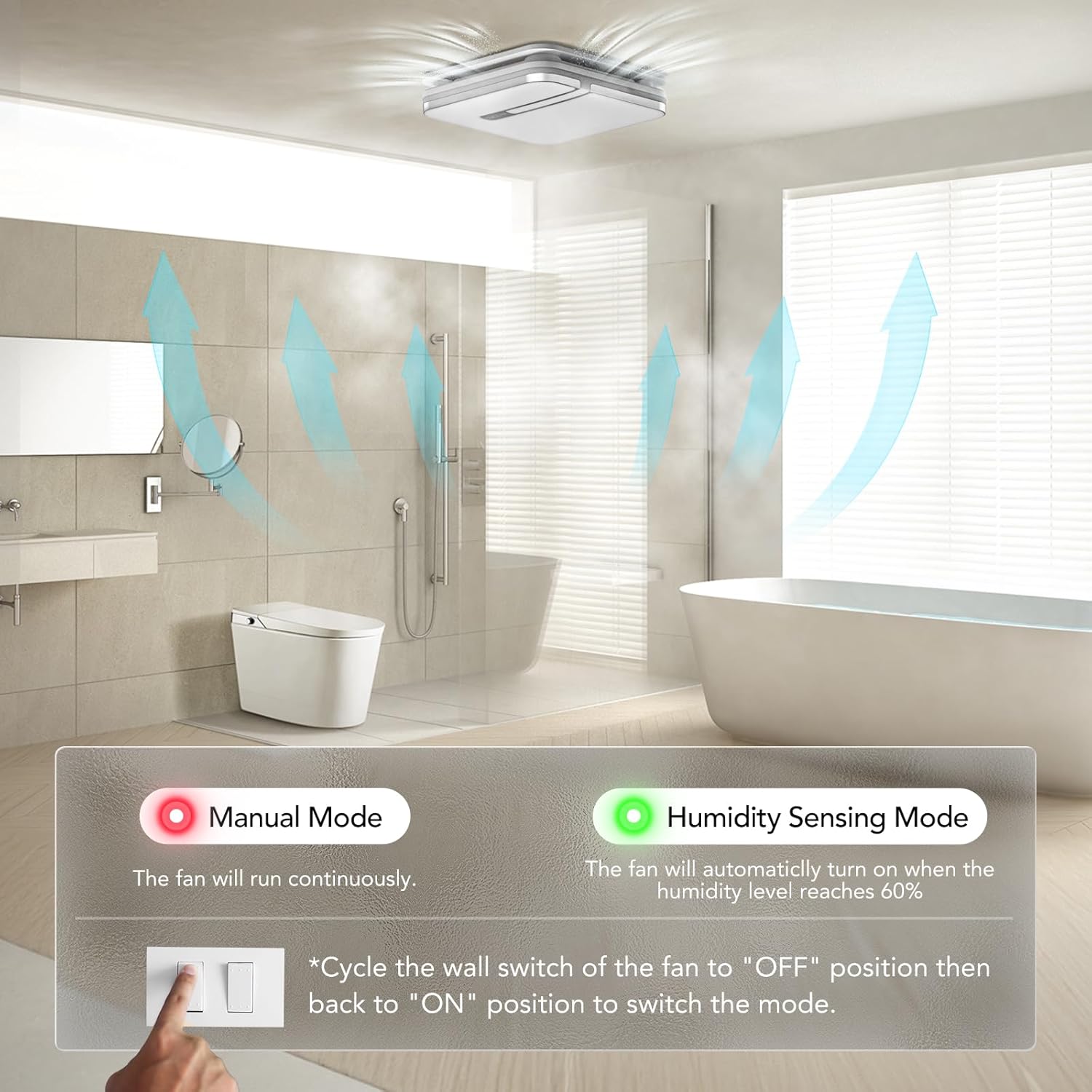
Image 6.1: Switching between Manual and Humidity Sensing Modes.

Image 6.2: How the humidity sensor automatically activates the fan.

Image 6.3: Humidity sensor logic: fan turns on above 60% humidity and runs for 20 minutes after humidity drops.
6.2. Adjusting Light Color Temperature
The LED light offers three color temperature options: 3000K (Warm White), 4000K (Natural White), and 5000K (Daylight). To select the desired color temperature, locate the toggle switch on the back of the lampshade and slide it to your preferred setting.

Image 6.4: Selecting the light color temperature (3000K, 4000K, 5000K).

Image 6.5: Visualizing the different light color temperatures in a bathroom setting.
6.3. Activating Night Light
To activate the 2200K night light mode, quickly cycle the light switch ON-OFF-ON within 2 seconds. This will switch the main light to the softer night light setting.

Image 6.6: The 2200K night light provides subtle illumination.

Image 6.7: Instructions for activating the nightlight mode.
6.4. Selecting CFM Airflow
The fan allows you to select between 80 CFM and 110 CFM airflow settings. This selection is made by sliding a toggle switch located on the fan housing. Choose the appropriate CFM based on your bathroom size and ventilation needs.
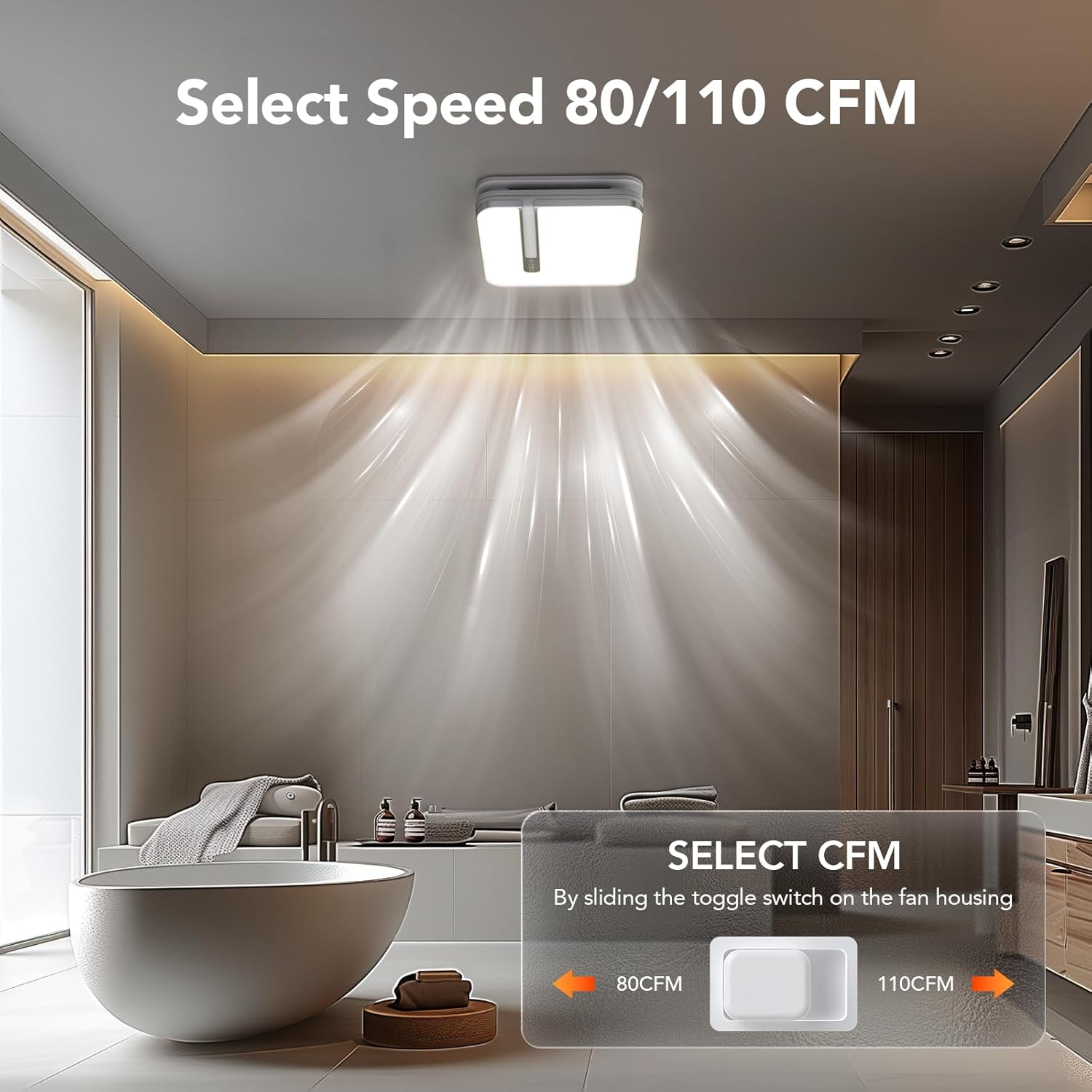
Image 6.8: Location of the CFM selection switch (80 CFM or 110 CFM).
7. וישאַלט
Regular maintenance ensures optimal performance and longevity of your OREiN bathroom fan.
- Cleaning the Light Cover: The light cover can be easily removed for cleaning. Gently unclip the cover from the fan housing. Clean with a soft, damp שטאָף און מילדן וואַשפּולווער. מאַכט זיכער אַז עס איז גאָר טרוקן איידער איר עס צוריק צוטשעפּט.
- רייניקונג פון די פען בליידס: Periodically, inspect the fan blades for dust and debris buildup. Turn off power at the circuit breaker before attempting to clean the fan blades. Use a soft brush or vacuum cleaner to remove any accumulation.
- Ducting Inspection: Annually inspect the ducting for any blockages or damage that could impede airflow.
8. טראָובלעשאָאָטינג
If you encounter issues with your OREiN bathroom fan, refer to the following common troubleshooting steps:
| פּראָבלעם | מעגלעך סיבה | לייזונג |
|---|---|---|
| דער ווענטילאַטאָר צינדט זיך נישט אָן. | קיין מאַכט צו די אַפּאַראַט. | Check circuit breaker. Ensure wall switch is ON. Verify electrical connections. |
| ליכט טוט נישט קער אויף. | Loose connection or faulty LED module. | Check the push clip connection for the light. If issue persists, contact support. |
| דער ווענטילאַטאָר איז צו גערוישפול. | Obstruction in fan blades or motor. | Turn off power and inspect fan blades for debris. Ensure proper installation and secure mounting. |
| Humidity sensor not activating. | Incorrect mode selected or sensor malfunction. | Cycle the wall switch to ensure Humidity Sensing Mode (green LED) is active. Ensure humidity in the room is above 60%. |
| Poor ventilation/steam not clearing. | Incorrect CFM setting, blocked ducting, or undersized fan for room. | Ensure 110 CFM is selected if needed. Check ducting for blockages. Ensure proper room sealing. |
If the problem persists after trying these solutions, please contact OREiN customer support.
9. ספּעסאַפאַקיישאַנז
| שטריך | דעטאַל |
|---|---|
| סאָרט | אָרעין |
| מאָדעל | 80/110 קפם |
| לופט לויפן (CFM) | Selectable 80 / 110 CFM |
| Sones (Noise Level) | 0.8 / 1.0 Sones |
| ליכט רעזולטאַט | 1500לם |
| קאָליר טעמפּעראַטור (CCT) | 3000K / 4000K / 5000K אויסקלייבבאר |
| Night Light CCT | 2200K |
| מאַכט מקור | DC |
| פּראָדוקט דימענשאַנז | Approx. 1"D x 1"W x 1"H (Unit), 13.1'' x 13.1'' (Light Cover) |
| Install Size | 10.24" x 9.37" (260 מ״מ x 238 מ״מ) |
| דאַקט דיאַמעטער | 4 אינטשעס |
| מאַונטינג טיפּ | גלייַך בארג |
| פּונקט וואָג | 18.06 פונט |
| UPC | 734376313753 |
Note: Product dimensions provided as 1"D x 1"W x 1"H are likely placeholders and may not reflect actual physical size. Refer to installation size for accurate cutout dimensions.

בילד 9.1: איבערview of different OREiN fan models and their specifications.
10. וואָראַנטי און שטיצן
OREiN is committed to providing high-quality products and excellent customer service. For any questions, concerns, or support needs regarding your 3-in-1 Bathroom Fan, please contact us through the following channels:
- Amazon Contact: You can contact us directly through Amazon's messaging system for assistance with your purchase.
- טעלעפאָן שטיצן: For 24-hour service, please call: 1 (844) 506-1530
- אָנליין: זוכן פֿאַר 'OREiN' online to find our official website and additional support resources.
Please retain your proof of purchase for warranty claims. For detailed warranty information, refer to the product packaging or contact customer support.

Image 10.1: OREiN Customer Support is available to assist you.
Ask a question about this manual
Ask about setup, troubleshooting, compatibility, parts, safety, or missing instructions. Manuals+ will review the question and use this page’s manual context to help answer it.