
1. הקדמה
The ALLPOWERS SP001 21W Portable Solar Panel Charger is a high-efficiency, foldable solar solution designed to provide reliable power for your devices in various outdoor and emergency situations. With its advanced monocrystalline silicon cells and durable construction, it offers a convenient and eco-friendly way to keep your essential electronics charged.

Figure 1: ALLPOWERS SP001 21W Portable Solar Panel Charger in use, charging two smartphones.
2. פּראָדוקט פֿעיִקייטן
- הויך עפעקטיווקייַט טשאַרדזשינג: Features a 21W peak power and industry-leading 25% conversion efficiency for faster, more reliable solar power.
- Ultra-Portable & Foldable: Weighs just 610g and folds to a compact size (220×208×20mm), making it easy to pack and carry.
- שטאַרק און וועטער-קעגנשטעליק: Protected by a waterproof ETFE surface and built to perform in extreme temperatures from -20°C to 60°C, with an IP65 rating for water and dust resistance.
- Smart & Safe Output: Equipped with iSolar technology and dual USB ports (USB-C and USB-A) supporting up to 12V/1.5A, it automatically matches device power needs and provides over-charge, short-circuit, and over-temperature protection.
- ווערסאַטאַל מאַכט מקור: Offers flexible energy for phones, tablets, power banks, and other USB devices, suitable for camping, RV travel, or emergency home backup.
3. פּעקל אינהאַלט
Upon opening your ALLPOWERS SP001 21W Portable Solar Panel Charger package, you should find the following items:
- ALLPOWERS SP001 21W Portable Solar Panel Charger
- Hanging Buckles (x2)
- באַניצער מאַנואַל

Figure 2: Package contents of the ALLPOWERS SP001 21W Portable Solar Panel Charger.
4. סעטאַפּ אינסטרוקציעס
- עפֿנט אויס דעם זונ - פּאַנעל: Carefully unfold the ALLPOWERS SP001 solar panel completely.
- Position for Sunlight: Place the solar panel in direct sunlight. For optimal charging efficiency, angle the panel to face the sun directly. The integrated kickstands can be used to prop up the panel at an optimal angle.
- פאַרבינדן דיין מיטל: Locate the dual USB output ports (USB-A and USB-C) on the control box. Connect your device's charging cable to the appropriate USB port.
- אָנהייבן טשאַרדזשינג: The iSolar technology will automatically detect your device and deliver the optimal charging current.
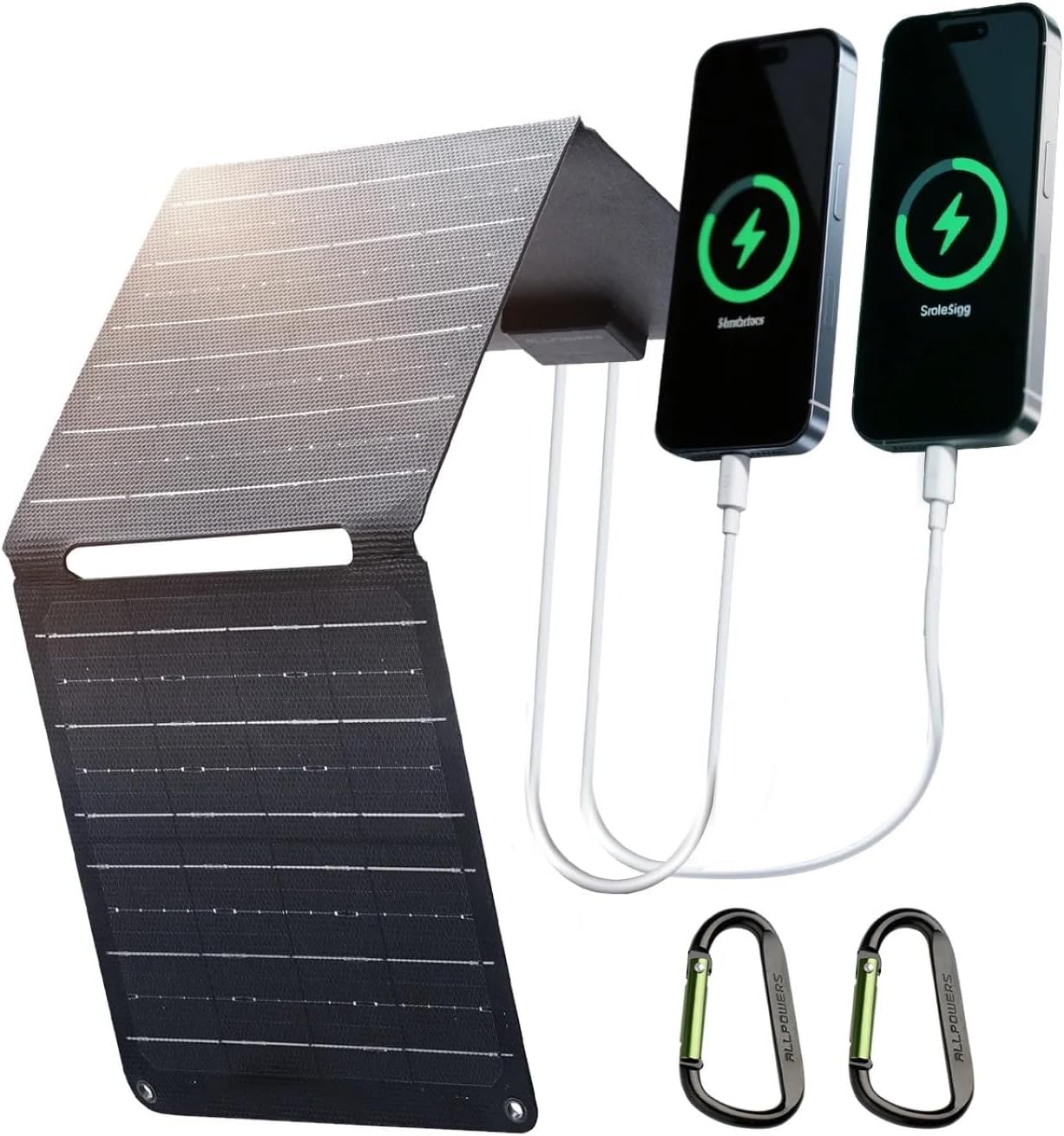
Figure 3: The solar panel unfolded and charging two smartphones via its dual USB ports.
5. אַפּערייטינג ינסטרוקטיאָנס
- אָפּטימאַל זונשייַן: Ensure the solar panel is exposed to maximum direct sunlight for the best charging performance. Avoid shaded areas.
- iSolar Technology: The built-in iSolar technology automatically adjusts the current and voltage to achieve maximum power, delivering the fastest possible charge for your device.
- צווייענדיק וסב רעזולטאַט: Utilize both the USB-A and USB-C ports simultaneously to charge multiple devices. The USB-C port supports up to 12V/1.5A for faster charging of compatible devices.
- פאָלדינג און סטאָרידזש: When not in use, fold the solar panel into its compact form and secure it with the integrated buckles for easy storage and transport.

Figure 4: Detail of the dual USB-A and USB-C output ports on the solar panel.
6. וישאַלט
- רייניקונג: ווישט רעגולער אויס די זונ - פּאַנעל ייבערפלאַך מיט אַ ווייכן, דamp שטאָף צו באַזייַטיקן שטויב, שמוץ, אָדער דעבריס וואָס קען רעדוצירן עפעקטיווקייט. ניצט נישט שטרענגע כעמיקאַלן אָדער אַברייסיוו מאַטעריאַלן.
- סטאָרידזש: Store the folded solar panel in a cool, dry place away from direct sunlight when not in use for extended periods.
- דורכקוק: Periodically check the cables and connectors for any signs of wear or damage. Replace any damaged components immediately.
- ויסמיידן עקסטרעמע טנאָים: While durable, prolonged exposure to extreme weather conditions (e.g., heavy rain, snow, hail) should be minimized to ensure longevity.

Figure 5: The solar panel's waterproof ETFE surface allows for use in various weather conditions.
7. טראָובלעשאָאָטינג
- מיטל ניט טשאַרדזשינג:
- זייט זיכער אז די זונ - פּאַנעל איז אין דירעקטער זון און נישט אין שאָטן.
- Check if the charging cable is securely connected to both the solar panel and your device.
- Verify that your device is compatible with USB charging and that its power requirements do not exceed the panel's output (12V/1.5A max).
- פּאַמעלעך טשאַרדזשינג:
- Adjust the panel's angle to optimize exposure to direct sunlight.
- Clean the solar panel surface to remove any dirt or dust.
- Charging speed can be affected by cloud cover, time of day, and geographical location.
- פּאַנעל אָוווערכיטינג:
- The panel has built-in over-temperature protection. If it overheats, it may temporarily reduce output. Ensure adequate airflow around the panel.
8. ספּעסאַפאַקיישאַנז
| אַטריביוט | דעטאַל |
|---|---|
| סאָרט | ALLPOWERS |
| מאָדעל נומער | SP001 |
| מאַקסימום מאַכט | 21 וואטס |
| עפעקטיווקייַט | High Efficiency (22-25% conversion) |
| מאַטעריאַל | Monocrystalline Silicon, Aluminum, ETFE |
| פּראָדוקט דימענשאַנז (פאָולדיד) | 8.66"ל x 8.18"ברייט x 0.78"ה (220x208x20 מ"מ) |
| וואָג | 610ג |
| ספּעציעלע פֿעיִקייטן | Portable, Foldable, Waterproof (IP65) |
| רעזולטאַט פּאָרץ | Dual USB (USB-C and USB-A), up to 12V/1.5A |

Figure 6: Dimensions of the ALLPOWERS SP001 21W Portable Solar Panel Charger in both folded and unfolded states.

Figure 7: Cross-section diagram showing the high-efficiency monocrystalline silicon cells and ETFE coating.
9. וואָראַנטי און שטיצן
ALLPOWERS products typically come with a manufacturer's warranty. To claim your warranty or for product support, please visit the official ALLPOWERS website or contact their customer service. Details for warranty registration and support can usually be found in the included user manual or on the ALLPOWERS webפּלאַץ.
וואָראַנטי אַקטאַוויישאַן: אַקטאַווייט דיין וואָראַנטי בייַ www.allpowers.com/pages/warranty-register.
קונה שטיצן: For assistance, you can contact ALLPOWERSDirect via their Amazon store or visit their official webפּלאַץ פֿאַר שטיצן אָפּציעס.