
1. הקדמה
The AWOW HA7 Mini PC is a compact yet powerful computing solution designed for a wide range of applications, from daily office tasks to creative work and light gaming. Featuring the AMD Ryzen 7 8745HS processor, advanced integrated graphics, and high-speed connectivity, the HA7 delivers robust performance in a small form factor.
This manual provides essential information for setting up, operating, maintaining, and troubleshooting your AWOW HA7 Mini PC. Please read it carefully to ensure proper use and to maximize your device's potential.
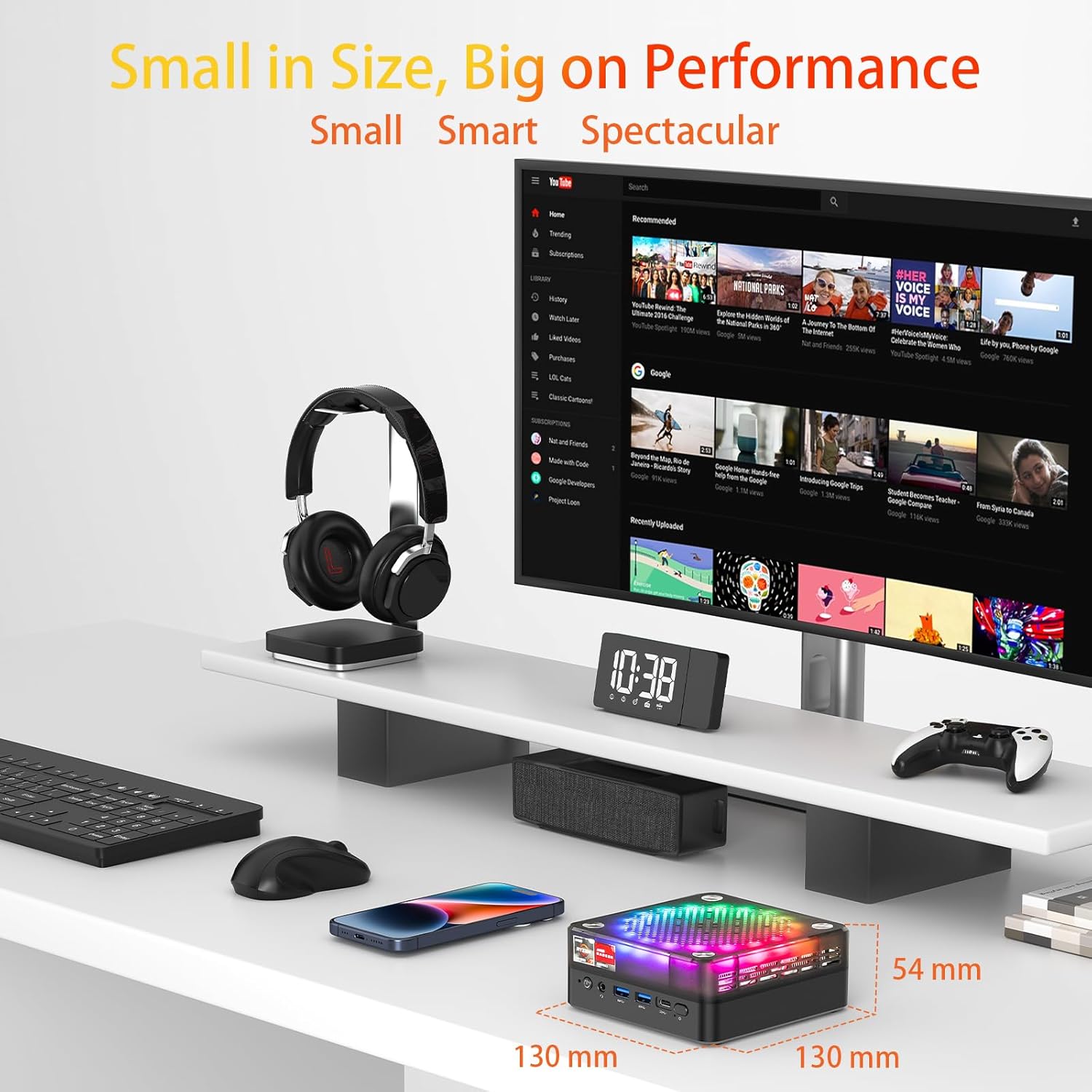
The AWOW HA7 Mini PC is designed for high performance in a compact size, measuring 130mm x 130mm x 54mm.
שליסל פֿעיִקייטן:
- Pure Power in a Tiny Form Factor: The AMD Ryzen 7 8745HS processor (8 cores / 16 threads) on a 4nm manufacturing process, with 16MB Smart Cache and turbo speeds up to 5.1 GHz, handles demanding tasks and multitasking with ease.
- Miraculous Efficiency: With a TDP of only 54W, this mini PC delivers incredible power density, ensuring high performance while being energy-efficient, quiet, and cost-effective.
- Versatile for Work and Creativity: The HA7 is a reliable partner for daily office tasks, programming, and demanding photo/video editing, ensuring smooth operation with multiple applications simultaneously.
- Compact Gaming Pleasure: The HA7, with its Ryzen 7 8745HS and integrated Radeon graphics, provides smooth gaming for popular titles like CS:GO, APEX Legends, PUBG, DOTA 2, and League of Legends.
2. סעטאַפּ
2.1 אויספּאַקן די קעסטל און ערשטע דורכקוק
Carefully remove the AWOW HA7 Mini PC and all accessories from its packaging. Inspect the device for any signs of damage. If any damage is found, contact your retailer immediately.
2.2 קאַנעקטינג פּעריפעראַלס
Before powering on your Mini PC, connect all necessary peripherals:
- מאָניטאָר: Connect your monitor(s) to the HDMI 2.0, DisplayPort 1.4, or Type-C video output ports. The HA7 supports triple 4K display output.
- קלאַוויאַטור און מויז: Connect your USB keyboard and mouse to the available USB 2.0 or USB 3.0 ports. Wireless peripherals can be connected via Bluetooth 5.2 or a USB dongle.
- נעץ: For a wired connection, connect an Ethernet cable to the 2.5G LAN port. For wireless, ensure your Wi-Fi network is available.
- אַודיאָ: Connect speakers or headphones to the 3.5mm audio jack if needed.
- מאַכט: Connect the power adapter to the Mini PC's power input port and then to a power outlet.

Front and rear ports of the AWOW HA7 Mini PC for connecting various peripherals.
2.3 ערשטער בוט און אָפּערייטינג סיסטעם סעטאַפּ
After connecting all peripherals, press the power button on the front of the Mini PC. The device will power on. Since the system is listed with DOS as the operating system, you will likely need to install your preferred operating system (e.g., Windows, Linux) following its specific installation instructions. Refer to the operating system's documentation for detailed installation steps.
3. אַפּערייטינג ינסטרוקטיאָנס
3.1 מאַכט אויף / אַוועק
- מאַכט אויף: דריק דעם מאַכט קנעפּל וואָס געפינט זיך אויף דער פראָנט פון די מיני פּיסי.
- מאַכט אַוועק: For a safe shutdown, use the operating system's shutdown function. Alternatively, press and hold the power button for 5-10 seconds to force a shutdown (only recommended if the system is unresponsive).
3.2 נעץ קאָנעקטיוויטי
- ווייערד (לאַן): Ensure an Ethernet cable is connected to the 2.5G LAN port. The operating system should automatically detect the connection.
- Wireless (Wi-Fi 6): Access your operating system's network settings, select your Wi-Fi network, and enter the password to connect. The HA7 supports Wi-Fi 6 for faster and more reliable connections.
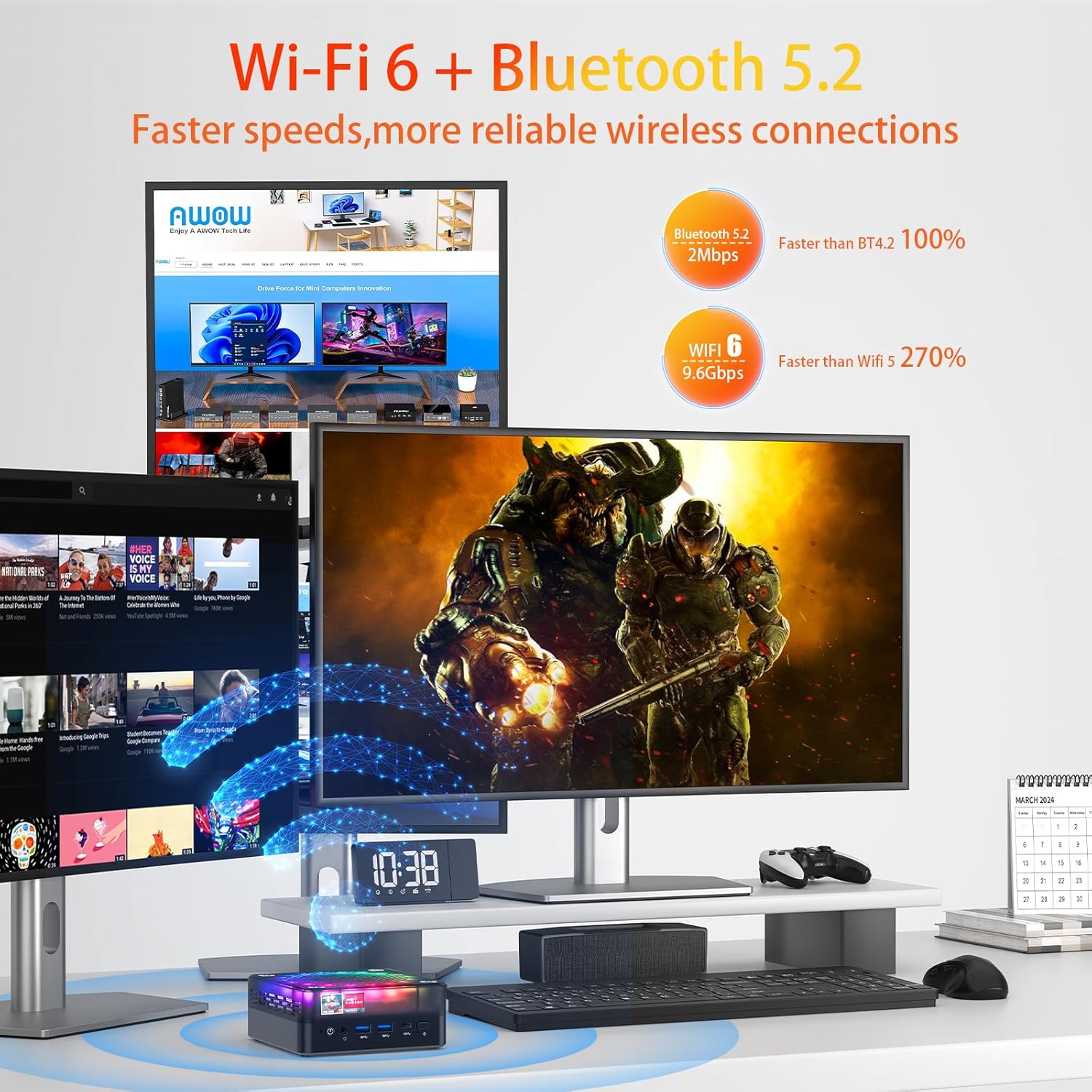
The AWOW HA7 Mini PC features Wi-Fi 6 and Bluetooth 5.2 for advanced wireless connectivity.
3.3 בלועטוט דעוויסעס
To connect Bluetooth devices (e.g., headphones, speakers, keyboard, mouse), enable Bluetooth in your operating system's settings, search for available devices, and pair them according to their instructions.
3.4 Triple Display Output
The AWOW HA7 supports connecting up to three 4K displays simultaneously. Connect your monitors to the HDMI 2.0, DisplayPort 1.4, and Type-C ports. Configure display settings within your operating system to extend or duplicate your desktop across multiple screens.
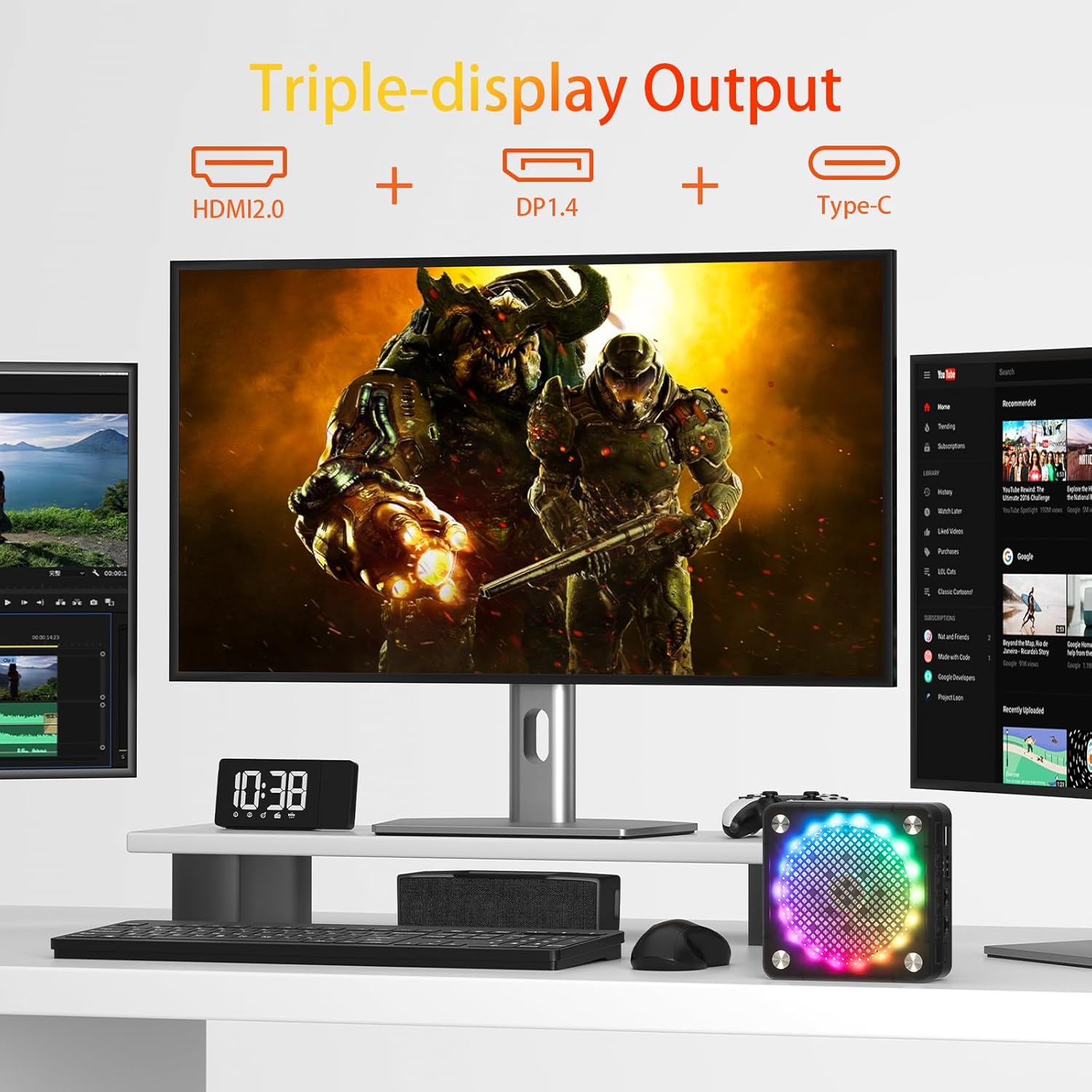
Triple display setup with the AWOW HA7 Mini PC using HDMI, DisplayPort, and Type-C outputs.
4. וישאַלט
4.1 רייניקונג
To maintain optimal performance and longevity, regularly clean your Mini PC:
- עקסטעריע: Use a soft, dry, lint-free cloth to wipe the exterior. Avoid liquid cleaners.
- ווענץ: Use compressed air to gently clear dust from the ventilation openings. Do this periodically to prevent overheating.
4.2 ווייכווארג דערהייַנטיקונגען
Keep your operating system, drivers, and applications updated to ensure security, stability, and optimal performance. Check for updates regularly through your operating system's settings or the manufacturer's webפּלאַץ.
4.3 האַרדווער אַפּגרעידס
The AWOW HA7 Mini PC may support upgrades for components such as RAM (up to 64GB) and storage (PCIe 4.0 SSD). If you plan to upgrade, consult a qualified technician or refer to specific upgrade guides provided by AWOW to avoid damaging the device or voiding the warranty.

Internal cooling system of the AWOW HA7 Mini PC, featuring a 10cm CPU fan and a 7cm system fan.
5. טראָובלעשאָאָטינג
This section addresses common issues you might encounter with your AWOW HA7 Mini PC.
5.1 קיין מאַכט
- זיכער מאַכן אַז דער מאַכט אַדאַפּטער איז זיכער פארבונדן צו ביידע די מיני פּיסי און אַ אַרבעטנדיק מאַכט ווענטיל.
- פּרובירט די עלעקטרישע אַוטלעט מיט אַן אַנדער מיטל צו באַשטעטיקן אַז עס פֿונקציאָנירט.
- פּרוּווט אַן אַנדערן מאַכט אַדאַפּטער אויב עס איז פֿאַראַן און קאָמפּאַטיבל.
5.2 קיין אַרויסווייַזונג רעזולטאַט
- באַשטעטיקן אַז דער מאָניטאָר איז אנגעצונדן און אַז די ריכטיקע אַרייַנגאַנג מקור איז אויסגעקליבן.
- Check that the video cables (HDMI, DP, Type-C) are securely connected to both the Mini PC and the monitor.
- Try connecting to a different display or using a different video cable.
5.3 נעץ קאָנעקטיוויטי פּראָבלעמען
- ווייערד: Ensure the Ethernet cable is properly connected and your router/modem is working. Check network adapter settings in your operating system.
- ווירעלעסס: Verify that Wi-Fi is enabled in your operating system and you are connected to the correct network with the right password. Restart your router/modem.
5.4 System Unresponsive
- If the system freezes, press and hold the power button for 5-10 seconds to force a shutdown. Wait a few moments, then power it back on.
- If the issue persists, consider reinstalling the operating system or contacting support.
6. ספּעסאַפאַקיישאַנז
Below are the detailed technical specifications for the AWOW HA7 Mini PC:

The AWOW HA7 is powered by the AMD Ryzen 7 8745HS processor.
| שטריך | באַשרייַבונג |
|---|---|
| סאָרט | AWOW |
| נומער מאָדעל נומער | HA7 |
| סעריע | HA7 |
| אָפּערייטינג סיסטעם | דאס |
| פּראַסעסער סאָרט | אַמד |
| טיפּ פון פּראַסעסער | AMD Ryzen 7 |
| פּראַסעסאָר מאָדעל | AMD Ryzen 7 8745HS |
| פּראַסעסער ספּיד | 3.8 גיגאהערץ (ביז 5.1 גיגאהערץ טורבא) |
| נומער פון קאָרעס | 8 |
| קאַש גרייס | 16 MB Smart Cache |
| מאַקסימום זכּרון | 64 גיגאבייט |
| שווער פאָר גרייס | 1 טב |
| האַרט דרייוו טעכנאָלאָגיע | SSD (PCIe 4.0) |
| גראַפיקס קאָופּראַסעסער | אַמד ראַדעאָן 780 ם |
| גראַפיקס קאַרד באַשרייַבונג | ינטעגראַטעד |
| גראַפיקס קאַרטל ראַם טיפּ | DDR5 SDRAM |
| קאַנעקטיוויטי טיפּ | Bluetooth, Wi-Fi 6 (802.11ac) |
| ייַזנוואַרג צובינד | Ethernet (2.5G), HDMI, DisplayPort, USB |
| נומער פון הדמי פּאָרץ | 1 (הדמי 2.0) |
| Number of DisplayPort Ports | 1 (DP 1.4) |
| נומער פון וסב 2.0 פּאָרץ | 2 |
| נומער פון וסב 3.0 פּאָרץ | 2 (USB 3.2 Gen2) |
| טיפּ-C פּאָרט | Yes (for display output and data) |
| אַודיאָ דזשאַק | 3.5 מם |
| ספּעציעלע פֿעיִקייטן | High-performance processor, Triple 4K display support, Quiet operation |
| פּיסי טיפּ | מיני פּיסי |
| פּעקל דימענשאַנז | 20.3 X 20 X 11.4 סענטימעטער |
| וואָג | 1.33 קילאָגראַמס |
7. וואָראַנטי און שטיצן
7.1 וואָראַנטי אינפֿאָרמאַציע
The AWOW HA7 Mini PC comes with a standard manufacturer's warranty. Please refer to the warranty card included in your product packaging or visit the official AWOW webזייטל פֿאַר דעטאַלירטע וואָראַנטי טערמינען און באַדינגונגען. האַלט דיין באַווייַז פון קויפן פֿאַר וואָראַנטי קליימז.
7.2 טעכניש שטיצן
For technical assistance, troubleshooting beyond this manual, or service inquiries, please contact AWOW customer support. You can typically find contact information (email, phone, or support portal) on the official AWOW website. When contacting support, please have your product model (HA7) and serial number ready.