
הקדמה
This manual provides detailed instructions for the setup, operation, and maintenance of your AJAZZ AF98Plus Tri-Mode Office Keyboard. Please read this manual thoroughly before using the product to ensure optimal performance and longevity.
פּראָדוקט איבערview
The AJAZZ AF98Plus is a versatile 98-key office keyboard designed for efficiency and comfort. It features tri-mode connectivity, a high-capacity 4000mAh battery, ergonomic design, customizable RGB lighting, and dedicated multimedia function keys.
שליסל פֿעיִקייטן
- 98-קנעפל אויסלייג: Compact yet functional, designed to improve posture and reduce wrist strain.
- טריי-מאָד פֿאַרבינדונג: Supports wired (USB-C), 2.4GHz wireless, and Bluetooth connectivity.
- 4000 מאַה באַטאַרייע: High-capacity battery for extended use with low power consumption.
- באַנד אַדזשאַסטמענט קנעפּל: Convenient control for audio levels.
- אַדזשאַסטאַבאַל פֿוס שטיצע: Dual-position feet for ergonomic typing angles.
- RGB ילומאַניישאַן: 8 distinct RGB lighting effects with adjustable brightness and speed.
- מולטימעדיאַ פֿונקציע קיז: 15 FN key combinations for quick access to common functions.
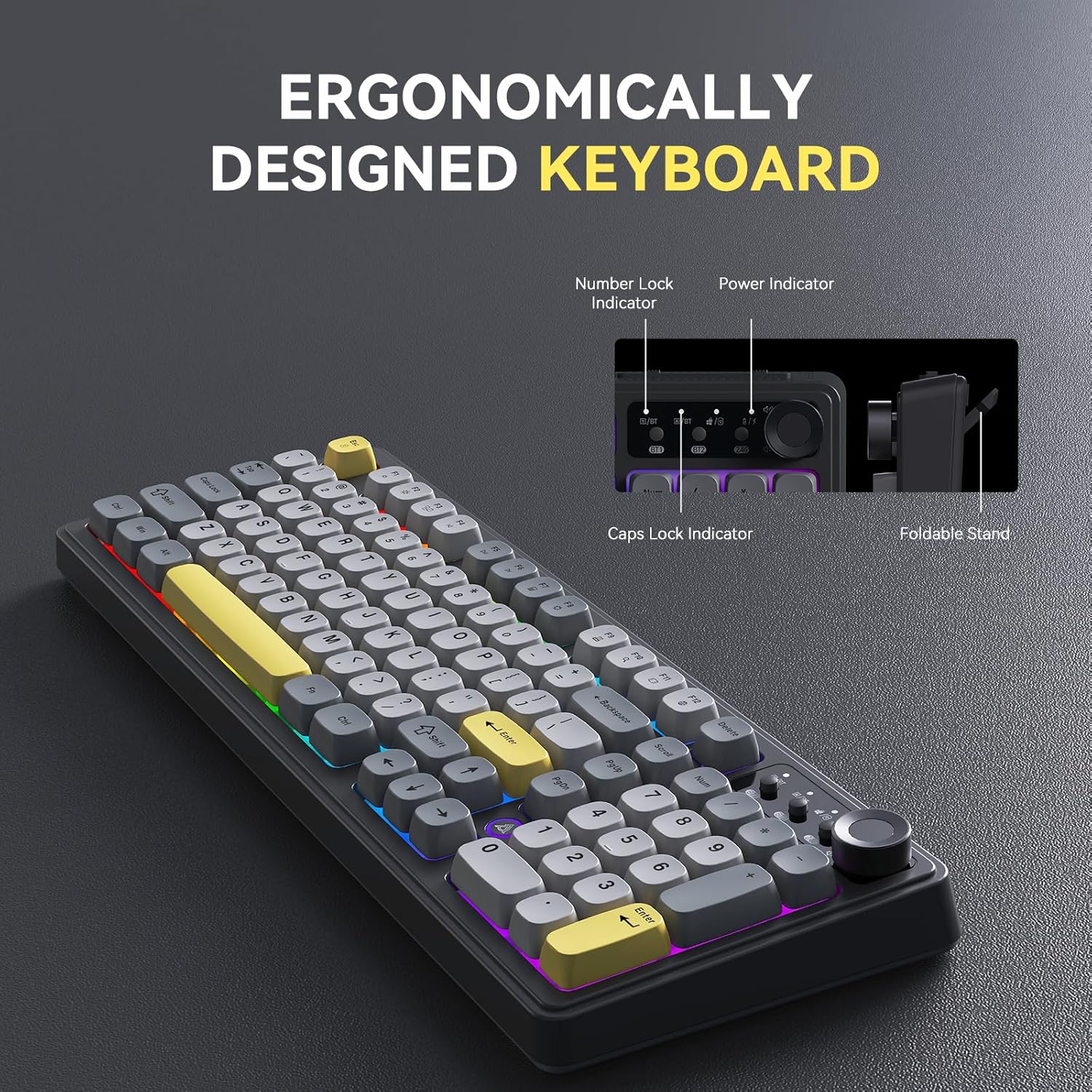
Image: The AJAZZ AF98Plus keyboard highlighting its ergonomic design, including indicators for Number Lock, Power, and Caps Lock, and a foldable stand for adjustable height.

Image: The AJAZZ AF98Plus keyboard positioned on a desk alongside a laptop and notebook, showcasing its full-size ergonomic design for a comfortable typing experience.
סעטאַפּ
פּעקל אינהאַלט
- AJAZZ AF98Plus Keyboard
- וסב- C קאַבלע
- באַניצער מאַנואַל
ערשט קאַנעקשאַן
To begin using your keyboard, connect it to your device using one of the available tri-modes: wired, 2.4GHz wireless, or Bluetooth.
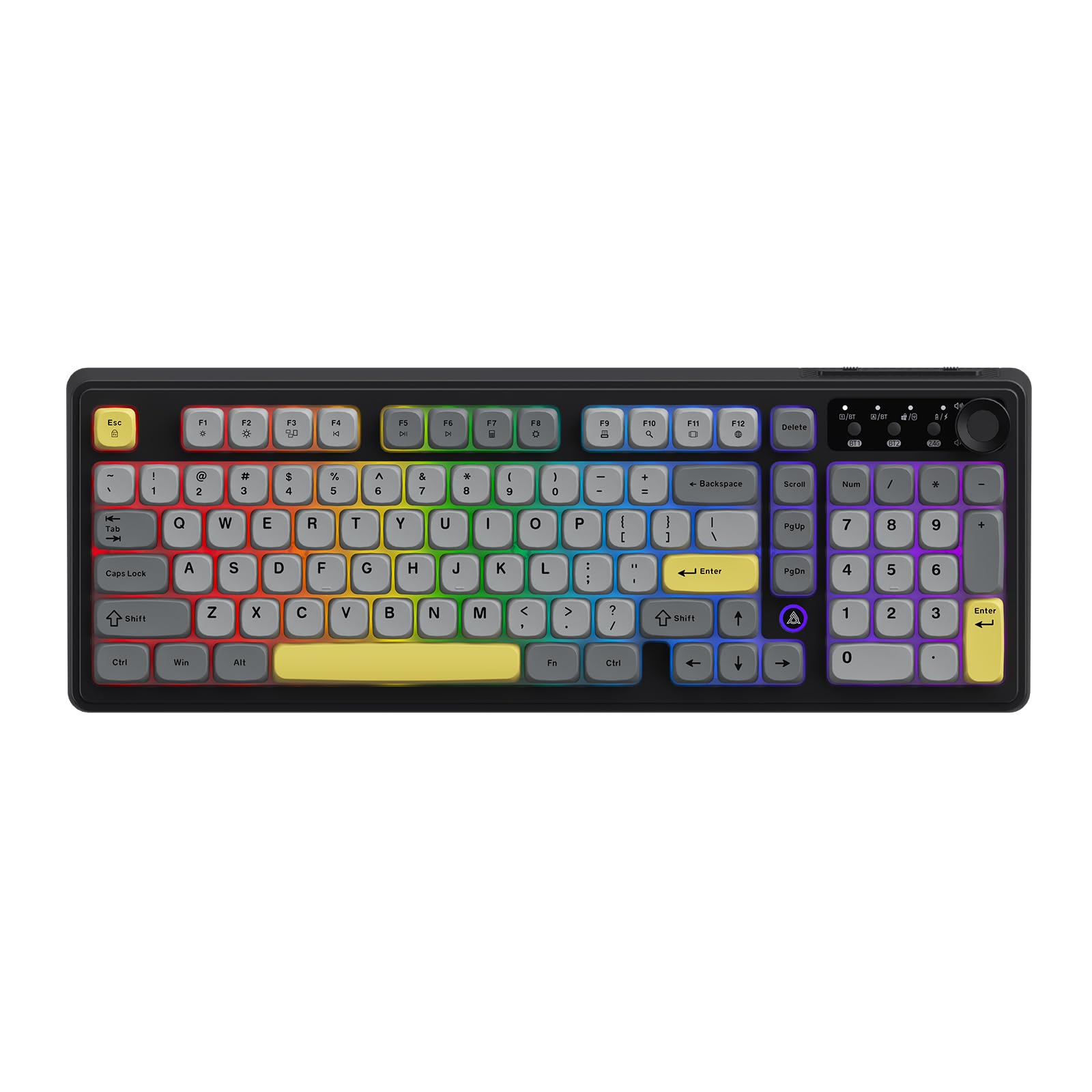
Image: The AJAZZ AF98Plus keyboard in its Black Gray Yellow color scheme, displaying the complete key layout.
אַפּערייטינג ינסטראַקשאַנז
קאַנעקטיוויטי מאָדעס
The AF98Plus keyboard supports three connection modes:
- ווייערד מאָדע: פֿאַרבינדט די קלאַוויאַטור צו אייער דעווייס מיטן צוגעשטעלטן USB-C קאַבל. די קלאַוויאַטור וועט זיך אויטאָמאַטיש איבערגיין צו דראָטיקן מאָדע.
- 2.4GHz ווירעלעסס מאָדע: Insert the 2.4GHz USB receiver into your device. Switch the keyboard to 2.4G mode using the mode switch located near the volume knob.
- בלועטאָאָטה מאָדע: The keyboard supports two Bluetooth connections (BT1 and BT2). Switch the keyboard to BT1 or BT2 mode using the mode switch. On your device, search for "AF98Plus" in Bluetooth settings and pair.

בילד: א דעטאַלירטע view of the keyboard's upper right area, featuring the mode switching keys for BT1, BT2, and 2.4G, along with four indicator lights and the volume adjustment knob.
באַנד אַדזשאַסטמאַנט קנופּ
The dedicated knob on the top right of the keyboard allows for quick and easy volume control. Turn the knob clockwise to increase volume, counter-clockwise to decrease volume. Press the knob to mute/unmute.
אַדזשאַסטאַבאַל פֿיס שטיצן
The keyboard features dual-position adjustable feet on the underside. Extend these feet to raise the keyboard to a more angled position for improved typing comfort.

Image: A close-up of the keyboard's underside, showing the foldable kickstand that allows for adjusting the typing angle for enhanced comfort.
RGB Illumination Effects
The AF98Plus keyboard features 8 types of RGB illumination effects. Use the following FN key combinations to control the lighting:
- FN + ↑: פאַרגרעסערן ליכט ברייטנאַס
- FN + ↓: פֿאַרקלענערן ליכט ברייטקייט
- FN + →: Increase light speed
- FN + ←: Decrease light speed
- FN + 0: באַשטימען באַקלייט קאָליר
- FN + P: קער אַוועק / אויף די ליכט
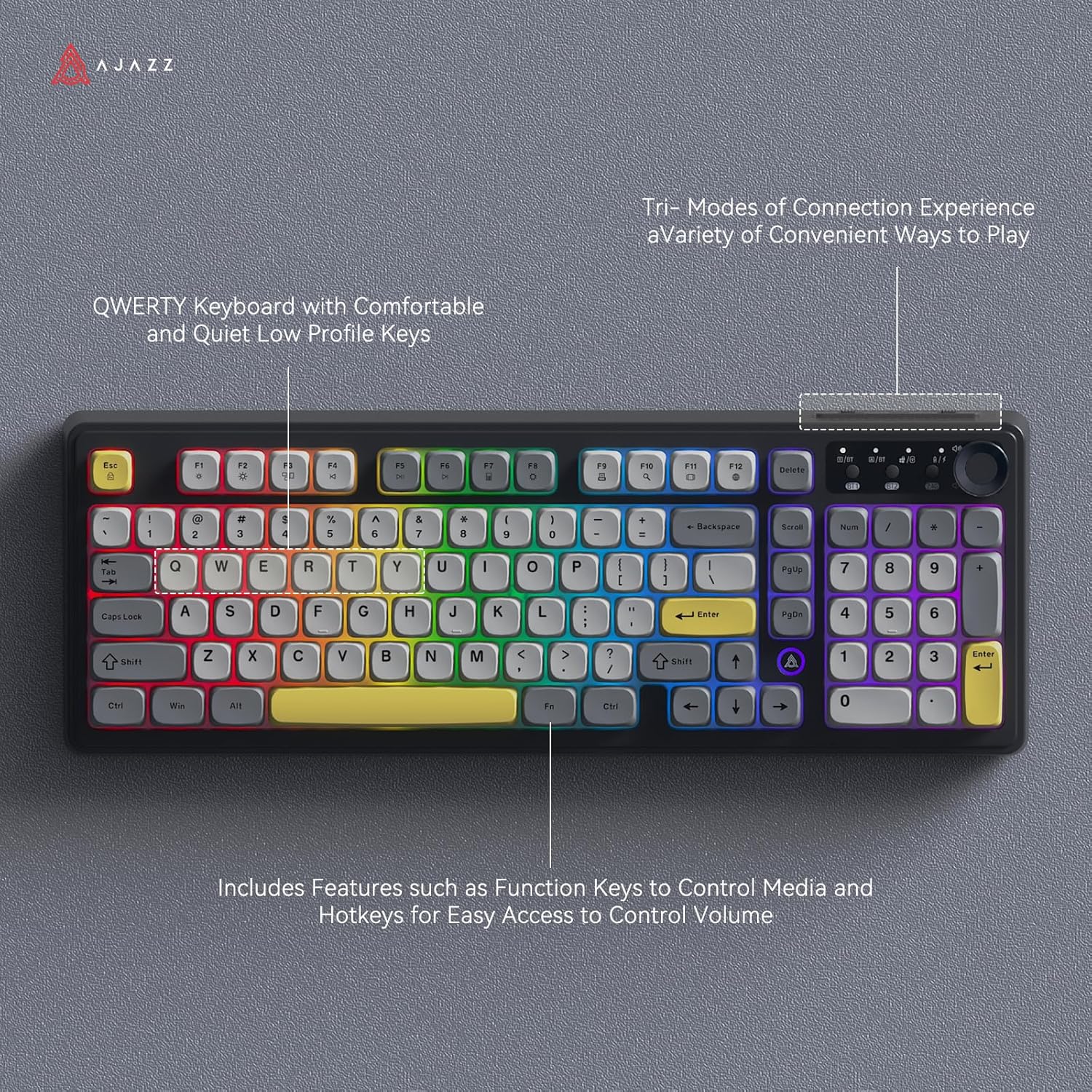
Image: The AJAZZ AF98Plus keyboard illuminated with colorful RGB lighting, showcasing its QWERTY layout and various function keys.

Image: The AJAZZ AF98Plus keyboard showcasing its dynamic RGB lighting effects with keys illuminated in a spectrum of colors.
מולטימעדיאַ פֿונקציע קיז
The keyboard includes 15 multimedia function key combinations for enhanced productivity:
- FN+F1: Brightness- / Volume-
- FN+F2: Brightness+ / Volume+
- FN+F3: מולטי-סקרין ווייַז
- FN+F4: פרייַערדיק ליד
- FN+F5: שפּיל / פּויזע
- FN+F6: ווייַטער ליד
- FN+F7: קאַלקולאַטאָר
- FN+F8: סעטטינגס
- FN+F9: דרוק
- FN+F10: זוכן
- FN+F11: אַפּפּליקאַטיאָן סוויטשינג
- FN+F12: שפּראַך סוויטטשינג
- FN+DEL: היים
- FN+Scrl: INS
- FN+S: Toggle WASD and Arrow Keys

Image: A table detailing the FN key combinations for various multimedia functions, displayed alongside the AJAZZ AF98Plus keyboard.
באַטערי אינפֿאָרמאַציע
The AJAZZ AF98Plus keyboard is equipped with a 4000mAh high-capacity battery, providing extended usage time. It features a low power consumption chip and an energy-saving design to maximize battery life.

Image: The AJAZZ AF98Plus keyboard, emphasizing its 4000mAh battery, large capacity, low power consumption chip, and energy-saving design.

Image: The underside of the AJAZZ AF98Plus keyboard, with a large "4000mAh" graphic, signifying its battery capacity.
וישאַלט
רייניקונג
To clean your keyboard, disconnect it from your device. Use a soft, dry cloth to wipe the keycaps and chassis. For deeper cleaning, you may use a can of compressed air to remove dust and debris from between the keys. Avoid using liquid cleaners directly on the keyboard.
סטאָרידזש
האַלט די קלאַוויאַטור אין אַ קיל, טרוקן אָרט אַוועק פון דירעקט זונשייַן און עקסטרעמע טעמפּעראַטורן.
טראָובלעשאָאָטינג
קלאַוויאַטור ניט ריספּאַנדינג
- ווייערד קשר: זיכער מאַכן אַז דער USB-C קאַבל איז זיכער פארבונדן צו ביידע די קלאַוויאַטור און דיין מיטל. פּרוּווט אַן אַנדער USB פּאָרט אָדער קאַבל.
- 2.4GHz ווירעלעסס: Ensure the USB receiver is properly inserted and the keyboard is switched to 2.4G mode. Check battery level.
- בלועטאָאָטה: Ensure Bluetooth is enabled on your device and the keyboard is in BT1 or BT2 mode. Re-pair the keyboard if necessary. Check battery level.
RGB Lights Turn Off
The RGB lighting is designed to turn off after a period of inactivity to conserve battery. It will automatically reactivate when you resume typing.
שליסלען ארבעטן נישט ריכטיק
If specific keys are not working, try cleaning around the keycap. If the issue persists, ensure the keyboard's firmware is up to date (check the manufacturer's webוועבזייטל פֿאַר דערהייַנטיקונגען).
ספּעסאַפאַקיישאַנז
| שטריך | דעטאַל |
|---|---|
| סאָרט | AJAZZ |
| מאָדעל נומער | AF98 |
| קאַנעקטיוויטי טעכנאָלאָגיע | בלועטוט, יו-עס-בי-סי, 2.4 גי-הרץ ווירעלעס |
| קלאַוויאַטור באַשרייַבונג | מעמבראַנע |
| נומער פון קיז | 98 |
| קלאַוויאַטור אויסלייג | QWERTY |
| קלאַוויאַטור באַקלייט | RGB |
| מאַכט מקור | באַטעריע געטריבן (4000mAh) |
| פּראָדוקט דימענשאַנז | 18"ל x 6"בר x 1.37"ה |
| קאַמפּאַטאַבאַל דעוויסעס | Gaming Console, Laptop, PC, Tablet (Windows Vista/XP/7/8/10/11, Mac, Android) |
וואָראַנטי און שטיצן
The product comes with a 1-year warranty. For warranty claims or technical support, please contact the retailer or manufacturer directly. Refer to your purchase documentation for specific contact details.
Return Policy: This product is eligible for a refund/replacement within 30 days of purchase, subject to the retailer's return policy.