
1. פּראָדוקט איבערview
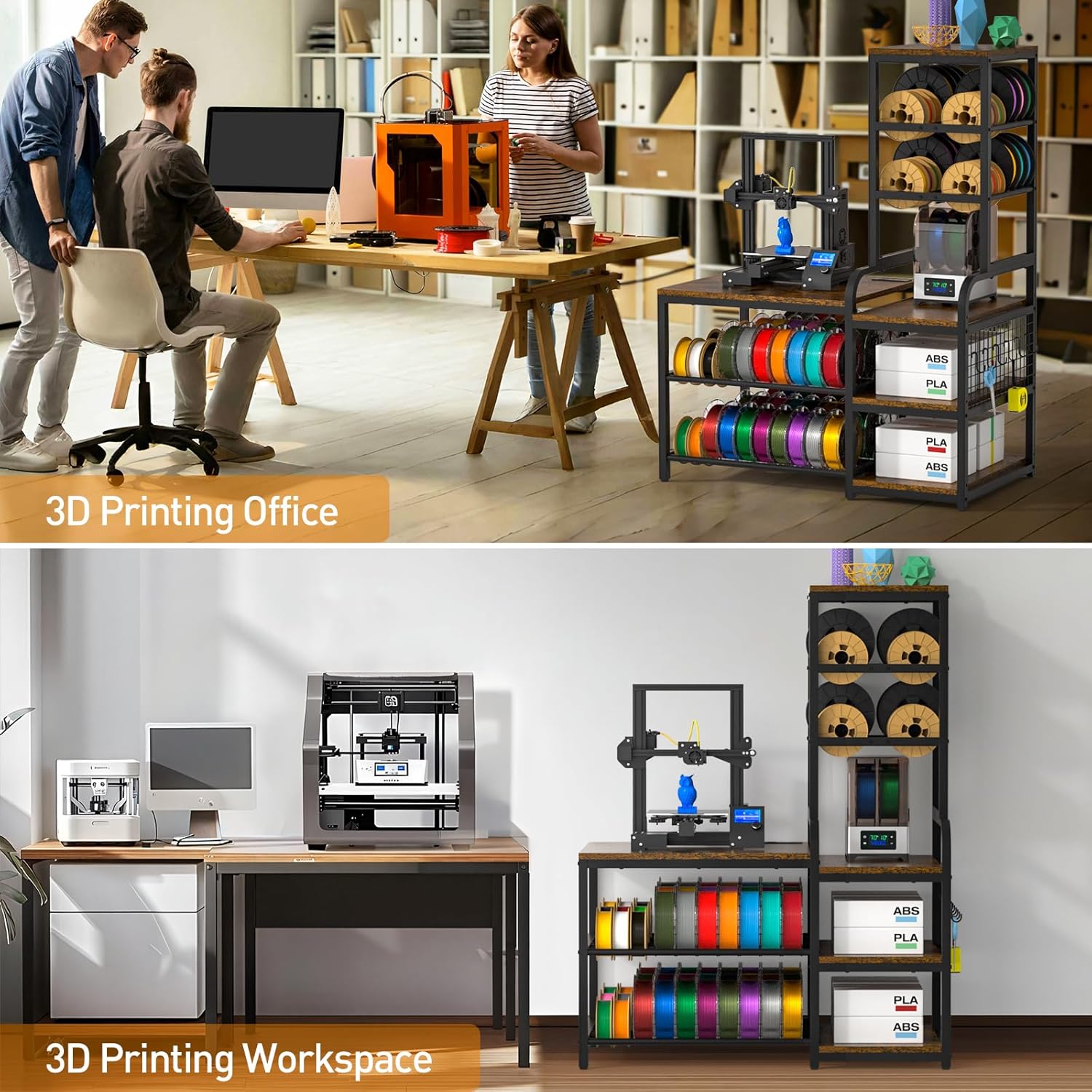
The ikkle 3D Printer Stand provides an integrated storage solution for 3D printers, filament spools, filament dryers, and various 3D printing accessories. This design consolidates printing equipment and materials into a single unit, optimizing workspace organization. The stand features an enlarged left tabletop measuring 26.6 inches wide by 22.5 inches deep, suitable for most 3D printers. It offers extensive storage for up to 54 standard-sized filament spools on the bottom two tiers and up to 20 roll filaments on the top two right-side tiers. Additional open spaces are available for accessories.
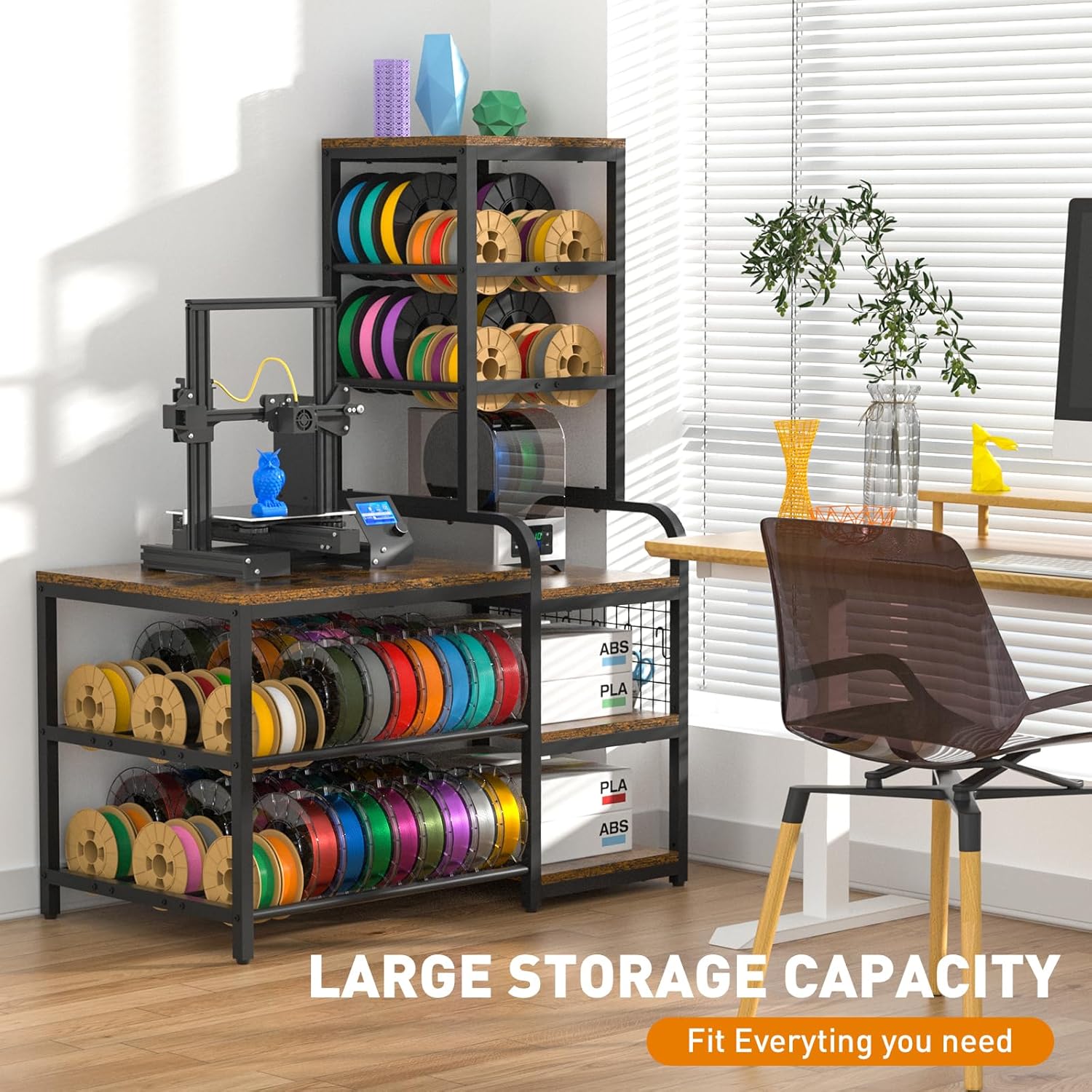
פיגורע 1: קוילעלדיק view of the ikkle 3D Printer Stand with Filament Storage Rack, showcasing its large storage capacity for a 3D printer, filament spools, and accessories.

Figure 2: Illustration highlighting the stand's large storage capacity for various 3D printing essentials.
2. פּעקל אינהאַלט
באַשטעטיקט אַז אַלע קאָמפּאָנענטן זענען פאַראַן איידער איר הייבט אָן צו פֿאַרזאַמלען. אויב עס פֿעלן אָדער זענען צעבראָכן טיילן, ביטע קאָנטאַקטירט קונה שטיצע.
- 3D Printer Table components (particleboard shelves, metal frame parts)
- Mounting Hardware (screws, bolts, nuts, S-hooks, adjustable feet)
- ייַנמאָנטירונג אינסטרוקציעס (דעם מאַנואַל)
3. אַסעמבלי אינסטרוקציעס
The 3D printer stand is designed for straightforward assembly. A detailed instruction manual is included to guide you through the process. It is recommended to have an electric screwdriver for quicker assembly.
3.1 General Assembly Guidance
- אויספּאַקן אַלע קאָמפּאָנענטן און קאָנטראָלירן קעגן דער פּאַקעט אינהאַלט ליסטע.
- Identify all hardware. Separate screws and bolts by type to avoid confusion.
- Follow the step-by-step diagrams provided in the included installation instructions.
- Ensure all connections are secure but do not overtighten until the unit is fully assembled.
- Attach the adjustable feet to the bottom of the stand to ensure stability on uneven surfaces.
- Install the S-hooks onto the designated grid panel for tool organization.
פיגורע 3: נאָענט-אַרויף view of the adjustable feet and S-hooks, which are part of the assembly and user-friendly design.
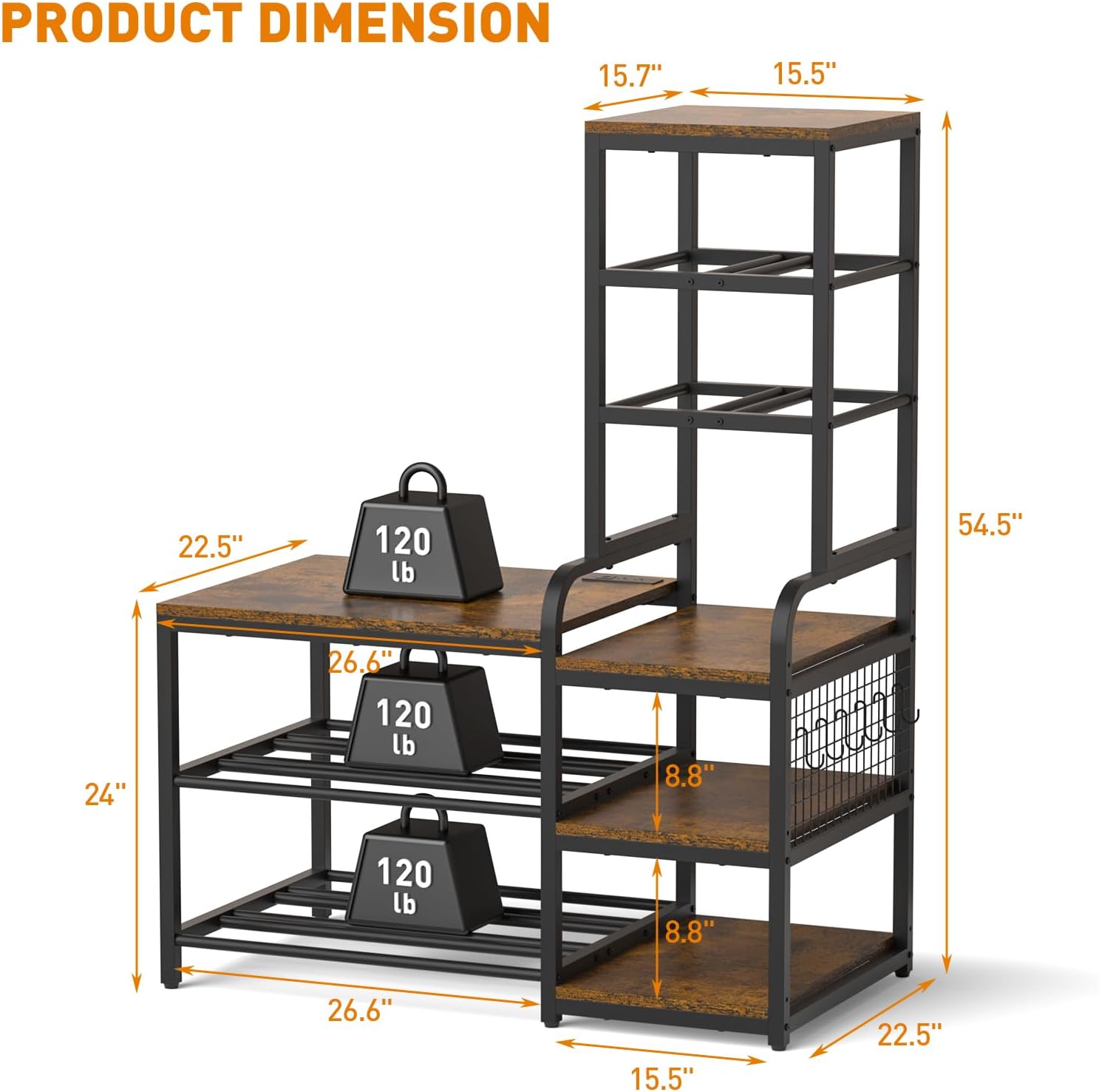
Figure 4: Detail of the open shelves and integrated S-hooks for organizing tools and accessories.
4. פּראָדוקט פֿעיִקייטן און אָפּעראַציע
4.1 אינטעגרירטע טשאַרדזשינג סטאנציע
The stand includes a built-in power strip located on the tabletop. This charging station provides convenient access to power for your 3D printer, laptop, or other electronic devices.
- AC אַוטלעץ: 2 רענטגענ 120 וו / 12 אַ
- USB-A פּאָרץ: 2 רענטגענ 5 וו / 2.1 אַ
- וסב- C פּאָרט: 1 רענטגענ 5 וו / 3 אַ
- מאַכט שנור לענג: 4.9 ft

Figure 5: Close-up of the integrated charging station with 2 AC outlets, 2 USB-A ports, and 1 USB-C port, along with its 4.9 ft power cord.

Figure 6: Visual representation of the built-in power strip supporting various appliances.
4.2 Filament Storage Capacity
The stand is designed to accommodate a large quantity of filament spools, supporting various sizes.
- Left Side Bottom Tiers: Holds up to 54 standard-sized spools.
- Right Side Top Tiers: Holds up to 20 roll filaments.
- Compatible with 200g (6.2in), 500g (7.9in), and 1kg (7.9in) filament spools.

Figure 7: Image illustrating the filament spool storage capacity, showing various spool sizes (200g, 500g, 1kg) and their dimensions.

Figure 8: Diagram showing the filament storage sections, designed to hold numerous spools.
4.3 Printer Compatibility
The enlarged left tabletop (26.6"W x 22.5"D) is designed to accommodate most standard 3D printers.

Figure 9: Image showing the dimensions of the main tabletop (26.6"W x 22.5"D) and examples of compatible 3D printers.
4.4 Stability and Durability
Constructed from premium particleboard and a sturdy metal structure, the stand is designed for durability. The painted surface helps prevent rust and corrosion. The frame is secured with screws to ensure stability, supporting up to 300 lbs per tier.

Figure 10: Diagram showing the overall product dimensions and the 120 lb weight capacity per tier.

Figure 11: Close-up of the sturdy metal frame and particleboard construction, emphasizing durability.
5. וישאַלט
To ensure the longevity and appearance of your ikkle 3D Printer Stand, follow these maintenance guidelines:
- רייניקונג: ווישן סערפאַסיז מיט אַ ווייך, דamp שטאָף. פֿאַרמײַדט שרײַבנדיקע רייניקונגס־מיטלען אָדער שאַרפֿע כעמיקאַלן וואָס קענען שאַטן דעם ענדיקונג.
- ספּילז: Promptly clean any spills, especially on the particleboard surfaces, to prevent water damage. The surface is designed to resist minor liquid exposure.
- ייַזנוואַרג: Periodically check all screws and bolts to ensure they remain tight. Retighten if necessary to maintain structural integrity.
- אָרט: Avoid placing the stand in direct sunlight or near heat sources to prevent material degradation.

Figure 12: Image showing a surface with water droplets, indicating the water-resistant properties of the stand's finish.
6. טראָובלעשאָאָטינג
If you encounter issues during assembly or use, refer to the following common troubleshooting tips:
- שוועריקייט מיט אַסעמבלי: Ensure you are using the correct hardware for each step as indicated in the detailed instruction manual. Some users have reported issues with bolt sizes; double-check part numbers and contact support if discrepancies are found.
- שטאַנד וואָבלס: Verify that all screws and bolts are securely tightened. Adjust the anti-scratch pads on the bottom of the stand to compensate for uneven floor surfaces.
- פעלנדיק טיילן: If any components or hardware are missing from the package, refer to the package contents list and contact customer support for assistance.
- Power Strip Not Working: Ensure the power cord is fully plugged into a functional wall outlet. Check if the power strip's circuit breaker (if present) has tripped.
7. ספּעסאַפאַקיישאַנז
| שטריך | באַשרייַבונג |
|---|---|
| סאָרט | ikkle |
| מאָדעל נומער | IK600204-P |
| פּראָדוקט דימענשאַנז (L x W x H) | 22.5 X 42.1 X 54.5 אינטשעס |
| פּונקט וואָג | 44 פונט |
| מאַטעריאַל | Metal, Wood (Particleboard) |
| ענדיקן טיפּ | פּאַינטעד |
| קאָליר | Black frame with Vintage פּאַנעלן |
| נומער פון שעלוועס | 5 |
| וואָג קאַפּאַסיטי פּער ריי | Up to 300 lbs (as per product description, though image shows 120lb) |
| ספּעציעלע שטריך | Heavy Duty, Built-in Power Strip, Adjustable Feet, S-Hooks |
| אַסעמבלי פארלאנגט | יא |
Figure 13: Diagram illustrating the product dimensions and individual tier weight capacity.
8. וואָראַנטי און שטיצן
For any questions, concerns, or issues regarding your ikkle 3D Printer Stand, please contact ikkle customer support. Refer to your purchase documentation for specific warranty details. If you encounter any problems during the assembly or use process, timely contact with customer service is recommended for assistance.