
1. הקדמה
The Owlet Dream Duo (Gen 3) is an integrated monitoring system designed to provide comprehensive insights into your baby's health, safety, and sleep. This system combines the FDA-cleared Dream Sock for tracking vital signs and the 2K HD Dream Sight Camera for video monitoring, all accessible through a single connected application.

Image: Baby sleeping in a crib, illustrating the integrated monitoring capabilities of the Dream Duo. Data overlays show a pulse rate of 91 bpm and oxygen saturation of 98%.
2. וואָס איז אַרייַנגערעכנט
Your Owlet Dream Duo package contains the following components:
- Dream Sight™ Camera
- Dream Sock® Sensor
- 4 Fabric Socks (suitable for babies 1-18 months, 6-30 lbs)
- באַזע סטאנציע
- וואנט מאַונטינג קיט
- ASTM Safety Certified Cable Guards
- Power Adapter + USB-C Cable
- Free Access to Owlet Dream App

Image: Visual representation of all items included in the Owlet Dream Duo box, such as the camera, base station, sensor, and various sock sizes.
3. סעטאַפּ אינסטרוקציעס
Setting up your Dream Duo system is designed to be straightforward:
- Download the Owlet Dream App: Begin by downloading the Owlet Dream App from your device's app store.
- פאַרבינדן צו Wi-Fi: During initial setup, connect your mobile device to a 2.4 GHz Wi-Fi network. The Dream Sight Camera supports dual-band Wi-Fi (2.4 GHz and 5 GHz) for streaming, but the Dream Sock requires 2.4 GHz Wi-Fi for its connection.
- פּאָר דעוויסעס: Follow the in-app instructions to pair your Dream Sock and Dream Sight Camera via Bluetooth and Wi-Fi.
- ינסטאַלירן אַפּאַראַט: Use the provided Wall Mounting Kit and ASTM Safety Certified Cable Guards to securely position the Dream Sight Camera and manage its cable, ensuring it is out of reach of your child.
- Charge Dream Sock: Place the Dream Sock sensor on its Base Station to charge.
Video: An official Owlet video demonstrating the features and setup of the Dream Duo system, including the Smart Baby Monitor with Sock and HD Video Cam.
4. Operating the Dream Sock
The Dream Sock utilizes medical-grade pulse oximetry to monitor your baby's pulse rate and oxygen level during sleep. It is designed for use with babies from 1 to 18 months old, weighing between 6 and 30 lbs.
- אַפּפּליקאַטיאָן: Gently place the Dream Sock on your baby's foot, ensuring a snug but comfortable fit. Refer to the included fabric socks for appropriate sizing.
- פאַקטיש-צייט אַלערץ: The system provides real-time alerts if your baby's readings deviate from preset safe zones. These alerts are delivered via the Base Station (which will flash and sound) and notifications to your Owlet Dream App.
- שלאָף טראַקינג: The Dream Sock also tracks sleep trends, offering insights into sleep cycles and movement throughout the night.

Image: A baby's foot wearing the Dream Sock, with an overlay indicating normal live health readings for pulse rate (119 bpm) and oxygen (100%).

Image: A mobile phone displaying an Owlet Dream App notification for 'High Pulse Rate: Check on Baby', alongside the Base Station emitting a red light, indicating an alert.
5. Operating the Dream Sight Camera
The Dream Sight Camera provides high-definition video monitoring of your baby's environment.
- 2K HD ווידעא: View crystal-clear 2K HD video, day or night, with a 130-degree wide-angle lens and 4x zoom.
- צוויי-וועג רעדן: Communicate with your baby through the camera using the Owlet Dream App.
- Room Environment Monitoring: The camera tracks room temperature and humidity, sending notifications if conditions fall outside your preset comfort zones.
- קוסטאָמיזאַבלע אַלערץ: Set up notifications for sound, movement, and crying directly within the Owlet Dream App.
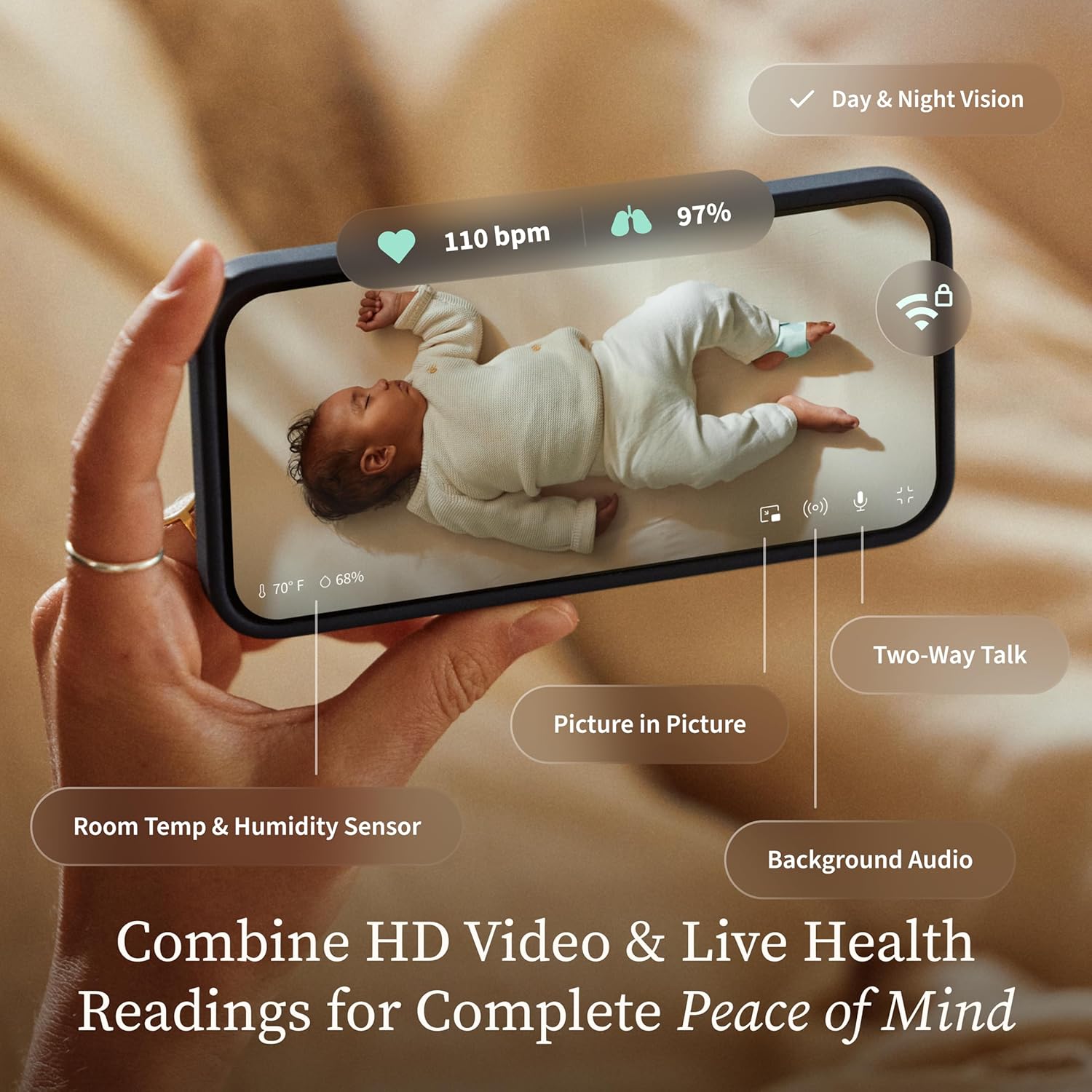
Image: A smartphone displaying the Owlet Dream App, showing live HD video of a baby in a crib, along with real-time room temperature (70°F) and humidity (68%) readings.
6. Owlet Dream App Features
The Owlet Dream App serves as the central hub for all monitoring data and system controls:
- Health & Sleep Summaries: Access live readings and daily sleep metrics on the home screen.
- Predictive Sleep Technology: Utilize insights to identify optimal wake windows and establish healthy sleep routines.
- Nightly History & Trends: Review detailed charts of your baby's sleep and health patterns over time.
- Customizable Notifications: Adjust alert settings for sound, motion, crying, temperature, and humidity.

Image: A parent holding a baby, viewing the Owlet Dream App on a smartphone. The app displays a notification indicating 'Scottie's next sleep window will start at 1:30 pm', demonstrating predictive sleep insights.

Image: A smartphone screen displaying 'Olivia's Morning Report' from the Owlet Dream App, showing total night sleep (8h 23m) and a breakdown of awake, light, and deep sleep.
7. Security and Data Privacy
Owlet prioritizes the security of your family's data and video.
- 256-bit Encryption: Your video and health data are protected by 256-bit encryption and elliptic curve authentication.
- SGS Cybersecurity Mark: The Dream Sight Camera has been awarded the SGS Cybersecurity Mark, providing independently verified security. View Certification

Image: The Dream Sight Camera mounted, highlighting its cybersecurity features with the SGS Cybersecurity Mark and a Wi-Fi lock icon.
8. וישאַלט
Proper maintenance ensures the longevity and optimal performance of your Dream Duo system:
- Dream Sock: Hand wash fabric socks only. Ensure the sensor is dry before reattaching to a clean sock.
- Dream Sight Camera: Wipe the camera lens and body with a soft, dry cloth. Avoid using harsh chemicals or abrasive materials.
- קאַבלעס: Regularly inspect all cables for any signs of wear or damage. Use the provided cable guards to keep cables secure and out of reach.
9. טראָובלעשאָאָטינג
If you encounter any issues with your Dream Duo, consider the following common troubleshooting steps:
- קאַנעקטיוויטי ישוז: Ensure both your mobile device and the Dream Sock/Camera are connected to a stable 2.4 GHz Wi-Fi network. Restarting your router and devices can often resolve connection problems.
- Sock Readings: Verify the Dream Sock is correctly positioned on your baby's foot and is fully charged. Ensure no lotions or creams are on the skin where the sensor makes contact.
- Camera Feed: Check your Wi-Fi connection strength. If the video lags, try reducing the video quality settings in the app.
- אַלערץ: Confirm that notifications are enabled in the Owlet Dream App and your phone's settings. Adjust sensitivity levels for motion, sound, and crying alerts as needed.
For further assistance, please refer to the support section of the Owlet Dream App or visit the official Owlet support webפּלאַץ.
10. ספּעסאַפאַקיישאַנז
| שטריך | דעטאַל |
|---|---|
| סאָרט | Owlet |
| מאָדעל נומער | PS03NMWUSN |
| מאַטעריאַל | ניילאָן, פּלאַסטיק |
| פּראָדוקט דימענשאַנז | 3.3"ל x 4"בר x 4.5"ה |
| פּונקט וואָג | 2 פונט |
| סענסאָר טיפּ | אָפּטיש |
| קאַמפּאַטאַבאַל דעוויסעס | Android OS 7+, iOS 14+ |
| Wi-Fi קאָמפּאַטיביליטי | 2.4 GHz (Dream Sock), Dual-band 2.4 GHz & 5 GHz (Dream Sight Camera) |
11. וואָראַנטי און שטיצן
The Owlet Dream Duo comes with a 1 יאָר וואָראַנטי פון די דאַטע פון קויפן.
For detailed warranty information, product support, or to access frequently asked questions, please visit the official Owlet support webפּלאַץ: support.owletcare.com. You can also find help and support within the Owlet Dream App.