
שטאַרק SRT427
STRONG 4K UHD Box SRT 427 User Manual
הקדמה
This manual provides comprehensive instructions for the installation, operation, and maintenance of your STRONG 4K UHD Box SRT 427. Please read this manual carefully before using the device to ensure proper functionality and to prevent damage. Keep this manual for future reference.
פּעקל אינהאַלט
איידער איר גייט ווייטער מיט דער סעטאַפּ, ביטע זיכער מאַכן אַז אַלע זאכן זענען פאַראַן אין פּעקל:
- STRONG 4K UHD Box SRT 427
- רימאָוט קאָנטראָל (באַטעריז ניט אַרייַנגערעכנט)
- מאַכט אַדאַפּטער
- HDMI קאַבלע
- שנעל ינסטאַללאַטיאָן גייד
סעטאַפּ
Follow these steps to set up your STRONG 4K UHD Box SRT 427:
- פאַרבינדן צו טעלעוויזיע: Connect one end of the HDMI cable to the HDMI OUT port on the SRT 427 and the other end to an available HDMI IN port on your television.
- פאַרבינדן צו מאַכט: Plug the power adapter into the DC IN port on the SRT 427, then plug the adapter into a wall outlet.
- Connect to Internet (Optional): For internet-based features, connect an Ethernet cable to the LAN port on the SRT 427, or configure Wi-Fi settings after initial boot-up.
- אַרײַנשטעלן באַטעריעס אין ווײַטקאָנטראָל: Open the battery compartment on the remote control and insert 2x AAA batteries (not included), ensuring correct polarity.
- מאַכט אויף: Turn on your TV and select the correct HDMI input source. The SRT 427 should power on automatically. If not, press the power button on the remote control.
- ערשט סעטאַפּ וויזערד: Follow the on-screen instructions to complete the initial setup, including language selection, network configuration, and channel scanning.
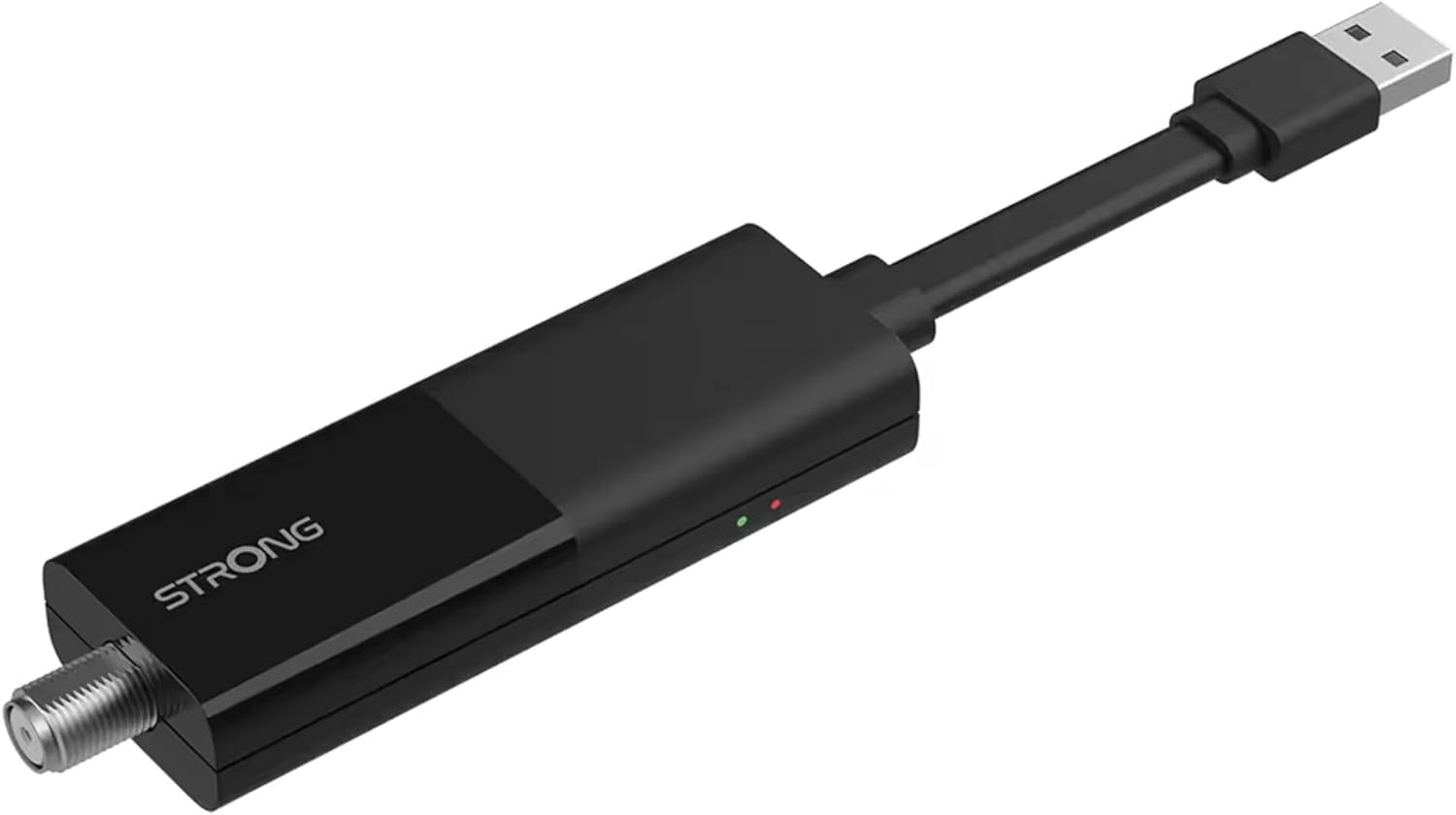
Image: The STRONG 4K UHD Box SRT 427, a compact black USB dongle-style device with a USB connector on one end and an F-type coaxial antenna input on the other, featuring the 'STRONG' logo and small indicator lights.
אַפּערייטינג ינסטראַקשאַנז
Once the initial setup is complete, you can begin using your SRT 427. Use the remote control to navigate the user interface.
- היים פאַרשטעלן: דרוק די היים button to access the main menu, where you can find applications, settings, and media options.
- נאַוויגאַציע: ניצן די פייַל שליסלען (אַרויף, אַראָפּ, לינקס, רעכטס) to move through menus and options. Press OK צו באַשטעטיקן אַ סעלעקציע.
- באַנד קאָנטראָל: ניצן די VOL+ און וואָל- קנעפּלעך צו סטרויערן די אַודיאָ באַנד.
- קאַנאַל סעלעקציע: If connected to an antenna, use the CH+ און טש- buttons to change channels, or enter channel numbers directly using the numeric keypad.
- סעטטינגס: Access the settings menu to customize display, audio, network, and system preferences.
- מעדיע פּלייבאַק: Connect a USB storage device to the USB port to play media files (photos, videos, music) through the built-in media player.
וישאַלט
Proper maintenance ensures the longevity and optimal performance of your SRT 427.
- רייניקונג: Disconnect the device from power before cleaning. Use a soft, dry cloth to wipe the exterior. Do not use liquid cleaners or abrasive materials.
- ווענטילאַטיאָן: Ensure the device is placed in a well-ventilated area. Do not block ventilation openings.
- טעמפּעראַטור: ויסמיידן יקספּאָוזינג די מיטל צו עקסטרעם טעמפּעראַטורעס, דירעקט זונשייַן אָדער הויך הומידיטי.
- Firmware דערהייַנטיקונגען: Periodically check for firmware updates through the system settings to ensure you have the latest features and bug fixes.
טראָובלעשאָאָטינג
If you encounter issues with your SRT 427, refer to the following common problems and solutions:
| פּראָבלעם | לייזונג |
|---|---|
| קיין מאַכט | Check if the power adapter is securely connected to the device and the wall outlet. Ensure the outlet is functional. |
| קיין בילד אויף טעלעוויזיע | Verify the HDMI cable is correctly connected to both the SRT 427 and the TV. Ensure the TV is set to the correct HDMI input source. |
| קיין געזונט | Check the volume level on both the SRT 427 and your TV. Ensure audio settings in the SRT 427 menu are correct. |
| ווייַט קאָנטראָל נישט ארבעטן | Check and replace the batteries. Ensure there are no obstructions between the remote and the device's IR sensor. |
| קענען ניט פאַרבינדן צו ווי-פי | Ensure your Wi-Fi router is on and within range. Re-enter the Wi-Fi password in the network settings. Try restarting both the SRT 427 and your router. |
ספּעסאַפאַקיישאַנז
Technical specifications for the STRONG 4K UHD Box SRT 427:
- מאָדעל נומער: SRT427
- פּראָדוקט דימענשאַנז: 5.91 X 7.87 X 5.91 אינטשעס
- נומער וואָג: 1.76 פונט
- באַטעריז: 1 AAAA batteries required (for remote control, typically)
- פאַבריקאַנט: שטאַרק
- Language (Default): Italian (may vary by region, user configurable)
- ASIN: B0FDPX7PRQ
- ערשטער דאַטע בנימצא: 21 אויגוסט 2025
וואָראַנטי און שטיצן
For warranty information and technical support, please refer to the warranty card included in your product packaging or visit the official Strong webזייטל. פרובירט נישט צו פאררעכטן דעם אפאראט אליין, ווייל דאס קען בטל מאכן אייער גאראנטיע.
באַאַמטער Webפּלאַץ: www.strong.tv
Ask a question about this manual
Ask about setup, troubleshooting, compatibility, parts, safety, or missing instructions. Manuals+ will review the question and use this page’s manual context to help answer it.