
1. הקדמה
The DROP PC38X Gaming Headset is designed to provide superior comfort, improved build quality, and exceptional audio clarity for serious gamers. It features high-fidelity drivers for vivid, detailed sound across an ultra-wide frequency response. With a low 28-ohm impedance, it is easily driven by various low-power devices. The headset is built for long gaming sessions, featuring a plush, split headband and breathable velour earpads for comfort.
2. וואָס איז אין דער קעסטל
- DROP PC38X Gaming Headset
- 3.5mm TRRS Cable (for consoles and mobile devices)
- Dual 3.5mm Cable (for PC setups)
- Extra Set of Velour Earpads

3. סעטאַפּ
3.1 פֿאַרבינדן די כעדסעט
The PC38X headset connects via a 3.5mm audio jack. Two cables are provided for different device types:
- For Consoles and Mobile Devices: Use the 3.5mm TRRS cable. This single cable handles both audio and microphone input. Insert the L-shaped end into the headset's left earcup port and the straight end into your device's 3.5mm jack.
- For PC Setups: Use the dual 3.5mm cable. This cable splits into two connectors: one for audio (green) and one for the microphone (pink). Insert the L-shaped end into the headset's left earcup port and the two split ends into the corresponding audio and microphone ports on your PC.

3.2 צופּאַסן דעם קאָפּבאַנד
The headband is adjustable to ensure a comfortable fit. Gently slide the earcups up or down along the headband until they rest comfortably over your ears and the headband sits securely on your head. The split headband design is intended to distribute weight evenly for extended wear.
3.3 Swapping Earpads
The PC38X comes with two sets of earpads: one pre-installed (knit mesh) and an additional pair of velour earpads. To swap them, gently pull the existing earpad off the earcup. Align the new earpad with the earcup and press it firmly around the edges until it clicks into place. The velour earpads are known for their breathability and comfort during long sessions.
4. אַפּערייטינג ינסטרוקטיאָנס
4.1 מיקראָפאָן באַניץ
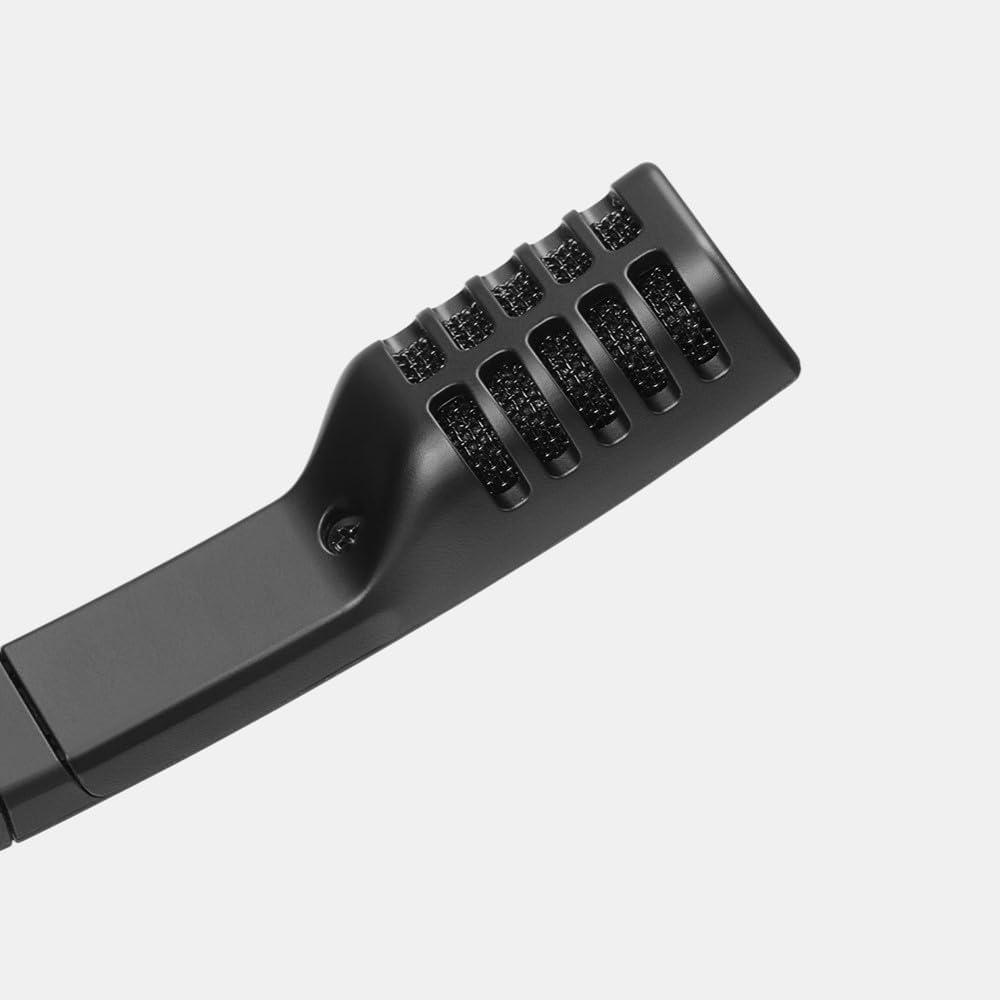
The headset features a high-quality electret condenser microphone with bi-directional pickup. To use the microphone, swing the mic boom down towards your mouth. The microphone automatically mutes when rotated upwards, indicated by an audible click. Ensure the microphone is positioned appropriately for clear communication.
4.2 באַנד קאָנטראָל
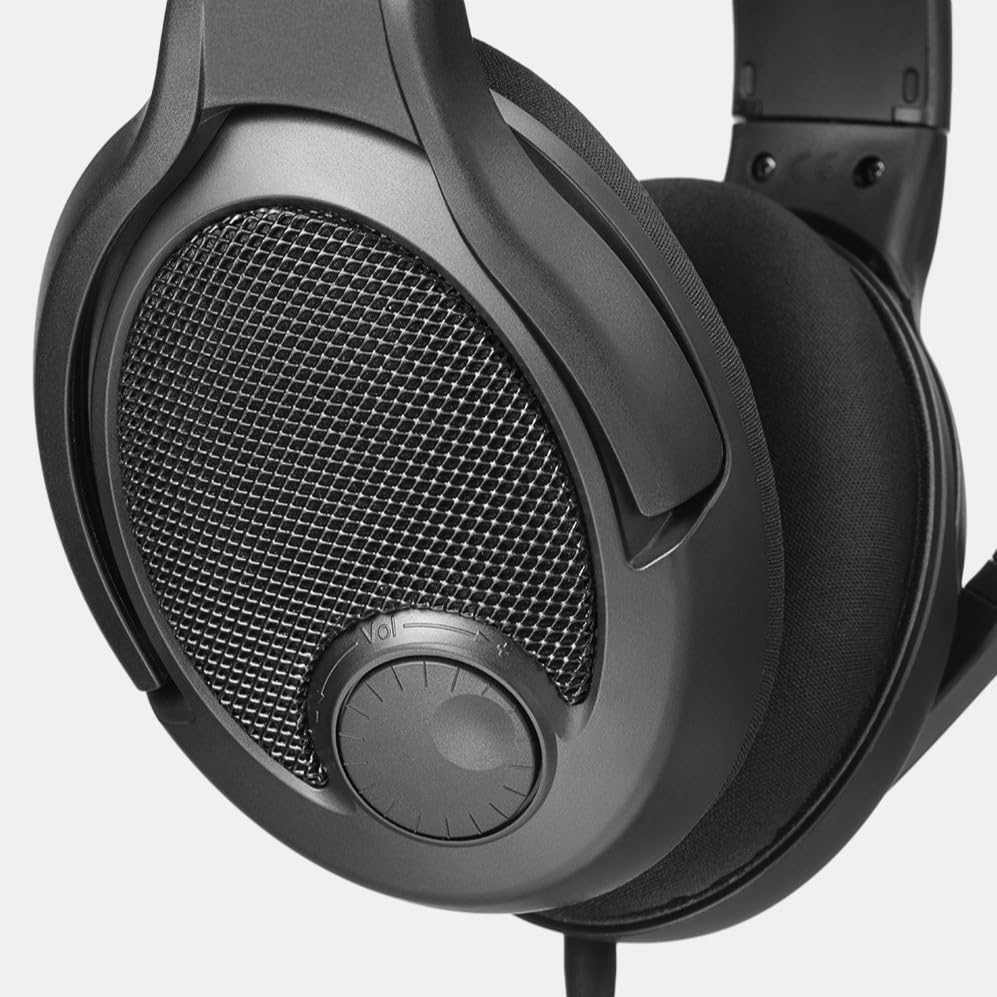
Adjust the audio volume using the integrated volume dial located on the right earcup. Rotate the dial clockwise to increase volume and counter-clockwise to decrease it. This allows for quick and convenient audio adjustments during gameplay or media consumption.
5. וישאַלט
5.1 רייניקונג
To clean the headset, use a soft, dry cloth. For earpads, a slightly damp cloth can be used, but ensure they are completely dry before reattaching or using. Avoid harsh chemicals or abrasive materials.
5.2 אויערפּאַד פאַרבייַט
Earpads may wear out over time. Replace them as needed using the included spare set or by purchasing new ones. Regular replacement ensures continued comfort and optimal audio performance.
6. טראָובלעשאָאָטינג
6.1 קיין קלאַנג אָדער נידעריקע באַנד
- Ensure the audio cable is securely connected to both the headset and the device.
- קאָנטראָלירט דעם וואָלומען קנעפּל אויף די כעדסעט און אייער דעווייס'ס סיסטעם וואָלומען.
- באַשטעטיקט אַז די ריכטיקע אַודיאָ אַרויסגאַנג מיטל איז אויסגעקליבן אין אייער מיטל'ס געזונט סעטטינגס.
- If using a PC, ensure the dual 3.5mm cable is correctly plugged into both the headphone and microphone jacks.
6.2 מיקראָפאָן אַרבעט נישט
- Ensure the microphone boom is swung down and not in the muted (upright) position.
- Check that the microphone cable is securely connected. For PC, ensure the pink 3.5mm jack is correctly inserted.
- Verify that the correct microphone input device is selected in your device's sound settings.
- Test the microphone with another application or device to rule out software issues.
6.3 אומבאַקוועמקייט בעת באַניץ
- Adjust the headband for a better fit.
- Consider swapping to the alternative velour earpads for increased breathability and softness.
- Allow for a break-in period, as the clamping force may soften with use.
7. ספּעסאַפאַקיישאַנז
| מאָדעל נאָמען | Drop GMR-54X-ISO |
| נומער מאָדעל נומער | מדקס-38051-1 |
| סאָרט | DROP |
| סטייל | PC38X |
| קאָליר | שוואַרץ |
| קאַנעקטיוויטי טעכנאָלאָגיע | ווייערד |
| כעדפאָונז דזשאַק | 3.5 מם דזשאַק |
| אויער פּלייסמאַנט | איבער אויער |
| פאָרם פאַקטאָר | איבער אויער |
| ראַש קאָנטראָל | None (Open-Back Design) |
| אָפטקייַט ענטפער | 30000 הז |
| ימפּידאַנס | 28 אָהמס |
| אַודיאָ דרייווער טיפּ | דינאַמיש דרייווער |
| קאָנטראָל מעטאָד | Push Button (Volume Dial) |
| מאַטעריאַל | שטאָף |
| פּונקט וואָג | 0.56 פונט (8.9 אונסעס) |
| פּראָדוקט דימענשאַנז | 8 X 7.5 X 4.75 אינטשעס |
| קאַמפּאַטאַבאַל דעוויסעס | Cellphones, Desktops, Gaming Consoles, Laptops |
8. וואָראַנטי און שטיצן
8.1 וואָראַנטי אינפֿאָרמאַציע
The DROP PC38X Gaming Headset typically comes with a 2-יאָר שוץ פּלאַן. Please refer to your purchase documentation for specific warranty terms and conditions, as these may vary by region and retailer.
8.2 קונה שטיצן
For further assistance, technical support, or warranty claims, please visit the official DROP website or contact their customer service department. Keep your proof of purchase handy when seeking support.