
1. הקדמה
This manual provides essential information for the safe operation and maintenance of your SuperRC V666 Drone with Camera. Please read it thoroughly before first use to ensure proper setup and to maximize your flying experience. The V666 drone features a brushless motor, optical flow positioning, and an HD 180° adjustable camera, designed for both beginner and adult users.
2. זיכערקייַט פּריקאָשאַנז
- פלי סוויווע: Fly in open areas, away from people, animals, buildings, and power lines. Avoid flying in strong winds or adverse weather conditions.
- באַטערי זיכערקייַט: Use only the provided batteries and charging cable. Do not overcharge or puncture batteries. Discontinue use if batteries show signs of damage or swelling.
- פּראָפּעלער זיכערהייט: האַלט הענט, פּנים, און לויזע קליידער אַוועק פון דרייענדיקע פּראָפּעלערס. מאַכט זיכער אַז די פּראָפּעלערס זענען זיכער באַפעסטיקט איידערן פלי.
- שורה פון דערזען: שטענדיק האַלטן די וויזועלע ליניע פון זעאונג מיטן דראָון בעתן פלי.
- עלטער רעקאָמענדאַציע: דאָס פּראָדוקט איז פּאַסיק פֿאַר באַניצער פֿון 14 יאָר און העכער.
- ינטערפיראַנס: Avoid flying near strong electromagnetic interference sources.
- Multiple Drones: When operating multiple drones simultaneously, power on and pair each drone and its remote control separately to prevent frequency conflicts.
3. פּעקל אינהאַלט
באַשטעטיקט אַז אַלע זאכן וואָס זענען אויסגערעכנט אונטן זענען אַרייַנגערעכנט אין אייער פּעקל:
בילד: איבערview of the SuperRC V666 Drone package contents, showing the drone, remote control with screen, two batteries, spare propellers, screwdriver, USB charging cable, card reader, and memory card.
- SuperRC V666 Drone
- ווײַטקאָנטראָל מיט אינטעגרירטן עקראַן
- 2 x Lithium Ion Batteries (1000mAh each)
- ספּער פּראַפּעלערז
- פּראָפּעלער גאַרדז
- טאַש
- מיקראָ-וסב קאַבלע
- שרויפנ - ציער
- קאָרט רידער
- זכּרון קאָרט
4. קאָמפּאָנענט לעגיטימאַציע
4.1 Drone Overview
בילד: דעטאַלירט view of the SuperRC V666 Drone, showing the main body, camera, and protected propellers.
Familiarize yourself with the drone's key components:
- אַפּאַראַט: Front-mounted, 180° manually adjustable HD camera.
- פּראָפּעללערס: Four propellers with protective guards.
- ברושלעס מאָטאָרן: Provide stable and powerful flight.
- באַטערי אָפּטייל: Located on the drone's body.
- מאַכט קנעפּל: For turning the drone on/off.
- Body Light: Integrated lighting for visibility.
4.2 רימאָוט קאָנטראָל איבערview
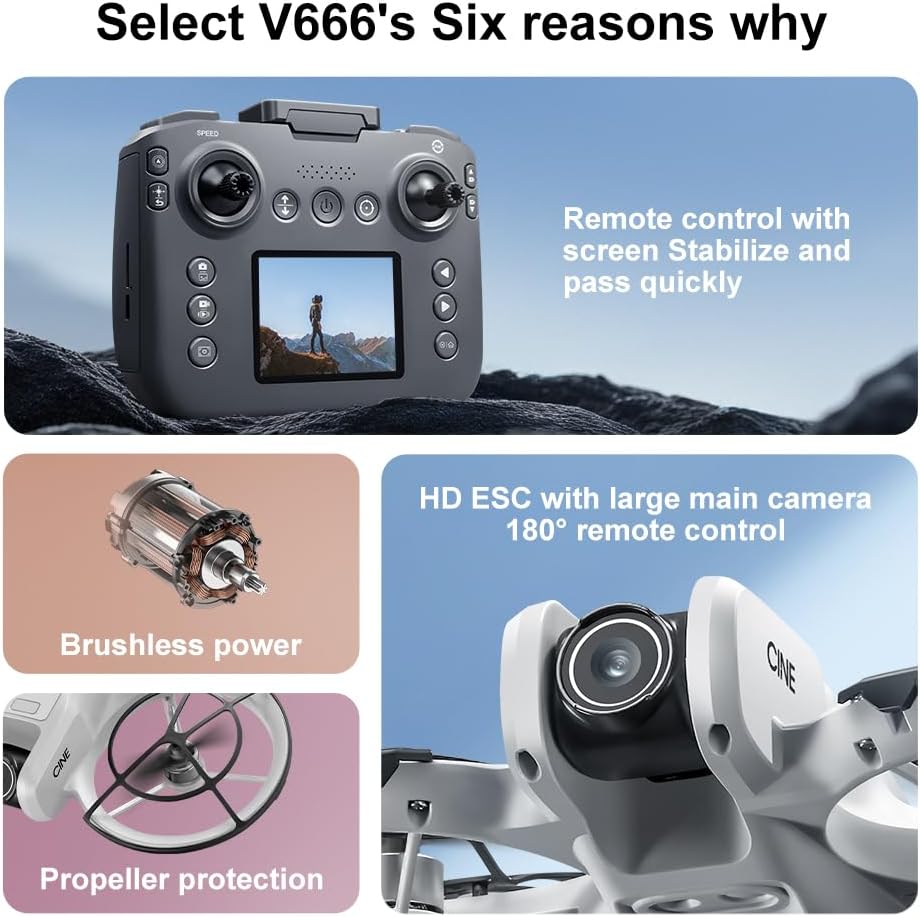
Image: The remote control for the SuperRC V666 Drone, featuring a central display screen, dual joysticks, and multiple control buttons.
די ווייַט קאָנטראָל פֿעיִקייטן:
- דזשויסטיקס: Left for throttle/yaw, right for pitch/roll.
- אינטעגרירטע פאַרשטעלן: Displays flight information and live camera feed.
- מאַכט קנעפּל: To turn the remote control on/off.
- איין-קנעפל אויפהייבן/לאנדן קנעפל: איניציאירט אויטאמאטישע אויפשטייג אדער לאנדונג.
- ספּיד אַדזשאַסטמאַנט קנעפּל: טוישט צווישן פארשידענע פלי-גיכקייטן.
- פאָטאָ/ווידעא קנעפּלעך: For capturing images and recording video.
- טרים קנעפּלעך: For fine-tuning drone stability.
5. סעטאַפּ
5.1 באַטעריע אינסטאַלאַציע און טשאַרדזשינג
- Insert the fully charged Lithium Ion battery into the drone's battery compartment. Ensure it clicks into place securely.
- To charge the battery, connect it to the Micro-USB cable and then to a USB power source (e.g., computer, USB wall adapter). The charging indicator will show the charging status.
- Charge the remote control battery using its dedicated charging port and cable.
5.2 פּראָפּעלער ינסטאַלירונג
The drone comes with propeller guards pre-installed. If you need to replace propellers:
- Identify the correct propeller type (A or B) for each motor. Propellers are typically marked.
- Align the propeller with the motor shaft and press down firmly until it is secure.
- Ensure all propellers rotate freely without obstruction.
5.3 צוזאמענשטעלן דעם דראָון און ווײַטקאָנטראָל

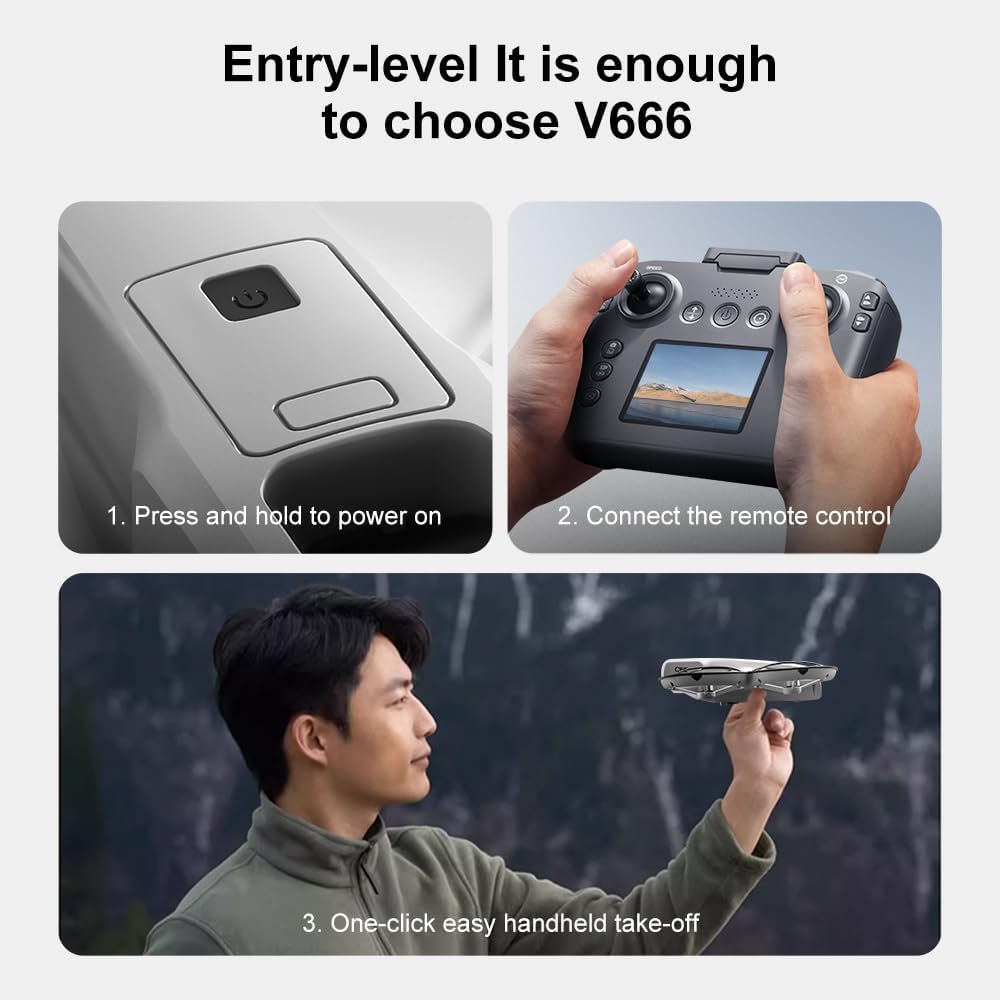
Image: Visual guide demonstrating the steps for powering on the drone, connecting the remote control, and initiating a one-click handheld take-off.
- שטעלן די דראָון אויף אַ פלאַך, גלייַך ייבערפלאַך.
- Press and hold the power button on the drone until its indicator lights turn on.
- קער אויף די ווייַט קאָנטראָל.
- The drone and remote control will automatically attempt to pair. Once paired, the drone's indicator lights will become solid.
- באַמערקונג: If operating multiple drones, power on and pair each drone and its remote control individually to avoid signal interference.
6. אַפּערייטינג ינסטרוקטיאָנס
6.1 גרונטלעכע פלי קאָנטראָלן
- לינקער דזשויסטיק (גאז/גיי):
- Push up/down: Increase/decrease altitude (Throttle).
- Push left/right: Rotate drone left/right (Yaw).
- רעכטער דזשויסטיק (פּיטש/ראָלל):
- Push up/down: Move drone forward/backward (Pitch).
- Push left/right: Move drone left/right (Roll).
- גיכקייט אַדזשאַסטמאַנט: Press the speed button on the remote to cycle through different flight speeds (e.g., low, medium, high).
6.2 One-Key Functions
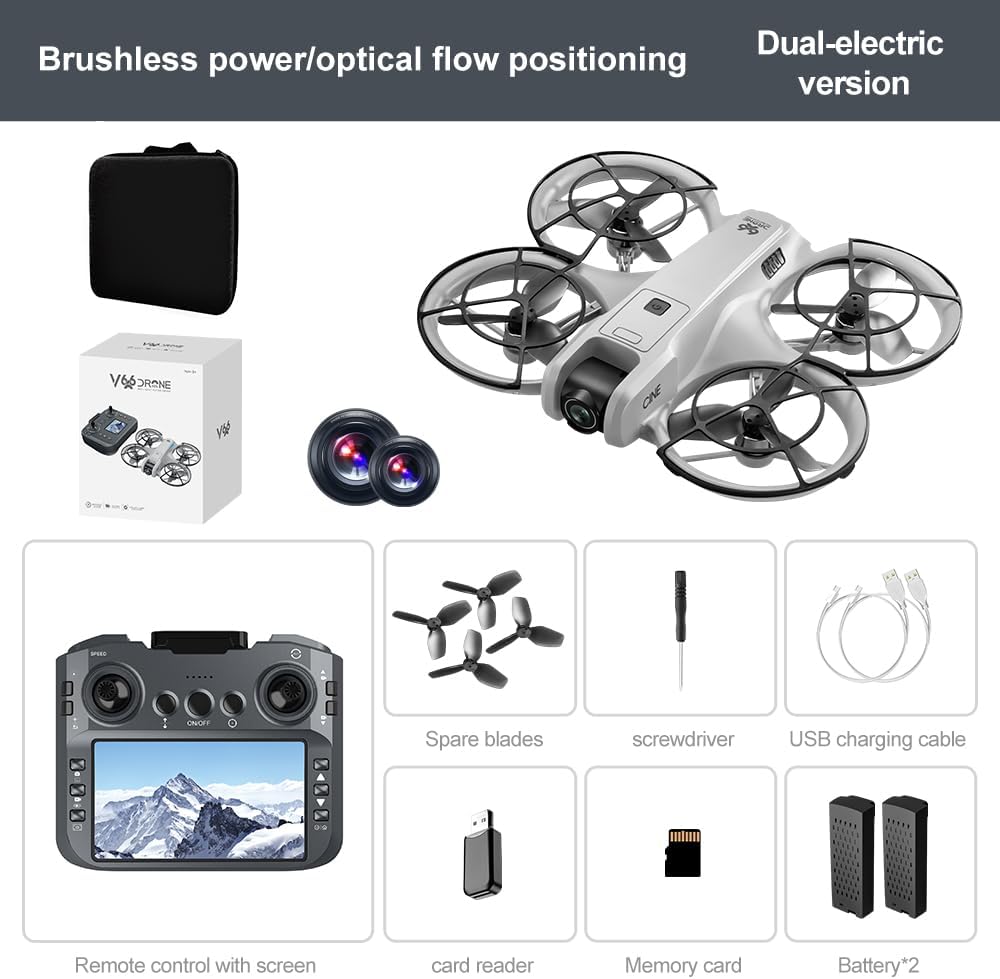
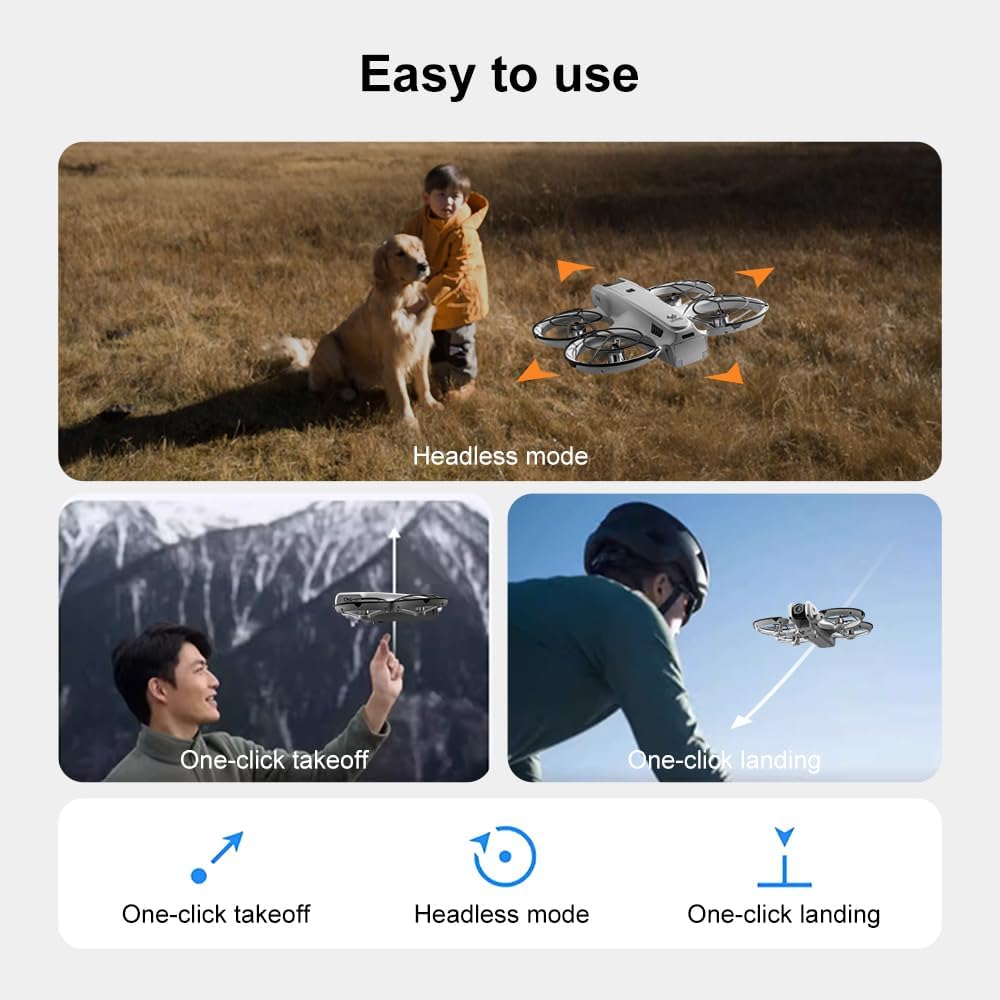
Image: Visual representation of the drone's Headless Mode, One-Click Take-off, and One-Click Landing functionalities.
- איין-קלאַס אָפּפֿליִען: Press the designated button once, and the drone will automatically ascend to a stable hovering height.
- איין-שליסל לאַנדינג: Press the designated button once, and the drone will automatically descend and land gently.
- איין שליסל צוריקקומען: Activates the drone's return-to-home function. The drone will attempt to return to its take-off point.
6.3 העאַדלעסס מאָדע
In Headless Mode, the drone's orientation is relative to the pilot, regardless of which way the drone's front is facing. This simplifies control for beginners.
6.4 דזשעסטשער קאָנטראָל
The drone supports gesture-based photo and video capture. Perform specific hand gestures in front of the camera to trigger these functions during flight.
6.5 אַפּאַראַט אָפּעראַציע
- אַדזשאַסטינג קאַמעראַ ווינקל: The camera lens can be manually adjusted 180° before flight to achieve the desired viewינג ווינקל.
- פאָטאָ / ווידעא כאַפּן: Use the dedicated buttons on the remote control to take photos or start/stop video recording.
- לעבן פיטער: The integrated screen on the remote control provides a real-time view from the drone's camera via Wi-Fi connectivity.
- סטאָרידזש: Captured photos and videos are saved to the inserted memory card.
7. וישאַלט
- רייניקונג: ניצט אַ ווייכע, טרוקענע שטאָף צו רייניקן די דראָון און ווײַטקאָנטראָל. פֿאַרמײַדט די נוצן פֿון סאָלווענטן אָדער שאַרפֿע כעמיקאַלן.
- פּראָפּעלער פאַרבייַט: If propellers are damaged, replace them with spare parts using the provided screwdriver. Ensure correct propeller type (A or B) is used for each motor.
- סטאָרידזש: Store the drone and its components in a cool, dry place, away from direct sunlight and extreme temperatures. Remove batteries if storing for extended periods.
8. טראָובלעשאָאָטינג
| פּראָבלעם | מעגלעך סיבה | לייזונג |
|---|---|---|
| דראָון טוט זיך נישט אָן | די באַטאַרייע איז נישט באפוילן אָדער ינקערעקטלי אינסטאַלירן. | זיכער מאַכן אַז די באַטאַרייע איז גאָר אויפגעלאָדן און ריכטיק אַרײַנגעשטעלט. |
| Drone fails to pair with remote control | Remote control not powered on, or pairing sequence incorrect. | Ensure both devices are powered on. Follow pairing steps (Section 5.3). Avoid multiple drones pairing simultaneously. |
| דראָון דריפֿט בעתן פֿלוג | Not calibrated on a flat surface, or environmental factors. | Ensure drone is placed on a flat surface before take-off. Perform calibration if available (refer to remote control instructions). Avoid strong winds. |
| Poor camera image quality or no live feed | Weak Wi-Fi signal, camera lens dirty, or memory card issue. | Ensure drone is within Wi-Fi range. Clean camera lens. Check memory card for proper insertion and sufficient space. |
| קורץ פלי צייט | Battery not fully charged, or battery degradation. | Fully charge batteries before each flight. Consider replacing old batteries if performance significantly degrades. |
9. ספּעסאַפאַקיישאַנז
| שטריך | דעטאַל |
|---|---|
| סאָרט | סופּעררק |
| מאָדעל נאָמען | V666 |
| קאָליר | גרוי |
| פּונקט וואָג | 0.2 קילאָגראַם (אומגעפער 7 אונסעס) |
| פּראָדוקט דימענשאַנז | 7"ל x 6"בר x 2"ה |
| בקיעס מדרגה | אָנהייבער |
| מאָטאָר טיפּ | ברושלעסס מאָטאָר |
| אַפּאַראַט | HD 180° Manually Adjustable |
| ווידעא קאַפּטורע רעסאָלוטיאָן | 720 פּ |
| ווידעא קאַפּטורע פֿאָרמאַט | mp4 |
| קאַנעקטיוויטי טעכנאָלאָגיע | Wi-Fi, Radio Frequency |
| אָפּטיש סענסאָר טעכנאָלאָגיע | אָפּטישער פלוס, CMOS |
| באַטערי טיפּ | ליטהיום יאָן |
| באַטאַרייע קאַפּאַציטעט | 1000 מאַה |
| קאָנטראָל טיפּ | ווייַט קאָנטראָל |
| ספּעציעלע פֿעיִקייטן | Adjustable Camera, One Button Return, One Key Rotation, Rechargeable, Speed Adjustment, Optical Flow Positioning |
10. וואָראַנטי און שטיצן
For warranty information or technical support, please refer to the documentation included with your purchase or contact SuperRC customer service directly. Keep your proof of purchase for any warranty claims.
פֿאַר ווייטערדיקע הילף, קענט איר באַזוכן די SuperRC Store on Amazon.