
קינדערניד KN70V2
Kidsneed Baby Car Camera System User Manual
מאָדעל: KN70V2
1. הקדמה
The Kidsneed Baby Car Camera System (Model KN70V2) is designed to provide parents with a clear and continuous view of their child in the rear seat while driving. This system enhances safety by eliminating the need to turn around, allowing drivers to focus on the road. Featuring a 7-inch HD 1080P display and a 360-degree rotatable camera, it offers comprehensive monitoring capabilities for infants, toddlers, or even pets in the back of your vehicle.

Figure 1: Kidsneed Baby Car Camera System components, including the 7-inch monitor and the rear-facing camera.
2. פּראָדוקט פֿעיִקייטן
The Kidsneed Baby Car Camera System is equipped with several features to ensure optimal monitoring and ease of use:
- 7-Inch AHD 1080P Display: Provides sharp and crystal-clear images of your child.
- 360° דרייבארע קאַמעראַ: ערמעגליכט פֿאַר אָפּטימאַל viewing angles, adaptable to various car seat positions.
- Baby Safe Night Vision (940nm): Automatically activates in low light, offering clear visibility without harsh glaring lights that could disturb your child.
- שפּיגל באַשטעטיקן: Intelligent adjustments to match external environment for natural viewing.
- Easy Plug and Play Setup: דיזיינד פֿאַר שנעל און פּשוט ינסטאַלירונג.
- Sturdy Suction Cup Mount: Ensures secure placement on dashboard or windshield, minimizing vibration.
- Dual Camera Support: Capable of monitoring two children simultaneously with split-screen view.
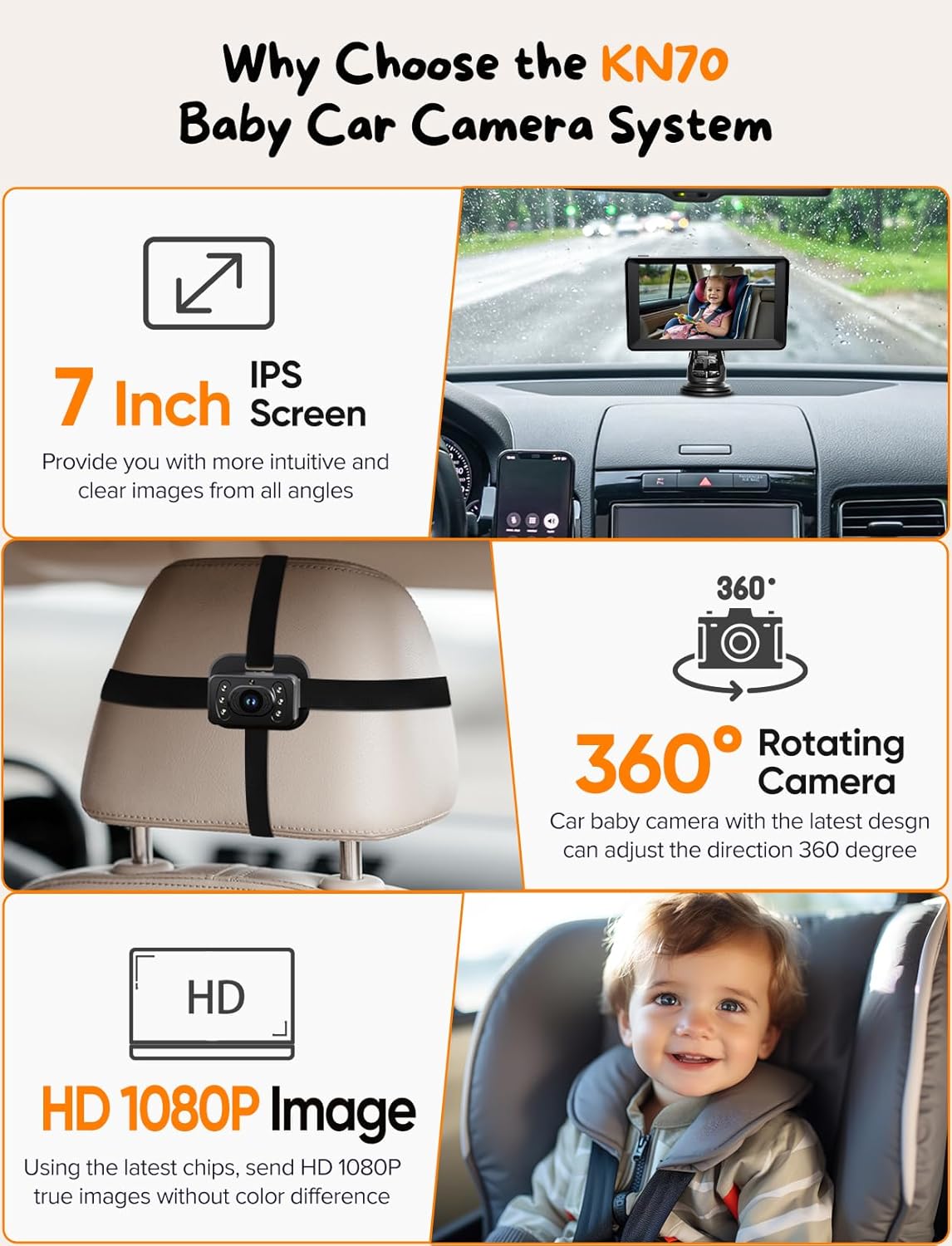
פיגורע 2: איבערview of key product features including 7-inch IPS screen, 360-degree rotating camera, and HD 1080P image quality.

Figure 3: Visual comparison highlighting the superior clarity and size of the 7-inch 1080P IPS display.
3. פּעקל אינהאַלט
ביטע זיכער מאַכן אַז אַלע זאכן זענען פאַראַן אין פּעקל:
- 7-inch HD 1080P Monitor
- Baby Car Camera(s)
- Camera Mounting Straps (Velcro)
- Suction Cup Mount for Monitor
- מאַכט קאַבל (סיגאַרעטן לייכטער אַדאַפּטער)
- וסב מאַכט קאַבלע
- באַניצער מאַנואַל (דעם דאָקומענט)
4. סעטאַפּ און ייַנמאָנטירונג
גיי די סטעפּס פֿאַר שנעל און גרינג ינסטאַלירונג:
- ינסטאַלירן די אַפּאַראַט: Secure the baby car camera to the rear headrest using the provided strong Velcro straps. Ensure the camera has a clear view פון דיין קינד.
- אַדזשאַסטירן די קאַמעראַ: Rotate the camera 360 degrees to achieve the optimal viewינג שטעלע.
- פאַרבינדן די קאַבלע: Connect the camera cable to the monitor. Ensure the triangular slots align for proper connection.
- Mount the Monitor: Attach the monitor to your dashboard or windshield using the sturdy suction cup mount. Press firmly to ensure it is secure.
- מאַכט די סיסטעם: Plug the power cable into your car's cigarette lighter socket or use the USB power cable for alternative power sources.
- קער אויף די ווייַז: Once powered, the display should automatically turn on, showing the camera feed.
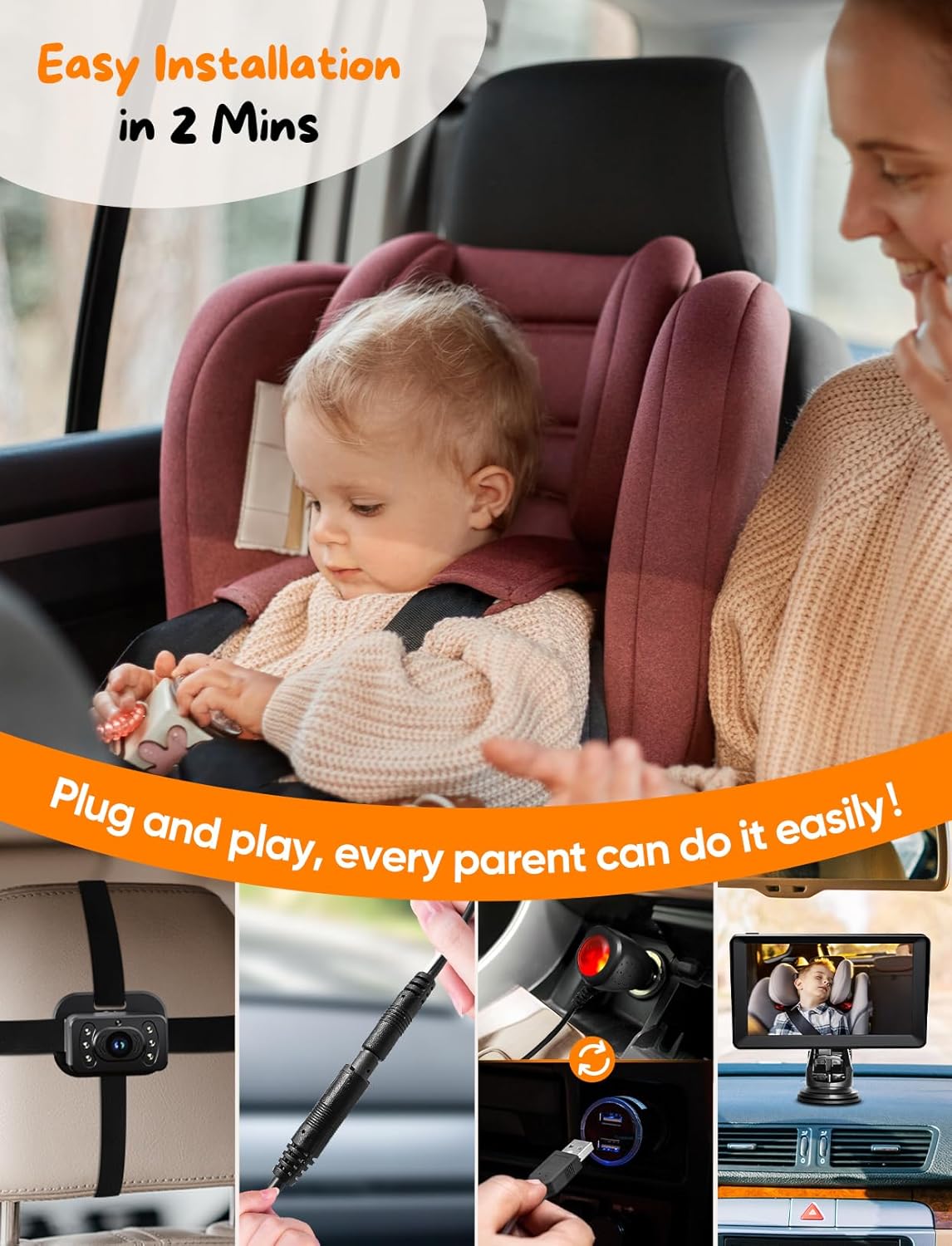
Figure 4: Visual guide demonstrating the simple 2-minute installation process.

Figure 5: Six-step installation process, from camera placement to turning on the display.

Figure 6: Proper alignment of triangular slots for connecting the camera cable to the monitor cable.
4.1. וויירינג דיאַגראַמע
The system is designed for flexible installation, accommodating various car seat positions and vehicle types.
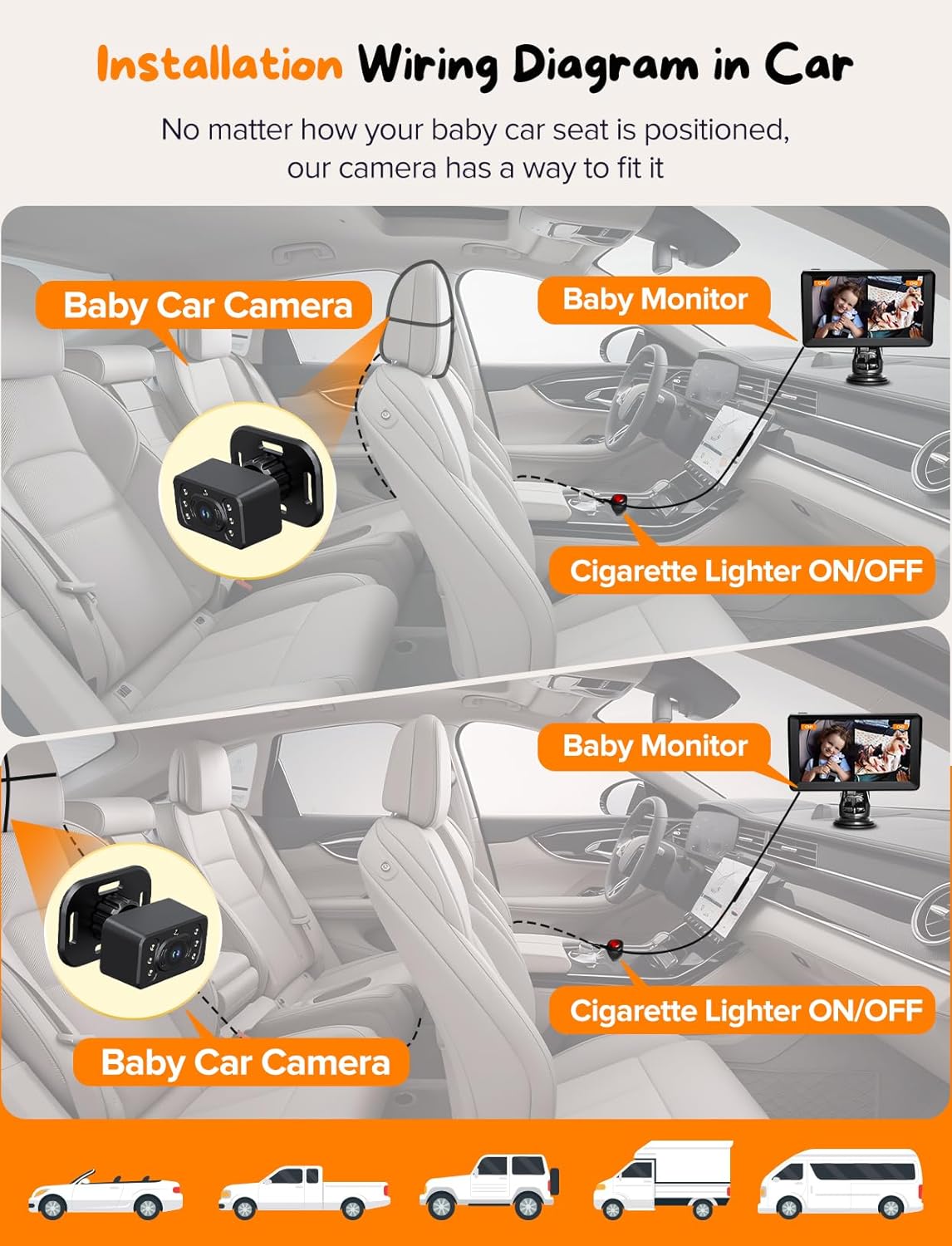
Figure 7: Illustrates how the baby car camera and monitor connect to the car's power source, suitable for various vehicle types.
4.2. מאַונטינג אָפּציעס
The monitor can be securely mounted in two primary ways:
- On Dashboard: Using the suction cup mount directly on the dashboard.
- On Windshield: Using the suction cup mount on the car's windshield.
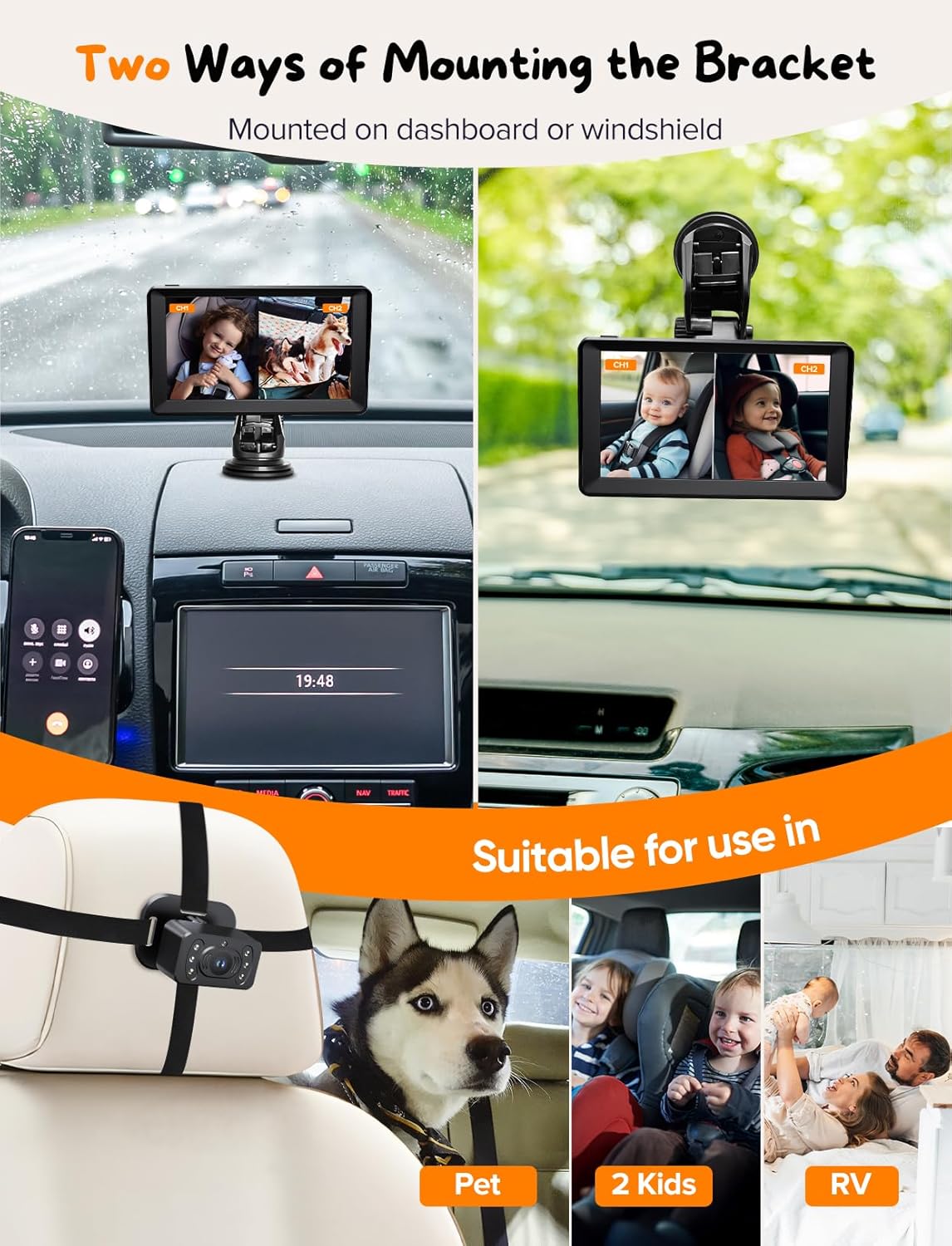
פיגורע 8: עקסamples of the monitor mounted on the dashboard and windshield, demonstrating flexibility.

Figure 9: Depicts the two main mounting options for the monitor, highlighting the 360-degree rotation capability of the bracket.
5. אַפּערייטינג ינסטרוקטיאָנס
Once installed and powered, the Kidsneed Baby Car Camera System operates automatically. The monitor will display the camera feed.
- מאַכט אויף / אַוועק: The system typically powers on automatically when the car's ignition is turned on (if connected to the cigarette lighter). Disconnect the power cable to turn off.
- אַדזשאַסטינג View: Physically rotate the camera on the headrest to adjust the viewינג ווינקל ווי דארף.
- נאַכט זעאונג: The 940nm night vision feature activates automatically in low-light conditions, providing a clear, non-intrusive view of your child without visible red lights.
- שפּיגל באַשטעטיקן: The display includes a mirror setting for intelligent adjustments to match the external environment, providing a more natural and comfortable viewינג דערפאַרונג.
- Split Screen (for dual camera models): If using two cameras, the monitor can display both feeds simultaneously in a split-screen view. Refer to the on-screen menu for options to switch between single and split-screen views.

Figure 10: Demonstration of the 940nm IR night vision, which provides clear images without harsh, visible lights.

Figure 11: Illustrates the effectiveness of the new upgraded 940nm night vision in a dark car interior.

Figure 12: Demonstrates the wide 150-degree viewing angle, capable of monitoring two children simultaneously.
6. וישאַלט
To ensure the longevity and optimal performance of your Kidsneed Baby Car Camera System, follow these maintenance guidelines:
- רייניקונג: ניצט אַ ווייכע, טרוקענע שטאָף צו רייניקן דעם מאָניטאָר עקראַן און קאַמעראַ לינז. ניצט נישט קיין שרײַבנדיקע רייניגערס אדער סאָלווענטן.
- קאַבלע זאָרגן: Avoid bending or crimping the cables excessively. Ensure they are not pinched by car doors or seats.
- סטאָרידזש: If storing the system for an extended period, disconnect it from power and store it in a cool, dry place away from direct sunlight.
- טעמפּעראַטור: Avoid exposing the system to extreme temperatures, both hot and cold, as this can affect performance and lifespan.
7. טראָובלעשאָאָטינג
If you encounter issues with your Kidsneed Baby Car Camera System, refer to the following common problems and solutions:
| פּראָבלעם | מעגלעך סיבה | לייזונג |
|---|---|---|
| קיין בילד אויף פאַרשטעלן |
|
|
| בילד איז פארשוואומען אדער נישט קלאר |
|
|
| Monitor keeps falling off dashboard/windshield |
|
|
| נאַכט זעאונג טוט נישט אַרבעטן |
|
|
8. ספּעסאַפאַקיישאַנז
| שטריך | דעטאַל |
|---|---|
| מאָדעל נומער | KN70V2 |
| ווייַז גרייס | 7 אינטשעס |
| ווייַז האַכלאָטע | 1080P AHD |
| נאַכט זעאונג | 940nm IR (Invisible Infrared) |
| קאַמעראַ ראָוטיישאַן | 360 דיגריז |
| מאַכט מקור | Cigarette Lighter / USB |
| פּעקל דימענשאַנז | 7.5 X 4.75 X 4.75 אינטשעס |
| פּונקט וואָג | 1.6 פונט |
| פאַבריקאַנט | קידסניד |
9. וואָראַנטי און שטיצן
Kidsneed products are manufactured with quality and reliability in mind. For specific warranty information and customer support, please refer to the warranty card included in your product packaging or visit the official Kidsneed webזייטל. האַלט אייער קויף קוויטל ווי אַ באַווייַז פון קויפן פֿאַר קיין וואָראַנטי קליימז.
For technical assistance or inquiries, please contact Kidsneed customer service through the contact information provided on their official webזייטל אדער פּראָדוקט פּאַקאַדזשינג.
Ask a question about this manual
Ask about setup, troubleshooting, compatibility, parts, safety, or missing instructions. Manuals+ will review the question and use this page’s manual context to help answer it.