
הקדמה
This manual provides comprehensive instructions for the SAFFUN 2.4 GHz Wireless GameCube Switch2 Pro Controller. It covers product features, setup, operation, maintenance, and troubleshooting to ensure optimal performance and user experience. Please read this manual thoroughly before using the product.
פּעקל אינהאַלט
באַשטעטיקט אַז אַלע זאכן וואָס זענען אויסגערעכנט אונטן זענען אַרייַנגערעכנט אין אייער פּעקל:
- Wireless Controller (2 units)
- GameCube Receiver (2 units)
- USB Receiver (2 units)
- Charging Cable (2 units)
- באַניצער מאַנואַל

Image: Contents of the SAFFUN 2.4 GHz Wireless GameCube Switch2 Pro Controller package, including two controllers and their receivers.
פּראָדוקט איבערview
The SAFFUN Wireless GameCube Switch2 Pro Controller is designed to provide a familiar GameCube layout with modern wireless capabilities and multi-platform compatibility. Key features include:
- GameCube Layout: Retains the original GameCube button and stick configuration.
- 2.4 גיגאהערץ ווירעלעס: Offers a reliable connection up to 10 meters (33 feet).
- Built-in Rumble: Provides immersive vibration feedback.
- קריקאָנלאָדלעך באַטערי: Integrated 500mAh lithium battery for extended usage.
- Precision Analog Sticks: Features Japanese imported 3D analog sticks and ALPS buttons for accuracy.
- מולטי-פּלאַטפאָרם שטיצן: Compatible with NGC GameCube Console, Nintendo Switch, PC, and Steam Deck.
- Player Indicator & Low Battery LED: Visual indicators for status.
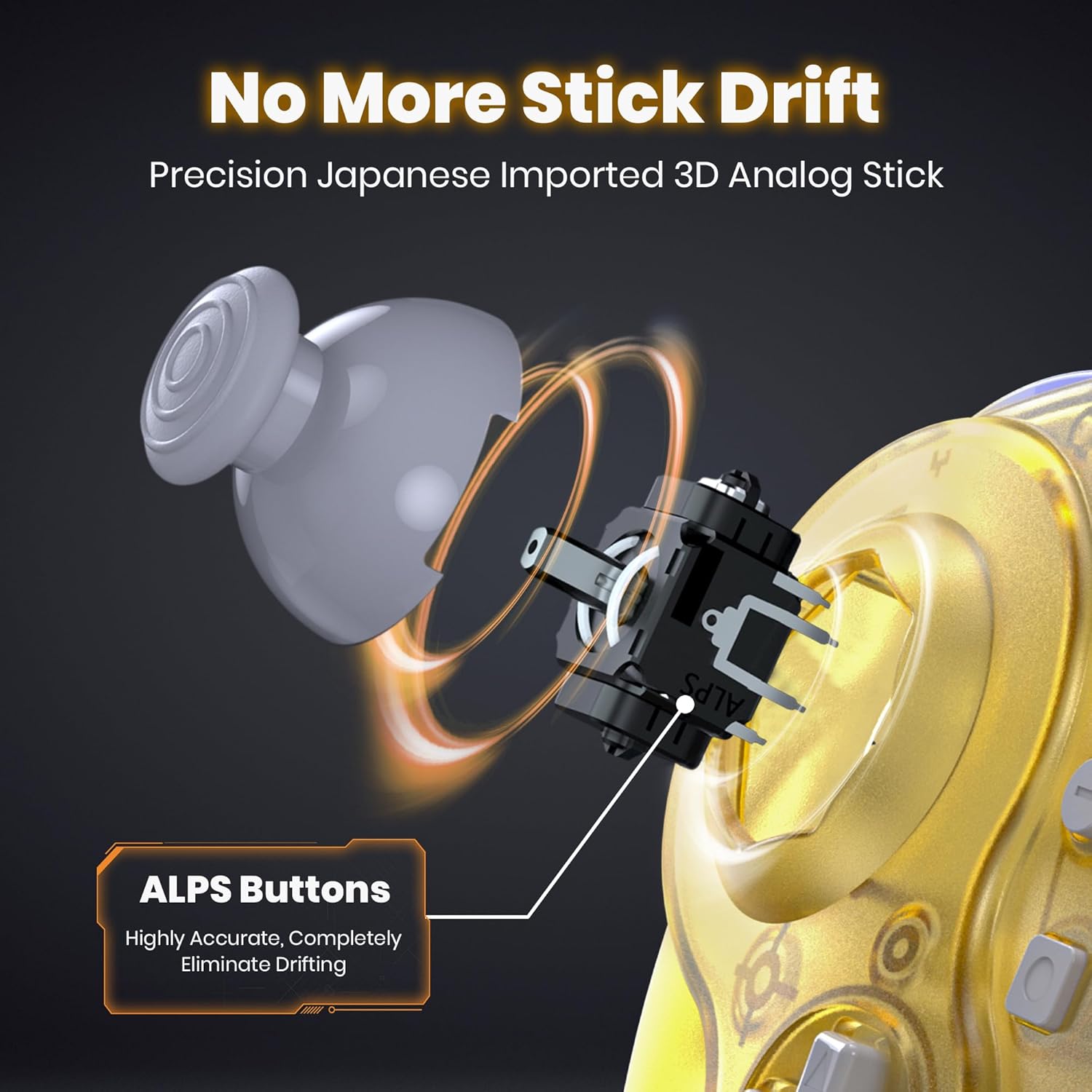
בילד: אינערלעך view of the controller's analog stick mechanism, emphasizing precision components.

בילד: קייפל views of the clear yellow controller, showcasinג זײַן דיזײַן.
סעטאַפּ
1. אויפלאָדן דעם קאָנטראָללער
The controller is equipped with a built-in rechargeable lithium battery. Before first use, or when the low battery LED indicates, charge the controller using the provided USB charging cable.
- Connect the small end of the charging cable to the controller's charging port.
- Connect the large end of the charging cable to a USB power source (e.g., computer USB port, USB wall adapter).
- Ensure the controller's ON/OFF switch is in the "ON" position for charging to initiate.
- The charging indicator LED will illuminate during charging and turn off when fully charged.
- א פולע אויפלאדונג נעמט בערך 2.5 שעה און גיט ביז 10 שעה פון באניץ.

Image: Battery specifications and charging details for the controller.
2. Connecting to Consoles/Devices
The controller supports multiple platforms using two types of receivers:
- GameCube Receiver: For NGC GameCube Console.
- וסב ופנעמער: For Nintendo Switch, PC, Steam Deck, iOS Mac, and Raspberry Pi.
2.1. Connecting to NGC GameCube Console
- Insert the GameCube Receiver into a controller port on your NGC GameCube Console.
- Ensure the controller's ON/OFF switch is in the "ON" position.
- Press the SYNC button on the GameCube Receiver and the SYNC button on the controller simultaneously. The indicator lights on both devices will flash and then become solid when connected.
2.2. Connecting to Nintendo Switch, PC, Steam Deck
- Insert the USB Receiver into an available USB port on your Nintendo Switch dock, PC, or Steam Deck.
- Ensure the controller's ON/OFF switch is in the "ON" position.
- Press the SYNC button on the USB Receiver and the SYNC button on the controller simultaneously. The indicator lights on both devices will flash and then become solid when connected.
- For Nintendo Switch, ensure "Pro Controller Wired Communication" is enabled in the system settings if connecting via the dock.

Image: Multi-platform compatibility of the controller, including Nintendo Switch, GameCube, Steam Deck, and PC.
אַפּערייטינג ינסטראַקשאַנז
1. מאַכט אויף / אויסגעלאשן
- To power on, slide the ON/OFF switch to the "ON" position.
- צו אויסלאָשן, רוקט דעם אָן/אויס קנעפּל צו דער "אויס" פּאָזיציע.
2. Player Indicator and Low Battery Warning
- The controller features an LED player indicator to show which player number it is assigned to.
- A flashing LED will indicate a low battery level. Recharge the controller promptly when this occurs.
3. Rumble Feature
The controller includes built-in vibration motors to enhance your gaming experience with tactile feedback. This feature is automatically active when supported by the game.

Image: Visual representation of the controller's built-in vibration motor functionality.
4. ערגאָנאָמיק פּלאַן
The controller is ergonomically designed to fit comfortably in your hands, providing a secure grip during extended gaming sessions.

Image: A user holding the clear yellow controller, highlighting its ergonomic design.

Image: A user holding the clear red controller, highlighting its ergonomic design.
וישאַלט
- Keep the controller and receivers dry. Avoid exposure to humidity or liquids.
- רייניקט דעם קאָנטראָללער מיט אַ ווייכן, טרוקענעם שטאָף. ניצט נישט קיין שאַרפע כעמיקאַלן אדער שאַרפע מאַטעריאַלן.
- האַלט דעם קאָנטראָללער אין אַ קיל, טרוקן אָרט אַוועק פון דירעקט זונשייַן און עקסטרעמע טעמפּעראַטורן.
- פֿאַרמײַדט צו לאָזן פאַלן אָדער אויסשטעלן דעם קאָנטראָללער צו שטאַרקע קלאַפּן.
טראָובלעשאָאָטינג
| פּראָבלעם | מעגלעך סיבה | לייזונג |
|---|---|---|
| קאָנטראָללער טוט נישט מאַכט אויף. | באַטערי איז דיפּליטיד. | Charge the controller for at least 2.5 hours. Ensure the ON/OFF switch is in the "ON" position during charging. |
| Controller does not connect to console/PC. | Not paired correctly; receiver not properly inserted; out of range. | Ensure the correct receiver is used and fully inserted. Re-attempt pairing by pressing SYNC buttons on both controller and receiver. Ensure controller is within 10 meters of the receiver. |
| Input lag or dropped connection. | Interference; low battery; too far from receiver. | Move closer to the receiver. Ensure no other 2.4 GHz devices are causing interference. Charge the controller. |
| Rumble feature not working. | Game does not support rumble; rumble disabled in game settings. | Verify that the game supports vibration feedback. Check in-game settings to ensure rumble is enabled. |
| Controller charges but does not turn on. | דער אן/אויס קנעפל איז אין דער "אויס" פאזיציע. | רוקט דעם אן/אויס קנעפל צו דער "אן" פאזיציע. |
ספּעסאַפאַקיישאַנז
- מאָדעל: 2.4 GHz Wireless GameCube Switch2 Pro Controller
- קאַנעקטיוויטי: ווירעלעסס 2.4 גהז
- ווירעלעסס קייט: אַרויף צו 10 מעטער (33 פֿיס)
- באַטערי: 500mAh ליטהיום פּאָלימער (אריינגערעכנט)
- טשאַרדזשינג צייט: בעערעך 2.5 שעה
- באַניץ צייט: אַרויף צו 10 שעה
- קאַמפּאַטאַבילאַטי: NGC GameCube Console, Nintendo Switch, PC, Steam Deck, iOS Mac, Raspberry Pi
- פּראָדוקט דימענשאַנז: 8 X 6 X 0.72 אינטשעס
- נומער וואָג: 1.37 פונט
- פאַבריקאַנט: SAFFUN
- ASIN: B0FD2FQB6N
וואָראַנטי און שטיצן
SAFFUN products are designed for reliability and performance. For any issues or questions regarding your SAFFUN 2.4 GHz Wireless GameCube Switch2 Pro Controller, please refer to the following:
- וואָראַנטי: Please retain your proof of purchase for warranty claims. Specific warranty terms may vary by region and retailer.
- קונה שטיצן: For technical assistance or support, please contact the retailer where the product was purchased or visit the official SAFFUN support webפּלאַץ (אויב בנימצא).