
הקדמה
This manual provides essential instructions for the setup, operation, maintenance, and troubleshooting of your Insignia 32-inch 1080p HD HDR LCD Fire TV Smart TV, model NS-32F401CA26. Please read this manual thoroughly before using your television to ensure proper and safe operation.
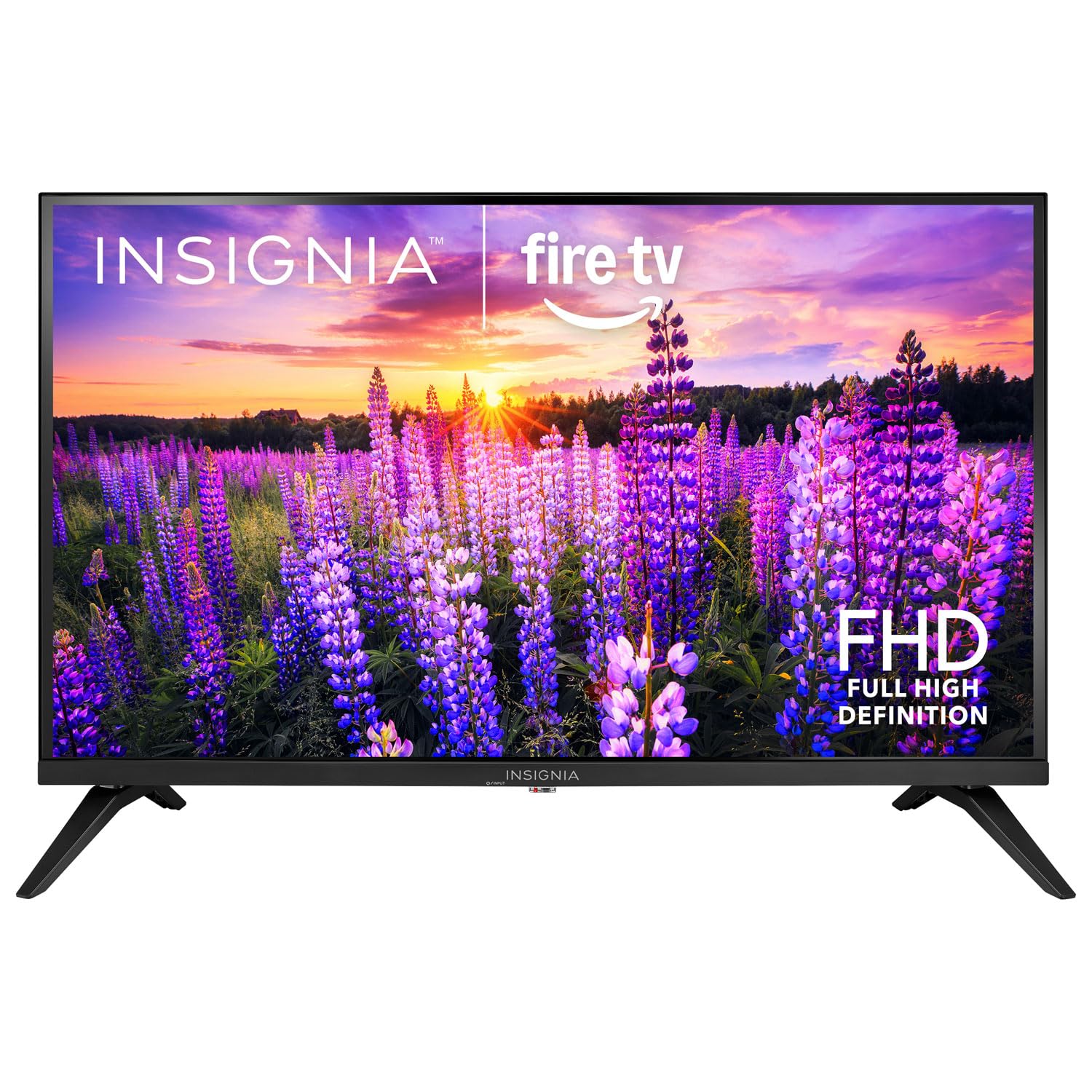
בילד: פראָנט view of the Insignia 32-inch Fire TV Smart TV, showing the screen and a remote control.
1. סעטאַפּ
1.1 אַנפּאַקינג
נעמט פֿאָרזיכטיק אַרויס דעם טעלעוויזאָר און אַלע אַקסעסאָריעס פֿון דער פּאַקאַדזשינג. האַלט די פּאַקאַדזשינג מאַטעריאַלן פֿאַר צוקונפֿטיקן טראַנספּאָרט אָדער סטאָרידזש.
1.2 באַפעסטיקן דעם שטאַנד אָדער וואַנט-מאָנטירונג
פֿאַר שטאַנד אינסטאַלאַציע:
- לייגט דעם טעלעוויזאר מיטן פנים אראפ אויף א ווייכער, ריינער אויבערפלאך כדי צו פארמיידן שאדן צום עקראן.
- גלייכט אויס די שטאַנד באַזעס מיט די שרויף לעכער אויף דער אונטערשטער טייל פון דער טעלעוויזיע.
- באַפֿעסטיקן די שטאַנדן מיט די צוגעשטעלטע שרויפֿן.
פֿאַר וואַנט מאַונטינג:
- This TV supports a VESA Mount Standard of 200 x 200 mm.
- Use a compatible wall mount kit (sold separately) and follow its installation instructions.
- Ensure the wall can support the weight of the TV and the mount.
1.3 קאַנעקטינג מאַכט
Plug the power cord into the TV's power input, then plug the other end into a working electrical outlet.
1.4 קאַנעקטינג פונדרויסנדיק דעוויסעס
Your TV includes multiple ports for external devices:
- HDMI Ports (Total 2): פֿאַרבינדט בלו-רэй שפּילערס, שפּיל קאַנסאָולז, קאַבל/סאַטעליט באָקסעס.
- USB 3.0 Port (Total 1): פֿאַרבינדט USB סטאָרידזש דעוויסעס פֿאַר מעדיע ווידערשפּיל.
- אַנטענע/קאַבל אַרייַנגאַנג: פֿאַרבינדט אַן אַנטענע פֿאַר איבער-די-לופֿט בראָדקאַסץ אָדער אַ קאַבל פֿאַרבינדונג.
1.5 Initial Setup (Fire TV OS)
Upon first power-on, the TV will guide you through the Fire TV setup process:
- רימאָוט קאָנטראָל פּאָרינג: Insert the included 2 AAA batteries into the remote. Follow on-screen instructions to pair the remote.
- נעץ קאַנעקשאַן: סעלעקטירן דיין Wi-Fi נעץ און אַרייַן די פּאַראָל.
- אַמאַזאָן חשבון: לאָגט זיך איין מיט אייער אַמאַזאָן אַקאַונט אָדער שאַפט אַ נייעם.
- קאַנאַל יבערקוקן: אויב איר ניצט אַן אַנטענע, וועט די טעלעוויזיע סקענען פֿאַר פֿאַראַן קאַנאַלן.
- ווייכווארג דערהייַנטיקונגען: די טעלעוויזיע קען אראָפּלאָדן און אינסטאַלירן די לעצטע ווייכווארג דערהייַנטיקונגען.
2. אַפּערייטינג דיין טעלעוויזיע
2.1 מאַכט אויף / אַוועק
דרוק די מאַכט קנעפּל אויף דער ווײַטקאָנטראָל צו אנצינדן אָדער אויסלעשן דעם טעלעוויזאָר.
2.2 נאַוויגירן דעם פייער טיווי צובינד
ניצט דעם ריכטונגס-פאד און אויסקלייַבן button on your remote to browse the Fire TV home screen, access apps, and navigate menus.
2.3 ניצן די אַלעקסאַ שטימע ווײַטקאָנטראָל
דריקן און האַלטן די Alexa button on your remote and speak into the microphone to:
- זוכן פֿאַר פֿילמען און טעלעוויזיע שאָוז.
- Launch applications (e.g., "Open Netflix").
- Control playback (e.g., "Pause", "Fast forward").
- Ask questions or get information.
2.4 אַקסעס אַפּפּליקאַטיאָנס
Popular streaming services like Amazon Prime Video, Netflix, and YouTube are pre-installed. You can download additional apps from the Amazon Appstore.
2.5 אַדזשאַסטירן בילד און קלאַנג סעטטינגס
אַקסעס די סעטטינגס menu on the Fire TV home screen to adjust:
- בילד: Brightness, contrast, color, aspect ratio (16:9).
- געזונט: Volume, sound mode, DTS Virtual-X settings.
- ווייַז: Resolution (1080p), refresh rate (120 Hz).
2.6 פּערענטאַל קאָנטראָלס
The TV includes parental control features. Navigate to the סעטטינגס מעניו, דעמאָלט אויסקלייַבן פּרעפֿערענצן, און דעמאָלט פּאַרענטאַל קאָנטראָלס to set restrictions on content, purchases, and app usage. A PIN is required to enable or disable these controls.
3. וישאַלט
3.1 רייניקן דעם טעלעוויזאר
- פאַרשטעלן: ווישט אָפּ דעם עקראַן מיט אַ ווייכן, לינט-פֿרײַעם שטאָף. פֿאַר שווערע פֿלעקן, ווישט אַ ביסלampווישט דעם שטאָף מיט וואַסער אָדער אַ פאַרשטעלן רייניגער ספּעציעל דיזיינד פֿאַר טעלעוויזיעס. שפּריצט נישט פליסיקייט גלייך אויף דעם פאַרשטעלן.
- גוף: ווישט ווישן דעם טעלעוויזיע ראַם און שטאַנד מיט אַ ווייכן, טרוקענעם שטאָף.
- שטענדיק אויסשטעקן דעם טעלעוויזאר איידער איר רייניגט.
3.2 ווייכווארג דערהייַנטיקונגען
Your Fire TV Smart TV automatically checks for and installs software updates when connected to the internet. You can manually check for updates in the סעטטינגס מעניו אונטער מייַן פייער טעלעוויזיע > וועגן > קוק פֿאַר דערהייַנטיקונגען.
3.3 באַטעריע פֿאַרבייַט פֿון דער ווײַטקאָנטראָל
When the remote control's performance degrades, replace the two AAA batteries. Ensure correct polarity when inserting new batteries.
4. טראָובלעשאָאָטינג
| פּראָבלעם | מעגלעך סיבה | לייזונג |
|---|---|---|
| קיין מאַכט | עלעקטרישע שנור נישט פארבונדן; די ווענטיל ארבעט נישט. | Ensure power cord is securely plugged into TV and a live outlet. Test outlet with another device. |
| קיין בילד אָדער געזונט | Incorrect input source; external device off or disconnected. | דרוק די אַרייַנשרייַב button on the remote to select the correct source. Check connections of external devices. Ensure devices are powered on. |
| ווייַט קאָנטראָל נישט ארבעטן | טויטע באַטעריעס; ווייַטקאָנטראָל נישט געפּאָרט. | Replace batteries (2 AAA). Re-pair remote by holding the היים button for 10 seconds near the TV. |
| ווי-פי קשר ישוז | אומרעכט פּאַראָל; פּראָבלעמען מיטן ראַוטער; טעלעוויזיע צו ווייט פֿונעם ראַוטער. | Verify Wi-Fi password. Restart your router and modem. Move TV closer to router or use a Wi-Fi extender. |
| אַפּפּס לאָדן זיך נישט אָדער קראַשן זיך | Temporary software glitch; insufficient memory. | Restart the TV. Clear app cache (Settings > Applications > Manage Installed Applications). Ensure sufficient storage. |
5. ספּעסאַפאַקיישאַנז
| מאָדעל נומער | NS-32F401CA26 |
| פאַרשטעלן גרייס | 32 אינטשעס |
| ווייַז טעכנאָלאָגיע | לקד |
| האַכלאָטע | 1080p (פול HD) |
| דערפרישן קורס | 120 הז |
| HDR פֿאָרמאַט שטיצט | HDR10 |
| אַספּעקט פאַרהעלטעניש | 16:9 |
| קאַנעקטיוויטי טעכנאָלאָגיע | ווי-פי |
| HDMI פּאָרץ | 2 |
| וסב 3.0 פּאָרץ | 1 |
| שטיצט אינטערנעט באַדינונגס | Amazon Prime Video, Netflix, YouTube, Alexa |
| רעדנער באַשרייַבונג | DTS Virtual-X virtual surround sound |
| Integrated Surround Sound Format | DTS Virtual-X |
| קאָנטראָל מעטאָד | Remote (with Alexa Voice) |
| באַטעריז פארלאנגט | 2 אַאַאַ (אַרייַנגערעכנט) |
| פּראָדוקט דימענשאַנז (ד רענטגענ וו רענטגענ ה) | 47.3D x 17.1W x 71.9H סענטימעטער |
| וועסאַ מאָונט סטאַנדאַרט | 200 רענטגענ 200 מם |
| נאָך פֿעיִקייטן | פּאַרענטאַל קאָנטראָלס |
6. וואָראַנטי און שטיצן
For warranty information, please refer to the warranty card included with your product or visit the official Insignia support website. For technical assistance, product registration, or service inquiries, please contact Insignia customer support through their official channels.
Note: Specific warranty terms and support contact details may vary by region and are subject to change.