
1. הקדמה
This manual provides detailed instructions for the installation, operation, and maintenance of your Bewinner Solar Powered 4G LTE WiFi 6 Outdoor Router. This device is designed to provide reliable internet connectivity in outdoor and remote environments, utilizing solar power and a 4G LTE connection. Please read this manual thoroughly before using the product to ensure proper function and safety.
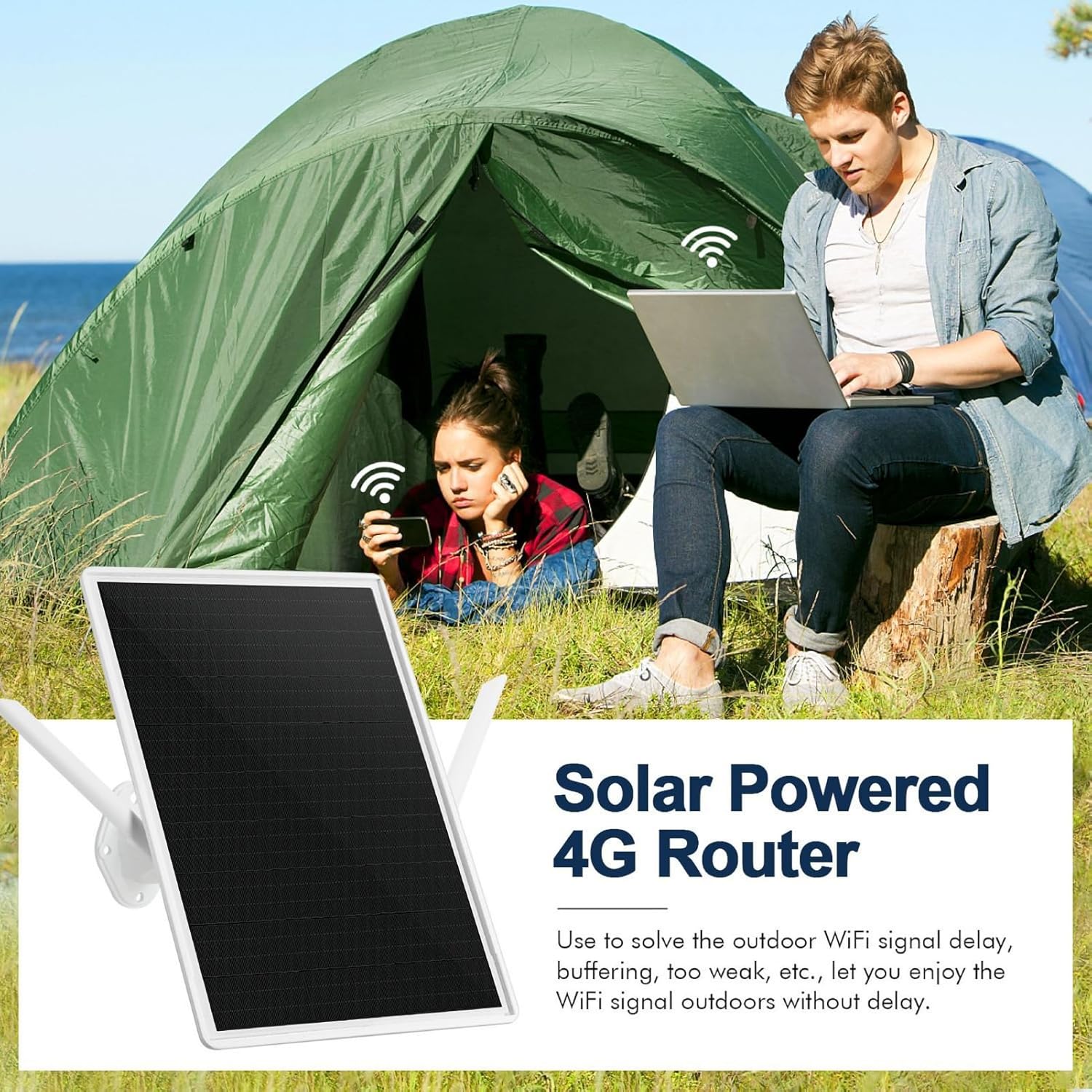
Image 1: The Bewinner Solar Powered 4G Router providing internet access to individuals in an outdoor campינג באַשטעטיקן.
2. פּראָדוקט איבערview
שליסל פֿעיִקייטן:
- זונ טשאַרדזשינג: Integrated 15W solar panel for continuous power without external cabling.
- פאַרלאָזלעך מאַכט: Built-in 20000mAh battery provides up to 7 days of operation, even during rainy weather.
- עקסטענדעד קאַווערידזש: WiFi 6 technology extends coverage up to 50 meters (164 feet) with 300 Mbps speed and 2.4G WiFi compatibility.
- וועטערפּראָאָף פּלאַן: IP66-rated enclosure withstands humidity (10% to 90% non-condensing) and extreme temperatures (-40°C to +80°C).
- Outdoor Suitability: ידעאַל פֿאַר <camping, RV travel, hiking, fishing, and other remote outdoor activities.
וואָס איז אין די קעסטל:
- Bewinner Solar Powered 4G LTE WiFi 6 Outdoor Router Unit
- מאָונטינג קלאַמער און ייַזנוואַרג
- באַניצער מאַנואַל
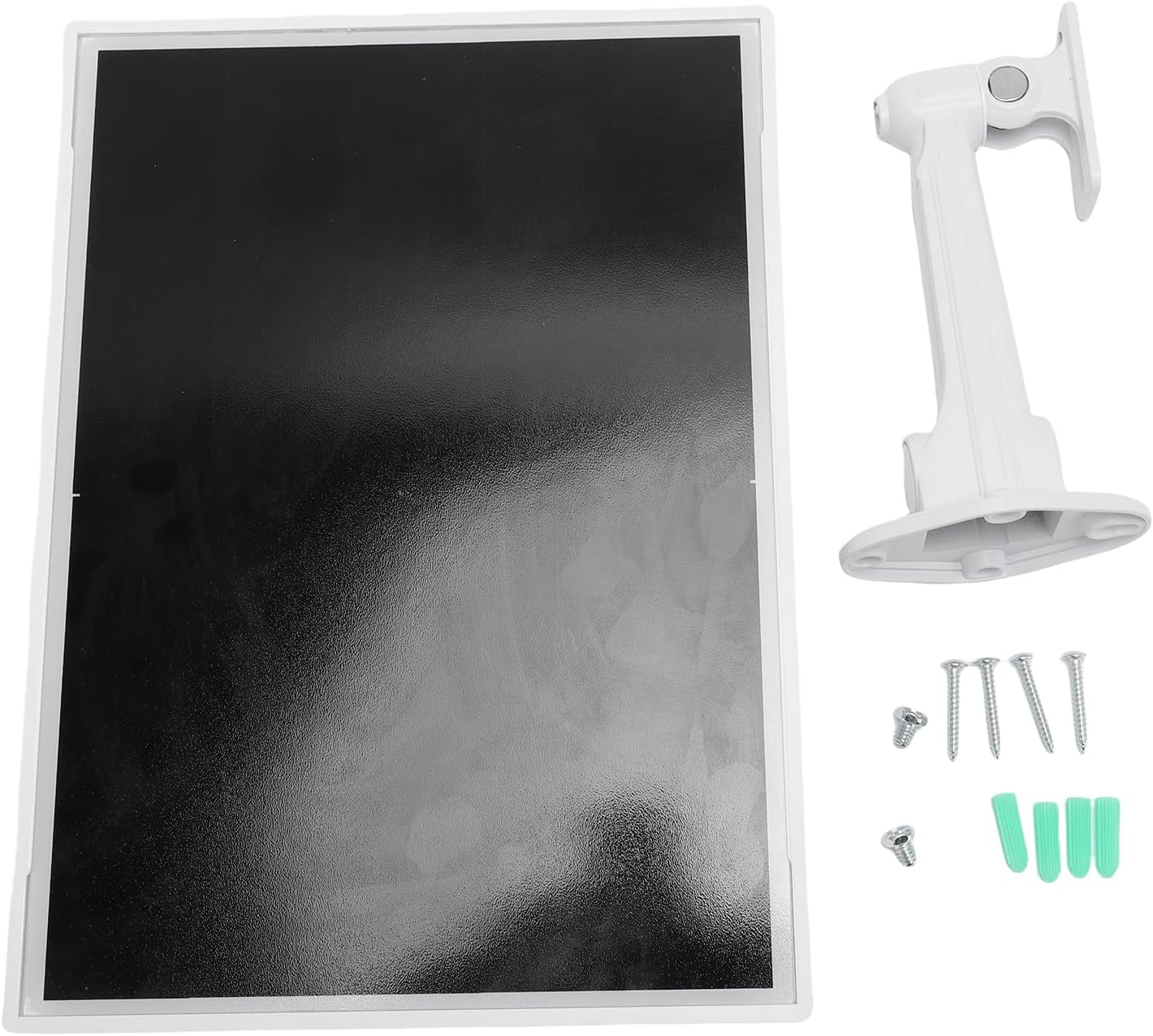
Image 2: The main components included with the router: the solar panel unit and its mounting bracket with screws.

בילד 3: דערציען view of the router unit, highlighting the external antennas for WiFi and cellular connectivity.
3. סעטאַפּ אינסטרוקציעס
3.1 ינסטאַלירונג פון סים קאַרד
- Locate the SIM card slot on the router unit. It is usually protected by a rubber cover.
- Carefully open the rubber cover.
- שטעל אַרײַן אַ סטאַנדאַרט 4G LTE סים קאַרטל אין דעם שפּאַלט מיט די גאָלדענע קאָנטאַקטן אַראָפּגעקערט און די קערבטע ווינקל ריכטיק אויסגעשטעלט.
- דריק די סים קאַרטל מיט אײַן ביז זי קליקט אַרײַן אין פּלאַץ.
- Close the rubber cover securely to maintain the IP66 waterproof rating.
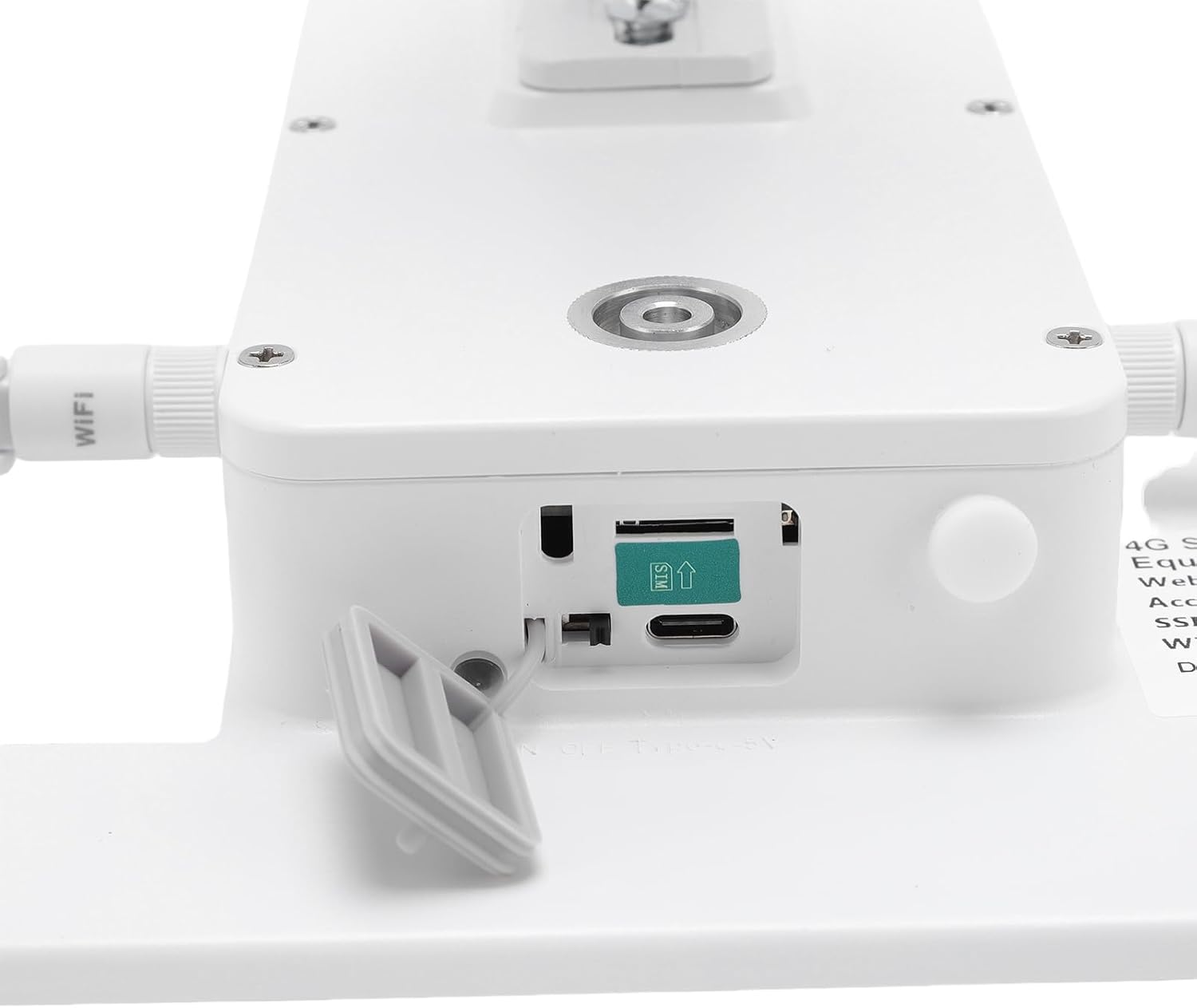
בילד 4: דעטאַלירט view of the SIM card slot, showing the correct orientation for insertion.
3.2 מאַונטינג די ראַוטער
The router is designed for outdoor installation. Choose a location that receives ample direct sunlight for optimal solar charging and has a clear line of sight for WiFi coverage.
- Attach the mounting bracket to the back of the router unit using the provided screws.
- Secure the bracket to a sturdy surface (e.g., wall, pole, tree) using appropriate mounting hardware. Ensure the solar panel faces the sun.
- Adjust the angle of the solar panel for maximum sun exposure throughout the day.

Image 5: The router unit installed on the exterior of a building, demonstrating a typical outdoor mounting scenario.
3.3 אײַנצושאַלטן און ערשטע פֿאַרבינדונג
- Once the SIM card is installed and the unit is mounted, the router will automatically begin charging via its solar panel.
- The device should power on automatically. Look for indicator lights (if present) to confirm operation.
- On your device (smartphone, laptop), search for available WiFi networks.
- Connect to the network name (SSID) provided on the router's label or in the quick start guide.
- Enter the default WiFi password (if any) found on the router's label.
4. אַפּערייטינג ינסטרוקטיאָנס
4.1 יקערדיק אָפּעראַציע
After successful setup, the router will provide a WiFi signal for your devices. Ensure your devices are within the 50-meter coverage range for optimal performance.

Image 6: Illustrates the 50-meter WiFi coverage area, allowing users to stay connected even in open outdoor spaces.
4.2 Optimizing WiFi Performance
- אָרט: Position the router in a central location within your desired coverage area, free from obstructions like thick walls or large metal objects.
- שורה פון דערזען: For best results, ensure a clear line of sight between the router and your connected devices.
- אַנטענע אָריענטירונג: If adjustable, orient the external antennas for optimal signal reception.

Image 7: The router ensures a stable WiFi connection for multiple devices, including a laptop and a surveillance camera, in an outdoor home setting.
5. וישאַלט
5.1 רייניקונג
Periodically clean the solar panel surface to ensure maximum charging efficiency. Use a soft, damp cloth to wipe away dust, dirt, or debris. Avoid abrasive cleaners or harsh chemicals.
5.2 ענוויראָנמענטאַל קאַנסידעריישאַנז
The router is designed to be IP66 weatherproof, protecting it from dust and strong jets of water. It can operate in temperatures ranging from -40°C to +80°C and humidity from 10% to 90% (non-condensing). While robust, avoid submerging the device in water or exposing it to extreme physical impact.

Image 8: The router's robust design allows it to withstand diverse outdoor weather conditions, including sun, rain, snow, and wind.
6. טראָובלעשאָאָטינג
פּראָסט ישוז און סאַלושאַנז:
- קיין מאַכט:
- ענשור אַז די זונ - טאַפליע איז ריסיווינג דירעקט זונשייַן.
- Check if the battery is fully depleted. Allow time for solar charging.
- קיין 4G סיגנאַל:
- באַשטעטיקן אַז די סים קאַרטל איז ריכטיק אַרײַנגעשטעלט און אַקטיוויזירט מיט אַ דאַטן פּלאַן.
- Check your location for 4G network coverage. Move to an area with better signal if possible.
- Ensure the cellular antennas are securely attached and oriented correctly.
- No WiFi Signal / Cannot Connect:
- Confirm the router is powered on.
- Ensure your device is within the 50-meter WiFi range.
- Double-check the WiFi network name (SSID) and password.
- Restart the router by temporarily covering the solar panel and then exposing it again, or if there's a power button, use it.
- לאַנגזאַמע אינטערנעט גיכקייט:
- Check your 4G signal strength. Weak cellular signal will result in slow internet.
- רעדוצירן די צאָל פון פארבונדענע דעוויסעס אדער באַנדווידט-אינטענסיווע אַקטיוויטעטן.
- Ensure there are no obstructions between your device and the router.
7. ספּעסאַפאַקיישאַנז
| סאָרט | בעווינער |
| מאָדעל | Solar Powered 4G LTE WiFi 6 Outdoor Router |
| קאַנעקטיוויטי | 4G LTE, WiFi 6 (2.4G) |
| וויפי ספּיד | אַרויף צו 300 Mbps |
| וויפי ראַנגע | אַרויף צו 50 מעטער (164 פֿיס) |
| זונ פּאַנעל מאַכט | 15 וו |
| באַטאַרייע קאַפּאַציטעט | 20000 מאַה |
| Battery Life (Rainy Days) | אַרויף צו 7 טעג |
| וואָטערפּרוף רייטינג | IP66 |
| אַפּערייטינג טעמפּעראַטור | -40°C צו +80°C |
| אַפּערייטינג הומידיטי | 10% צו 90% (ניט-קאַנדענסינג) |
8. וואָראַנטי און שטיצן
וואָראַנטי אינפֿאָרמאַציע:
This Bewinner product comes with a manufacturer's warranty of 90 טעג פֿון דער טאָג פון קויפןדי וואָראַנטי דעקט חסרונות אין מאַטעריאַלן און אַרבעט אונטער נאָרמאַל נוצן. עס דעקט נישט שעדיקן געפֿירט דורך מיסברויך, אַקסאַדאַנץ, ניט-אָטעריזירטע מאָדיפיקאַטיאָנס, אָדער אומרעכט ינסטאַלירונג.
קונה שטיצן:
For technical assistance, troubleshooting, or warranty claims, please contact Bewinner customer support through your retailer or the official Bewinner webזייטל. ביטע האַלט אייער קויף קוויטל און פּראָדוקט מאָדעל אינפֿאָרמאַציע גרייט ווען איר קאָנטאַקטירט שטיצע.