
1. הקדמה
Thank you for choosing the FULODE STUDIO22+ UHF Wireless In-Ear Monitor System. This system provides reliable, high-quality mono audio monitoring for musicians, singers, and stage performers. Operating on the UHF 550–579.25 MHz band with 100 preset frequencies, it ensures stable performance and freedom of movement. Please read this manual thoroughly before operation to ensure proper setup and optimal performance.
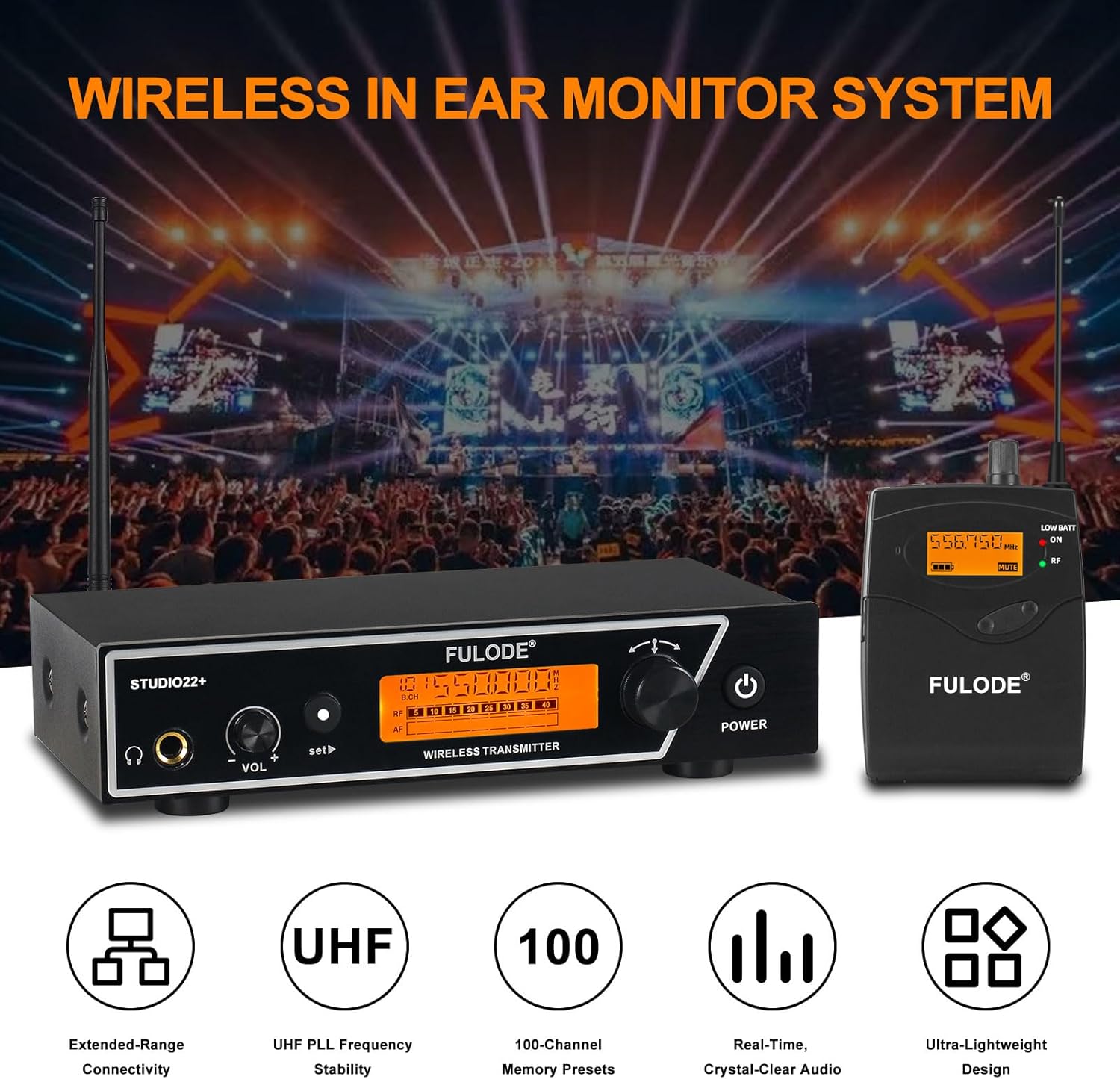
בילד 1.1: איבערview of the FULODE STUDIO22+ Wireless In-Ear Monitor System, showing the transmitter, bodypack receiver, and in-ear headphones.
2. פּעקל אינהאַלט
באַשטעטיקט אַז אַלע זאכן וואָס זענען אויסגערעכנט אונטן זענען אַרייַנגערעכנט אין אייער פּעקל:
- 1 x Wireless Desktop Transmitter
- 2 x Wireless Bodypack Receivers
- 2 x In-Ear Headphones
- 2 x Enhanced Antennas
- 1 רענטגענ 6.35 מם אַודיאָ קאַבלע
- 1 x מאַכט אַדאַפּטער
- 1 x באַניצער מאַנואַל (דאָס דאָקומענט)

בילד 2.1: דעטאַלירט view of the package contents and dimensions of the main units.
3. סעטאַפּ אינסטרוקציעס
3.1. טראַנסמיטער סעטאַפּ
- פאַרבינדן מאַכט: Connect the included power adapter to the DC 12V input on the rear panel of the transmitter and plug it into a power outlet.
- צוטשעפּען אַנטענע: Screw the two enhanced antennas onto the ANTENNA connectors on the rear panel of the transmitter. Position them vertically for optimal signal reception.
- אַודיאָ אַרייַנשרייַב: Connect your audio source (e.g., mixer, audio interface) to the transmitter's audio input jacks (AF IN L/R) using XLR or 6.35mm cables. The rear panel also provides a 6.35mm mixed input and an independent audio input.
- Rackmount Installation (Optional): If desired, attach the included rackmount brackets to the sides of the transmitter for secure installation in a standard equipment rack.
3.2. באַדיפּאַק ריסיווער סעטאַפּ
- ינסטאַלירן באַטעריז: Open the battery compartment on the back of the bodypack receiver and insert two AA batteries (not included), ensuring correct polarity.
- פֿאַרבינדן אויערפֿאָנען: Plug the in-ear monitoring headphones into the 3.5mm PHONES jack on the top of the bodypack receiver.

Image 3.1: Wiring schematic illustrating connections for the transmitter, audio mixer, and bodypack receiver.
4. אַפּערייטינג ינסטרוקטיאָנס
4.1. מאַכט אויף / אויסגעלאשן
- טראַנסמיטער: לאנג דריקן די מאַכט קנעפּל אויף דער פראָנט פּאַנעל צו דרייען דעם אַפּאַראַט אָן אָדער אויס.
- קערפּערפּאַק ופנעמער: דרייען די באַנד potentiometer clockwise to turn the receiver on. Rotate counter-clockwise until it clicks to turn off.
4.2. אָפטקייט און קאַנאַל סעלעקציע
The system operates on 100 preset frequencies within the UHF 550–579.25 MHz band. Ensure the transmitter and receiver are set to the same group and channel for proper communication.
4.2.1. Transmitter Channel Setting
- גרופּע סעלעקציע: דרוק די שטעלן button once. Use the left or right arrow buttons to select the desired group.
- קאַנאַל סעלעקציע: דרוק די שטעלן button twice. Use the left or right arrow buttons to select the desired channel within the chosen group.

Image 4.1: Controls and display for adjusting group and channel settings on the transmitter unit.
4.2.2. Bodypack Receiver Channel Setting
- גרופּע סעלעקציע: דרוק די שטעלן button once. Use the אַרויף / אַראָפּ buttons to select the desired group. Press ESC to confirm or exit.
- קאַנאַל סעלעקציע: דרוק די שטעלן button twice. Use the אַרויף / אַראָפּ buttons to select the desired channel. Press ESC to confirm or exit.

Image 4.2: Controls and display for adjusting group and channel settings on the bodypack receiver.
4.3. באַנד אַדזשאַסטמאַנט
Adjust the monitoring volume using the באַנד potentiometer on the bodypack receiver. Start with a low volume and gradually increase to a comfortable listening level.
4.4. מאָניטאָרינג פּערפאָרמאַנסע
The system provides stable mono in-ear monitoring with clear, low-latency audio. The centered sound helps reduce phase issues, feedback, and ambient interference, making it ideal for reliable stage monitoring, vocals, and speech applications. The wireless range extends up to 262 feet (80 meters) in optimal conditions.

Image 4.3: Illustration of the system's wireless reception range, indicating up to 260ft.
5. וישאַלט
- רייניקונג: Use a soft, dry cloth to clean the surfaces of the transmitter and receivers. Avoid using liquid cleaners or solvents.
- סטאָרידזש: Store the system in a dry, cool place away from direct sunlight and extreme temperatures.
- באַטערי זאָרגן: Remove batteries from the bodypack receivers if the system will not be used for an extended period to prevent leakage and damage.
- אַנטענע זאָרגן: באַהאַנדלט די אַנטענעס פֿאָרזיכטיק כּדי צו פֿאַרמייַדן זיך בייגן אָדער ברעכן.
6. טראָובלעשאָאָטינג
| פּראָבלעם | מעגלעך סיבה | לייזונג |
|---|---|---|
| קיין געזונט פון ירפאָונז |
|
|
| Interference or poor signal |
|
|
| Low battery indicator on receiver | באַטעריז זענען נידעריק | פאַרבייַטן מיט פריש אַאַ באַטעריז. |
7. ספּעסאַפאַקיישאַנז
| שטריך | באַשרייַבונג |
|---|---|
| סאָרט | פולאָד |
| מאָדעל נומער | STUDIO22+ |
| ווירעלעסס טעכנאָלאָגיע | UHF |
| אָפטקייַט באַנד | 550–579.25 מהז |
| נומער פון פרעקווענסיעס | 100 פּריסעט פריקוואַנסיז |
| ווירעלעסס ראַנגע | אַרויף צו 262 פֿיס (80 מעטער) |
| אויער פּלייסמאַנט | אין אויער |
| ימפּידאַנס | 16 אָהמס |
| אָפּצוימונג מאַטעריאַל | אַבס פּלאַסטיק, מעטאַל |
| ופנעמער מאַכט | 2 קס אַאַ באַטעריז (ניט אַרייַנגערעכנט) |
| כעדפאָון דזשאַק | 3.5 mm (Receiver), 6.35 mm (Transmitter output) |
| נאָך פֿעיִקייטן | Volume Control, LCD Screen, Rackmount capability |
8. וואָראַנטי אינפֿאָרמאַציע
The FULODE STUDIO22+ In-Ear Monitor System comes with a 2-יאָר וואָראַנטי from the date of purchase. This warranty covers manufacturing defects and ensures the product is free from defects in material and workmanship under normal use. Please retain your proof of purchase for warranty claims. For detailed warranty terms and conditions, please refer to the official FULODE webפּלאַץ אָדער קאָנטאַקט קונה שטיצן.
9. קונה שטיצן
If you encounter any issues or have questions regarding your FULODE STUDIO22+ In-Ear Monitor System that are not addressed in this manual, please contact FULODE customer support. You can typically find contact information on the official FULODE webוועבזייטל אדער דורך דעם פארקויפער וואו איר האט געקויפט דעם פראדוקט.
Please have your model number (STUDIO22+) and purchase details ready when contacting support.