
הקדמה
This manual provides essential instructions for the safe and efficient operation of your PeakDo LinkPower Power Bank, Model BP4SL3V1. This portable power solution is specifically designed to extend the operational time of your Starlink Mini, offering reliable power for outdoor and remote use.
זיכערקייַט אינפֿאָרמאַציע
Please read and understand all safety warnings before using this product. Failure to follow these instructions may result in electric shock, fire, or serious injury.
- Do not expose the device to fire, extreme heat, or direct sunlight.
- Do not disassemble, puncture, or crush the device.
- האַלטן די מיטל אַוועק פון וואַסער און נעץ.
- Stop use immediately if the device swells, leaks, or emits odor.
- Store the power bank in a cool, dry place, away from flammable materials.
- The device will cease operation if it becomes too hot or too cold to prevent damage.
- Improper use may cause fire, explosion, or injury.
For detailed safety guidelines, please refer to the warnings printed on the device itself or contact PeakDo support.
פּעקל אינהאַלט
באַשטעטיקן אַז אַלע זאכן זענען פאַראַן אין דיין פּעקל:
- 1x PeakDo LinkPower 1 Power Bank (Model BP4SL3V1)
- 1x DC Cable (for Starlink Mini connection)
- 1x USB-C טשאַרדזשינג קאַבלע

This image displays the PeakDo LinkPower 1 Power Bank, the included DC cable for connecting to the Starlink Mini, and the USB-C charging cable.
פּראָדוקט איבערview
שליסל פֿעיִקייטן
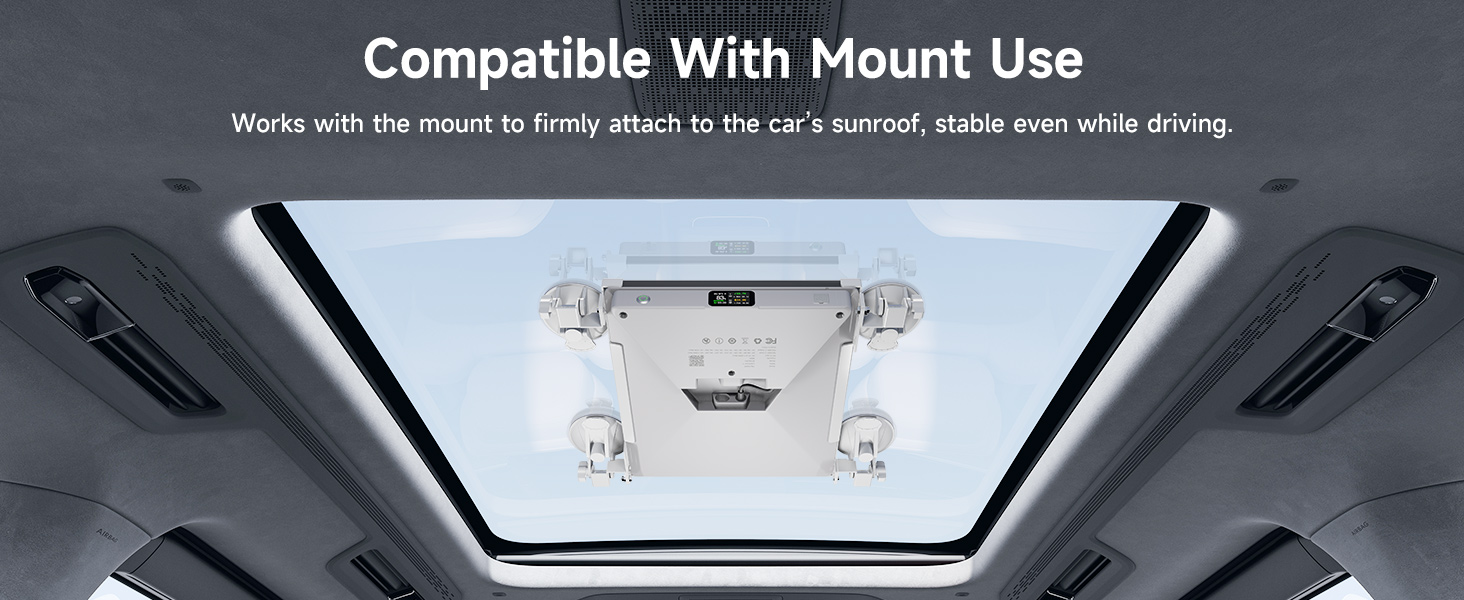
- Custom-Fit Design for Starlink Mini: Designed to integrate seamlessly with the Starlink Mini, featuring a snap-on buckle for secure attachment. Includes three standard 1/4" screw holes for tripod mounting.
- הויך קאַפּאַציטעט: The 27500mAh (99Wh) battery provides over 4 hours of power for Starlink Mini. It is flight-approved (under 100Wh) for travel.
- Bidirectional USB-C Power Delivery: Supports up to 100W input for fast charging of the power bank and 65W output via USB-C for charging other compatible devices.
- ינטויטיווע קאָנטראָל: Features a physical power switch for the DC port, an LCD screen for real-time status, and a smart app for remote monitoring and control via Bluetooth.
- דוראַבאַל קאַנסטראַקשאַן: Engineered to be cold-resistant (-20°C), heat-resistant (60°C), IPX4 water-resistant, and dustproof for various environments.
קאַמפּאָונאַנץ
The PeakDo LinkPower Power Bank features a clear LCD display, a power button, and USB-C and DC ports for connectivity.
This image highlights the power button, LCD screen, and the PD/USB-C Input/Output port on the side of the power bank.
סעטאַפּ
Attaching to Starlink Mini
- Align the PeakDo LinkPower Power Bank with the base of your Starlink Mini.
- Gently press until the snap-on buckle engages, securing the power bank to the Starlink Mini.
- Connect the provided DC cable from the power bank's DC output port to the Starlink Mini's power input.
ערשט טשאַרדזשינג
- פֿאַרבינדט דעם USB-C טשאַרדזשינג קאַבל צום פּאַוער באַנק'ס USB-C פּאָרט.
- Connect the other end of the USB-C cable to a compatible USB-C power adapter (not included) with at least 100W output for fastest charging.
- The LCD screen will display the charging status, including battery percentage and estimated time to full charge.

This image illustrates the power bank connected to a Starlink Mini, demonstrating its use in an outdoor setting.
אַפּערייטינג ינסטראַקשאַנז
Powering Starlink Mini
- Ensure the DC cable is securely connected between the power bank and Starlink Mini.
- Press the physical power button on the power bank to activate the DC output. The LCD screen will illuminate and show operational status.
- To turn off power to the Starlink Mini, press the power button again.
טשאַרדזשינג אנדערע דעוויסעס
The USB-C port provides up to 65W output for charging smartphones, laptops, and other compatible devices.
- פֿאַרבינדט אייער דעווייס צום פּאַוער באַנק'ס USB-C פּאָרט ניצנדיק אַ קאָמפּאַטיבלע USB-C קאַבל.
- The USB-C port is always active and does not require the physical power button to be pressed.
לקד ווייַז
The LCD screen provides real-time information about the power bank's status:
- באַטערי פּראָצענטtage
- אַרייַנשרייַב / רעזולטאַט וואָלtagE און קראַנט
- Remaining runtime (when discharging) or charging time (when charging)
- Port status (DC, USB-C)

דאָס בילד גיט אַ דעטאַלירטע view of the power bank's LCD screen, showing various operational parameters.
סמאַרט אַפּ קאָנטראָל
The PeakDo LinkPower Power Bank can be controlled and monitored remotely via a dedicated smartphone application using Bluetooth.
- Download the PeakDo app from your device's app store.
- געבן בלועטאָאָטה אויף דיין סמאַרטפאָנע און עפענען די אַפּ.
- Follow the in-app instructions to pair with your LinkPower Power Bank.
- Through the app, you can monitor battery status, control the DC output, and view detailed usage statistics.

This image demonstrates the PeakDo app interface on a smartphone, showing how to remotely monitor and control the power bank.
וישאַלט
- רייניקונג: Use a soft, dry cloth to clean the exterior of the power bank. Avoid liquid cleaners or abrasive materials.
- סטאָרידזש: Store the power bank in a cool, dry place when not in use. For long-term storage, charge the battery to approximately 50-70% every three months to maintain battery health.
- טעמפּעראַטור: Operate and store the device within its specified temperature ranges (-20°C to 60°C) to ensure optimal performance and longevity.
טראָובלעשאָאָטינג
- די מיטל איז נישט פּאַוערינג: Ensure the power bank is charged. Press and hold the power button for a few seconds.
- Starlink Mini not receiving power: Verify the DC cable is securely connected at both ends. Ensure the DC output is activated via the physical power button or the app.
- USB-C charging not working: Check the USB-C cable and the connected device. Ensure the device is compatible with USB-C Power Delivery.
- אַפּ קאַנעקטיוויטי פּראָבלעמען: Ensure Bluetooth is enabled on your phone and the power bank is within range. Restart the app and try pairing again.
- איבערהייצונג: If the device feels excessively hot, disconnect all devices and allow it to cool down in a well-ventilated area. Do not use if overheating persists.
ספּעסאַפאַקיישאַנז
| שטריך | דעטאַל |
|---|---|
| מאָדעל נאָמען | לינקפּאַוער 1 |
| נומער מאָדעל נומער | BP4SL3V1 |
| קאַפּאַציטעט | 27500 מאַה / 99 ווה |
| דק רעזולטאַט | 15-21V (65W מאַקס) |
| PD/USB-C Input | 5V=3A, 9V=3A, 12V=3A,15V=3A,20V=5A (100W Max) |
| PD/USB-C Output | 5V=3A, 9V=3A, 12V=3A,15V=3A,20V=5A (65W Max) |
| באַטאַרייע צעל זאַץ | ליטהיום יאָן |
| פּראָדוקט דימענשאַנז | 9.56 X 4.52 X 1.06 אינטשעס |
| פּונקט וואָג | 1.42 לבס (645 ג) |
| קאַמפּאַטאַבאַל דעוויסעס | Starlink Mini, Laptop, Smartphone |
וואָראַנטי און שטיצן
PeakDo products are designed for reliability and performance. For warranty information, technical support, or to register your product, please visit the official PeakDo webפּלאַץ.
אפיציעלע פּראָדוקט בלאַט: https://pwa.peakdo.ca/link-power-1/
Manufacturer: Shenzhen WestMicro Digital Technology Co., Ltd.
ענוויראָנמענטאַל פּראַטעקשאַן
This product contains a built-in lithium-ion battery. Please dispose of the product responsibly at the end of its life cycle, following local regulations for battery recycling. Do not dispose of with household waste.