
eKids 115
eKids Dora Karaoke Microphone with Boombox Instruction Manual
Model: 115 | Brand: eKids
1. הקדמה
Welcome to the eKids Dora Karaoke Microphone with Boombox. This device is designed to provide an interactive and engaging musical experience. It features a wired microphone, built-in music, and Bluetooth connectivity for streaming audio from compatible devices. This manual provides essential information for setup, operation, maintenance, and troubleshooting to ensure optimal performance and enjoyment.
2. פּראָדוקט איבערview
The eKids Dora Karaoke Microphone with Boombox is a portable audio device shaped like Dora's backpack, designed for children aged 3 and up. It combines a speaker with a wired microphone, allowing users to sing along to pre-loaded songs or music streamed via Bluetooth.
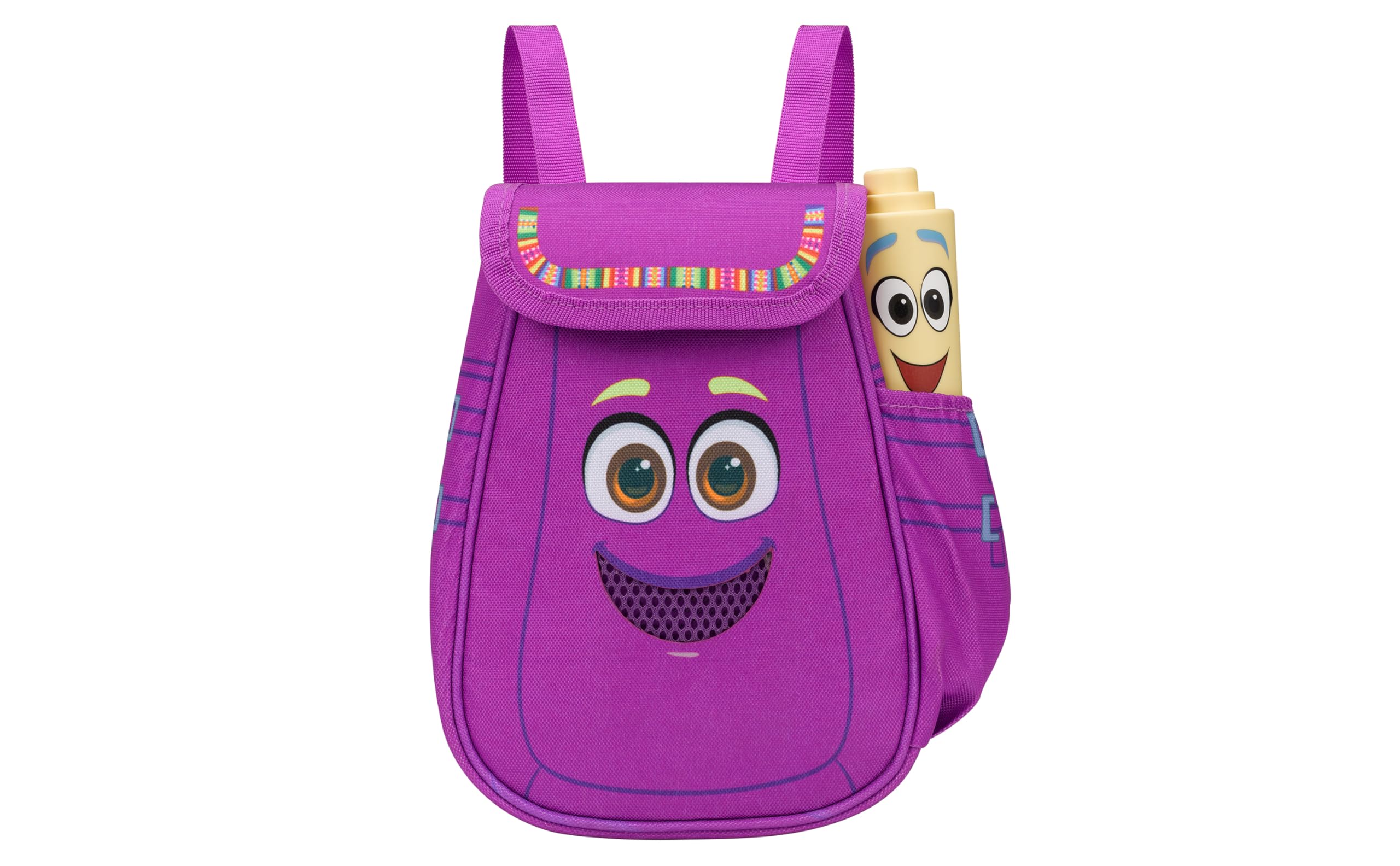
Figure 1: eKids Dora Karaoke Microphone with Boombox.
שליסל פֿעיִקייטן:
- בלועטאָאָטה ספּיקער: Connects to any music device via Bluetooth to stream popular karaoke playlists and more. Lightweight and portable, this karaoke boombox is designed for kids aged 3 and up.
- קאַראַאָקע מיקראָפאָן: Includes a wired microphone to amplify your voice for singing.
- Dora Backpack Design: Features cute and colorful graphics inspired by the popular Nickelodeon series.
- געבויט-אין מוזיק: Contains extended clips of the songs ‘Rainforest Ritmo’, ‘Cake’, and ‘Empanada’.
- פּאָרטאַביליטי: Lightweight design with a built-in handle for easy transport.
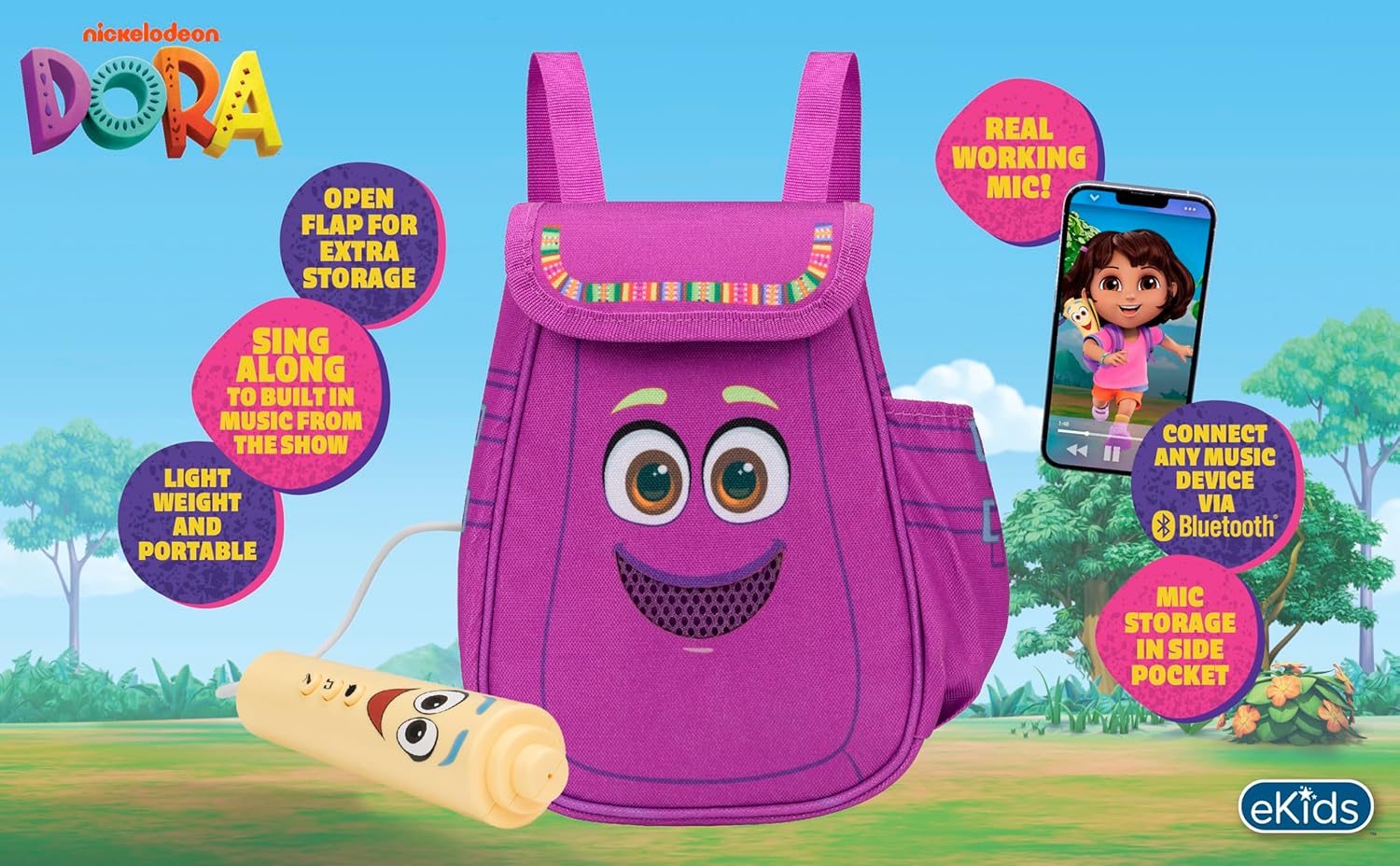
Figure 2: Visual overview of the product's key features.
3. פּעקל אינהאַלט
זיכער מאַכן אַז אַלע זאכן זענען פאַראַן ביים אויספּאַקן:
- Dora Karaoke Microphone with Boombox (main unit)
- ווייערד מיקראָפאָן
- ינסטרוקטיאָן מאַנואַל (דעם דאָקומענט)
- 3 x 'AA' Batteries (included)

Figure 3: Product as packaged, showing the boombox and microphone.
4. סעטאַפּ
4.1 באַטאַרייע ייַנמאָנטירונג
- Locate the battery compartment on the back or bottom of the boombox unit.
- ניצנדיק אַ פיליפּס קאָפּ שרויפנציער (נישט אַרייַנגערעכנט), עפֿנט דעם דעקל פֿון דער באַטעריע־אָפּטיילונג.
- Insert 3 'AA' batteries, ensuring correct polarity (+/-).
- פאַרבייַטן די דעקן פון די באַטאַרייע אָפּטייל און באַוואָרענען עס מיט די שרויף.
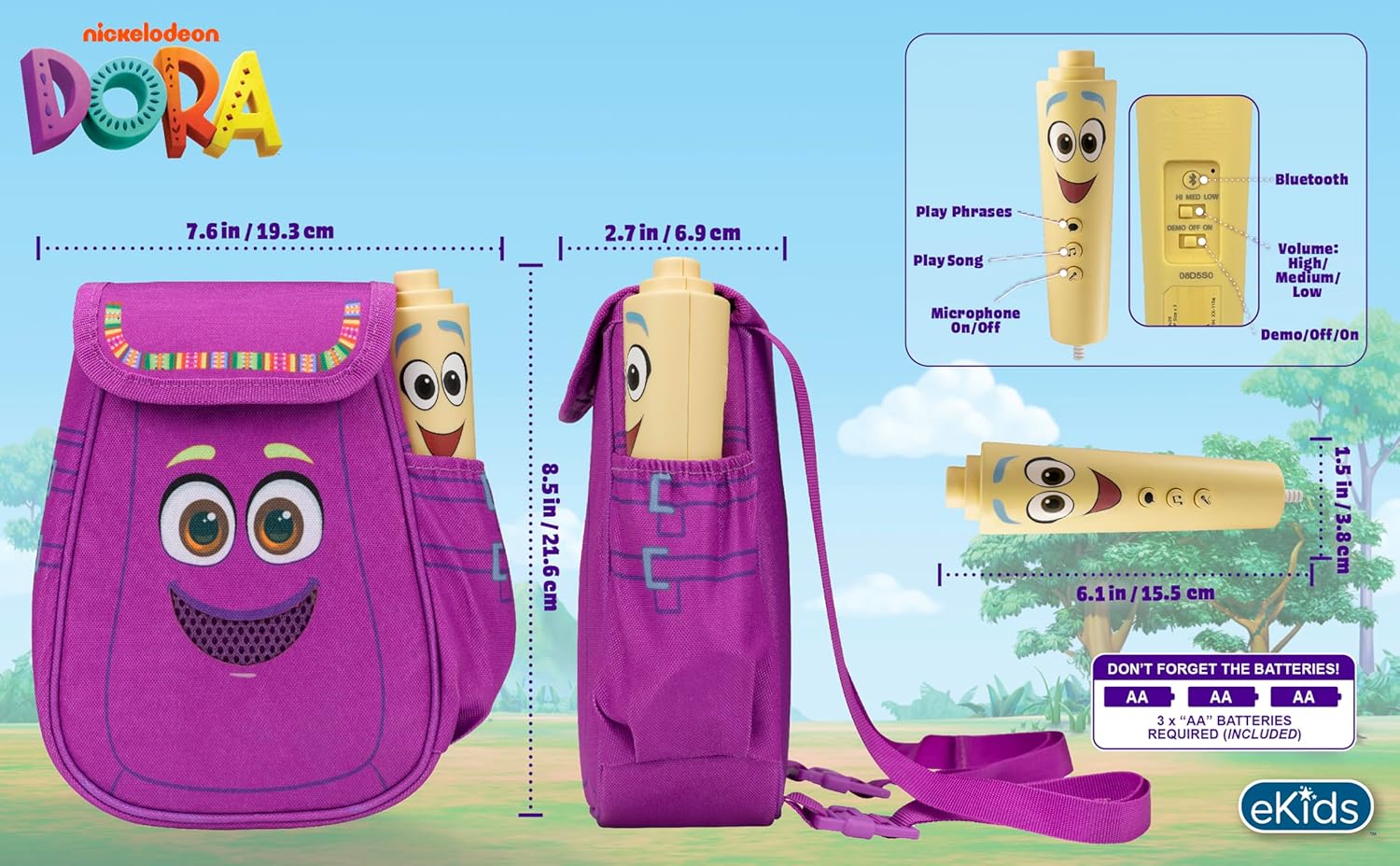
פיגורע 4: דערציען view of the boombox, indicating battery compartment and control buttons.
4.2 מיקראָפאָן קאַנעקשאַן
The wired microphone is typically pre-connected or plugs into a dedicated port on the boombox. Ensure the microphone cable is securely plugged in.
5. אַפּערייטינג ינסטרוקטיאָנס
5.1 מאַכט אויף / אַוועק
Locate the Power switch (often labeled ON/OFF or with a power symbol) on the unit. Slide it to the 'ON' position to power on the device. Slide it to 'OFF' to power off.
5.2 Playing Built-in Music
Press the designated 'Play Song' button (refer to Figure 4 for button layout) to cycle through the pre-loaded songs. The unit includes extended clips of 'Rainforest Ritmo', 'Cake', and 'Empanada'.
5.3 ניצן דעם מיקראָפאָן
To use the microphone, ensure the 'Microphone On/Off' switch (refer to Figure 4) is in the 'On' position. Speak or sing into the microphone to amplify your voice through the boombox speaker.
5.4 בלועטוט קאָנעקטיוויטי
To stream music from an external device:
- Ensure the boombox is powered on.
- Activate Bluetooth on your external music device (e.g., smartphone, tablet, computer).
- זוכן פֿאַר available Bluetooth devices and select "eKids Dora" or a similar name.
- Once paired, you can stream audio from your device to the boombox.

Figure 5: Bluetooth connectivity allows streaming from various compatible devices.
5.5 באַנד קאָנטראָל
Adjust the volume using the 'Volume: High/Medium/Low' switch on the unit (refer to Figure 4).
5.6 דעמאָ מאָדע
The unit may include a 'Demo/Off/On' switch (refer to Figure 4). Set it to 'Demo' for a brief demonstration of features, or 'On' for full functionality.
6. וישאַלט
- רייניקונג: ווישט אָפּ דעם אַפּאַראַט מיט אַ ווייכן, טרוקענעם שטאָף. ניצט נישט קיין שרײַבנדיקע רייניקונגס־מיטלען און טונקט נישט דעם אַפּאַראַט אין וואַסער.
- באַטערי זאָרגן: אַרויסנעמען באַטעריעס אויב די אַפּאַראַט וועט נישט ווערן גענוצט פֿאַר אַ לענגערע צייט צו פאַרמייַדן ליקאַדזש.
- סטאָרידזש: האַלט דעם אַפּאַראַט אין אַ קיל, טרוקן אָרט אַוועק פון דירעקט זונשייַן און עקסטרעמע טעמפּעראַטורן.
7. טראָובלעשאָאָטינג
| פּראָבלעם | לייזונג |
|---|---|
| קיין מאַכט | Check battery installation and ensure batteries are fresh. Confirm the power switch is in the 'ON' position. |
| קיין געזונט פון רעדנער | Increase the volume. Ensure the microphone is switched 'ON' if using it. If using Bluetooth, check device volume and connection. |
| מיקראָפאָן טוט נישט אַרבעטן | Ensure the microphone is securely plugged in and its 'On/Off' switch is in the 'On' position. |
| בלועטאָאָטה איז נישט קאַנעקטינג | Ensure the boombox is in Bluetooth pairing mode (if applicable, check manual for specific instructions). Turn off and on Bluetooth on your external device. Move devices closer together. |
8. ספּעסאַפאַקיישאַנז
- סאָרט: eKids
- מאָדעל נאָמען: 115
- קאָליר: דאָראַ
- מאַכט מקור: Battery Powered (3 x 'AA' batteries)
- רעדנער ציילן: 1
- קאַנעקטיוויטי טעכנאָלאָגיע: Bluetooth, 3.5mm audio jack (for wired microphone)
- נומער וואָג: 0.52 קילאָגראַמס
- נומער דימענשאַנז (ד x וו x ה): 10.63"ד רענטגענ 2.24"וו רענטגענ 8.17"ה
- UPC: 092298961934
- פאַבריקאַנט: קינד דיזיינס
9. וואָראַנטי און שטיצן
דער פּראָדוקט קומט מיט אַ 1-יאָר לימיטעד וואָראַנטי from the manufacturer, KIDdesigns. For warranty claims or technical support, please refer to the contact information provided with your purchase documentation or visit the eKids official webפּלאַץ.
For additional product information or to explore other eKids products, visit the eKids Brand Store.
Ask a question about this manual
Ask about setup, troubleshooting, compatibility, parts, safety, or missing instructions. Manuals+ will review the question and use this page’s manual context to help answer it.