
1. הקדמה
The IMARS HO-23 is a versatile 3-in-1 diagnostic tool, integrating a dual-channel oscilloscope, a full-function multimeter, and a high-performance signal generator into a single portable device. This instrument is designed for various applications, including automotive diagnostics, industrial maintenance, and electronics troubleshooting. It offers high precision, comprehensive measurement capabilities, and smart data management features.
This manual provides detailed instructions for the safe and effective use of your IMARS HO-23 device. Please read it thoroughly before operation and retain it for future reference.
2. זיכערקייַט אינפֿאָרמאַציע
To ensure safe operation and prevent damage to the device or injury to yourself, observe the following safety precautions:
- Operate the device only in dry, indoor environments.
- Avoid exposure to high temperatures, excessive humidity, or strong magnetic fields.
- פרובירט נישט צו עפענען אדער מאדיפיצירן דעם אפאראט. לאָזט איבער אלע סערוויסעס צו קוואַליפֿיצירטע פּערסאָנעל.
- Ensure all probes and cables are in good condition before use. Do not use damaged accessories.
- אַדכיר צו די ספּעסיפיעד אַרייַנשרייַב וואָלtage limits for all functions to prevent overload.
- Always disconnect power from the circuit under test before connecting or disconnecting probes, especially when measuring high voltages.
- Use caution when working with live circuits. Wear appropriate personal protective equipment.
3. פּעקל אינהאַלט
באַשטעטיקן אַז אַלע זאכן זענען פאַראַן אין פּעקל:
- 1 x IMARS HO-23 Handheld Oscilloscope
- 1 X Type-C טשאַרדזשינג קאַבלע
- 1 x קערי באַג
- Necessary Probes and Accessories (e.g., oscilloscope probes, multimeter test leads)

Image: The IMARS HO-23 device shown with its complete set of accessories, including probes, cables, and a carry bag.
4. דיווייס איבערview
The IMARS HO-23 integrates three primary functions: an oscilloscope, a multimeter, and a signal generator. This design streamlines diagnostic workflows by providing multiple tools in one compact unit.
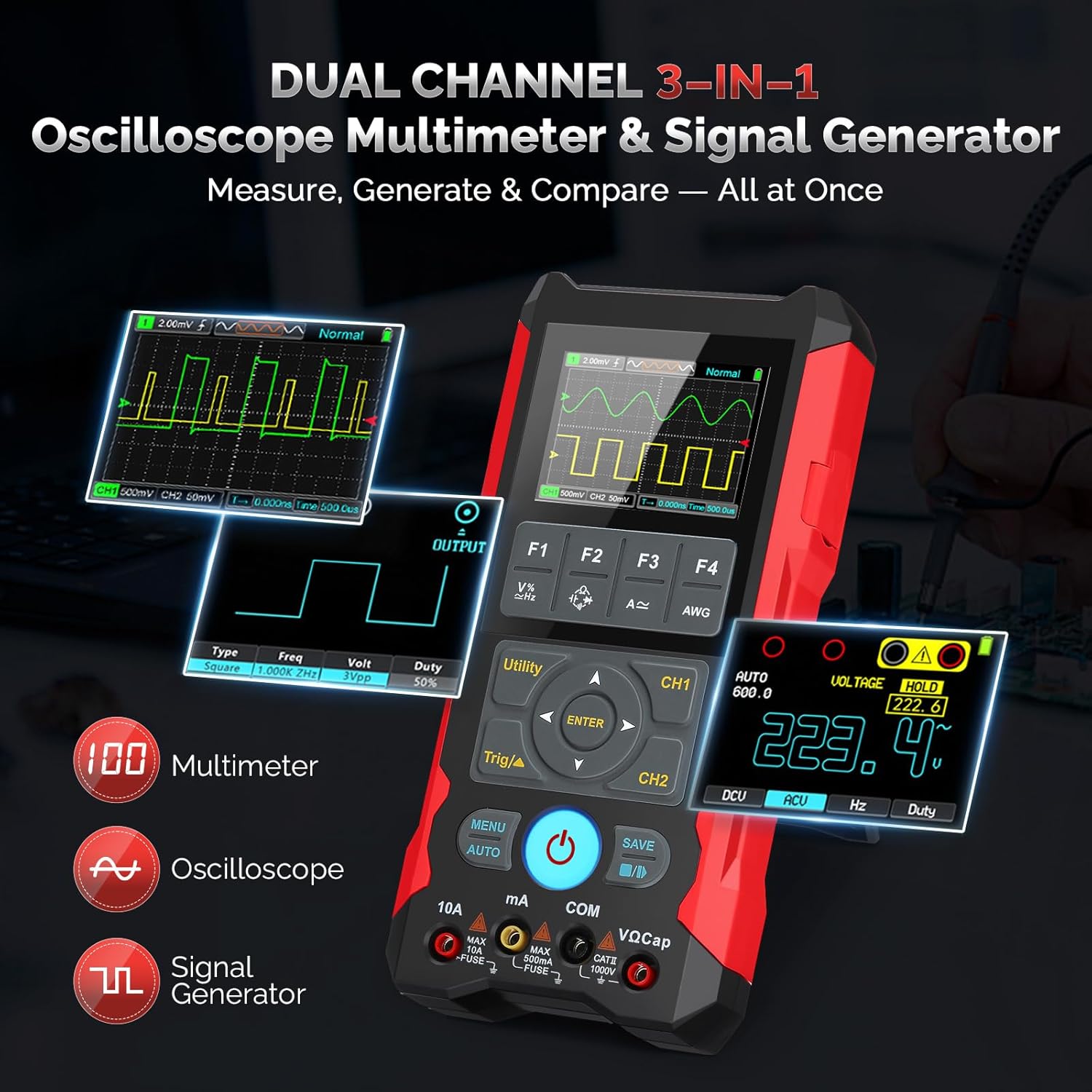
Image: An illustration highlighting the 3-in-1 functionality of the IMARS HO-23, showing its oscilloscope, multimeter, and signal generator capabilities.
קאָנטראָלס און ווייַז
The device features a 2.8-inch LCD for clear display of waveforms and measurement data. Navigation is managed through a central directional pad and dedicated function buttons (F1-F4, MENU, AUTO, SAVE, Utility, Trig/▲, CH1, CH2).
- מאַכט קנעפּל: Located centrally, used for turning the device on and off.
- פונקציע קנעפּלעך (F1-F4): Context-sensitive buttons for various settings and modes.
- MENU קנעפּל: Accesses the main menu for configuration options.
- AUTO קנעפּל: אויטאָמאַטיש אַדזשאַסטירט אָסילאָסקאָפּ סעטטינגס פֿאַר אָפּטימאַל כוואַליעפאָרם אַרויסווייַזן.
- SAVE קנעפּל: Initiates data and waveform saving.
- Utility Button: Accesses utility functions.
- Trig/▲ Button: Adjusts trigger settings in oscilloscope mode.
- CH1/CH2 Buttons: Selects or configures channels.
- אַרייַנשרייַב טערמינאַלס: Dedicated ports for oscilloscope probes (CH1, CH2) and multimeter test leads (10A, mA, COM, VΩCap).
5. סעטאַפּ
5.1 ערשט טשאַרדזשינג
Before first use, fully charge the device. Connect the provided Type-C cable to the device's charging port and to a compatible USB power adapter (not included). The 4000mAh battery supports 15W fast charging and provides up to 10 hours of continuous use.

Image: A visual representation of the IMARS HO-23's internal 4000mAh battery and the Type-C fast charging port.
5.2 פֿאַרבינדן פּראָבעס
Depending on the desired function, connect the appropriate probes:
- For Oscilloscope: Connect the oscilloscope probes to the CH1 and/or CH2 BNC connectors. Ensure a secure connection.
- For Multimeter: Connect the red test lead to the VΩCap or 10A/mA terminal and the black test lead to the COM terminal.
6. אַפּערייטינג ינסטרוקטיאָנס
6.1 מאַכט אויף / אַוועק
Press and hold the central power button to turn the device on or off.
6.2 אָסילאָסקאָפּ מאָדע
The HO-23 features a 70MHz dual-channel oscilloscope with a 200MSa/s sampling rate and 2Kpts record depth, capable of capturing high-frequency signals with precision. It supports ±400V high-voltagE אַרייַנשרייַב.

Image: The IMARS HO-23 display showing a captured waveform, emphasizing its 70MHz bandwidth capability for detailed signal analysis.
- קאַנאַל סעלעקציע: Use the CH1 and CH2 buttons to enable or disable channels.
- ווערטיקאַלע וואָג (וואָלץ/דיוו): Adjust the vertical scale using the directional pad or dedicated buttons to fit the waveform on the screen.
- האָריזאָנטאַלע וואָג (צייט/טיילונג): Adjust the horizontal scale to view more or less of the waveform over time.
- טריגער סעטטינגס: Use the Trig/▲ button to configure trigger type, source, and level for stable waveform display.
- אויטאָ פונקציע: Press the AUTO button for automatic adjustment of vertical, horizontal, and trigger settings.
- אַוואַנסירטע פֿעיִקייטן: Access math operations, cursor measurement, persistence mode, and XY mode through the MENU or Utility buttons for in-depth analysis.
6.3 מולטימעטער מאָדע
The integrated multimeter provides accurate measurements for various electrical parameters.

Image: A collage demonstrating the IMARS HO-23 performing DC voltagE, אַק וואָלtage, diode test, and capacitance measurements.
- אַק/דק חלקtage: Measures up to 1000V.
- קעגנשטעל: Measures up to 60MΩ.
- קאַפּאַסיטאַנס: Measures up to 100mF.
- אָפטקייַט: Measures from 10Hz to 10MHz.
- דיאָד טעסט און קאָנטינויִטעט: Available functions for component testing.
Select the desired measurement function using the appropriate buttons or menu options. Connect test leads to the correct input terminals (VΩCap for voltage/resistance/capacitance/frequency, 10A/mA for current, COM for common ground).
6.4 סיגנאַל גענעראַטאָר מאָדע
The built-in signal generator can output various waveforms for testing circuits or simulating sensor signals.
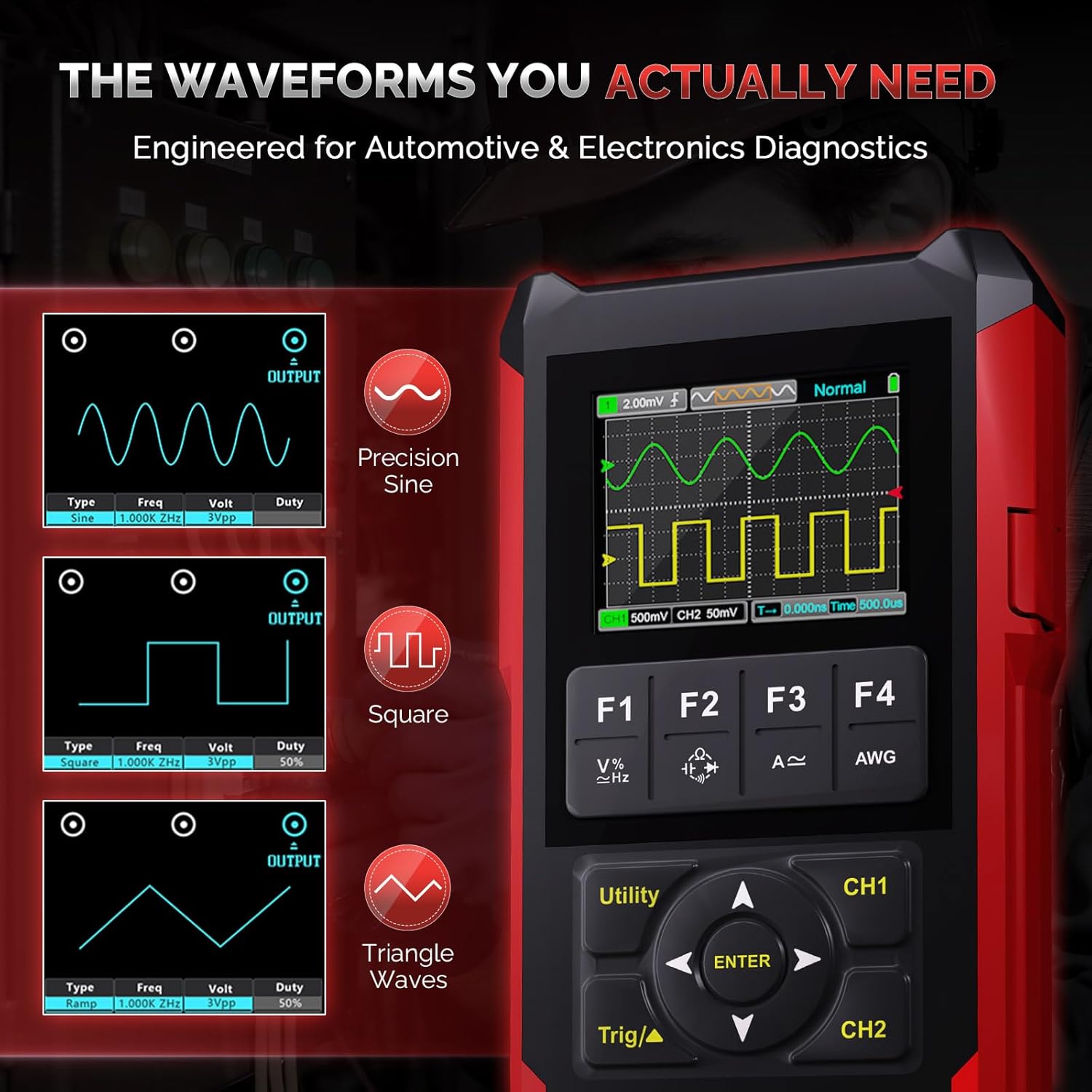
Image: The IMARS HO-23 screen showing examples of generated sine, square, and triangle waveforms with adjustable frequency and ampליטוד.
- כוואַליעפאָרם טיפּן: Generates Sine, Square, and other waveforms.
- Frequency Adjustment: Adjust frequency with 1Hz fine stepping.
- Amplitude and Duty Cycle: Configure output amplitude and duty cycle as needed.
Access the signal generator function through the menu. Connect the output to the circuit under test using appropriate cables.
6.5 Data Management and Display
The device allows for efficient data and waveform management.
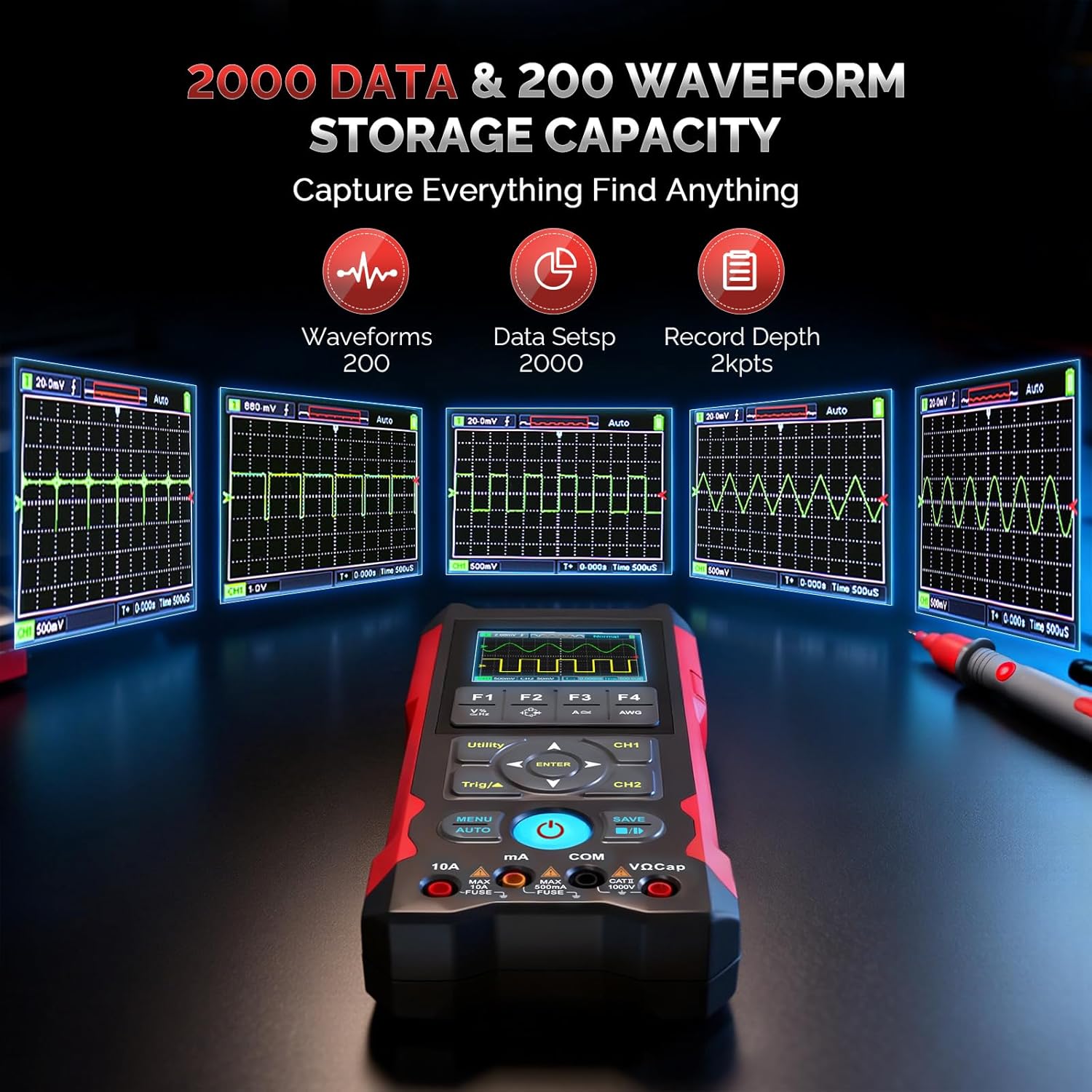
Image: A graphic illustrating the IMARS HO-23's capacity to store 200 waveforms and 2000 data sets, with examples of stored waveforms.
- One-Click Save: Use the SAVE button to store up to 2000 data sets and 200 waveforms.
- File אַריבערפירן: Transfer saved files to a PC via the Type-C connection for further analysis and reporting.
- ווייַז פֿעיִקייטן: The 2.8-inch LCD supports live and reference waveform comparison, enhancing analysis capabilities.
7. ספּעסאַפאַקיישאַנז
| שטריך | באַשרייַבונג |
|---|---|
| מאָדעל | HO-23 Dual Channel Handheld Oscilloscope |
| באַנדווידט | 70 מהז |
| Sampלינג קורס | 200 מסאַ / s |
| Record Depth | 2Kpts |
| אַרייַנשרייַב וואָלtagE ראַנגע | ±400וו |
| מולטימעטער פאַנגקשאַנז | אַק/דק חלקtage (up to 1000V), Resistance (60MΩ), Capacitance (100mF), Frequency (10Hz–10MHz) |
| סיגנאַל גענעראַטאָר | Sine, Square waveforms, 1Hz fine stepping |
| באַטערי | 4000 מאַה קריקאָנלאָדלעך ליטהיום באַטאַרייע |
| טשאַרדזשינג | 15W Type-C fast charging |
| קעסיידערדיק נוצן | אַרויף צו 10 שעה |
| ווייַז | 2.8-inch LCD, supports live and reference waveform comparison |
| סטאָרידזש | Saves up to 2000 data sets and 200 waveforms |
| פּעקל דימענשאַנז | 9.45 X 7.09 X 1.97 אינטשעס; 2.12 פונט |
| פאַבריקאַנט | IMARS |
8. וישאַלט
8.1 רייניקונג
Wipe the device with a soft, dry cloth. Do not use abrasive cleaners or solvents. Ensure the device is powered off and disconnected from any power source before cleaning.
8.2 סטאָרידזש
When not in use, store the device in its carry bag in a dry, cool place, away from direct sunlight, high temperatures, humidity, and strong magnetic fields. Ensure the battery is partially charged (around 50%) for long-term storage to prolong battery life.
9. טראָובלעשאָאָטינג
If you encounter issues with your IMARS HO-23, consider the following general troubleshooting steps:
- אַפּאַראַט אַרבעט נישט אָן: Ensure the battery is charged. Connect the device to a Type-C charger and try again.
- No signal displayed in Oscilloscope mode: Check probe connections. Ensure the probe is properly connected to the circuit under test. Adjust vertical and horizontal scales, and trigger settings. Use the AUTO button.
- אומרעכטע מולטימעטער לייענונגען: Verify that the test leads are connected to the correct input terminals for the selected measurement function. Ensure the circuit under test is within the device's measurement range.
- Device freezes or behaves erratically: פּרוּווט ריסטאַרטן דעם מיטל. אויב די פּראָבלעם בלייבט, קאָנטאַקטירט קונה שטיצע.
10. וואָראַנטי און שטיצן
For warranty information, technical support, or service inquiries, please contact IMARS customer service through the retailer where the product was purchased or visit the official IMARS website. Please have your product model (HO-23) and purchase details available when contacting support.